
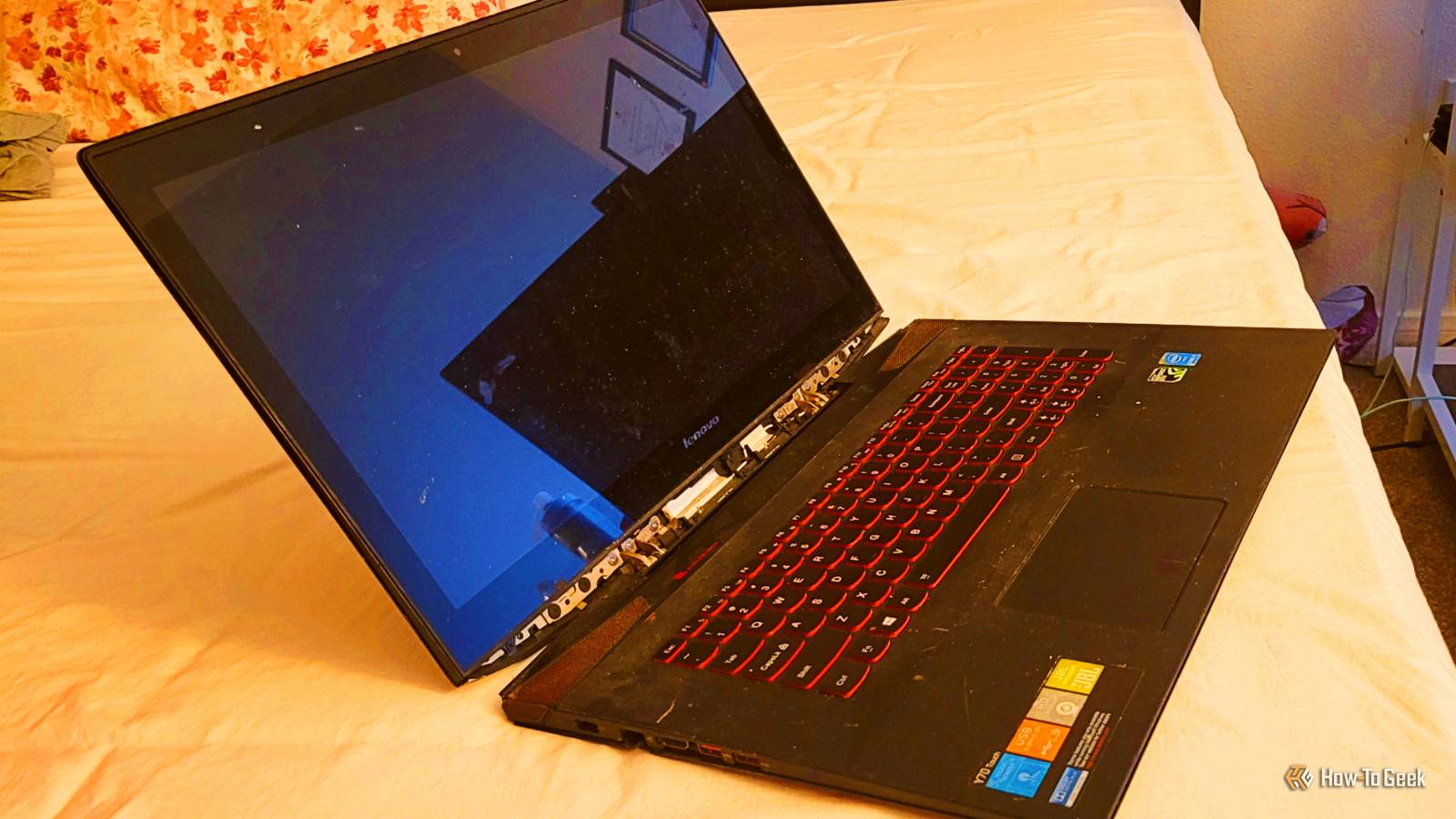
Published Sep 26, 2026, 11:30 AM EDT Monica J. White is a journalist with over a decade of experience in covering technology. She built her first PC nearly 20 years ago, and she has since built and tested dozens of PCs. PC hardware is her main beat, and graphics cards and the GPU market at large are her main area of interest, but she has written thousands of articles covering everything related to PCs, laptops, handhelds, and peripherals. From GPUs and CPUs to headsets and software, Monica's always willing to geek out over all things related to computing. Outside of her work with How-To Geek, Monica contributes to TechRadar, PC Gamer, Tom's Guide, Laptop Mag, SlashGear, Whop, and Digital Trends, among others. Her ultimate goal is to make PC gaming and computing approachable and fun to any audience. Monica spends a lot of time elbow-deep in her PC case, as she's always making upgrades, testing something, or plotting out her next build. She's the go-to tech support person in her immediate circle, so she's never out of things to do. Whenever she has spare time, you'll find her gaming until the early hours and hanging out with her dog. An old, slow laptop might seem essentially useless. I know I have a drawer that's essentially a laptop graveyard: old laptops that I no longer use or which have been gifted to me ages ago. But some of my old laptops have come in handy over the years. As long as your laptop works, it can still have a useful job, from doubling as a desktop PC to becoming a Plex media server. Turn it into a tiny desktop PC A dead screen or battery doesn't mean your laptop is over I've been building desktops for around 20 years, so it won't surprise you that I'm always team desktop PC when compared to a laptop. But even I have to acknowledge that if you have to use a laptop, the best way to do it is to turn it into a desktop. It's simple. If your laptop's screen and/or battery are completely busted, or its battery is good for nothing, that's okay. As long as the actual PC part of it all works, you can still just keep it plugged in and use it with a monitor as a desktop replacement. Of course, this method relies on the rest of the laptop being in good enough shape to be of some use. In any case, it never hurts to try and see. Give it ChromeOS Flex or lightweight Linux Sometimes the OS is the only thing that needs fixing Credit: Patrick Campanale / How-To Geek Sometimes, the laptop itself isn't the problem. Even an aging laptop can have okay-ish hardware, which, while it won't break any benchmark records, can suffice for Netflix and office work. But using Windows on these less-than-stellar laptops can be a pain sometimes, which is why simply switching the OS can be all it takes to get your laptop back up and running. ChromeOS Flex is probably the easiest option if you're not going to ask for much from your laptop, but a lightweight Linux distro gives you more flexibility if you don't mind doing a little more setup. This won't somehow turn a decade-old laptop into a speed demon, but it could make it usable under more conditions. It's an easy experiment, too; set up a USB rescue drive first, and then you can switch the OS whenever needed. The screen can be broken because you barely need it anyway Credit: Patrick Campanale / How-To Geek This is another use case where, if the laptop is still kicking (but maybe isn't amazing anymore, or it never was to begin with), you can turn it into a media server. This should help you forget all about its flaws while still getting plenty of use out of it. All you need to do is install Plex or Jellyfin, point it at your media library, and keep the laptop somewhere out of the way. You'll barely need the screen or keyboard at all once you set it all up, which means that even laptops that have seen better days can get by. You can use the laptop's internal storage if there's plenty of it. Chances are that there isn't, so you may have to plug in an external hard drive instead. Just don't drop it. Turn it into a basic network storage box That old drive can be useful from another room Credit: Tony Phillips/How-To Geek You may not be able to turn an old laptop into a full-fledged NAS, but you can still turn one into basic network storage. Share one of its folders over your local network, or plug in an external drive and share that instead. The benefit is that the laptop barely needs to do anything in this setup. It'll work as a place to dump your files. If it's really old, I wouldn't expect these file transfers to be fast at all, but they should be good enough for most backup situations. As far as wiring it goes, this laptop will be one of those devices that belong on your Ethernet connection. It'll be way steadier than relying on whatever outdated Wi-Fi protocol your old laptop supports. Make it a permanent dashboard or digital photo frame A laptop with a good screen doesn't have to be useful Credit: Cianna Garrison / How-To Geek This one is for those laptops that really should just be retired, but you don't want to get rid of them (or you want to get a bit creative). All you really need is for the screen to work, and for the laptop to, well, somewhat work. It doesn't take much. Prop up the laptop somewhere, keep it plugged in, and leave a browser open full-screen with whatever you want to look at during the day. Maybe a calendar app, maybe Home Assistant, maybe security cameras ... many options here. Alternatively, go even more low-key and turn it into a digital photo frame. (Those things are expensive.) An old laptop is more than capable of cycling through a folder full of photos. If the device is on its last legs, this is the kind of workload it should be able to keep up with for you. Keep it around for all the aging ports New laptops don't give you much wiggle room Is your laptop one of those decade+ old chonky models? It has a distinct advantage over newer ones: it probably has a wider variety of ports. These days, laptops are so thin that they cut back on ports. Older laptops, however, may have full-size HDMI, Ethernet, USB-A, SD card readers, and headphone jacks. Sure, you can buy adapters to serve each one of these things, but having it all in one surprisingly handy legacy device can be helpful, too. Broken doesn't have to mean useless At some point, an old laptop stops being worth keeping as a proper laptop. That leaves you with two options: getting rid of it or repurposing it. I'm a big fan of using the hardware I already own, and I'm happy to report that two of my old laptops (which were pretty bad to begin with) live on even though they're well past their retirement age.
6 super-easy ways to repurpose a broken old laptop
Full Article
Original Source
Read the full article at Howtogeek →KhanList aggregates and links to publicly available news content. We do not host full articles from third-party sources. Always verify important information with original sources.