
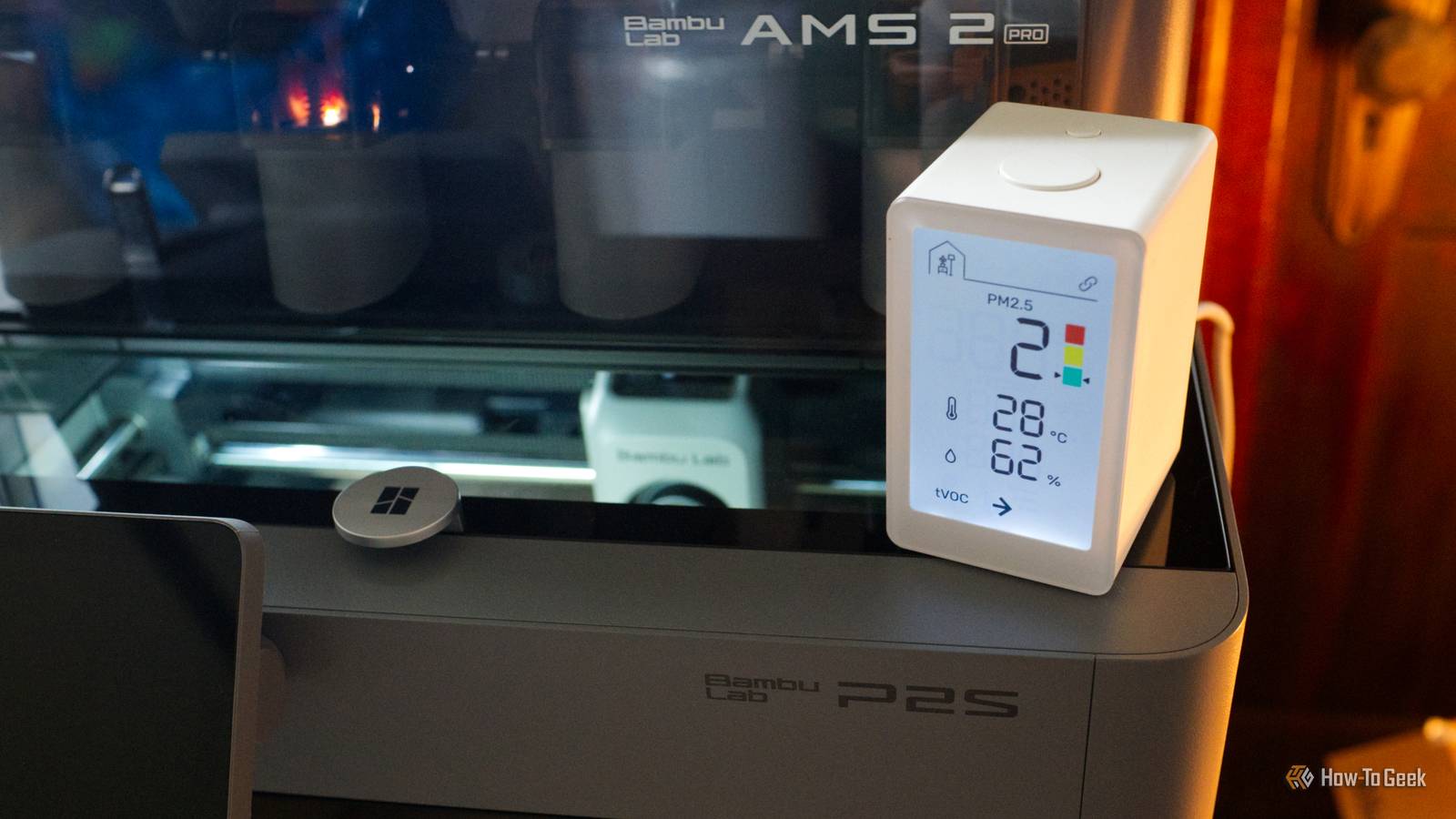
Published Aug 18, 2026, 10:31 AM EDT Adam has a degree in Engineering and has a life-long interest in technology. He has been writing for over a decade for various print and online publications, with a focus on consumer tech. He joined How-To Geek in 2024 while working at Pocket-lint. As well as being a long-term fan of Apple products, he also has a strong interest in smart home tech, running a Home Assistant server at home to automate all his smart home devices. He believes that the ideal smart home should work with minimal interaction from the user, with automations running as if by magic rather than requiring you to push buttons on a control panel. You can find more of his work on Muck Rack. ESP32 boards are hugely popular in the smart home community because they're inexpensive, and you can use them to build a huge range of things. While there are plenty of projects that don't require any additional parts, if you combine an ESP32 with a 3D printer, you can do even more. Smart roller blinds Make your blinds open when the sun comes up The plastic piece on the blinds slides into the other plastic piece attached to the wall.Credit: Tyler Hayes / How-To Geek Smart blinds are one of those smart home upgrades that can really make your home feel more luxurious. Having your blinds automatically open in the morning to gently wake you with natural light is an experience that never gets old. You can buy ready-made smart roller blinds, but they don't always come cheap. A cheap retrofit controller can cost $50 or more, while higher-end kits can cost well over $100. Buying complete smart blinds can cost $200 or more per window. You can build a smart roller blind controller using an ESP32 and a stepper motor driver. The ESP32 can control a stepper motor with the appropriate driver, but you still need a bead-chain sprocket to turn the blind's chain as well as a bracket to mount the motor, and a chain guide to keep the chain on the sprocket. You can build your own smart blind controller for around $20 to $30, assuming you already own the 3D printer. The parts themselves will then only set you back a couple of dollars in filament. Video doorbells Say goodbye to your Ring subscription Smart video doorbells are a huge upgrade on their dumb counterparts. If your dumb doorbell rings when you're not at home, you don't even know it's happened. With a smart video doorbell, not only do you get alerted when your doorbell is rung, but you can see who is at the door and even talk to them remotely. There are plenty of video doorbells on the market to choose from, including video doorbells that can work completely locally so that you don't need to pay for a subscription. An alternative option is to build your own. An ESP32-CAM is a tiny development board that combines an ESP32 with a small camera module. Using an ESP32-CAM, you can build your own video doorbell that can recreate many of the features of popular video doorbells, such as live video feeds, snapshot images from the doorbell, and motion-triggered notifications. Since your video doorbell is exposed to the elements, you'll need something to protect it, as well as a way to ensure that the camera module is angled correctly to capture the best view. That's where your 3D printer comes in. You can print a weather-resistant mounting plate that attaches to your door frame or wall, a housing that protects the components and keeps the camera at the correct angle, and even a wedge that can angle the camera towards your doorway. With a self-hosted NVR such as Frigate, you can do away with a subscription for the most important video doorbell features. Air quality sensors Keep track of indoor pollution Credit: Project Aura / 21CNCStudio We're all conscious of the risks of outdoor pollution, but most of us spend far more time inside than outside. Indoor pollution can have significant health implications, so it's important to be able to track the quality of your indoor air. The problem is that good-quality air quality sensors tend to be fairly expensive. This means you're more likely to only purchase one or two devices, so you're only monitoring air quality in specific areas of your home. The air quality could be far worse in the areas that you're not monitoring, but you'd remain completely unaware of the fact. You can build your own air quality sensors using an ESP32 and sensors that can monitor particulate matter, volatile organic compounds (VOCs), carbon dioxide levels, and more. Many of these sensors need adequate airflow around them for accurate readings. Using a 3D printer, you can build a housing that includes vents, air channels, and mounts so that your sensors are exposed to circulating air while the electronics remain protected. While a high-quality multi-sensor air quality monitor can cost more than $300, you can build your own with good-quality sensors and a 3D-printed housing for significantly less. Smart buttons Smart home automations at the push of a button Credit: Bertel King / How-To Geek Smart home automations can trigger without you having to do anything manually. A presence sensor can turn on your lights, or geofencing can turn off your heating when you leave home. Sometimes, however, you may want to trigger things manually. A smart button is a simple way to do so. While you can buy smart buttons, they're often more expensive than you might expect for such a simple device. Many ESP32 development boards have an onboard boot button that can also be used as an input, making them useful for building your own smart buttons. The problem is that these onboard buttons are often very small, making it hard to push them easily. You can use a 3D printer to build a housing for your ESP32 with a button mechanism inside it that will depress the ESP32's button when you push down on the housing. You can even get creative and make your smart buttons look like arcade buttons or other designs. An IR blaster Make sure your blaster points where it needs to go Credit: Adam Davidson / How-To Geek Home Assistant now has an Infrared integration, which allows you to control dumb devices that come with IR remotes through a compatible IR transmitter. An IR blaster can send out infrared signals that mimic the commands from a remote. You can build your own IR blaster using an ESP32 and an IR transmitter, but IR generally works best with a clear line of sight. If you want to use an IR blaster to control multiple devices in the same room, you may need multiple transmitters pointing in different directions. A 3D printer lets you mount the IR transmitters so that they're all aligned in the right directions for your infrared devices. Then all you need to worry about is people walking in front of your IR blaster when you're trying to use it. Seeed Studio XIAO ESP32C3 The Seeed Studio XIAO ESP32-C3 is the perfect budget-friendly microcontroller for smart home projects. With Wi-Fi and Bluetooth built-in, it also features a super deep sleep mode for low power usage when it isn't doing anything. The compact size makes this ideal for building smart home projects, and ESPHome allows it to easily integrate into Home Assistant. A 3D printer makes an ESP32 even more useful Both 3D printers and ESP32s are hugely popular among makers. Combining both gives you even more options for what you can create.
5 smart home gadgets you can replace with an ESP32 and a 3D printer
Full Article
Original Source
Read the full article at Howtogeek →KhanList aggregates and links to publicly available news content. We do not host full articles from third-party sources. Always verify important information with original sources.