
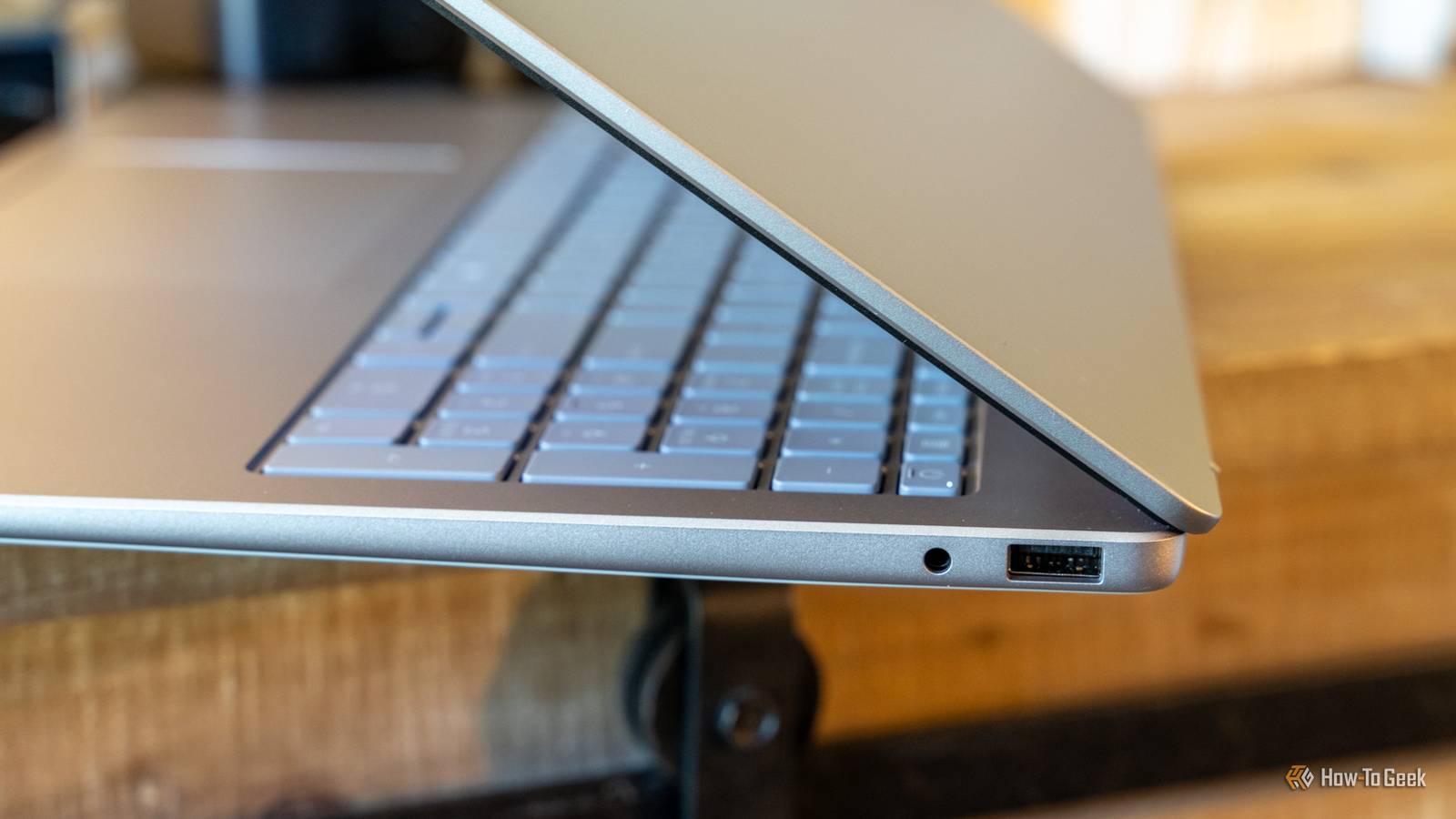
Published Sep 4, 2026, 7:30 AM EDT Monica J. White is a journalist with over a decade of experience in covering technology. She built her first PC nearly 20 years ago, and she has since built and tested dozens of PCs. PC hardware is her main beat, and graphics cards and the GPU market at large are her main area of interest, but she has written thousands of articles covering everything related to PCs, laptops, handhelds, and peripherals. From GPUs and CPUs to headsets and software, Monica's always willing to geek out over all things related to computing. Outside of her work with How-To Geek, Monica contributes to TechRadar, PC Gamer, Tom's Guide, Laptop Mag, SlashGear, Whop, and Digital Trends, among others. Her ultimate goal is to make PC gaming and computing approachable and fun to any audience. Monica spends a lot of time elbow-deep in her PC case, as she's always making upgrades, testing something, or plotting out her next build. She's the go-to tech support person in her immediate circle, so she's never out of things to do. Whenever she has spare time, you'll find her gaming until the early hours and hanging out with her dog. For many people, Bluetooth headphones are not and never have been a straight-up replacement for wired—they're just convenient to use on the go. But manufacturers have been trying to kill the 3.5mm jack for years now, stripping it from flagship phone models and even laptops. When this happens, however, you're losing more than just a headphone slot. Because this flexible little port is no one-trick pony. It can actually do quite a lot. And with its mere 5-10ms of latency, it can do those things very fast. Send lossless digital audio out through an optical cable Some 3.5mm jacks are secretly optical ports in disguise On some PCs—more often laptops and certain motherboards—the 3.5mm jack does double duty as a mini-TOSLINK optical output. A quick way to find out if this applies to yours is to darken the room and see if you can spot some red light emitting from around the jack. This is an emitter LED sending audio as pulses of light, sitting right alongside the copper contacts that handle your analog plugs. With this, you can run a clean digital signal straight to a soundbar, AV receiver, or external DAC using a cheap 3.5mm-to-TOSLINK adapter. However, there's no electrical power involved here, so the device you're feeding needs its own power and its own optical input. And, over optical S/PDIF, a PC will usually downmix to 2-channel PCM unless the sound hardware supports Dolby Digital Live or DTS Connect, which encode 5.1 on the fly for the cable. Turn it into an audio input to record from other gear Your output jack can be re-tasked as a line-in Credit: Tyler Hayes / How-To Geek A 3.5mm jack is physically the same hardware whether it's pushing sound out or pulling it in, and on a lot of Realtek-based PCs, you can flip its role in software. Open the Realtek Audio Console, find Connector Retasking, and you can tell the driver what you actually plugged in. In plain terms, connector retasking lets the audio driver treat one physical jack as a different kind of connection—so a port that ships as an output can be reassigned as a mic or line-level input, if your codec and board support it. Suddenly you can record a synth, a mixer, or a cassette deck straight into your machine. As with most of the items on this list, however, whether you can do it or not depends on your hardware. Specifically, your codec, board, and driver version. And for laptop owners, it's even more complicated. A single 3.5mm combo jack on a laptop is usually TRRS, which only provides a mono microphone input, not a proper stereo line-in, so it's not suited to recording a stereo source like a synth or turntable at line level. Feed a bigger sound system Like an amp, powered speakers, or a soundbar Credit: Tyler Hayes / How-To Geek Here's a good one—you can connect a 3.5mm-to-RCA or 3.5mm-to-3.5mm cable to the aux input on a stereo amp, a set of powered bookshelf speakers, or a soundbar. If you've been suffering through the tinny speakers built into your monitor, I bet you can hack together a better setup this way. There's a right way to do it, though. A PC headphone jack is an amplified output tuned to drive headphones, not a true fixed-level line-out. So when you feed powered speakers or an amp, start with the PC volume low and raise it gradually to avoid a hot, distorted signal. And if your gear offers a choice, remember how the two paths differ: the optical route sends digital audio for the receiver to convert, while the 3.5mm route sends already-converted analog—if your gear has both inputs, optical keeps the conversion (and any PC electrical noise) out of the signal path. Record real instruments by turning your PC into an interface Guitar, bass, or keyboard, straight into the jack Credit: Rich Hein/HowToGeek Building on that input trick, the jack can become the front door to a home recording setup. With a small iRig-style adapter (or a retasked line-in), you can capture a guitar, bass, or keyboard into a DAW, and some of those adapters even let your PC stand in for a pedalboard as a multi-effects processor. Don't expect too much from this little hack, however. A guitar or bass is a high-impedance instrument signal, so it usually needs an interface or a Hi-Z input to be captured cleanly. Plugging straight into a mic jack often gives a weak, noisy result. Think of this as the cheap way to start rather than a studio replacement; a dedicated USB interface will always be quieter and lower-latency, and you'll still want a decent pair of headphones to monitor what you're capturing. But for laying down an idea at midnight, the jack you already have is more than enough. Split it so two people can listen at once One jack, two (or more) sets of headphones Credit: Ismar Hrnjicevic / How-To Geek This is one of the most useful but also one of the best-known tricks for headphone jacks. We've had Bluetooth headphones for so long, and yet support for connecting multiple sets to one device has been so, so slow and patchy. With wired headphones, all you need is a three-dollar Y-splitter. It turns a single jack into two, so two people can share a movie on a laptop without huddling over one earbud each—and some splitters fan out to as many as six sockets. However, splitting literally divides the signal, so each pair can end up a little quieter, especially with harder-to-drive headphones. But for casual listening on a plane or a couch, though, you'll probably never notice. Not bad for a port everyone keeps trying to kill Some people will have a PC that can do just about everything on this list, while others will only be able to do one or two, but the point is—the 3.5mm jack can do lots of cool stuff, and manufacturers are wrong to try and sideline it. If you want to try any of these out, just remember to check if your hardware is compatible before buying any adapters.
5 hidden tricks hiding in your PC's headphone jack that beat Bluetooth every time
Full Article
Original Source
Read the full article at Howtogeek →KhanList aggregates and links to publicly available news content. We do not host full articles from third-party sources. Always verify important information with original sources.