
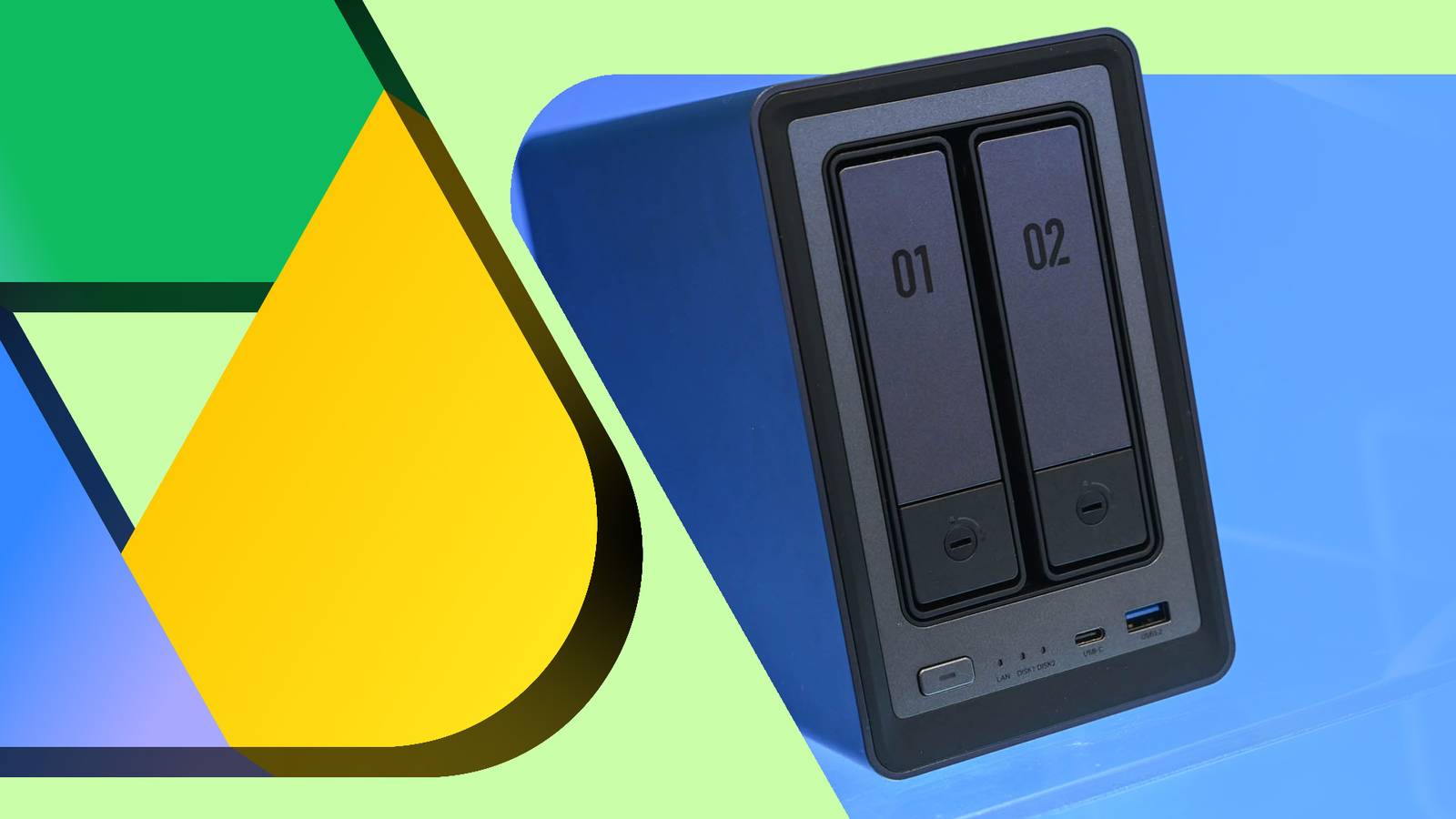
Published Aug 26, 2026, 8:30 AM EDT Jesse is a lifelong technology enthusiast who has been exploring smartphones and mobile tech for more than two decades. He began his career in IT consulting and project management before making a career change into tech journalism in 2007 with iLounge. During that time, he authored three editions of iPod & iTunes Portable Genius for Wiley Publishing and has since written for iDrop News, Lifewire, SlashGear, and Digital Trends. While Jesse remains strongly immersed in the Apple ecosystem, you'll commonly find him rocking both an iPhone and a Pixel at the same time, where he likes to live on the edge with the latest iOS and Android betas. His tricked-out smart home also responds equally well to "Hey Siri," "Alexa", and "OK Google." His other hobbies include reading, curating his Plex library, and helping out at his local church with everything from live video production to governance. Rising storage costs are hitting everyone — and it's not only physical hard drives getting pricier. Google increased prices for Workspace users in early 2025, and recent hikes to Google One plans in several places have left many wondering if the rest of the world is next. If you're like me, you've probably questioned whether it's worth continuing to pay for Google Drive, especially if you have spare hard drives lying around. The short answer? Maybe. I've been down this road more than a few times, and I can tell you that it's not as simple as it seems at first glance. With two Synology NAS boxes in my office, you might think I'm a prime candidate for making this switch. I've already invested in the hardware. I'm also a guy who once spent over a decade self-hosting my own email server. Yet every trip I've taken to 100% local storage has sent me running back to Google. Before I get into that, a quick caveat: If your primary goal is absolute privacy and keeping your data out of Google's reach, going fully local will be worth every trade-off. However, I'm not that guy. While I'm not thrilled with my data being on the Google machine, I also know Google couldn't care less about my family photos and mundane writing projects. If you're looking at building a NAS to escape Google Drive, here are five things you should know before pulling the trigger. It won't save you as much as you think There are hidden costs in time and hardware Credit: UGREEN A NAS is a substantial investment. It's easy to look at the price of a 2TB hard drive and compare it to an equivalent Google One plan, but a proper NAS setup requires a bit more. For basic reliability, you'll need a NAS, or a dedicated PC with an enclosure, plus at least two hard drives for fault tolerance. When I bought the first NAS in 2020 — a Synology DS218+ with two 8TB drives — it ran me around $800. At the time, my 10TB Google Workspace plan cost me $36 per month ($432 a year). So, my setup would have taken two years to pay off, which wasn't too bad, Fast-forward to today, and that equivalent setup runs over $1,000 due to rising drive prices. Granted, my Google Workspace plan has also gone up to $528 per year, but the math remains an imperfect comparison. Google One and Workspace offer more than raw storage, and maintaining your own server takes time and energy. You can't cheap out on the hardware Advanced features require real computing power Credit: UGREEN If you're looking for somewhere to stash your PDFs, an affordable Synology J-series or a Raspberry Pi with a hard drive enclosure should suffice. But if you want to replicate the convenience of Google Photos or have your documents indexed so they're searchable on the go, you'll need to invest in more serious hardware. Three years after I went back to Google Drive and dedicated my DS218+ to Plex, I tried again with a Synology DS220j and two 12TB drives ($650 total) to handle my files. Paired up against my rising Google Workspace costs, that seemed like an exceptionally good deal. Synology Drive became a surprisingly elegant replacement for raw file storage, complete with web access and mobile and desktop apps. But Synology Photos was a different story. What looked promising at first glance turned out to require more power than I initially thought. Facial and object recognition weren't supported on the lower-end CPU, and simple indexing and thumbnail generation for a few hundred files brought the DS220j to its knees. When I moved everything to the DS218+ with its faster CPU and 6GB of RAM, facial recognition worked, but indexing was still glacially slow. It chewed on a thousand photos for several days. I can't imagine what feeding in my entire library of over 80,000 photos and videos would have been like. You still need backups RAID is not enough Credit: Lucas Gouveia / Android Police | AlexLMX / Rizvisual / Shutterstock It's easy to think that a pair of mirrored hard drives (RAID 1) or a full RAID 5 array means you don't need backups. I used to work in corporate IT consulting. I've had clients who thought this way. It never ended well for them. RAID is great for protecting you from a hard drive failure. It doesn't protect you from fires, power surges, file corruption, or accidental deletions. If your NAS blows up, it takes both drives with it, and if malware corrupts a file, the RAID engine will happily mirror that corruption to the other drive. To keep your data safe, you still need an off-site backup. One way is to buy a couple of external hard drives and physically transport them to safe locations. Alternatively, you can purchase a second NAS and put it at a friend's house, but that doubles the hardware costs. For most folks, the easiest way to guarantee a reliable, off-site backup is to pay for cloud backup storage. That was my take, but when I looked at the options, I found I'd be giving just as much money to Amazon, Synology, or Backblaze as I was to Google — if not more. While Google One will give you 2TB of storage for $99 per year, raw cloud storage options like Backblaze B2 ($167 a year for 2TB) and Synology's C2 ($160 a year for 2TB) are only getting pricier. To add insult to injury, these services are "dumb storage" repositories without the kind of web apps and ecosystem Google offers. Check your upload speeds Your home internet is the ultimate bottleneck Credit: Pixabay Self-hosting will make your upload speeds matter more than ever. A blazing-fast download speed doesn't translate to streaming 4K videos from your home NAS on the road. Standard cable internet plans are often asymmetrical, which means you could have a 1Gbps download pipe paired up with a 20Mbps or 40Mbps upload limit. Even if you don't plan to access your NAS while away from home, it will impact your off-site backups. An initial push to cloud storage could take weeks or months to complete. I had a symmetrical fiber plan. Technically 8Gbps both ways, although the 1GbE port on my NAS made that irrelevant. Pushing up 8TB of data was a multi-week marathon. A hybrid cloud approach is better The best of both worlds Credit: Pixabay At this point, you may be asking yourself why I have two NAS boxes sitting under my desk if I'm still using Google Drive. The DS218+ remains a dedicated Plex server, while the little DS220j with its mirrored 12TB drives is the perfect answer to the problem I really care about: having my data held hostage. Synology includes a built-in Cloud Sync app that ties into dozens of cloud services, including Google Drive. I've used this to create the ultimate hybrid setup. My everyday data lives primarily in Google Drive. Writing projects, PDFs of bills and receipts, photos, recipes, e-books, and more. I use the standard Google tools to work with this data, but Cloud Sync backs it up to my local NAS in near real time. It even automatically converts my Google Docs and Sheets files to their DOC and XLS equivalents. Meanwhile, older data and more confidential files live on the NAS, backed up to Google Drive using Cloud Sync's client-side encryption. Finally, massive archival stuff, like old video projects, stays exclusively on the NAS, with offline backups on external hard drives stored elsewhere. This gives me the perfect sweet spot. Since I'd be paying for off-site cloud backup regardless, I might as well give that money to Google. That lets me take full advantage of Google's infrastructure and apps, while keeping a fully offline copy of my digital life sitting safely under my desk. Is a NAS still worth it? If you hope that ditching Google Drive and buying a NAS will save you a few bucks, you'll probably be disappointed. Cloud storage has come a long way in the past 10 years, and Google has the advantage of scale on its side. The hardware costs, hidden backup fees, network bottlenecks, and software tradeoffs make abandoning cloud storage entirely a tricky proposition in 2026. On the other hand, if you consider a NAS as a supplement to Google Drive rather than a replacement, it's an excellent local safety net. You also won't need to invest as much to get the job done. Replacing Google Drive can be a fun hobby for someone who loves tinkering with their hardware setup. I know, because I used to be that guy. But today, I have better things to do with my time. I'm happy to let Google handle those details for me and run a simpler hybrid setup to protect my data.
5 hard-learned lessons from ditching Google Drive for a home NAS
Full Article
Original Source
Read the full article at Androidpolice →KhanList aggregates and links to publicly available news content. We do not host full articles from third-party sources. Always verify important information with original sources.