
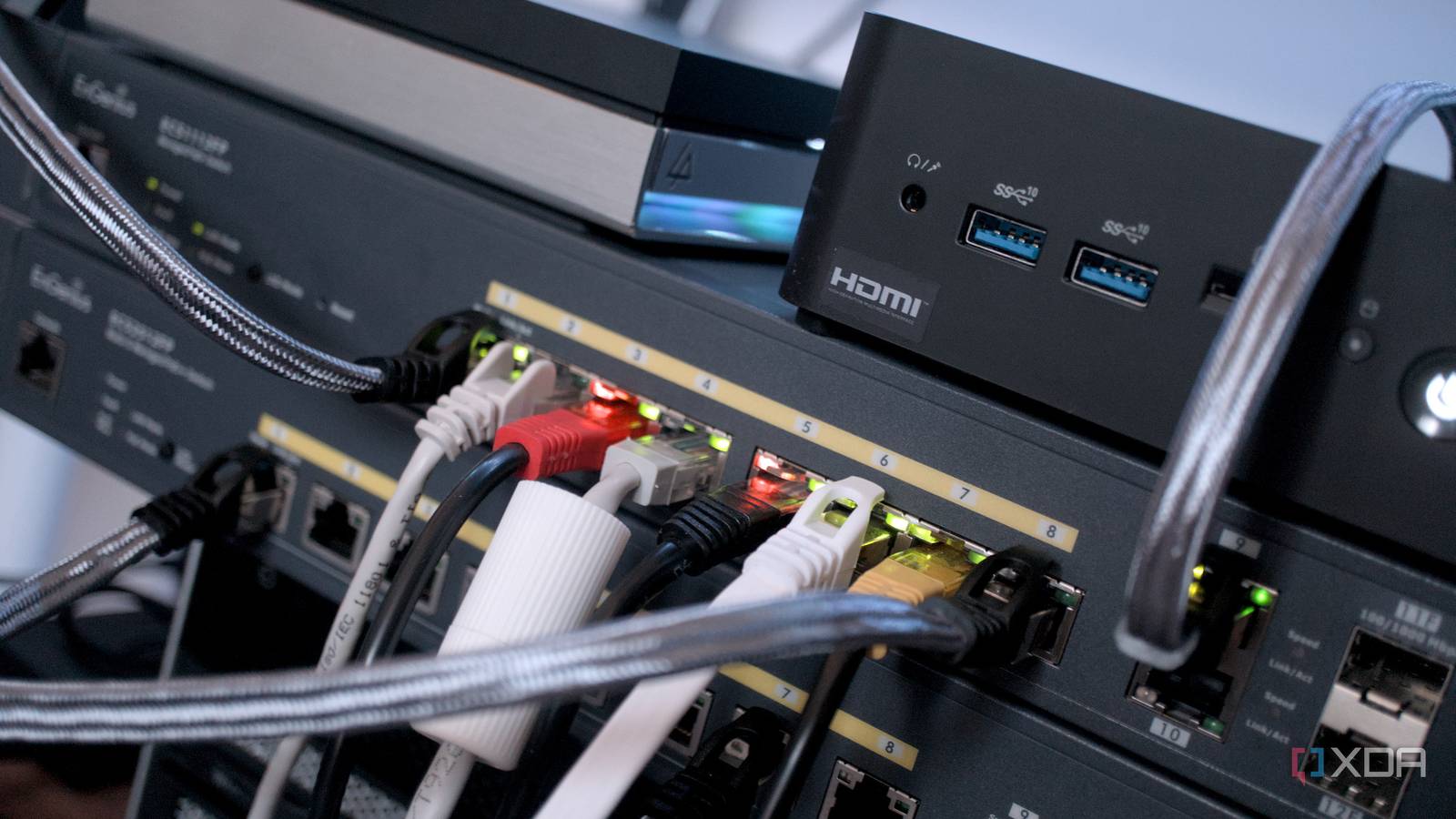
Published Nov 15, 2026, 9:30 AM EST Hamlin has been in the tech field for over nine years. Since 2017, his work has appeared on MakeUseOf, Android Police, OSXDaily, Beebom, and more. He served as the Senior Editor at Valnet's MakeUseOf for over two years before joining XDA. He uses a high-end gaming rig for desktop use and a MacBook for traveling, but dislikes some of the quirks of macOS. You're more likely to catch him at the gym or on a flight than anywhere else. If you recently upgraded to a motherboard, router, switch, or USB adapter with a 2.5GbE port, expecting faster speeds, only to be disappointed, you're not alone. On paper, jumping from 1GbE to 2.5GbE should give you a massive boost, but most people end up scratching their heads because transfers either feel the same or are actually slower than before. The problem isn't usually the 2.5GbE port itself. It’s that the rest of the network simply isn't ready for it. Unlike upgrading your GPU or SSD, a faster LAN port alone isn't enough to get faster network speeds. Your connection can only be as fast as the weakest link in your network setup. That includes your router, network switch, Ethernet cables, storage drives, and the LAN ports on the devices you're transferring data to or from. One weak link, such as a cheap Cat5e cable, is enough to hold everything back. So, let's discuss exactly why your 2.5GbE port still feels slower than Gigabit in real-world use. A 1GbE device is bottlenecking your network Your network can only be as fast as the slowest device on it This is the main reason why so many people feel like nothing has changed after upgrading to a 2.5GbE device. You might have a motherboard or router with a 2.5GbE LAN port, or even a fast enough internet connection to actually benefit from that bandwidth, but if even one device in the chain is limited to 1GbE, your entire connection gets capped right there. For instance, if your PC with a 2.5GbE port connects to a Gigabit switch, that link will stay at 1GbE no matter how fast your router or other devices are. The same thing applies to the device on the other end of the transfer. If you're copying files to a NAS or another PC that only has a 1GbE port, your speeds will never go beyond that limit, even if your PC supports 2.5GbE. Many people don't realize this soon enough because technically, everything still works, just not any faster than it used to be. So, make sure you check your entire network path from your PC to the device you're transferring data to because every link in between has to support 2.5GbE for you to see real gains. Your storage can't keep up Older mechanical hard drives can hold back your 2.5GbE network Credit: Even if you fix every network bottleneck, your storage can still be the reason your 2.5GbE upgrade feels pointless. Most mechanical hard drives cap out at 200MB/s, which is well below the theoretical limit of 312.5MB/s for a 2.5GbE connection. So, if you upgrade your devices to 2.5GbE, but your NAS is filled with mechanical hard drives, you still won't get your money's worth. Sure, you may see a slight improvement in transfer speed, but you won't come close to saturating a 2.5GbE link. This is why I highly recommend upgrading to at least SATA SSDs, because they can typically reach speeds around 500-550MB/s, comfortably exceeding what a 2.5GbE connection can deliver in real-world transfers. At that point, your storage finally stops being the bottleneck, and your faster network actually starts making sense. Of course, it's a different story for RAID arrays, but for most home users who rely on a single hard drive, storage can be the limiting factor long before the network does. A cheap Ethernet cable Cat5e cables may support 2.5GbE, but they aren't always reliable Many people overlook the cable entirely when they upgrade to 2.5GbE because it's just one of those things you expect to work. After all, Cat5e cables technically support 2.5GbE, so that shouldn't stop you from getting higher speeds. But here's the thing: not all Cat5e cables are built to the same standard. Cheap ones often cut corners on shielding, twisting, and even the quality of the internal copper itself. These cables can struggle the moment you start pushing higher speeds or longer cable runs. You may not notice this at all because, on your end, your internet loads fine, and files still transfer. However, behind the scenes, your devices might be silently negotiating down to 1GbE, or you could be dealing with packet loss that makes your speeds inconsistent and underwhelming. That's why it's important to check the link speed in your network settings to make sure it's actually running at 2.5GbE instead of 1GbE. If it isn't, you can always get a good Cat6 cable for just under $10 and stop worrying about cable issues altogether. Your ISP is the culprit Most home internet plans still fall well below 2.5GbE speeds This is where a lot of people get disappointed, because they assume a faster LAN port will somehow make their internet feel faster, too. In reality, your internet speed is completely limited by what your ISP is actually delivering to your home. You can have a 2.5GbE motherboard, a 2.5GbE router, and Cat6 cables, but if your plan tops out at 300Mbps or 500Mbps, that's all you're going to get. Even a standard Gigabit plan is still less than half of what a 2.5GbE connection is capable of on paper. For the vast majority of home users, upgrading from 1GbE to 2.5GbE won't improve browsing speeds, YouTube buffering, or game downloads, because your internet simply isn't fast enough to take advantage of it in the first place. And let's not forget that many ISPs advertise their plans using ideal conditions that you rarely get in the real world. Network congestion, peak-hour slowdowns, server limitations, and routing issues all eat into your actual speeds. So, even if you're paying for 1Gbps, you're likely not hitting those speeds most of the time. A 2.5GbE port alone won't make your network faster As you can probably tell by now, you need a lot more than a 2.5GbE port on your PC or router to actually get faster speeds. Remember that your entire network works together, so every link in your network needs to be capable of handling that bandwidth, including your cables, switches, storage, and even your internet connection. If one of those is lagging behind, your 2.5GbE port becomes nothing more than a nice spec on paper rather than something you can feel in day-to-day use.
4 reasons your 2.5GbE is slower than Gigabit
Full Article
Original Source
Read the full article at Xda-developers →KhanList aggregates and links to publicly available news content. We do not host full articles from third-party sources. Always verify important information with original sources.