
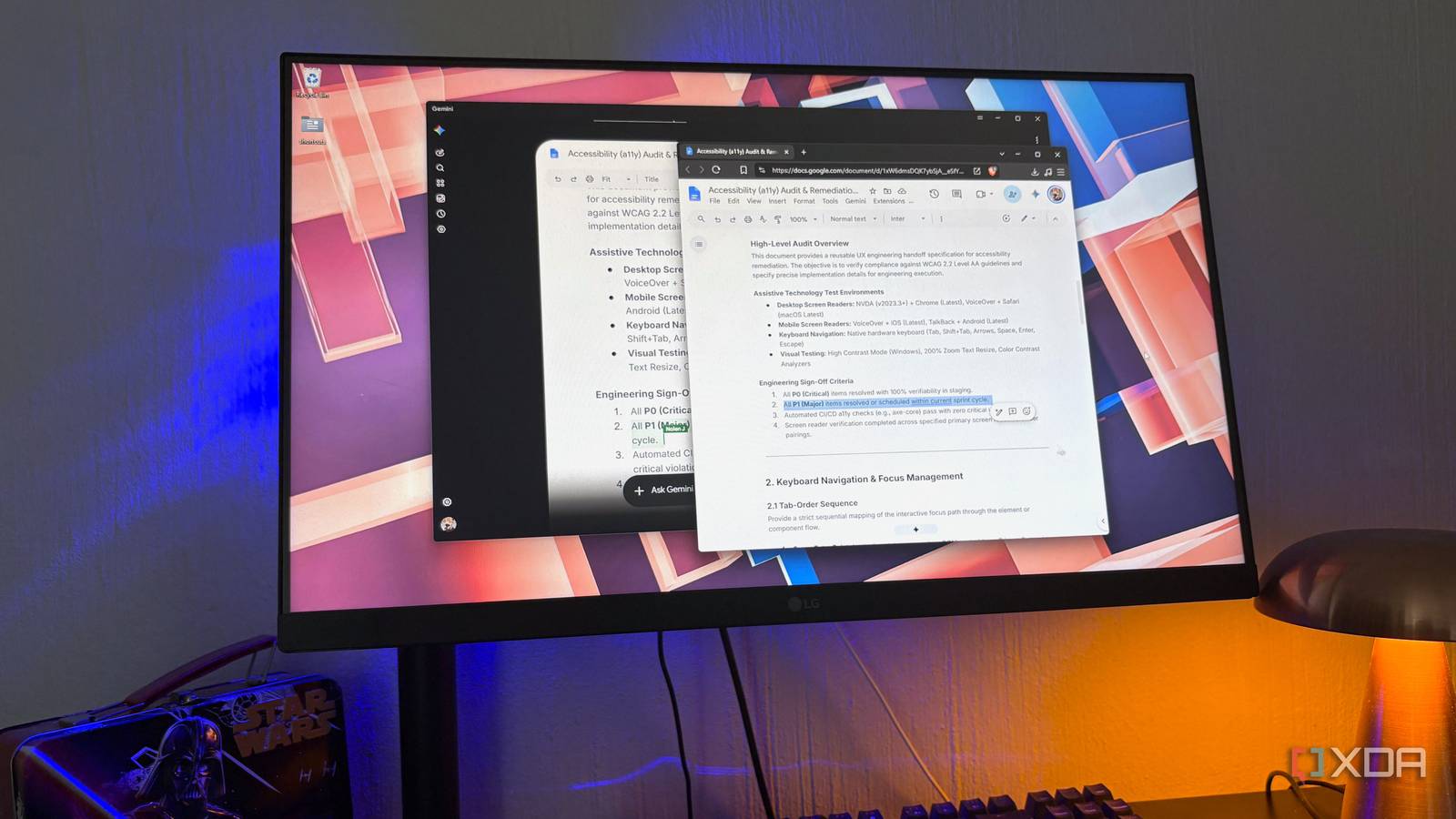
Published Nov 15, 2026, 10:30 AM EST Nolen began their writing career in 2019, with three years dedicated to editing the Creative section at MakeUseOf. Their expertise lies at the crossroads of technology and creativity, covering areas like photography, video editing, and graphic design. Outside of work, you'll often find Nolen diving into a good book, writing their own stories, or playing video games. If you involve AI at any point in your research process, you probably know the routine once the chat is over. The useful parts get copied out into a doc, then the next ten minutes get spent on fixing stuff that has the wrong formatting, that's missing information, or that isn't in the right place. Then you often have to go back into the chat to reconfirm some of the facts or get a different perspective that better matches the topic. Whatever your process, you probably know it can turn into an endless back-and-forth, and a lot of tab switching. Well, Gemini just solved that user friction between research and documenting by bridging them. It's not exactly a new concept, as we've been able to integrate AI into our note-taking and productivity apps for years. But if you're a heavy Google Doc or Google Sheet user, and also happen to be a Gemini user, the workflow just got a whole lot smoother because Gemini now lets you create and edit Docs and Sheets right in a chat. Gemini can now edit the files it makes Creating files was step one, editing them using prompts is step two Up until this update, getting your work out of Gemini and into a Doc or Sheet involved using the Share and Export menu. Export to Docs made a new doc out of that one response, and Export to Sheets only showed up if the response had a table in it. This was actually quite a convenient feature and I definitely relied on it from time to time, but the problem was that you could only do this per-response as opposed to per-chat, so it was quite a choppy workflow. In April, Google added the ability for Gemini to generate files from a prompt, including Google Docs, Sheets, Slides, PDFs, and .docx and .xlsx files. That was a decent step, though editing anything still meant opening the file in another app or asking Gemini to redo it from scratch. On October 29, 2026, Google announced an update that lets Gemini preview and edit generated files directly in the chat, addressing the earlier workflow friction. The files that Gemini creates now open as a preview right in the chat, and you can either type edits into the preview directly, or prompt Gemini to make those edits for you. This document will update live in your Google Drive too, so there's no need to open Docs or Sheets, hunt down the file, and make the updates yourself. Again, nothing revolutionary, but it definitely ironed out a massive wrinkle in the Google-AI-document ecosystem. What I probably like most about this is that it doesn't require a paid plan to use - I always appreciate an accessible AI setup. Google made it available to personal Google accounts as well as Workspace customers and Workspace Individual subscribers. Docs and Sheets editing only works on the web for now though (which also covers the Gemini desktop app, where I've been using it) and isn't available on mobile yet, where PDFs are the only files you can edit. Connecting Gemini to Workspace comes with fine print There's usually a catch with Google The catch is that Gemini needs access to your Google account to make this work, and it gets that through what Google calls the Google Workspace connected app. Before that connection works, a setting called Keep Activity has to be on. With it on, Google can use your Gemini chats, including data pulled from connected apps, to improve its AI, and that can include training and human review. Gemini also needs Google's smart features turned on, and those live in Gmail's settings, of all places. The popup there has two toggles, and the second one is what actually lets your Workspace data reach the Gemini app, but it only works alongside the first, which covers Gmail and Drive content across Workspace. And this is something I'm having a hard time getting on board with. As much as I'm embedded into the Google ecosystem, I kind of hate how much Google knows about me, and this just gives it even more access to me. I'm actually fine with Gemini in my Google Docs because I don't keep anything personal in there. My issue is with Gemini in my Gmail; it really has no business being in there, but this doesn't work without the integration so here we are. While I'm at it, I recommend checking out a more private mail option like Proton for the stuff you'd rather keep Google out of. Using Docs and Sheets in the same research sessions Moving notes between files without leaving the conversation Most of my time in Gemini goes to research and studying, so that's where I put this to work. I start with a regular research chat, or Deep Research when a topic needs proper sources, and once I've got a handle on it I ask Gemini to turn what we found into a Google Doc outline. Once I have this outline or some type of template, I then go in manually and fill in the doc with my own notes, thoughts, and findings right in the preview inside the chat. Obviously, the best part about this is that I can just scroll back up to reread something before synthesizing it in my own words. Another cool thing is that once I'm done expanding on a topic, I can highlight it and directly ask Gemini whether anything in there doesn't match the research, has blind spots, sounds incoherent, and so on. And it will either suggest improvements in a response, or fix it for me directly, depending on what I asked for. The more useful trick is moving between file types. For example, if a doc ends up full of dates or terms that belong in a table, I ask Gemini to send them into a new sheet with proper columns. It works the other way too. A sheet of rough data can become a doc with a section per row, which I then trim down and rewrite how I want it. I've had multiple Docs and Sheets going in the same chat without any issues. Google hasn't mentioned a limit on how many files one chat can hold, so I presume it's as many as the context window can handle. Less copy-paste, more prompting I still have Google Docs pinned in my browser, since I do still need to navigate it manually for stuff unrelated to research or AI. But what's different now is how rarely I open it in general because my documentation happens in the same window as the research that documentation is based on. I would still prefer it if Google didn't require so much access to my life for this to work, though. Google Gemini
I stopped opening Google Docs and Sheets because Gemini now handles it all in one chat
Full Article
Original Source
Read the full article at Xda-developers →KhanList aggregates and links to publicly available news content. We do not host full articles from third-party sources. Always verify important information with original sources.