
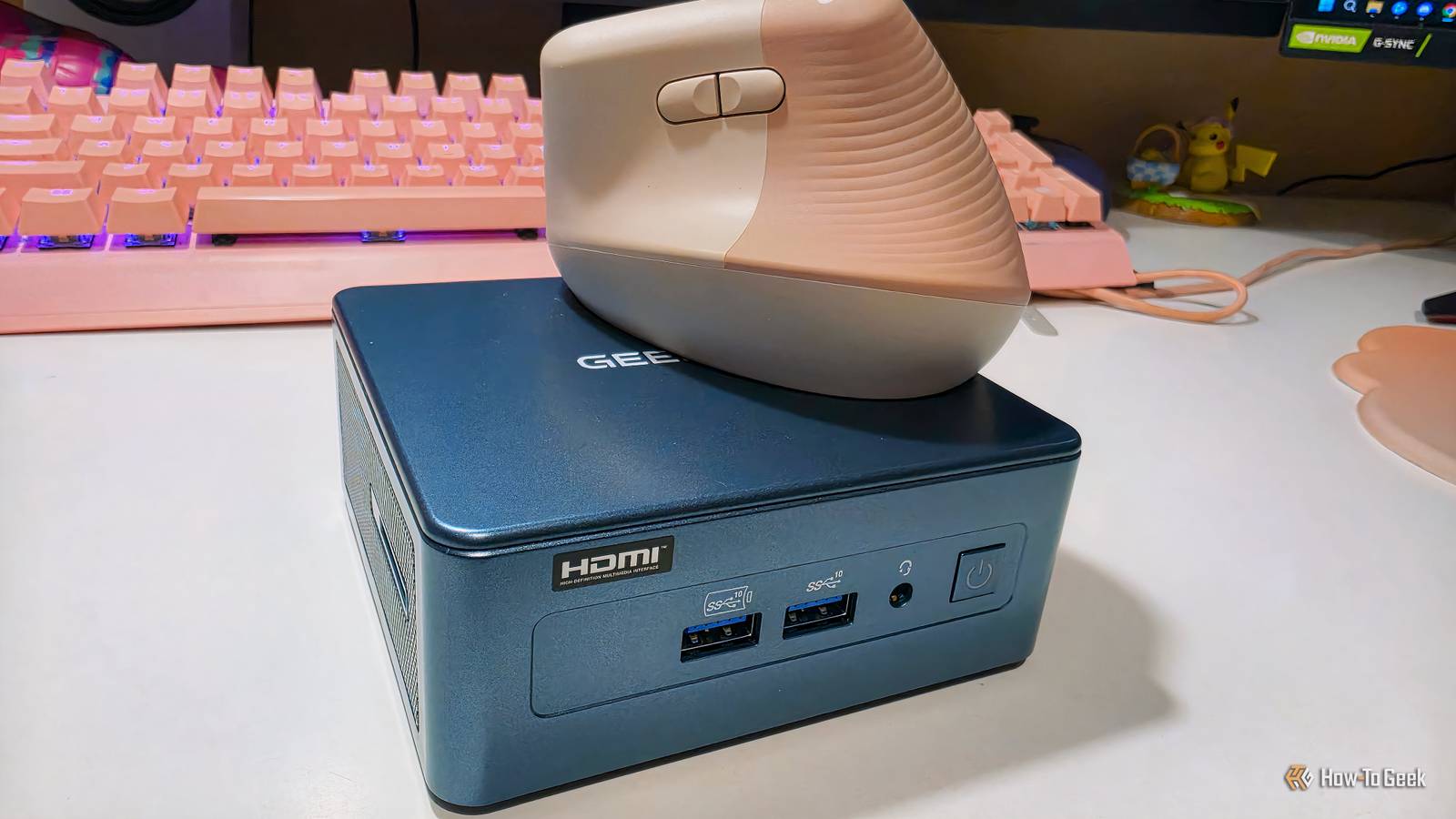
Published Nov 11, 2026, 2:30 PM EST Monica J. White is a journalist with over a decade of experience in covering technology. She built her first PC nearly 20 years ago, and she has since built and tested dozens of PCs. PC hardware is her main beat, and graphics cards and the GPU market at large are her main area of interest, but she has written thousands of articles covering everything related to PCs, laptops, handhelds, and peripherals. From GPUs and CPUs to headsets and software, Monica's always willing to geek out over all things related to computing. Outside of her work with How-To Geek, Monica contributes to TechRadar, PC Gamer, Tom's Guide, Laptop Mag, SlashGear, Whop, and Digital Trends, among others. Her ultimate goal is to make PC gaming and computing approachable and fun to any audience. Monica spends a lot of time elbow-deep in her PC case, as she's always making upgrades, testing something, or plotting out her next build. She's the go-to tech support person in her immediate circle, so she's never out of things to do. Whenever she has spare time, you'll find her gaming until the early hours and hanging out with her dog. I used to think mini PCs were not for me, but that's not the case anymore. In fact, I think that buying a trio of cheap mini PCs might be the better option compared with buying one expensive desktop. Local AI has become a wildly expensive hobby, with absurd prices on GPUs, RAM, and SSDs, as well as VRAM as a limiting factor. A good way to overcome these obstacles and still dabble in local AI is to just buy a much cheaper mini PC. You don't need an expensive GPU to run your first LLM A reasonably powerful mini PC can handle smaller models just fine GEEKOM IT13 2026 mini PCGEEKOM IT13 2026 mini PC When people think of local AI, they probably think of majorly overpriced GPUs. We sure do have plenty of those; the RTX 5080 now costs north of $2,000, and the RTX 5090 has had wild prices ever since it launched, but the $7,000 to $10,000 price tags we're seeing now really take the cake. If your mind takes you in that direction—power-hungry, VRAM-heavy, eye-wateringly expensive graphics cards—no one's going to blame you. Local AI is often associated with the exact same things as, well, regular AI, the type of stuff that's powered by enormous data centers. Fortunately, the at-home kind is way, way more affordable, and a mini PC is a great way to test it out. To get started, a reasonably powerful mini PC with a Ryzen 7 processor, integrated Radeon graphics, and 16GB or 32GB of RAM (like in this GEEKOM mini PC I got the chance to test recently) can run smaller language models without a dedicated GPU. The same is true for Intel models, of course. I'm talking about quantized models with 3B, 4B, or even 8B parameters, depending on how much memory you've got available. Of course, a tiny PC won't give you RTX 5090-level performance, and large models will likely be painfully slow. But for your first venture into local AI? A mini PC is awesome, I'll tell you that. Unified memory can get you around some brutal VRAM limitations Some mini PCs can run models that won't fit on pricier GPUs VRAM is potentially the biggest headache us folks who run local AI run into on a day-to-day basis. Well, hardware-adjacent headaches, at least. Even a powerful GPU can struggle when a model doesn't fit into its dedicated memory. This is where a mini PC can be helpful, though. Most mini PCs (or should I say pretty much all of them?) use integrated graphics that share system RAM, but some higher-end models take this much further. Take AMD's Ryzen AI Max+ 395, for example. Mini PCs equipped with this chip can come with up to 128GB of unified memory, with as much as 96GB allocated to the GPU. That's enough memory to load some heavily quantized models that wouldn't fit into the 16GB of VRAM on an RTX 5080. Of course, there's a catch: these mini PCs aren't of the cheapest kind, and having enough memory to load a model doesn't mean it'll run faster than on a dedicated GPU. Still, if you're interested in experimenting with larger LLMs, it's an option worth considering. Getting local AI running is easier than you probably think You can go from installing an app to chatting with an LLM in minutes If you've never tried running AI locally, you might be imagining a nightmare involving Python, obscure dependencies, and hours of troubleshooting. That doesn't sound like fun at all, but let me speak from experience when I tell you that things have gotten a lot easier, thankfully. Tools like LM Studio and Ollama make it possible to download and run LLMs without being an expert in machine learning. LM Studio is particularly beginner-friendly, with a graphical interface that lets you browse models, download one that fits your hardware, and start chatting. You don't even need a dedicated GPU (which is why a mini PC is a solid pick). Smaller models can run on your CPU. Just start with a small, quantized model and let your mini PC stretch its legs once you're confident it can handle more. The reason why all of this is even easier on a mini PC is that they're so plug-and-play. I'm always amazed at how little setup is required to get those things up and running. Tell XDB what you want the PC to do and how much you want to spend. We'll find parts that fit, with current prices. What will you use it for? Pick any Games or apps Optional Budget Plan my build Opens XDB, XDA's free PC builder, in a new tab. Your mini PC can become a private AI server for your entire house One little computer can provide AI access to all your devices One reason why I (and my entire household) like mini PCs is that they're a bit of a joint venture, if you will. As in, you can have one that's just your own, but it's also super easy to make a mini PC become a "household PC" and reap the benefits of that. For instance, you can turn your mini PC into a mini home server, and local AI is the perfect use case for that. Instead of running an LLM separately on every computer you own, you can install the aforementioned Ollama or LM Studio on your mini PC and make it accessible to other devices on your home network. Configure the local server, connect everything to the same network, and suddenly your desktop, laptop, or even smartphone can tap into the same AI model. You can also use something like Open WebUI to give yourself a familiar chatbot interface. You can always build that massive AI workstation later Look, I'm not going to tell you that a $300 mini PC will become your end-all, be-all AI workstation. It won't; those things are cheap for a reason. Instead, I'm telling you that you can probably get into local AI on a much smaller budget than you'd think. There's also nothing stopping you from trying to build a much better, beefier workstation down the line. Maybe the prices will improve one day... Probably not, but we can all dream.
4 reasons a mini PC is still the best way to get into local AI
Full Article
Original Source
Read the full article at Howtogeek →KhanList aggregates and links to publicly available news content. We do not host full articles from third-party sources. Always verify important information with original sources.