
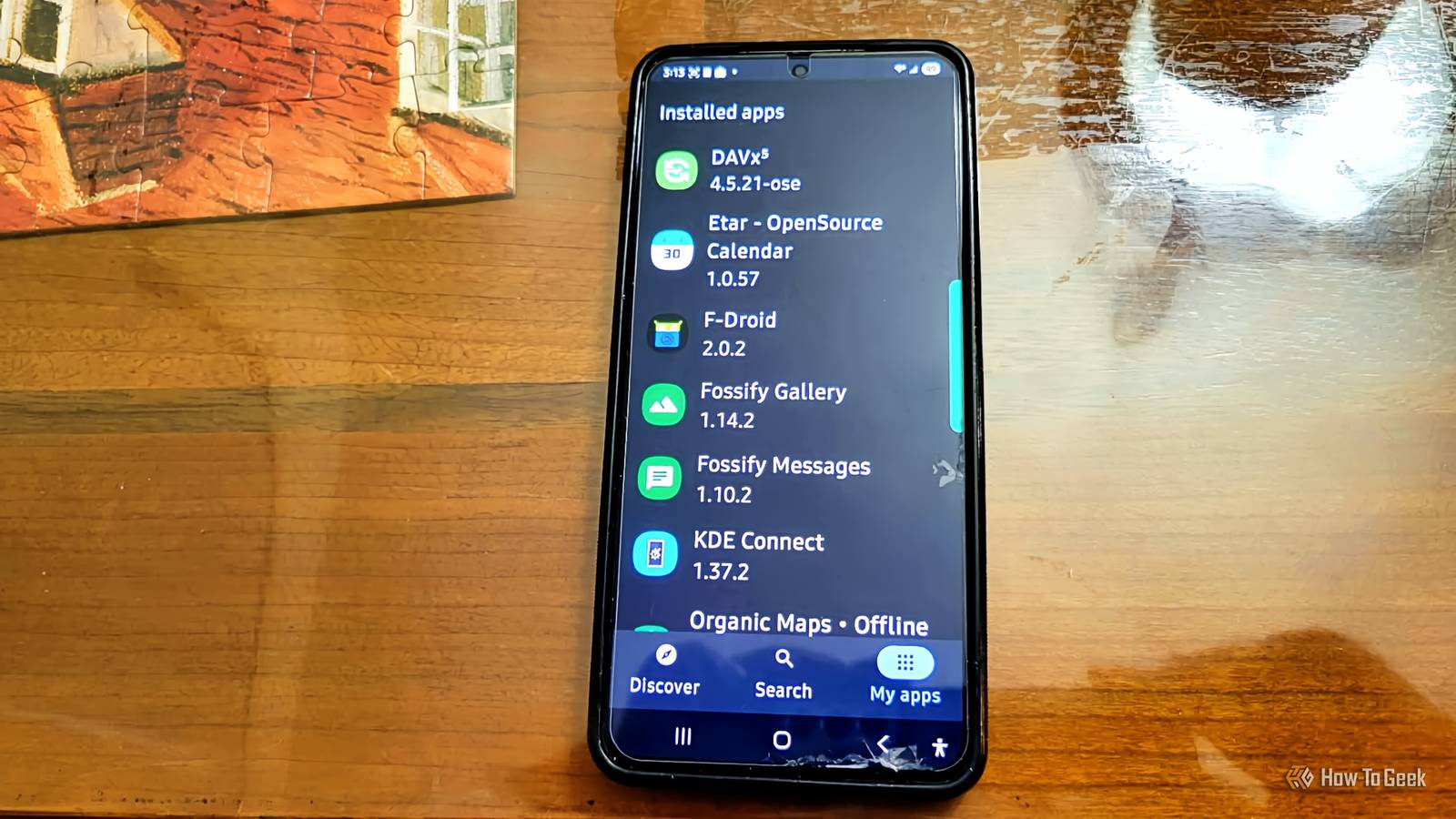
Published Nov 12, 2026, 3:00 PM EST Aggy is a veteran writer and editor in the technology and gaming space. Having served as a Managing Editor for high-traffic digital publications, alongside being an editor and consultant for over a dozen sites. Aggy's published work spans a wide and respected array of tech and gaming outlets, including WePC, Screen Rant, How-To Geek, Android Police, PC Invasion, and Try Hard Guides. Beyond editorial work, Aggy's direct experience in the tech sphere extends to app development. Aggy has published two games under Tales and is always eager to learn and do more. He also likes working on computers and researching in his spare time. He knows about Windows, Linux, Audio, Video, and much more. Most Android phones come loaded with apps you never picked and don't always want. I got tired of working around them, but I didn't want to just delete or deactivate them. That is why I went to open-source replacements on F-Droid. These apps cover the basics without asking for an account. Fossify Gallery keeps your photos on your phone Your photos are your own to back up Fossify Gallery is an open-source app that focuses on photo and video viewing that works fully offline. It's built to take the place of the stock gallery apps that ship on most Android phones. Unlike the big-name options, it won't nudge you to sign in to a cloud account or sync your photos to a remote server. It just works with what's already on your phone, reading straight from local storage without phoning home or tracking what you do. It handles just about every common image format, so you get JPEG, PNG, WebP, GIF, SVG, and RAW files, plus standard video formats. When other apps ask it to open or return a photo, it can do that too. It'll even strip location data embedded in image files before passing them along, which is a nice privacy touch you don't get with most apps. All editing happens on-device. You can crop, rotate, flip, and apply color adjustments without anything leaving your phone. If you want to lock down a folder with sensitive photos, you can protect it with a PIN, pattern, or fingerprint. It is way better than the constant cloud sync prompts, Google One storage warnings, and Samsung Cloud pop-ups that make stock gallery apps feel more like subscription funnels than actual apps. It also doesn't use much RAM during normal use and doesn't run anything in the background. Just remember that if your phone dies, your photos go with it unless you've set up your own backup routine. Fossify Messages is a plain texting app You'll have to give up RCS Fossify Messages is an open-source SMS and MMS app with no trackers, built as a straightforward replacement for Google Messages and Samsung Messages. When you set it as your default texting app, Android gives it the access it needs to send, receive, and store your messages right on your device. The app catches incoming texts, checks them against your blocklist if you have one, and saves them to your phone's built-in message storage. On newer versions of Android, you'll need to go into system settings and manually enable permissions before it can take over as your default texting app. That's just how Android handles sideloaded apps these days, so it's not specific to Fossify. For backups, the app lets you export your conversations to a JSON file and restore them later. It also has scheduled message delivery, message search, notification privacy controls for the lock screen, and a blocking system that can filter out unwanted numbers or specific keywords, with blocked messages going to a local recycling bin. One thing Fossify Messages doesn't do is RCS, the modern messaging standard that gives you things like read receipts, typing indicators, and high-res photo sharing over Wi-Fi. RCS on Android is tied closely to Google's own infrastructure, and Google hasn't opened that up to outside developers. So Fossify Messages sticks to regular SMS and MMS over your carrier, which also means it doesn't need internet permission at all. Organic Maps works without a signal There's no live traffic to help you Organic Maps is an open-source navigation and mapping app built on OpenStreetMap data. It works whether or not you have a cell signal. Instead of streaming map tiles from a server while you drive, it downloads regional map files ahead of time and stores them on your device. The files are compressed, but they still include road networks, terrain, building outlines, and points of interest, plus pre-built routing data so the app doesn't need to call out to a server to plan your route. You get driving, walking, and cycling directions locally, so your start and end points never leave your phone. You also get offline POI search, bookmark management, GPX import and export, and voice turn-by-turn directions. It only uses your location while the app is open. You don't need to worry about it tracking you in the background or sending your movement history anywhere. Compared to Google Maps, you're not being tracked, and you don't get sponsored results or businesses ranked by some algorithm. It's just a map. And because everything is stored locally, it works fine in areas with spotty or no coverage. This is great for trips because you can drive back country roads and rural areas, or travel abroad, without a data plan. The main downside is that there's no live traffic and no real-time rerouting around incidents. Public transit routing isn't supported as of now, but you can still look at subway lines and stations on the map. Etar and DAVx5 give you a calendar you own You need a server to sync with Etar Calendar paired with DAVx5 is an open-source setup that replaces Google Calendar and Samsung Calendar without needing a Google account or putting your schedule data into someone else's cloud. Etar handles how your calendar looks and how you interact with it, while DAVx5 handles syncing with whatever server you choose. Etar has no network code or trackers, so the app just reads from and writes to Android's built-in calendar storage. DAVx5 plugs into Android's native sync system and keeps that local storage in sync with a remote CalDAV server on whatever schedule you set. For the sync to work, you need a CalDAV server to point it at. That could be something self-hosted like Nextcloud, Radicale, or Bakal, or a privacy-focused hosted service like Fastmail or Posteo. DAVx5 uses standard open protocols to talk to these servers, the same ones used by desktop calendar apps like Thunderbird and Apple Calendar, so your data stays in a format other apps can read. The main benefit is that your calendar is yours. Stock calendar apps from Google and Samsung sync your event data to their servers and use it to target ads and build a profile of you. With Etar and DAVx5, your data goes only where you send it, over an encrypted connection, and you can take it anywhere. The tradeoff isn't huge None of these apps will match every feature the stock versions have. Some people will decide that's not worth it, but I think it is. You give up a few conveniences and get apps that don't track you and don't push subscriptions. F-Droid F-Droid is a community-driven app store for Android that exclusively hosts free and open-source software that is an alternative to Google Play.
4 open-source F-Droid apps that replace the Samsung and Google apps I never wanted
Full Article
Original Source
Read the full article at Howtogeek →KhanList aggregates and links to publicly available news content. We do not host full articles from third-party sources. Always verify important information with original sources.