
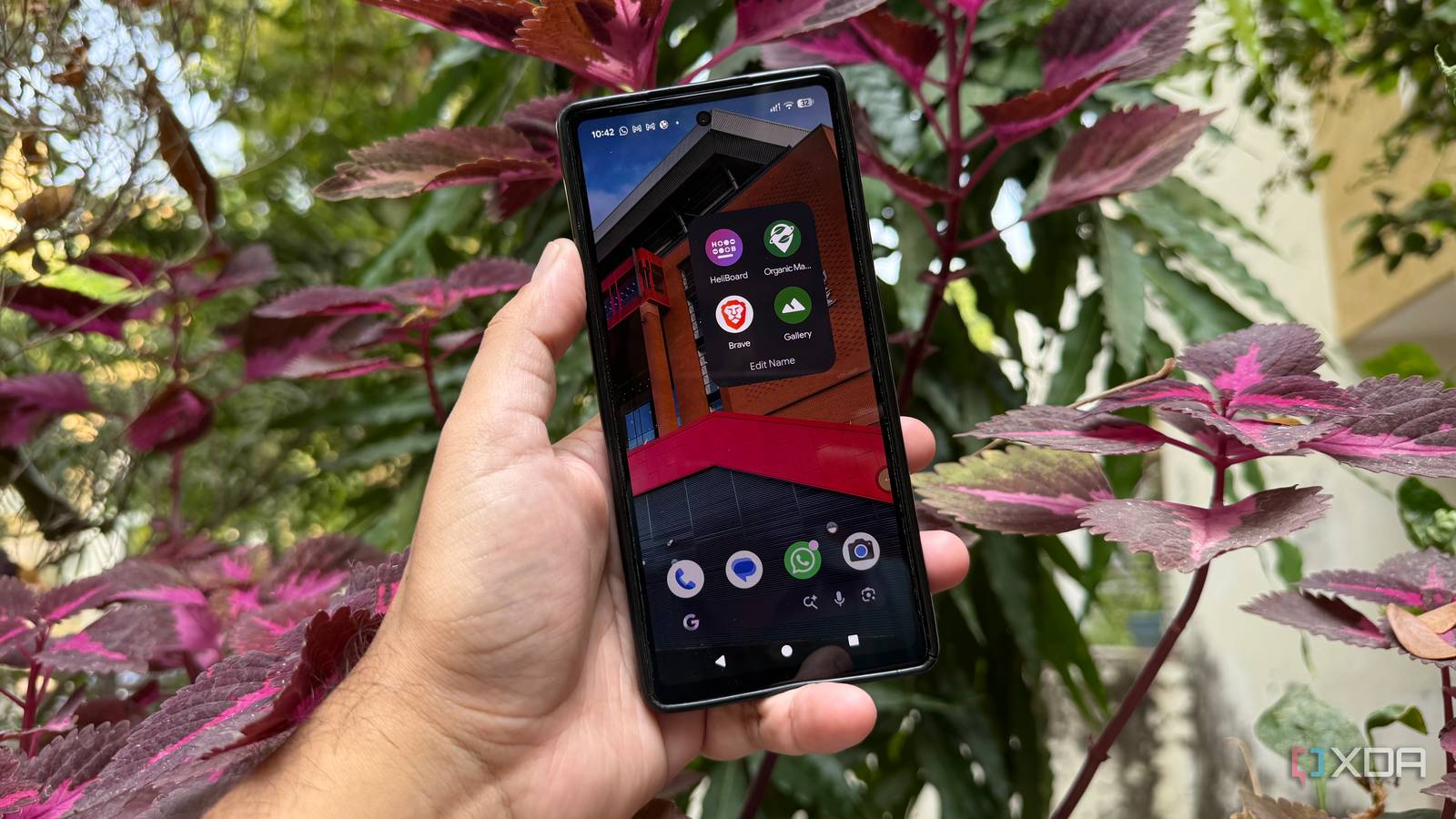
Published Nov 20, 2026, 5:31 PM EST Beginning his professional journey in the tech industry in 2018, Yash spent over three years as a Software Engineer. After that, he shifted his focus to empowering readers through informative and engaging content on his tech blog – DiGiTAL BiRYANi. He has also published tech articles for MakeTechEasier. He loves to explore new tech gadgets and platforms. When he is not writing, you’ll find him exploring food. He is known as Digital Chef Yash among his readers because of his love for Technology and Food. Google apps are deeply woven into the Pixel experience, and it's easy to accept them as the default choices. But are they always the best options? I decided to try a different set of apps and see what I was missing. I wasn't looking for complicated replacements or tools with endless customization options. I wanted lightweight apps that handled their core jobs well and didn't demand more resources than necessary. The results made me rethink a few of my default choices. Google Photos Fossify Gallery keeps my photo library simple Google Photos is convenient, but it always feels like more than just a gallery app. Between cloud features, automatic backups, AI-powered tools, and recommendations, there's quite a lot happening behind the scenes. For simply browsing pictures stored on the phone, that feels unnecessary. After trying a few alternatives, Fossify Gallery caught my attention because it keeps things focused on local photos. It focuses entirely on the photos already stored on the device, with a clean interface that doesn't get in the way of everyday use. Even with a large photo collection, finding locally stored pictures felt more direct, without having to navigate through cloud libraries and additional recommendations. I also found its album organization easy to follow, making it convenient to jump between different folders and find specific pictures. Fossify Gallery includes useful options such as image editing, app locking, hidden albums, and a recycle bin. I didn't have to sign in or spend time setting up cloud backups just to browse my photos. For someone who primarily uses their Pixel to capture and browse photos rather than manage an entire cloud library, Fossify Gallery makes a refreshing replacement. Fossify Gallery Fossify Gallery is a free, open-source, and ad-free photo and video gallery app for Android focused on privacy and local media management. Gboard HeliBoard gives me everything I need for typing Replacing Gboard was a slightly different experiment because the keyboard is something I use throughout the day. I didn't want an alternative that sacrificed typing comfort just to offer a simpler interface. Gboard has plenty of smart features, including voice typing, translation, GIF search, and predictive suggestions, but most of my regular typing doesn't depend on them. HeliBoard offered a way to keep the essentials without carrying all those additional features. The transition was easier than expected. HeliBoard supports multiple languages, custom themes, and a personal dictionary, so the basic typing experience didn't feel like a downgrade. Word suggestions and autocorrect were also useful enough for regular conversations and quick notes. HeliBoard was a practical switch, especially for someone who values a focused typing experience over a long list of additional tools. HeliBoard HeliBoard is a free, open-source, and privacy-focused virtual keyboard for Android based on AOSP and OpenBoard. Google Maps Organic Maps makes offline navigation easy Google Maps is my go-to app for getting directions, but I don't always need everything it offers. When I'm simply trying to reach a destination, business recommendations, reviews, and other discovery features can be more than I need. That's where Organic Maps caught my attention. It focuses on navigation and offers offline maps, making it useful when I don't want to depend on a mobile data connection. Built on OpenStreetMap data, the app provides detailed maps with driving, walking, and cycling navigation. Its offline capabilities quickly became one of its most useful features. I could download a city map before heading out and continue finding routes even in areas with unreliable mobile coverage. This also means less reliance on mobile data and fewer network requests. The app includes useful details such as hiking trails, points of interest, and public facilities. The trade-off is that it doesn't offer Google's live traffic updates, extensive business reviews, or equally comprehensive local listings. For offline trips and straightforward route planning, Organic Maps has become a useful alternative, even if Google Maps remains more convenient for discovering businesses and checking live traffic. Organic Maps Organic Maps is a free, open-source offline navigation app for Android and iPhone, offering privacy-focused, ad-free maps, hiking trails, driving directions, bookmarks, and maps without tracking users or collecting data. Chrome Brave makes web browsing less cluttered Chrome works well for everyday browsing, but I wanted a browser that offered better privacy controls and didn't require me to install several extensions to customize my browsing experience. That's what led me to try Brave. It is based on Chromium, just like Chrome, so the browsing experience feels familiar. However, it comes with several privacy-focused tools built in, making it a more appealing option for people who want greater control over their web activity. Brave Shields was one of the first features I noticed during testing. It blocks many ads and trackers automatically, making websites with aggressive advertising easier to browse. Blocking these unwanted elements can also reduce unnecessary network requests and the amount of content a webpage needs to load. I also liked being able to control how Brave handles cookies, trackers, and other unwanted content. Overall, Brave felt like a more comfortable browsing option, with useful privacy features already built in. OS Android, iOS, Linux, macOS, Windows What's included? VPN, Built-in AL Assistant The Brave browser is made for the more privacy-conscious users, with a built-in VPN and ad blocker. It's also light on resources, making it great for use while gaming and multitasking. A better setup doesn't need more apps This experiment changed how I look at the apps that come preinstalled on my phone. Just because Google makes an app doesn't mean it's the only good option available. Each replacement brought something useful to my setup, even if I had to give up a few conveniences along the way. I wouldn't switch everyone to the same combination, but it's worth exploring alternatives before assuming the default apps are always the best choice.
4 Google apps I swapped for lightweight alternatives, and my Pixel feels faster
Full Article
Original Source
Read the full article at Xda-developers →KhanList aggregates and links to publicly available news content. We do not host full articles from third-party sources. Always verify important information with original sources.