
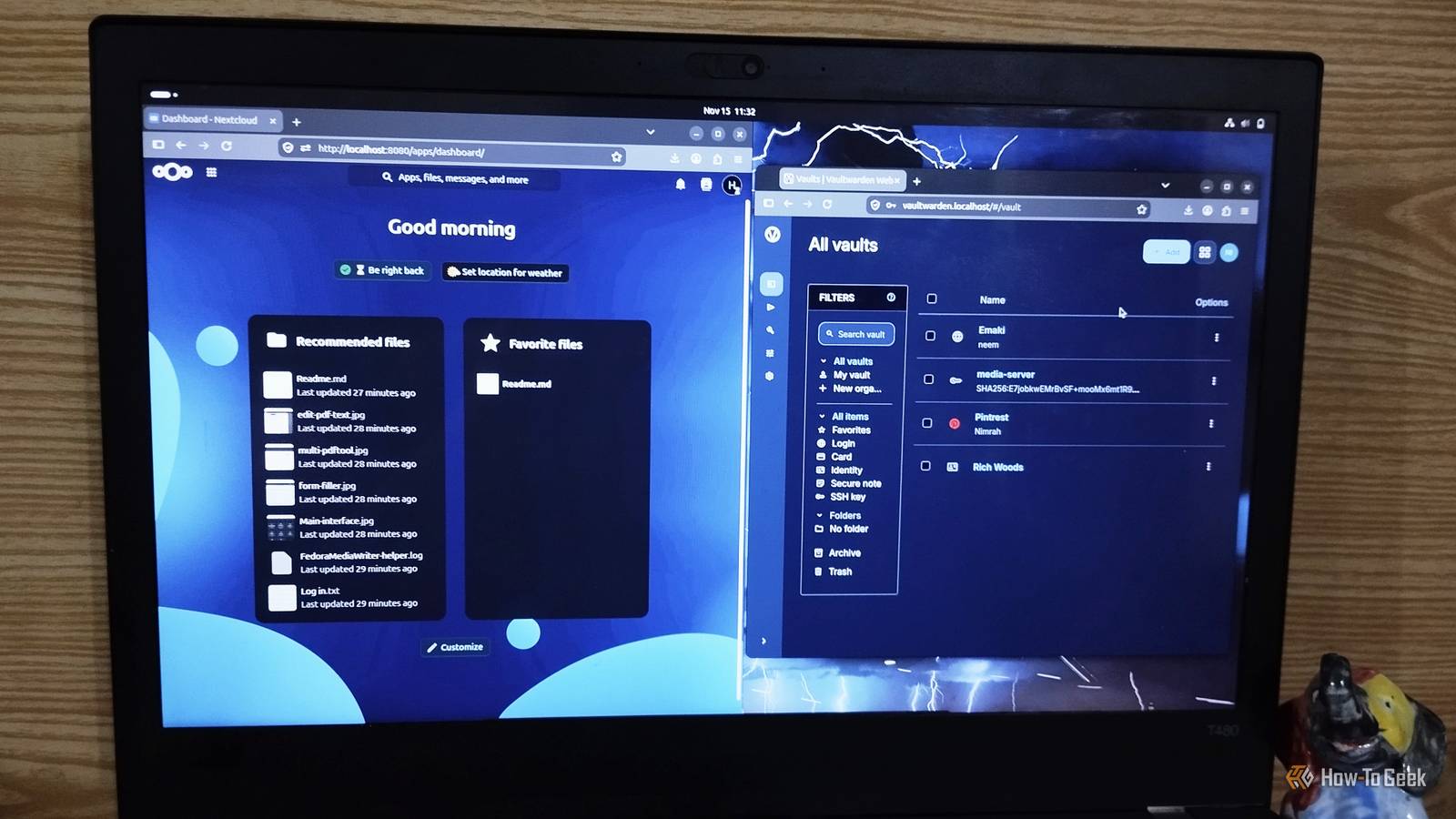
Published Nov 16, 2026, 5:00 PM EST Nimrah has spent the last five-plus years writing about technology, with Linux being one of her favorite subjects to explore. Her work covers everything from Linux and open-source software to databases, cybersecurity, and everyday software. She has contributed to Baeldung, Make Tech Easier, and LinuxHint. She particularly enjoys turning a concept that initially seems complicated into something anyone can understand. Away from tech, she loves to read, cook new recipes, and try new restaurants and cuisines. Free online services make everyday digital life incredibly convenient. You can search the web, store passwords, back up photos, and access files from practically anywhere without paying a subscription. But that convenience often comes with a trade-off: sharing your personal information and trusting someone else to look after it. As someone with a cybersecurity background, privacy and data security are always on my mind. I'm not particularly comfortable leaving my personal files and information in the hands of every free service I use, especially when data breaches and questionable privacy practices are never far from the headlines. So I decided to take more control over the services I rely on every day by exploring four self-hosted Docker alternatives. They're open source, offer familiar features, and let me keep more of my data on hardware I control. Of course, that also means taking responsibility for server maintenance, regular updates, and backups. But I'm happy to put in the extra effort. You can try these apps too if you want more control over your data. SearXNG replaced Google Search with a more private alternative Search the web without giving one company your entire search history Search engines know more about you than you might think. Your searches can reveal your interests, shopping habits, work, and even personal concerns. When you use a conventional search engine, you're trusting its provider with a considerable amount of information about what you do online. SearXNG takes a different approach. It's an open-source metasearch engine that gathers results from multiple search services and presents them through a single interface. Instead of maintaining its own conventional search index, it queries other search engines and combines their results. That means you get one search box, multiple search engines, and fewer privacy concerns. The interface is straightforward and feels familiar. You can search as usual, switch between categories such as images, videos, and news, and use filters to narrow your results. There are also plenty of customization options, including control over which search engines contribute results, depending on your instance's configuration. The privacy benefit is the point. SearXNG acts as an intermediary between you and search providers, helping prevent individual engines from directly linking every query to your identity and IP address. However, your privacy still depends on how your instance is configured and which upstream services it uses. I like the idea, but I haven't abandoned my regular search engine. As a writer, I spend most of my day in a browser, so convenience and accessibility still matter to me. SearXNG is a useful alternative, particularly if private searching is your priority, but I'm not quite ready to replace my entire search workflow. Vaultwarden replaced the need for a third-party password manager A familiar password manager with a self-hosted twist Password managers store sensitive information, from login credentials to payment details, so choosing whom to trust with your vault matters. Vaultwarden is a lightweight, unofficial server implementation compatible with Bitwarden clients. It stores logins, secure notes, and payment information, generates strong passwords, and lets you organize everything into folders. From a privacy perspective, Vaultwarden lets you control where your password vault data is stored instead of relying on a password manager's hosted infrastructure. However, self-hosting doesn't magically make passwords secure. You still need strong authentication, encrypted connections, reliable backups, and a properly secured server. Your password vault deserves more attention than a forgotten Docker container running in the background. I've mostly used KeePassXC, so Vaultwarden isn't an instant replacement for me. But its convenient client support and self-hosted approach might just make me consider switching. Nextcloud gives my files a home outside Google Drive Cloud storage has become so commonplace that we barely think about where our files actually go. We upload documents, photographs, and other personal files to services such as Google Drive and Dropbox, then access them whenever we need them. Nextcloud offers a way to build your own personal cloud. It's an open-source platform that lets you store, organize, and access files through a browser or compatible applications. You can upload documents, create folders, preview supported file types, download content, and share files with other people. Nextcloud goes beyond basic file storage by offering synchronization across devices. It also has a broader application ecosystem that includes calendars, contacts, notes, and collaboration tools. This makes it useful if you want more than just a folder full of files on your own server. When it comes to privacy, the deal is straightforward. You decide where your files are stored and who gets access to them. Instead of automatically placing your data on a third-party provider's infrastructure, you can keep it on hardware and storage under your control. You also have more say over sharing permissions and how long your files remain available. Nextcloud is actually one of the applications I use to back up my data. Unlike my brother, I'm not keen on paying for extra Google Drive storage, and I like knowing I control my files and personal information. However, self-hosting requires some initial investment in hardware, although you can start small by testing it on your personal computer. You're also responsible for backups, updates, access permissions, and secure remote connections. Immich keeps my photo library under my control A familiar photo library without handing over your memories Immich is an open-source photo and video management platform that offers a compelling alternative to Google Photos. It gives you a familiar way to browse your collection, organize albums, view thumbnails, and search through your photos. Depending on the features you enable, it can also help identify faces and make finding particular images easier. The experience feels much closer to using a conventional photo management service than manually organizing files in folders. You can browse your library through a timeline, group pictures into albums, and manage your collection through a web interface and supported mobile applications. The privacy benefit is particularly important here. Rather than relying on a third-party cloud provider to host your entire photo collection, you can keep your images on your own server. That gives you greater control over where your memories are stored and who can access them. I've been using Immich for over a year now, and it's the application I'm particularly attached to. I'm quite particular about my photos, so keeping my collection under my control matters more to me than simply choosing the most convenient cloud service. Immich gives me the photo management experience I want without making a conventional cloud photo provider the center of my library. That doesn't mean I can ignore backups or security. A self-hosted photo library still needs regular backups, software updates, and appropriate access controls. In fact, losing years of personal photographs because I neglected a backup would be considerably worse than paying for cloud storage. You don’t need to quit every free service to take back control Self-hosting isn't for everyone. It requires maintenance, backups, and a little patience. However, these four apps show that you don't have to rely entirely on big tech companies for everyday services. You can enjoy familiar features while keeping more control over your personal information. You don't need to replace everything overnight, either. Start with the services that handle your most sensitive data and work your way from there.
4 Docker containers replaced the free services that violated my privacy every day
Full Article
Original Source
Read the full article at Howtogeek →KhanList aggregates and links to publicly available news content. We do not host full articles from third-party sources. Always verify important information with original sources.