
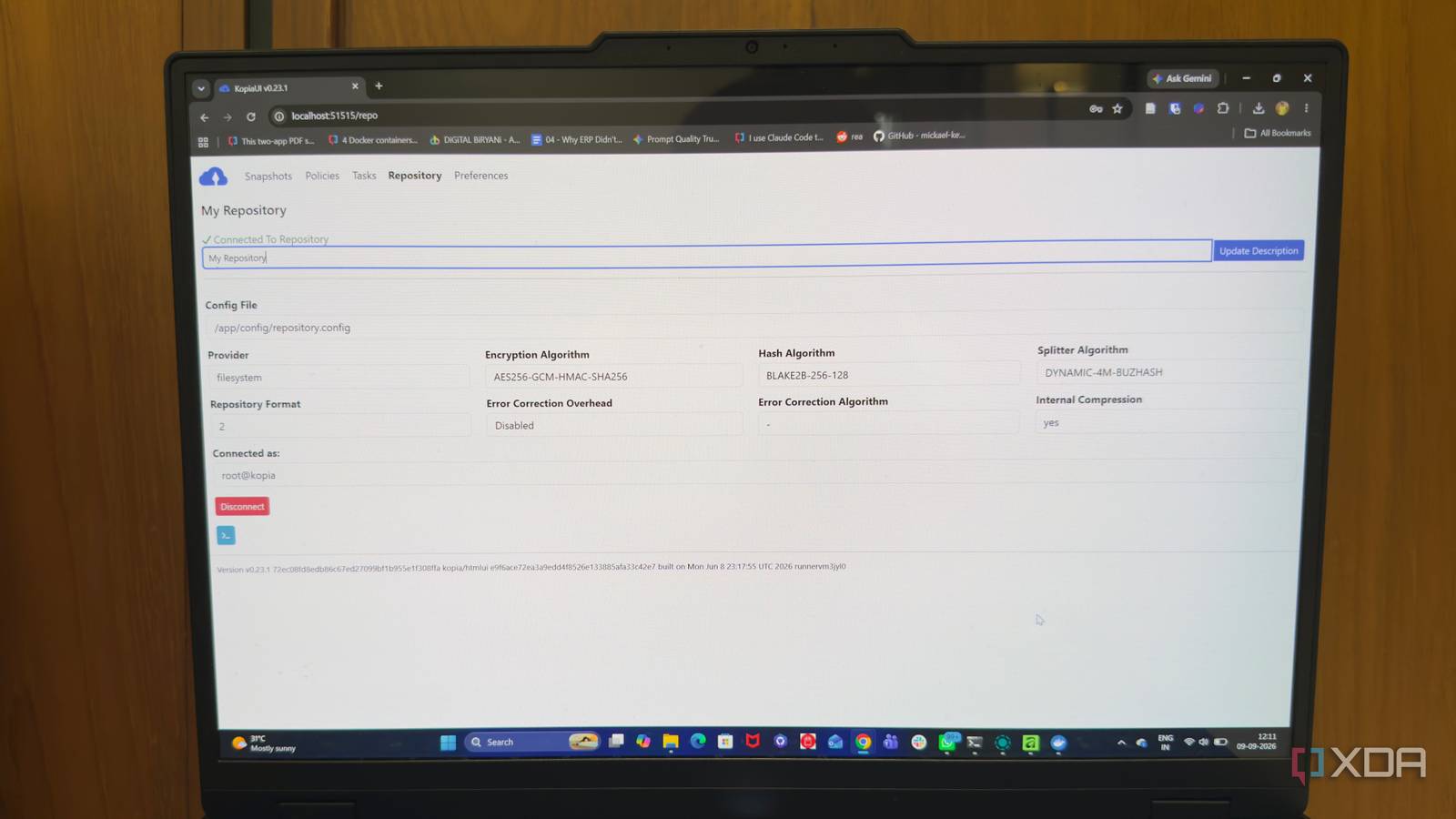
Published Sep 12, 2026, 7:30 AM EDT Beginning his professional journey in the tech industry in 2018, Yash spent over three years as a Software Engineer. After that, he shifted his focus to empowering readers through informative and engaging content on his tech blog – DiGiTAL BiRYANi. He has also published tech articles for MakeTechEasier. He loves to explore new tech gadgets and platforms. When he is not writing, you’ll find him exploring food. He is known as Digital Chef Yash among his readers because of his love for Technology and Food. Self-hosting gives you more control over your apps, services, and data, but it also puts the responsibility for protecting them in your hands. A failed drive, broken update, accidental deletion, or server problem can quickly turn into lost work. That makes backups an important part of running a self-hosted setup, not something to think about after something goes wrong. The good news is that building a solid backup system doesn't have to be complicated. Several tools can handle different parts of the process, from protecting files to managing recovery points. Here are some options worth considering for a stronger self-hosted backup setup. Restic Restic is a lightweight, open-source backup tool that works well for self-hosted servers. Its command-line approach keeps the setup simple and makes it easy to integrate with existing server workflows. One useful feature is deduplication. Restic stores only changed data, which can significantly reduce storage usage when backups are created regularly. It also uses content-addressed storage, helping identify and manage backup data efficiently. Security is built into the backup process as well. Restic encrypts the repository, protecting backup contents from unauthorized access. This makes it suitable for storing backups on machines or services that aren't fully under the administrator's control. Restic also supports backup verification, allowing repositories to be checked for errors or missing data. This can help catch problems before a restore becomes necessary. Its straightforward design makes Restic a good fit for users who prefer managing their infrastructure through scripts and terminal commands. It provides the core features needed for dependable backups while keeping the overall setup relatively lightweight. Restic Restic is a fast and secure open source backup program. Kopia More control over how backups work Kopia is a modern backup tool designed to make backup management more flexible without making the process difficult to understand. It is open source and supports both command-line and graphical interfaces, giving users more control over how they manage their backup jobs. One of Kopia's useful features is its policy system. Different folders can have different rules for how often they are backed up, how long versions are kept, and how frequently maintenance tasks run. This makes it easier to apply different backup requirements to different types of data. Kopia also provides a snapshot browser that makes it easier to see previous versions of files. Instead of dealing with backup archives manually, users can browse available snapshots and select the data they need. Another useful feature is its ability to run as a service. This allows backup tasks to run automatically in the background without requiring constant manual intervention. Kopia can also be managed through its web interface, which provides a more visual way to configure and monitor backup activity. Kopia Kopia is an open-source backup software you can self-host and point to your favorite local or cloud storage location. Duplicati Take the complexity out of backups Duplicati is a backup tool aimed at users who prefer managing their backups through a web-based interface. It can be useful for self-hosted setups where a visual dashboard is more convenient than working entirely from the command line. The interface guides users through creating backup jobs, making it easier to select folders, configure schedules, and set retention rules. This can reduce the amount of manual configuration needed, especially for those who are less comfortable with terminal-based tools. Duplicati also supports a wide range of destinations, including local drives, network storage, and several cloud services. This gives users flexibility in deciding where to keep backup copies. Another useful feature is its reporting system. Duplicati can provide notifications about backup jobs, making it easier to spot failed or interrupted runs without constantly checking the server. The tool also includes options for restoring individual files or larger sets of data. Its interface makes the recovery process easier to navigate compared with tools that rely heavily on command-line instructions. Duplicati Duplicati is a free, open-source backup solution that offers zero-trust, fully encrypted backups for your data. BorgBackup A command-line backup tool BorgBackup is a command-line backup tool built with Unix-like systems in mind. It is particularly suited to Linux servers and works well in environments where backups are managed through scripts and scheduled tasks. One of Borg's useful features is its ability to create archives within a repository while keeping the process efficient. Each archive represents a backup at a specific point in time, making it possible to maintain a history of backups without creating completely separate copies of the same data. Borg can also mount a repository as a regular filesystem. This makes it possible to browse backed-up files without first extracting an entire archive. You can then recover individual files or folders as needed. Remote backups are another area where Borg fits naturally into server environments. Repositories can be accessed over SSH, allowing backup data to be stored on another machine without requiring a dedicated backup application. Borg also provides commands for managing archives and repositories from the terminal. Its Unix-style approach makes it a good match for administrators who prefer simple tools that can be integrated into existing server workflows. BorgBackup BorgBackup is an open source deduplicating backup solution. Backup before you need it A reliable backup strategy is less about picking one perfect tool and more about choosing an approach that fits the stack. The right setup should protect important data without becoming another system that needs constant attention. Start with what matters most, automate the routine work, and leave room to grow as the self-hosted environment expands. The best backup plan is one that works quietly until it is needed.
4 backup tools that finally made self-hosting feel manageable
Full Article
Original Source
Read the full article at Xda-developers →KhanList aggregates and links to publicly available news content. We do not host full articles from third-party sources. Always verify important information with original sources.