
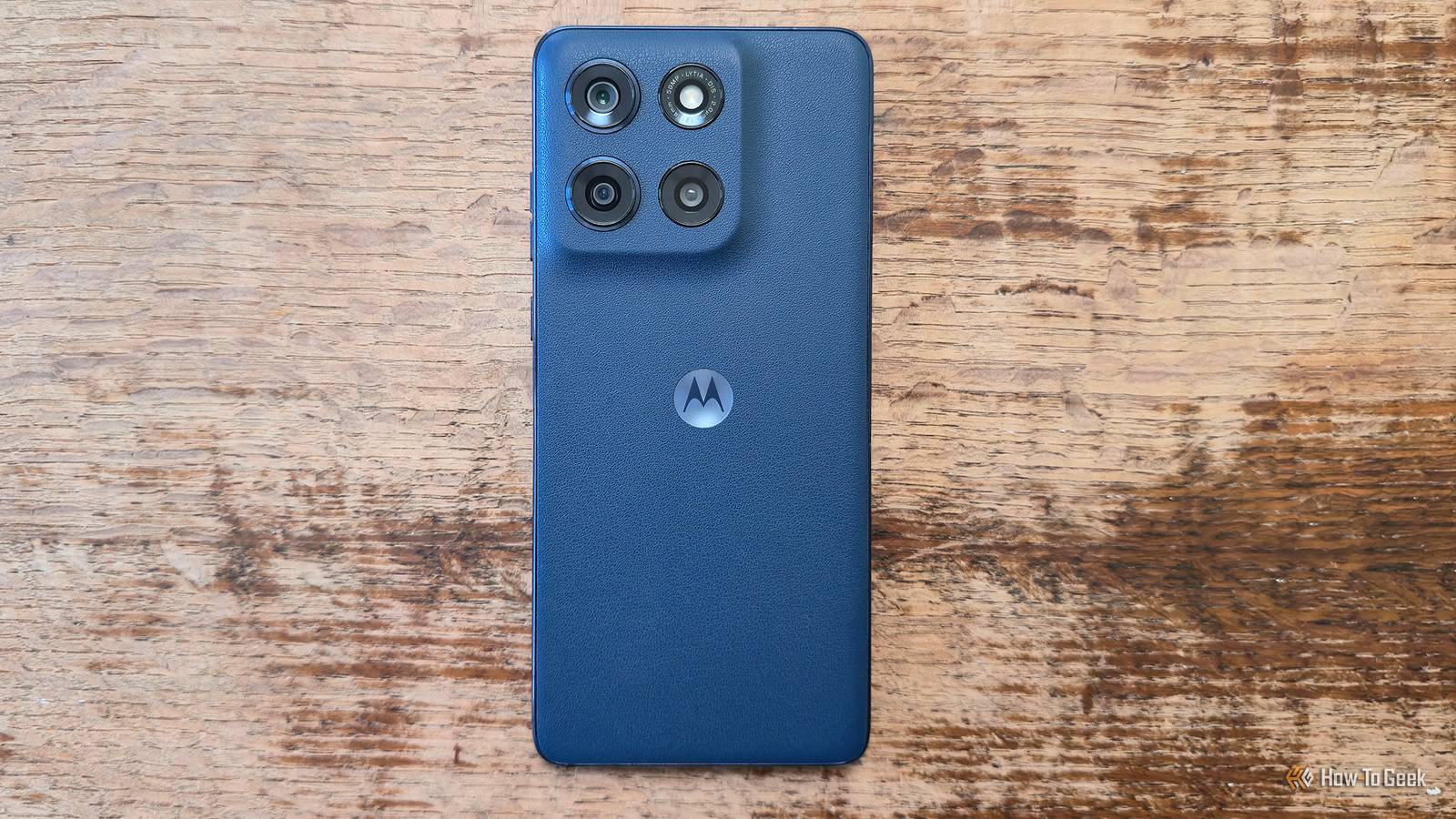
Published Aug 19, 2026, 10:00 AM EDT Ismar is a Senior Author at How-To Geek. He previously worked as a writer, editor, and general manager at a content agency before joining the team in 2023. He began his writing career in 2021 after completing a BA in English Language and Literature. Beyond How-To Geek, Ismar has contributed to Red Stag Fulfillment and Authority Hacker. He has also worked on various SEO projects to help clients improve their search visibility. Ismar has been around Windows PCs since the age of three, so friends and family naturally chose him as the resident tech support. His projects often involve tinkering, such as disassembling mechanical keyboards and gaming mice to mod his beloved gear. He also enjoys pushing hardware to the max through overclocking while staying on a reasonable budget. An avid gamer, Ismar has logged thousands of hours across various genres, including first-person shooters, RPGs, racing games, and roguelites. When he is not at his desk, he is probably exploring other people’s phones to discover their quirks and features or experimenting with the latest AI tools. In his free time, Ismar enjoys spending time with his wife, working out at the gym, playing guitar and bass, cooking gourmet meals, and traveling. Above all else, he’s a proud cat owner. Motorola has made its name among the Android crowd thanks to its phones offering excellent value at any price bracket. And it's easy to see why, as even the cheapest devices, like those in the Moto G lineup, tend to pack surprisingly modern and capable hardware. But good hardware is only half the equation. The software that runs on Motorolas is arguably just as important to why these phones are so enjoyable to use. Motorola packs its budget phones with a surprising number of software tweaks that make them stand out from the competition. Hello UI is a clean, near-stock Android experience few brands can rival Smooth, stable software other brands should learn from Motorola has always had some of the best Android software of any brand. To be more specific, the switch happened when Motorola got rid of the awful MOTOBLUR and started running near-stock Android around 2013. As Motorola kept adding new features, this gradually grew into My UX, which essentially gave a proper name to Motorola's unique software features that run on top of stock Android. But the real shift happened in 2024, when Motorola introduced a completely new skin called Hello UI, which brought even more personality, customization, and useful features (sigh, including AI stuff). Hello UI finally gave Motorola phones some real visual identity, with plenty of different themes, layouts, and decent lock-screen and AOD customization. I'm not going to go into detail on the aesthetics of the skin because that's ultimately a matter of personal preference. As for performance, Hello UI is among the cleanest and smoothest-running Android skins. While truly "stock" Android doesn't really exist anymore, Hello UI is still one of the cleaner and relatively bloat-free Android skins. It's lightweight, focused, and, for the most part, gets out of your way, allowing you to get into the apps that matter. It's particularly beneficial for budget phones, as there isn't really much going on behind the scenes to bog down the phone. In contrast, Samsung's One UI offers some interesting Samsung-specific features, like Bixby and advanced customization through Good Lock, which make sense in a flagship, but they can be hard to run on a device with limited RAM and CPU threads. Moto Gestures will make you miss Motorola when you switch to another brand Chop chop, I need my flashlight Motorola has mastered useful phone gestures for years—if you've ever used a Motorola, you know exactly what I'm talking about. Double-chop for the flashlight, double-twist to open the camera (even from the lock screen), lift the phone when it's ringing to silence it, and flip the screen face down to turn on Do Not Disturb. There are also gestures that work when the screen is on, such as swiping with three fingers simultaneously to take a screenshot, tapping the back of the phone to perform a custom action, and so on. Even the cheapest Motorola phones come with some of its signature gestures, which is impressive considering some of Motorola's phones cost less than a dinner for two in a slightly upscale restaurant. What makes Moto Gestures work especially well is their genuine utility. If a feature isn't genuinely useful to the average user, Motorola doesn't waste time putting it in a phone. Moto Gestures have become so ubiquitous that many other brands have come up with their own takes. OnePlus lets you draw a V to turn on the flashlight, Samsung lets you double-press the side button to open the camera, and Xiaomi has a whole suite of screen-off gestures that remind me of Moto Gestures. Moto G (2026) The Moto G (2026) is a surprisingly capable budget phone, equipped with a 120Hz display, a 5,200mAh battery, and expandable storage with Motorola’s clean software experience. At $300, it packs a lot of hardware and software features for the money. Storage 128GB Battery Up to 48 hours Operating System Android 16 Connectivity GPS, A-GPS, LTEPP, SUPL, GLONASS, Galileo Dimensions 167.15x76.40x8.44 mm Display type LCD Weight 202g Micro SD card support Yes, up to 1TB Material Vegan leather Smart Connect gives compatible Motorola phones a surprisingly capable PC experience Budget phones can finally pretend to be PCs Credit: Bertel King / How-To Geek Samsung offers an incredible suite that allows owners to use their phones in desktop mode with a TV or monitor. It's a useful feature, and my colleague Bertel went so far as to use DeX in place of an actual office PC permanently. However, DeX is reserved for Samsung's flagship devices, with all the budget offerings completely locked out. Enter Motorola's Smart Connect. This neat little app democratizes the smartphone-as-a-desktop experience, bringing it all the way down to the Moto G lineup. Albeit, this comes with limited wired USB-C display output support, relying instead on a Miracast connection. As far as I can tell, all Motorola phones released in the last few years support this feature, though you can always check Motorola's Smart Connect compatibility chart to see if your Motorola is supported. Aside from the desktop mode, Smart Connect has an app that lets you connect your phone to your PC, giving you next-level control and file and clipboard sharing. The app even lets you use your phone's sharp camera sensor in place of a cheap webcam for calls. While you probably wouldn't buy a phone just for Smart Connect, it's definitely a feature that would make you stay on Motorola—the 4.3-star rating in the Play Store and 100M+ downloads speak volumes. The Moto app puts Motorola’s best customization features in one place Every Android brand should start doing this Credit: Hannah Stryker / How-To Geek One of the best ideas Motorola's ever had was consolidating the brand's unique features and apps into a single place—the Moto app. It acts as a central hub for enabling or disabling specific Moto Gestures, personalizing your icons, system accent colors, fonts, home screen, always-on display, and so on. While it's easy to dismiss this app as something you only open once when you first buy the phone to set it up how you want it and learn about its features, it's actually an app you'll open all the time if you love customizing your Android. The best part is actually the next-level convenience that this app provides. You never have to dig through your phone's Settings to find any of these features because they're all centralized in a single app. This also allows Motorola to keep the app up to date across devices and release quick fixes should that be necessary. Many other brands have since adopted similar approaches or built on the concept, such as Google's My Pixel and Samsung's Good Lock, but Motorola was among the first—the Play Store indicates that the Moto app dates all the way back to 2014. Motorola proves a cheap Android phone can still be surprisingly good Motorola's value proposition is too hard to ignore. The software experience is incredible, and when you combine it with next-level hardware, such as silicon-carbon batteries on some models, incredibly fast charging, high-refresh-rate displays, and even microSD card slots on phones that cost just a few hundred bucks, it's easy to see why Motorola isn't going anywhere anytime soon.
$200 Motorola phones have 4 features that make expensive flagships jealous
Full Article
Original Source
Read the full article at Howtogeek →KhanList aggregates and links to publicly available news content. We do not host full articles from third-party sources. Always verify important information with original sources.