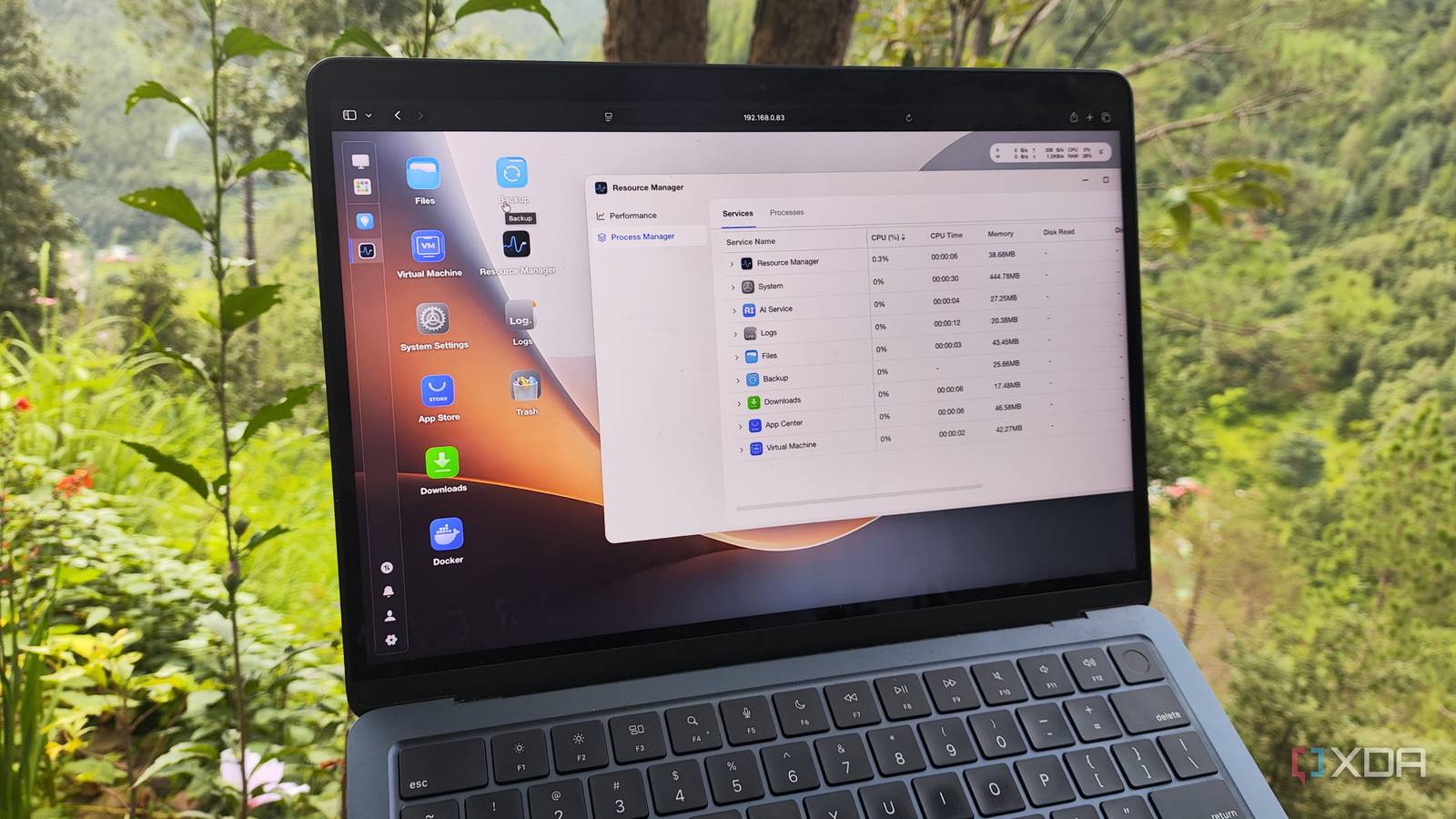
Published Jul 31, 2026, 8:00 AM EDT Ayush Pande is a PC hardware and gaming writer. When he's not working on a new article, you can find him with his head stuck inside a PC or tinkering with a server operating system. Besides computing, his interests include spending hours in long RPGs, yelling at his friends in co-op games, and practicing guitar. If you were to look into tech forums for the ideal OS to power your data archival, backup, and file-sharing tasks, you’re bound to find tinkerers split between TrueNAS Community Edition (or Scale, as it used to be called until a few years ago) and Unraid. Having used both distributions in my home lab journey, I can confirm that they pack enough features to justify their huge following. But despite their utility, I wouldn’t go so far as to say they’re the only NAS distributions in the DIY ecosystem. Even if we were to leave the underrated king OpenMediaVault and community-created XPEnology aside, I’ve noticed quite a few obscure-yet-useful storage server-centric platforms gaining traction in the home lab community as of late. ZimaOS and FygoOS are two such distributions, and considering the sheer number of quality-of-life facilities they pack, TrueNAS and Unraid are no longer the only options for DIY NAS setups. I use ZimaOS to revive old machines as hybrid NAS and self-hosting servers It wraps all the essential NAS utilities inside a beginner-friendly UI I’ll be honest with you: As much as I adore TrueNAS’ interface, Unraid and XPEnology have more approachable web UIs. But after using ZimaOS, I have to admit that it has by far the most easy-to-use interface out of every NAS distribution I’ve used. Creating new storage pools is extremely simple on ZimaOS, and the same applies to configuring RAID pools and deploying SMB shares. ZimaOS’ built-in File Explorer simplifies uploading documents and managing pre-existing media, while the PeerDrop application is handy for quickly transferring files between my arsenal of devices. Sure, I could bring these tools to my TrueNAS and Unraid servers, but I’d have to configure additional applications to do so. I also adore the intuitive 3-2-1 wizard on ZimaOS, as it makes creating offsite (or even cloud) backups a cakewalk. But my real reason for adoring ZimaOS lies with the containerization provisions built into the distribution. The App Store on ZimaOS contains pre-defined templates for essential FOSS utilities, and they’re significantly easier to spin up compared to the ones you’d find on TrueNAS and Unraid. However, this neat distro can also deploy containers using docker run commands and typical Compose files, so I’m not necessarily restricted to the App Store’s offerings. On top of that, there’s even a virtualization utility for creating VMs, though it’s nowhere near as fleshed out as what you’ll find on its rival distributions. Speaking of caveats, ZimaOS restricts the max number of user accounts to three and only supports up to four storage drives on the free version. The latter is what I didn’t like at first, but seeing as how the paid (lifetime) license costs $29, I don’t have a lot to complain about. But what I don’t like is the fact that iSCSI and NFS shares can only be configured via terminal commands. it’s also missing ZFS, which I really would’ve appreciated considering its top-tier data protection features. And that’s where FygoOS comes into the equation… FygoOS provides even more advanced features for home lab lovers And it works with ARM systems, too If ZimaOS is the beginner-friendly distribution for newcomers to the DIY NAS ecosystem, FygoOS is its intermediate counterpart that provides hardcore storage server utilities without getting rid of the approachable UI. In fact, I’d say that FygoOS’s interface is a bit more minimalist compared to ZimaOS, but it earns extra brownie points for shipping with proper ZFS support. Configuring RAID pools is a bit more comprehensive on FygoOS, which meshes well with good ol’ ZFS. FygoOS also lets me configure NFS shares from its Settings utility, and I can even mount iSCSI volumes on my DIY storage server after downloading the specific app. If you’ve used DSM or XPEnology, you’ll notice that FygoOS has a similar collection of tools available in the App Store. Unlike ZimaOS, FygoOS keeps certain NAS tools in the App Store instead of using it to house container templates. While we’re on this subject, the distro does have a menu-based Docker Manager tool, but it’s nowhere near as intuitive as ZimaOS’ containerization capabilities. The Virtual Machine manager on FygoOS, however, is surprisingly well-made, and I love that it supports USB and PCI passthrough capabilities. Another neat perk of FygoOS is that it works with ARM systems, so you can toss it on something as low-powered as a Raspberry Pi and still get a somewhat functional file-sharing server. FygoOS has similar user and drive restrictions as ZimaOS, though it restricts the tools downloaded from the App Store on the non-trial free version. That’s already a huge problem for tinkerers who need iSCSI pools or virtual machines, but it gets worse when you look at the pricing for the paid license. Unlike the affordable lifetime plan on ZimaOS, you’ll have to spend $99 to remove the user account and drive limits and get one year’s worth of updates. Or, you can shell out $299 to get a lifetime license, which is even more expensive compared to its Unraid equivalent, and I already consider the latter far too pricey considering the current market trends. However, I’d still go for TrueNAS for hardcore backup and data archival tasks Personally, I’m fond of ZimaOS, and it’s currently powering an outdated machine that I repurposed into a NAS-cum-self-hosting workstation. That said, TrueNAS is the one powering my 3-2-1 backup pipeline. After all, it packs plenty of data protection features that are missing on ZimaOS without forcing me to pay hundreds of bucks just to unlock essential tools like FygoOS does. ZimaOS
ZimaOS and FygoOS prove the real DIY NAS fight is no longer just TrueNAS versus Unraid
Full Article
Original Source
Read the full article at Xda-developers →KhanList aggregates and links to publicly available news content. We do not host full articles from third-party sources. Always verify important information with original sources.