
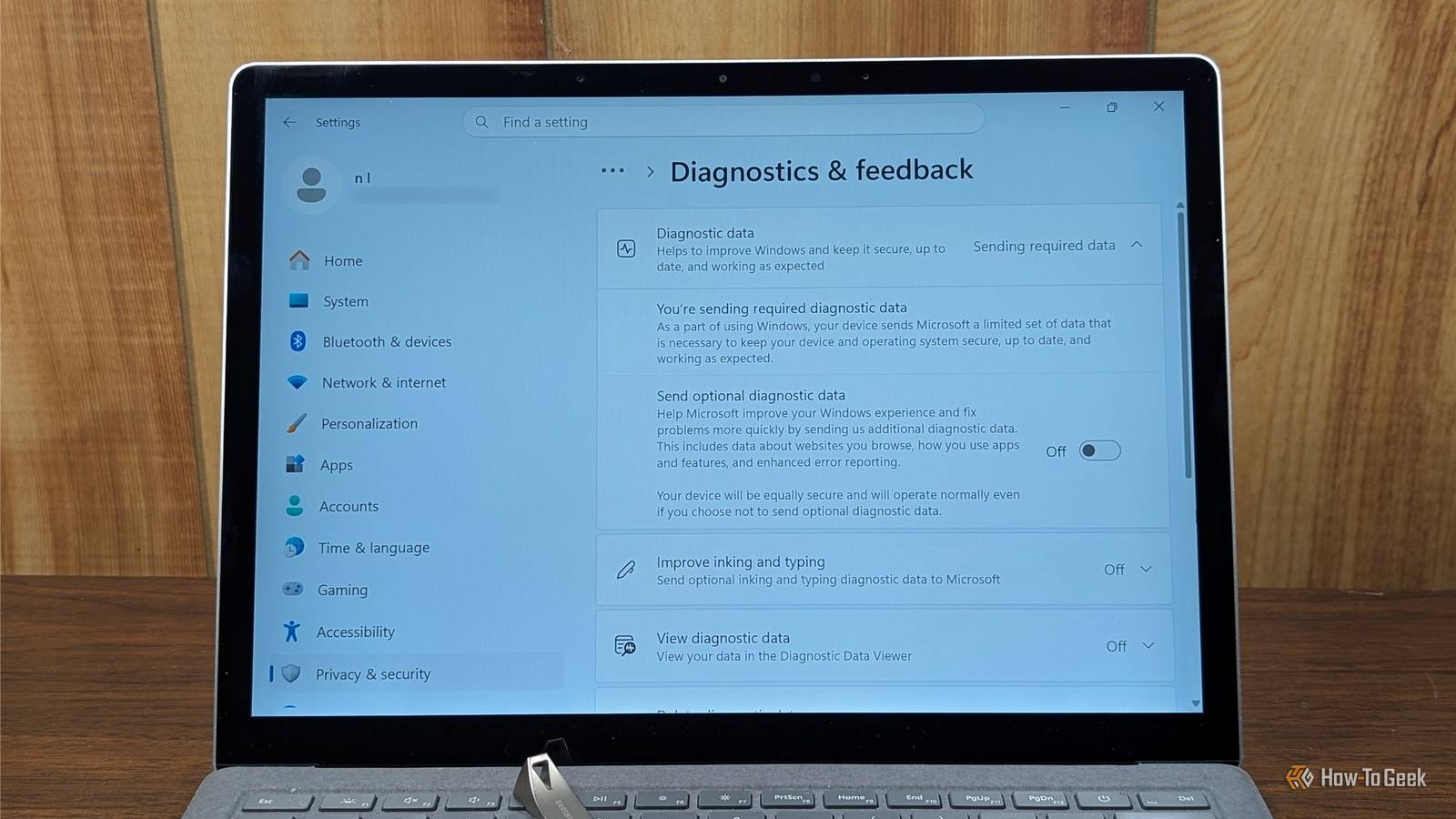
Published Oct 22, 2026, 8:00 AM EDT Nick Lewis is an editor at How-To Geek. He has been using computers for 20 years --- tinkering with everything from the UI to the Windows registry to device firmware. Before How-To Geek, he used Python and C++ as a freelance programmer. In college, Nick made extensive use of Fortran while pursuing a physics degree. Nick's love of tinkering with computers extends beyond work. He has been running video game servers from home for more than 10 years using Windows, Ubuntu, or Raspberry Pi OS. He also uses Proxmox to self-host a variety of services, including a Jellyfin Media Server, an Airsonic music server, a handful of game servers, NextCloud, and two Windows virtual machines. He enjoys DIY projects, especially if they involve technology. He regularly repairs and repurposes old computers and hardware for whatever new project is at hand. He has designed crossovers for homemade speakers all the way from the basic design to the PCB. Nick enjoys the outdoors. When he isn't working on a computer or DIY project, he is most likely to be found camping, backpacking, or canoeing. Windows 11 sends a surprising amount of information about your PC to Microsoft every single day. If you dig through the Settings app, you'll find that there isn't even a single place where you can shut it all off—at best, it is a patchwork of toggles you can disable. In many cases, the telemetry, account requirements, and, increasingly, the AI features, aren't things you can uninstall or even disable. They're integral parts of the operating system. If you really want to avoid it, you basically only have one choice: ditch Windows. What data does Windows collect? Telemetry is an integral part of Windows If you look through your Settings app and Microsoft's documentation closely, you'll find that there are basically two kinds of diagnostic data: optional and required. The required data includes things like device specifications, settings, your system version, and some crash data. Ostensibly, this information is used to help ensure that Windows as a whole remains secure and stable across more than a billion devices. Still, there is a continuous trickle of information being transmitted about your system. Optional data can be significantly more invasive, and can include things like your app usage, your typing patterns, and even your browsing history. Beyond diagnostic telemetry, there are other things Windows does that feel invasive. Your PC has an advertising ID, a location history, and something called "tailored experiences" that are used by Microsoft or third-parties for advertising. Stopping the data leak on Windows You can dial it back, you can't turn it off. If you open the Settings app (press Win+i), then navigate to Privacy & security, you'll find the few options that exist. Under Recommends & offers, you can disable Personalized Offers, Recommendations and offers in Settings, and Advertising ID. In theory, that should curb some of the advertisements you see in the Start Menu or Settings app. You can also open Diagnostics & feedback and disable optional diagnostic data and typing diagnostics. You can also push a button to delete your stored diagnostic data. You cannot, however, completely stop it on the Home or Pro editions of Windows. The account requirement Windows 11 does its very best to force you to use a Microsoft account when you set up your PC. By forcing you to use a Microsoft account, your PC gets tied to OneDrive and Edge Sync by default. Linux makes data collection a choice On most desktop Linux distributions, nothing is sent unless you say yes Linux is a free, open-source operating system that comes in dozens (if not hundreds) of different variants. By default, most Linux distros minimize the amount of telemetry that gets sent off your PC. Even in situations where there is some enabled by default, the open-source nature of the operating system ensures that you can get a clear idea of what data is being sent to whom, and then disable it if you really want. However, it tends to be less of an issue with Linux than it is with Windows, since the telemetry is usually pretty transparent. Ubuntu, which is famously a bit telemetry-heavy for a Linux distro, uses Ubuntu Insights. It is opt-in, and you can view the full report before it is sent. Many Linux distros, like Mint, have no system telemetry included at all. That means you won't get personalized ads in your Settings or see a pop-up pushing you to buy a subscription service. You lose the Windows ecosystem in exchange for total control The only significant hurdle when you switch from Windows to Linux is the software ecosystem. For example, the Adobe Creative Cloud doesn't exist natively for Linux, nor does the Microsoft Office suite. You'll need to find alternatives. Thankfully, between an increase in interest and AI-assisted coding, the options are better than ever. LibreOffice and ONLYOFFICE are great alternatives for Microsoft Office; I haven't noticed a big feature gap in a long time. Adobe Creative Cloud has fewer all-in-one solutions, but individual replacements do exist. Krita, GIMP, Inkscape, and Darktable are alternatives for Photoshop and Illustrator, while Kdenlive and DaVinci Resolve are replacements for Premiere and Affect Effects. Gaming has improved dramatically, mostly due to Valve's Proton, which now allows you to play most Steam games on Linux without a significant performance hit. Anti-cheat remains the only significant barrier. Still, even that is changing. Recently, Epic announced that Fortnite, one of the most popular games, was coming to Linux. That is a sign that things are changing within the gaming industry. You can check ProtonDB and Are We Anti-Cheat Yet to see if your preferred games will work on Linux before you make the switch. Your PC should follow your rules Unfortunately, the only real privacy fix today isn't a registry tweak or a toggle—you have to switch to a different operating system completely. Even if you do go through the Windows registry, Policy Editor, and Settings app to change everything, Windows updates are notorious for reverting those changes periodically. Today, Linux is as user-friendly as you want it to be. Distros based on Arch tend to be the digital equivalent of driving a stick shift—involved, but fun if you like that sort of thing. On the other hand, there are dozens of distros based on Fedora and Debian that are every bit as approachable as Windows. They're just different, not necessarily more difficult. Take an hour sometime and try out Linux with a live USB—you may be surprised by just how great Linux is today.
Your Windows PC is always reporting to Microsoft. Here’s the only way to stop it
Full Article
Original Source
Read the full article at Howtogeek →KhanList aggregates and links to publicly available news content. We do not host full articles from third-party sources. Always verify important information with original sources.