
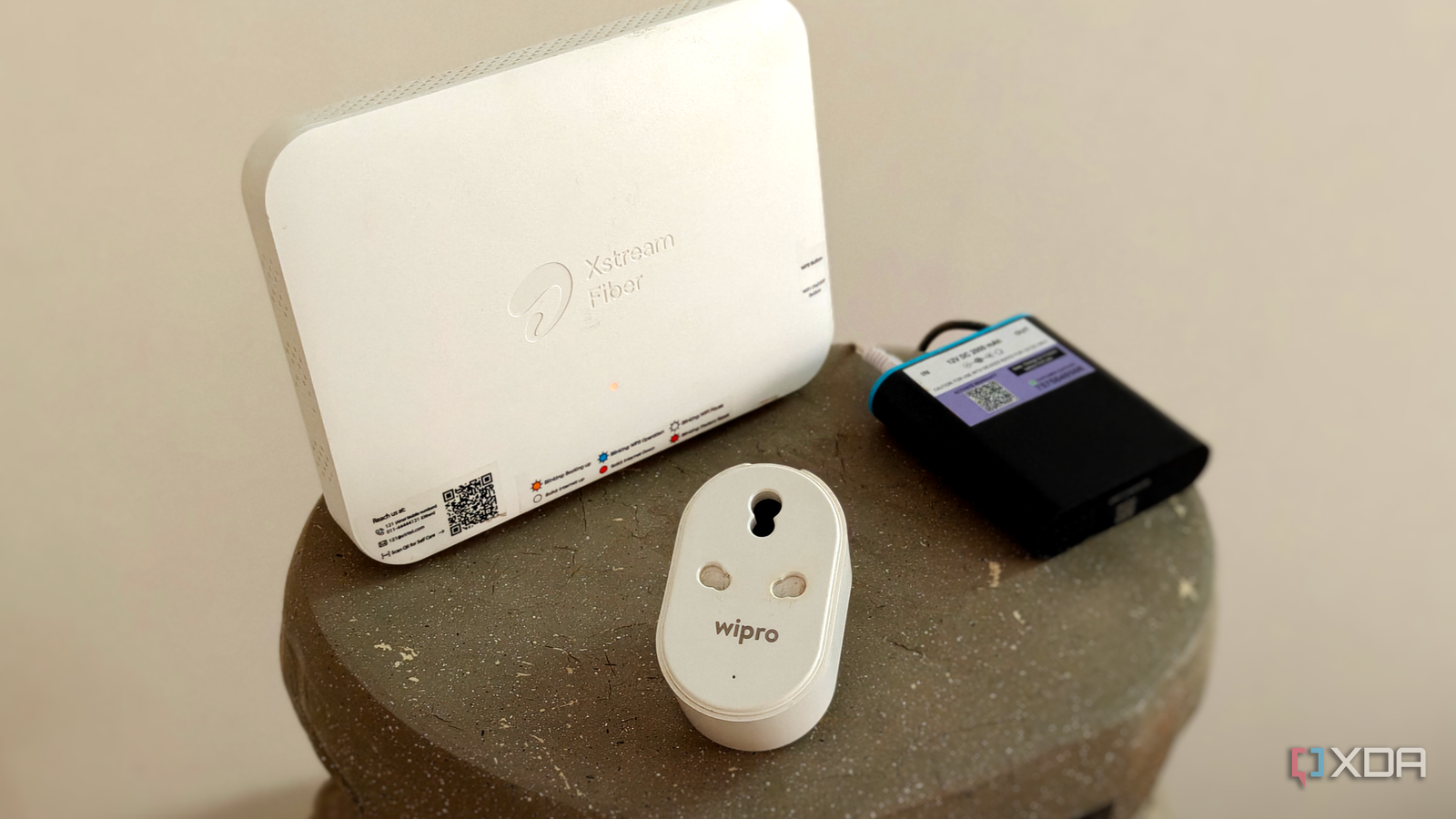
Published Oct 8, 2026, 1:00 PM EDT After a 7-year corporate stint, Tanveer found his love for writing and tech too much to resist. An MBA in Marketing and the owner of a PC building business, he writes on PC hardware, technology, and Windows. When not scouring the web for ideas, he can be found building PCs, watching anime, or playing Smash Karts on his RTX 3080 (sigh). Most people know their home Wi-Fi network doesn't operate in isolation. Seeing neighboring networks on a network list makes it abundantly clear that your Wi-Fi is co-existing with many neighboring networks, inhabiting the same spectrum. So, when your Wi-Fi network goes awry, you immediately blame your neighbors and re-examine your wireless channels. However, your Wi-Fi shares the spectrum with another network that often goes unnoticed because it doesn't appear in your Wi-Fi analyzer app. I'm talking about your Zigbee smart home network and how your stronger Wi-Fi signal can sometimes wreak havoc on it. Zigbee is designed to co-exist with Wi-Fi, but you need to keep a few things in mind to avoid breaking your smart home network. Your neighbors' Wi-Fi isn't the only interference you need to think about Your own Wi-Fi interferes with your smart home When you're diagnosing your Wi-Fi latency issues, it's natural to suspect co-channel interference with your neighbors' Wi-Fi networks. I've used WiFi Analyzer countless times to figure out the least-crowded channels to minimize this interference. You may have also reduced your router's transmit power and changed other settings to mitigate this unavoidable reality. That said, you might be ignoring the impact of your Wi-Fi on your Zigbee network. Zigbee is a wireless protocol designed to operate as a low-power, low-data network for smart devices. Operating on the IEEE 802.15.4 physical year, it uses a fraction of the data and power of comparable Wi-Fi transmissions, making it ideal for a smart home network. If you've moved from Wi-Fi to Zigbee for your smart home, you're already enjoying the battery efficiency benefits associated with it. The problem is that both Zigbee and Wi-Fi operate in the unlicensed 2.4 GHz ISM band. Your Zigbee network doesn't show up in "WiFi Analyzer" scans, so it's easy to forget that this "invisible" network is sharing airwaves with your Wi-Fi network. Wi-Fi uses 22 MHz–wide channels, whereas Zigbee uses smaller 2 MHz–wide channels. In fact, the Zigbee channels 11 through 22 overlap with the Wi-Fi channels 1, 6 and 11, creating potential interference. Zigbee is designed as a low-power network, and your Wi-Fi can drown it out Your Zigbee smart home will simply give up Zigbee shares airspace with Wi-Fi on the 2.4 GHz network, but this is factored into the protocol. Its low transmission activity and collision avoidance mechanism helps it co-exist with Wi-Fi. However, Wi-Fi transmissions are in the 100–250 mW range (or higher), which is significantly stronger than Zigbee's 1–100 mW transmissions. So, your Wi-Fi can essentially blind your Zigbee network when operating on the same channel. If your home has tons of Wi-Fi devices, they can create weird issues on your Zigbee devices. If you're already experiencing delayed responses on your smart lights and switches, missed automations as Zigbee is forced to retransmit repeatedly, and smart devices showing up offline, it could be due to heavy interference from Wi-Fi on overlapping channels. Your Zigbee devices may be draining battery life while trying to fight a losing battle. The solution is to re-examine your channel selection, both on Wi-Fi and Zigbee. The ideal combination is to choose channels 1, 6, or 11 on your Wi-Fi router, and channels 15, 20, or 25 in your Zigbee settings. This allows your Zigbee transmissions to avoid overlap with Wi-Fi channels. Note that most smart home hubs require a factory reset and repairing to change the Zigbee channel. Separate your Wi-Fi router from your Zigbee coordinator Minimizing interference is the name of the game Avoiding channel overlap is one of the best ways to keep your Zigbee devices working properly next to a heavy Wi-Fi network. That said, you should also ensure you don't make other mistakes. For instance, your Zigbee coordinator and Wi-Fi router should not be kept in close proximity, howsoever convenient that may be. Keeping them at least 10 feet apart avoids radio interference, keeping your smart home stable. Next, never plug in the Zigbee dongle directly into the host PC. Interference from USB 3.0 ports can be strong enough to cause problems with the low-powered Zigbee transmissions. Use a USB extender plugged into a USB 2.0 port and then plug the dongle into the extender to introduce separation. Commercial smart home hubs like the Philips Hue Bridge already take care of this shielding aspect, so you don't need to worry about it in such cases. Zigbee is better for your smart home, but it isn't bulletproof Zigbee is designed to inhabit the same airwaves as your Wi-Fi without major issues, but you need to set it up properly. Since your Wi-Fi signals can easily overpower your Zigbee transmissions, avoiding radio interference is essential to avoid ruining your smart home performance. Your smart home operates in the background, under the radar, but that can make you forget that it's running on the same spectrum as your Wi-Fi.
Your Wi-Fi shares airspace with a network you've always ignored, and it could be ruining your smart home
Full Article
Original Source
Read the full article at Xda-developers →KhanList aggregates and links to publicly available news content. We do not host full articles from third-party sources. Always verify important information with original sources.