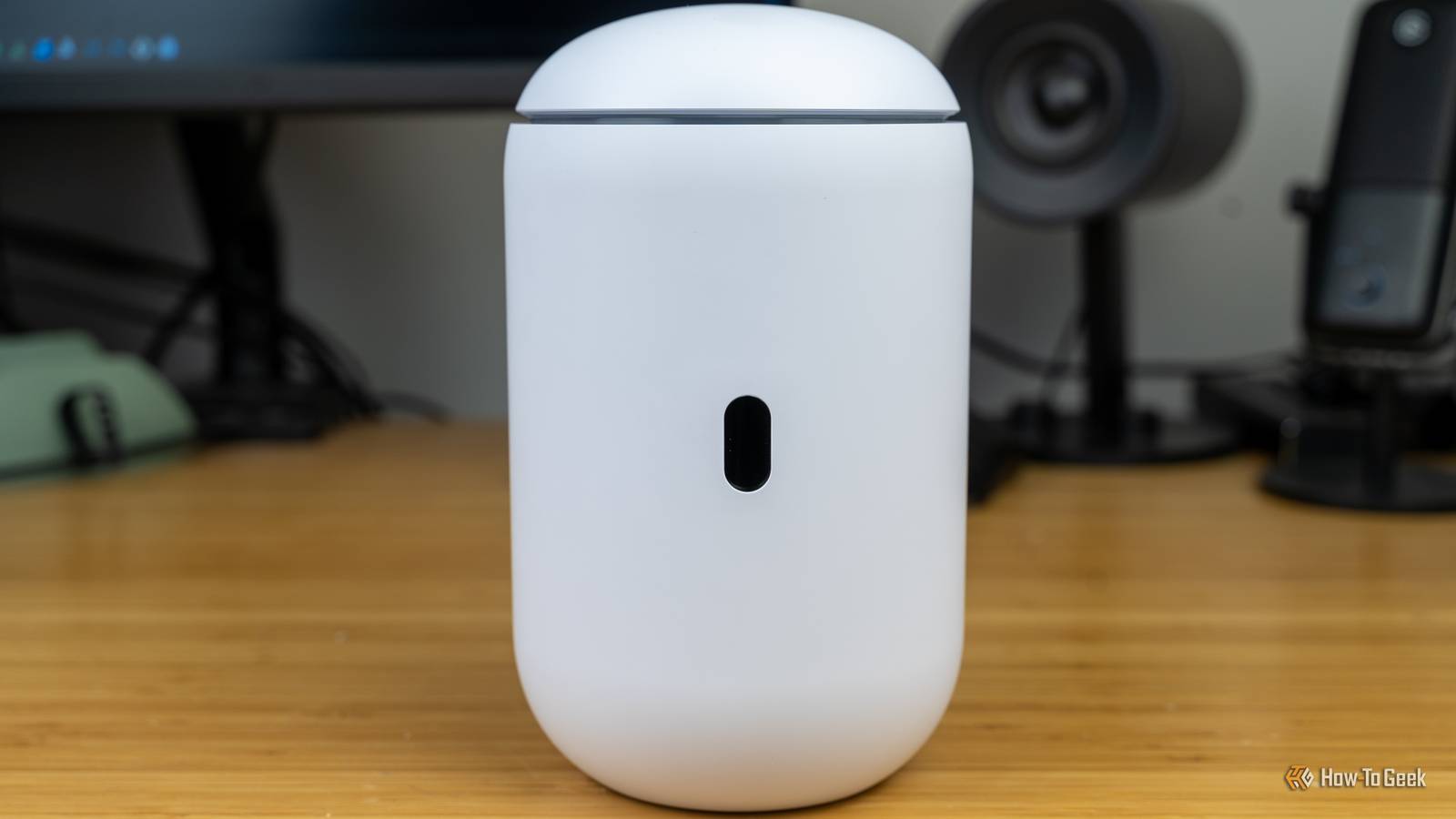
Credit: Patrick Campanale / How-To Geek Published Jul 31, 2026, 8:30 AM EDT Monica J. White is a journalist with over a decade of experience in covering technology. She built her first PC nearly 20 years ago, and she has since built and tested dozens of PCs. PC hardware is her main beat, and graphics cards and the GPU market at large are her main area of interest, but she has written thousands of articles covering everything related to PCs, laptops, handhelds, and peripherals. From GPUs and CPUs to headsets and software, Monica's always willing to geek out over all things related to computing. Outside of her work with How-To Geek, Monica contributes to TechRadar, PC Gamer, Tom's Guide, Laptop Mag, SlashGear, Whop, and Digital Trends, among others. Her ultimate goal is to make PC gaming and computing approachable and fun to any audience. Monica spends a lot of time elbow-deep in her PC case, as she's always making upgrades, testing something, or plotting out her next build. She's the go-to tech support person in her immediate circle, so she's never out of things to do. Whenever she has spare time, you'll find her gaming until the early hours and hanging out with her dog. Sign in to your How-To Geek account Splitting your home network into VLANs is sensible, so kudos to you if that's what you're doing. Your computers go on one network, smart home devices on another (as they can be pretty dodgy security-wise), and guests get a separate corner where they don't bother or endanger any other part of your network. But a VLAN that's poorly set up can backfire in a way that exposes your entire network. Your VLANs may already be routing into each other Separate network names, sure, but separate network traffic? Not necessarily Let's back it up a little bit first. A VLAN, or virtual local area network, lets one physical network behave like several smaller ones. Devices assigned to different VLANs can all use the same router, switches, and access points, all the while sitting on separate logical networks, usually with their own IP address ranges. Devices inside the same VLAN can communicate directly, but traffic headed for a different VLAN has to pass through a router or another device capable of routing between networks. The routing is where things get a tad scarier, or rather, where the security of it all steps in. Once your router knows how to reach both VLANs, it can potentially forward traffic from one to the other unless a firewall rule tells it not to. Separate Wi-Fi names, VLAN IDs, and IP ranges only prove that you created separate networks, but they don't prove that those networks can't communicate whatsoever. If inter-VLAN traffic is allowed by default, or if an overly broad rule permits access between the subnets, a smart plug on your IoT VLAN may still be able to reach the devices in your home that you'd really rather not expose to anything you can't trust. One broad firewall rule can reconnect everything Innocent at a glance, but it can make your network crumble Credit: Zunaid Ali / How-To Geek Of course, there's a way to stop devices on one VLAN from reaching devices on another, and it's called VLAN isolation. The VLANs separate the network into different logical groups, but isolation is what makes those groups independent. Ideally, you'll be putting all your less-than-trustworthy IoT stuff on a VLAN that can reach the internet, but can't go digging through files on your NAS. Your firewall enforces that separation by deciding which traffic can cross the road from one VLAN to another. But if the firewall is broader than it needs to be, you could be in trouble. Example: you may only want your smart TV to reach a media server, but a rule that allows the entire IoT VLAN to access your main network gives every device on that VLAN the same path. Temporary troubleshooting rules can get you in trouble, too. It's easy to just allow all traffic everywhere to check what's wrong, but if you forget to fix it later, it'll just stay that way. The safest approach is to block inter-VLAN traffic by default, then create narrow exceptions for the stuff that actually needs it. UniFi Dream Router 7 9/10 Brand Unifi Range 1,750 square feet The Unifi Dream Router 7 is a full-fledged network appliance offering NVR capabilities, fully managed switching, a built-in firewall, VLANs, and more. With four 2.5G Ethernet ports (one with PoE+) and a 10G SFP+ port, the Unifi Dream Router 7 also features dual WAN capabilities should you have two ISP connections. It includes a 64GB microSD card for IP camera storage, but can be upgraded for more storage if needed. With Wi-Fi 7, you'll be able to reach up to a theoretical 5.7 Gbps network speed when using the 10G SFP+ port, or 2.5 Gbps when using Ethernet. A bad switch port can put devices on the wrong network Trunks, access ports, and native VLANs leave room for mistakes Credit: Adam Davidson / How-To Geek Your firewall rules can be perfect and your VLANs can still be in shambles if a single switch port is assigned incorrectly. Such is the beauty of network troubleshooting. An access port is meant for one VLAN, so anything plugged into it lands on that network by default. A trunk port is different, though. It carries traffic for multiple VLANs between VLAN-aware devices such as managed switches, routers, and access points. If a regular Ethernet jack is accidentally configured as a trunk, or an unused port is left assigned to your trusted VLAN, a device plugged into it may end up with access to networks it was never supposed to see. Native VLAN mismatches can cause similar trouble by sending untagged traffic to the wrong place. Lovely, right? But there's a fix: head to your managed switch's port settings. Open the switch controller or web interface, select each physical port, and check its port profile, tagged VLANs, and untagged or native VLAN. The ports connected to ordinary devices like the PC or the TV should usually be set as access ports for one specific VLAN. Reserve trunk mode for links to the stuff that genuinely needs several VLANs, and only allow the VLANs that device actually uses. Quiz8 Questions · Test Your KnowledgeVLANs and home Wi-Fi security techniquesTrivia challengeThink you know how to lock down your home network? Test your skills on VLANs, firewalls, and beyond.VLANsWi-Fi SecurityNetworkingEncryptionBest PracticesBeginWhat does VLAN stand for?AVirtual Local Area NetworkBVerified Logical Access NodeCVariable Link Allocation NetworkDVirtual Layered Address NodeCorrect! VLAN stands for Virtual Local Area Network. It allows you to segment a physical network into multiple logical networks, improving both security and traffic management without needing separate physical hardware.Not quite — the answer is Virtual Local Area Network. VLANs are a foundational concept in network segmentation, letting you logically separate devices even when they share the same physical switches or access points.ContinueWhat is the primary security benefit of placing IoT devices on a separate VLAN in a home network?AIt speeds up the internet connection for IoT devicesBIt prevents IoT devices from communicating with your main computers and sensitive dataCIt automatically updates the firmware on IoT devicesDIt assigns IoT devices stronger encryption keysExactly right! Isolating IoT devices on their own VLAN means that if a smart bulb or thermostat is compromised, attackers cannot easily pivot to your laptops or NAS drives. It creates a logical barrier between trust zones in your home.The correct answer is network isolation. By placing IoT devices on a separate VLAN, you contain any potential breach to that segment. A hacked smart TV, for example, would have no path to your personal files or banking sessions on the main network.ContinueWhich Wi-Fi security protocol is currently considered the most secure for home networks?AWEPBWPACWPA2DWPA3Correct! WPA3 is the latest and most secure Wi-Fi security protocol. It introduced Simultaneous Authentication of Equals (SAE), which protects against offline dictionary attacks and improves forward secrecy compared to WPA2.The correct answer is WPA3. While WPA2 is still widely used and reasonably secure, WPA3 offers stronger protections including resistance to brute-force attacks and better security on open networks via Opportunistic Wireless Encryption (OWE).ContinueWhat is a 'guest network' feature on a home router primarily designed to do?AProvide faster speeds to visiting usersBIsolate visitor devices from the main private networkCEncrypt all guest traffic with a unique certificateDAutomatically block all downloads from guest devicesSpot on! A guest network creates a separate Wi-Fi segment so that visitors can access the internet without being able to see or interact with your main devices like printers, NAS drives, or smart home hubs. It is a simple but effective security layer.The right answer is isolation. Guest networks keep visitor devices in their own bubble, preventing them from accidentally — or intentionally — accessing your private files, smart home devices, or other networked equipment on your main LAN.ContinueWhat is MAC address filtering, and what is its main limitation as a security measure?AIt blocks specific websites; its limitation is it requires constant updatesBIt limits bandwidth per device; its limitation is it slows down the networkCIt allows only approved hardware addresses to connect; its limitation is MAC addresses can be spoofedDIt encrypts device traffic; its limitation is it only works on wired connectionsWell done! MAC address filtering lets you create an allowlist of devices that can join your network. However, MAC addresses are transmitted in plain text and can be easily spoofed by an attacker who sniffs the air for a valid address, making this a weak standalone defense.The correct answer is that MAC filtering allows only pre-approved hardware addresses but can be bypassed via spoofing. Because MAC addresses are visible in unencrypted Wi-Fi frames, a determined attacker can clone a legitimate device's address and gain access.ContinueIn VLAN terminology, what is a 'trunk port'?AA port reserved exclusively for internet uplink trafficBA port that carries traffic for multiple VLANs simultaneously using taggingCA port that connects directly to a modemDA port with higher bandwidth allocated by the router firmwareCorrect! A trunk port carries traffic from multiple VLANs over a single physical link by tagging frames with VLAN IDs, typically using the 802.1Q standard. This is essential when connecting managed switches or access points that need to serve several VLANs at once.The right answer is that a trunk port carries multiple VLANs using 802.1Q tagging. Without trunk ports, you would need a separate physical cable for every VLAN, which would be impractical. Tagging lets one cable do the work of many by labeling each frame with its VLAN ID.ContinueWhat does enabling DNS over HTTPS (DoH) on your home network help protect against?AIt prevents malware from encrypting your filesBIt stops ISPs and local eavesdroppers from seeing which websites you look upCIt speeds up DNS resolution by caching responses locallyDIt blocks all advertisements at the network levelExactly! DNS over HTTPS encrypts your DNS queries so that your ISP, router, or anyone monitoring local traffic cannot easily see which domain names you are resolving. Without it, DNS lookups travel in plain text, leaking your browsing habits even if the sites themselves use HTTPS.The correct answer is privacy from DNS snooping. Traditional DNS queries are unencrypted, meaning anyone on the same network — or your ISP — can log every domain you visit. DoH wraps those queries in HTTPS encryption, making passive surveillance significantly harder.ContinueWhich of the following is the best reason to disable WPS (Wi-Fi Protected Setup) on your home router?AWPS reduces Wi-Fi range significantlyBWPS is vulnerable to brute-force PIN attacks that can expose your Wi-Fi passwordCWPS prevents newer devices from connecting to the networkDWPS conflicts with WPA3 and causes dropped connectionsCorrect! The WPS PIN method uses an 8-digit PIN that is effectively split into two 4-digit halves, reducing the attack surface to just 11,000 combinations. Tools like Reaver can crack WPS PINs in hours, handing an attacker your full Wi-Fi password. Disabling WPS removes this risk entirely.The real reason to disable WPS is its well-documented vulnerability to brute-force attacks. The WPS PIN can be cracked in a matter of hours using freely available tools, giving attackers your actual Wi-Fi passphrase. It is one of the easiest wins in home network hardening.See My ScoreChallenge CompleteYour Score/ 8Thanks for playing!Try Again VLAN isolation fails when it comes to convenience features Be careful with your exceptions Credit: Adam Davidson / How-To Geek VLAN isolation is solid, but it can give you a headache when devices on separate networks need to work together. The quick fix is to allow traffic between two VLANs, but that can open far more access than the feature actually needs. Instead, create exceptions for the specific destination device and service whenever possible. You may also need an mDNS reflector for discovery features like AirPlay or Chromecast, but enabling discovery doesn't mean you should permit unrestricted traffic between both networks. Test your VLAN before you trust it completely Once the rules are in place, connect a device to each VLAN and try to reach things it shouldn't be able to access. Is it annoying? Yes. Is it worth it? I'd say so. From the IoT or guest network, enter the IP addresses of your router dashboard, NAS, PCs, switches, and other internal devices in a browser, and use -ping or PowerShell's Test-NetConnection to check specific addresses and ports. Check your firewall logs at the same time to see which rule allowed or denied each attempt. It'll be tedious, but you'll thank yourself when you're done. TP-Link Tri-Band BE9700 WiFi 7 Router $190 $250 Save $60 TP-Link's tri-band router is a high-end device that supports Wi-Fi 7 and offers coverage that's sufficient for most homes.
Your VLAN setup is one broken rule away from exposing your whole network
Full Article
Original Source
Read the full article at Howtogeek →KhanList aggregates and links to publicly available news content. We do not host full articles from third-party sources. Always verify important information with original sources.