
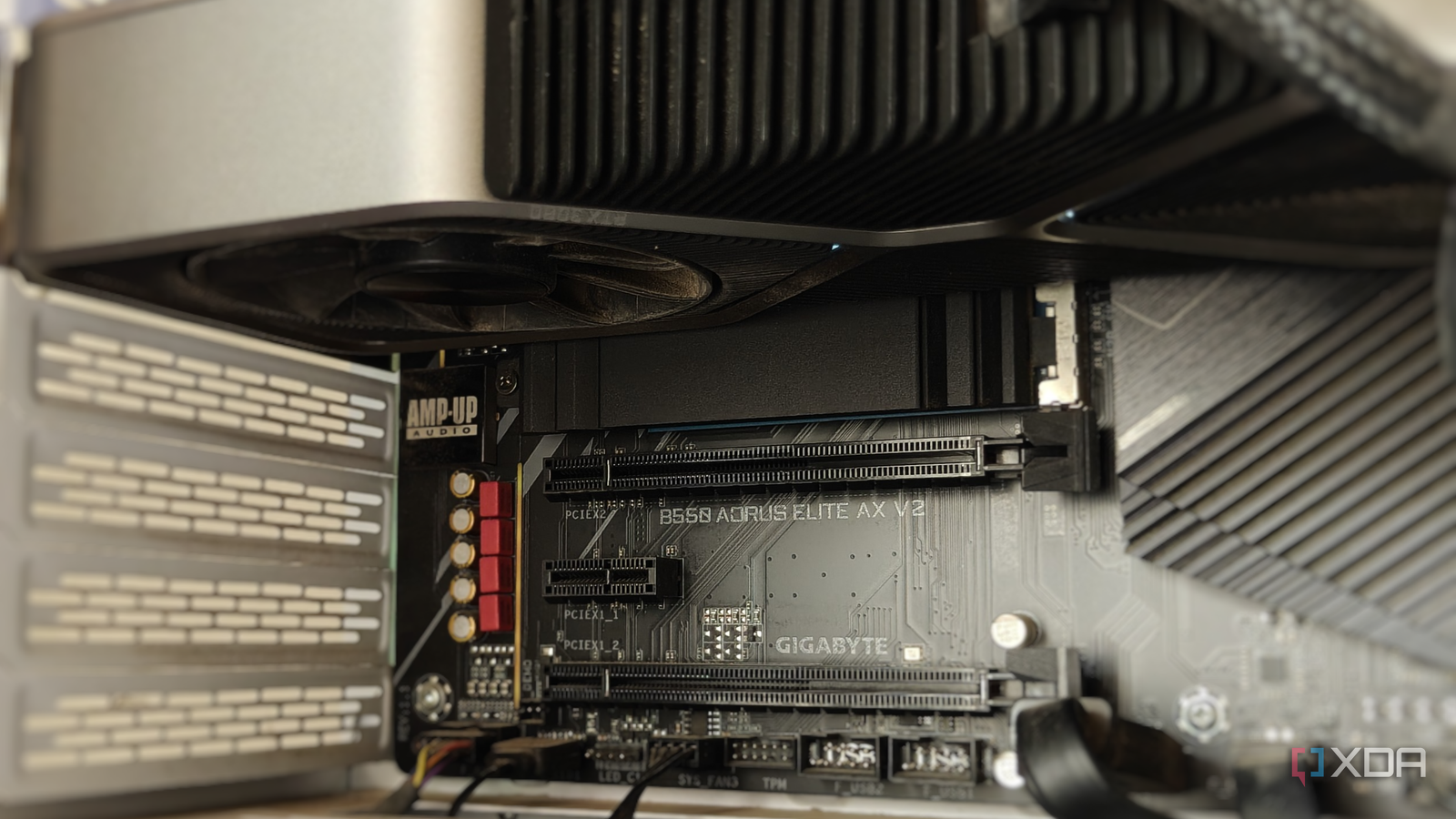
Published Sep 12, 2026, 7:00 AM EDT After a 7-year corporate stint, Tanveer found his love for writing and tech too much to resist. An MBA in Marketing and the owner of a PC building business, he writes on PC hardware, technology, and Windows. When not scouring the web for ideas, he can be found building PCs, watching anime, or playing Smash Karts on his RTX 3080 (sigh). The CPU and GPU temperatures often get the most attention, but the SSD temps go largely ignored. After all, your storage doesn't affect your gaming experience to the extent your CPU and GPU do. Still, it's important to know how hot your SSD is running, if only to eliminate it as a possible reason behind performance slowdown. If your NVMe drive has been overheating, it could be for a number of reasons. Most users will blame the heatsink (or the lack of it) or the model of the drive itself. However, something as simple as the M.2 slot placement can affect your SSD temps. High-performance SSDs run hotter, and that's normal behavior Extreme transfer speeds mean high operating temps Let's get one thing out of the way: modern SSDs are supposed to run hot. NAND flash is designed to work under high temperatures under load, often in the 50–80℃ range, depending on whether it's a Gen4 or Gen5 model. On the latter, especially, the controller processes data at blazing-fast speeds of around 14,000–15,000 MB/s, which results in high operating temperatures. These temps are safe as long as the drive remains under its throttling temperature, which is typically 70℃ for most Gen4 SSDs, and 75–80℃ for Gen5 drives. Installing a heatsink is generally recommended to keep them safely below throttling temps, especially for Gen5 SSDs. Most motherboards come with M.2 heatsinks, so you don't need to buy one for most drives. Of course, ignoring a dusty case or messy cable management for a long time can also contribute to high operating temperatures. If your SSD has a heatsink and is installed in a dust-free case, something else might be behind its elevated temperatures. But your SSD might be overheating for a different reason Have you installed it in the right slot? You may think a heatsink and decent case airflow is enough to keep your SSD cool, but its location on the motherboard is also a significant factor. Not every M.2 slot on your motherboard receives the same degree of airflow. It depends on the thermal conditions and free space around the slot. If the airflow to the slot is obstructed by nearby components, you can see a rise in the operating temps of the installed SSD. The problematic slot is usually the M.2 slot situated beneath the primary PCIe slot, so your SSD installed below the graphics card is likely to be running much hotter than it should. The exhaust from the graphics card and generally cramped area around it can lead to a noticeable rise in its operating temps. It's not so much the PCIe generation or the quality of the heatsink, but the cooling potential of the case around the particular M.2 slot that could be the issue. If you need to install a second SSD on your motherboard, see if you can plug it in an M.2 slot away from the graphics card. Even if it's powered by the chipset lanes, you may not notice the performance impact on a secondary drive. The performance may not suffer, but it's still worth investigating Consistently high temperatures should be avoided, if possible A few extra degrees might not push your SSD to throttling temps, but it could still hurt its lifespan. Sustained overheating isn't good for any PC component, and SSD temps usually fly under the radar. So, you may not notice the effects of high operating temps until it is too late. Besides, it's always better to keep your SSD cool if you can, especially when the fix is just swapping the M.2 slot. Your motherboard may not have a free M.2 slot, in which case you need to improve the cooling for the existing slot. Installing bottom intake fans can help, if your case has the necessary fan slots. If your graphics card is mounted vertically in a relatively compact case, switching it to the horizontal orientation can give your secondary SSD some breathing room. There's more to SSD placement than meets the eye When installing your first SSD, you naturally choose the primary M.2 slot for the dedicated CPU lanes. Which M.2 slot to choose becomes a question only when you have a second SSD (or more). Depending on your motherboard, you need to choose the slot that doesn't limit the airflow to the respective M.2 slot. Overheating may not tank performance, but it can still reduce your SSD's lifespan.
Your SSD might be running hotter than it needs to, and it's not the heatsink
Full Article
Original Source
Read the full article at Xda-developers →KhanList aggregates and links to publicly available news content. We do not host full articles from third-party sources. Always verify important information with original sources.