
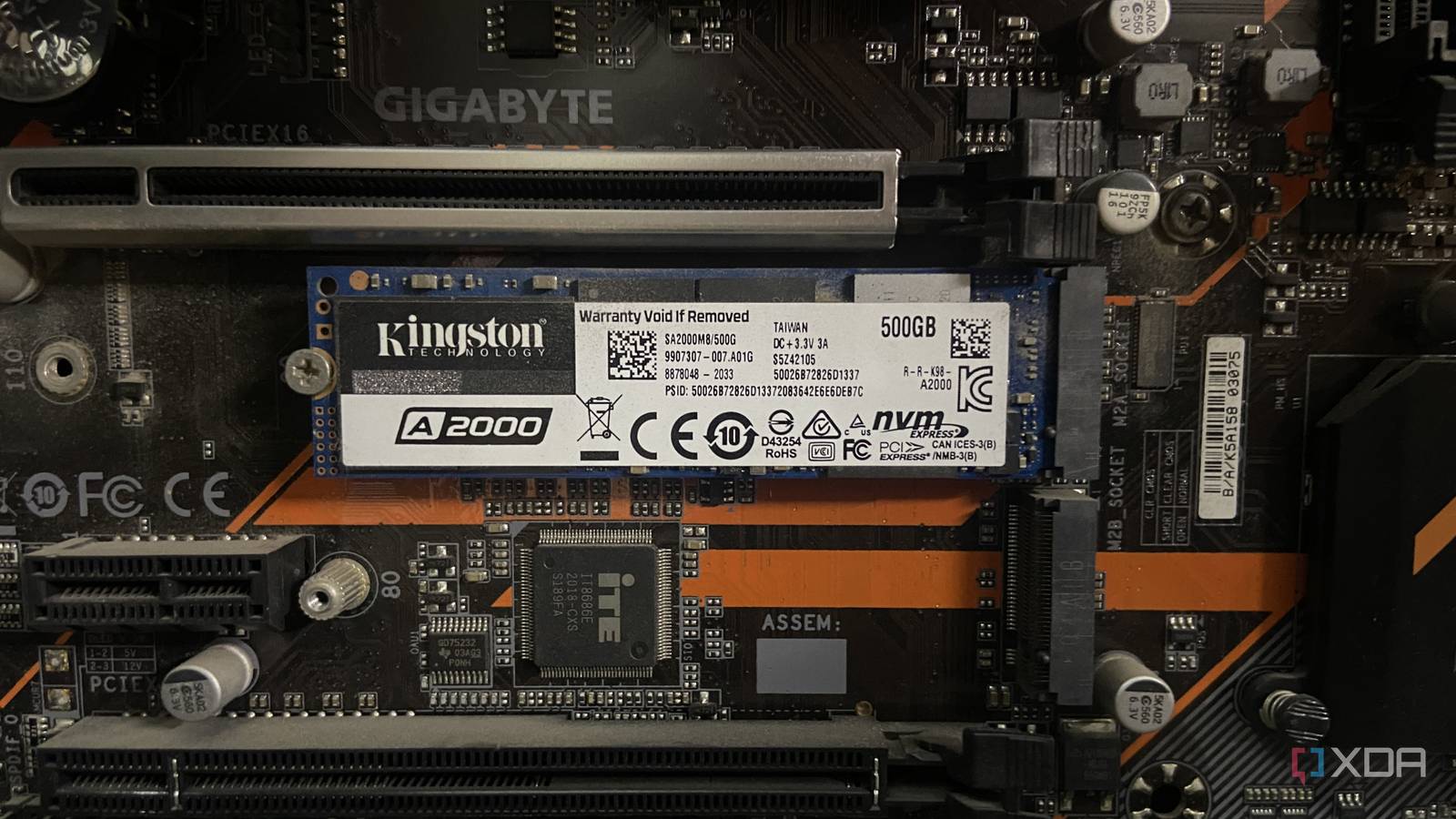
Published Aug 24, 2026, 12:00 PM EDT Abhinav pivoted from a career in banking to pursue his first love in writing. Even while working full-time, he continued contributing as an editor-at-large, a role he has held for more than 7 years. A lifelong tech enthusiast who has built three gaming and productivity powerhouse PCs since 2018, his passion for technology keeps him closely following the semiconductor industry, from NVIDIA and AMD to ARM. His MSc dissertation explored how artificial intelligence will reshape the future of work, reflecting his curiosity about the wider social impact of emerging technologies. Not all SSDs are created equal, and that applies to M.2 NVMe drives as well. Plenty of people assume that buying an NVMe SSD means buying into a single tier of performance, and that one stick from a generation is much like the other. A growing share of NVMe drives sold today ship without a DRAM chip that used to sit on every high-performance SSD, and this particular type of drive borrows a slice of your system's RAM to deliver a similar level of performance. The problem is, there may be no indicators on the box to tell you that this is happening, and the difference can show up in rather subtle ways. Your NVMe might be borrowing your system RAM Host Memory Buffer is the hidden trick behind DRAM-less SSDs When it comes to NVMe SSDs, HMB, or Host Memory Buffer, is a spec feature on DRAM-less drives that allows them to borrow a small segment of the available system RAM. This memory is used to hold the flash translation layer (FTL) mapping table which a DRAM-equipped SSD would keep on its own chip. The specific chip in question is colloquially known as the DRAM chip, and it greatly improves 4K random read and write performance just by allowing the FTL mapping table to be stored locally on the chip. Since DRAM-less SSDs relying on HMB reserve a small segment of the system memory to store the FTL mapping table instead of the NAND flash memory chip, they are limited by two things. The first is system RAM, which, quick as it is, still sits at the far end of the PCIe bus rather than the drive itself, so every trip the controller makes to consult the mapping table carries more latency than a lookup on a local chip would. The second limitation relates to the capacity itself. Whereas a DRAM-equipped drive will hold the entire mapping table close at hand (carrying roughly a gigabyte of capacity for every terabyte of total storage capacity), an HMB will only borrow a fraction of that (typically 64MB), which is just enough for most frequently accessed portions of the map, leaving the rest in the slow NAND flash. More SSDs are dropping the DRAM chip than ever before The memory shortage has turned a cost-saving shortcut into an industry default A Western Digital Blue SN550 M.2 SSD with no physical DRAM chip. Now, there's a bit of context that'll help you understand why this matters a little more now than it did two years ago. If you've been following the pricing trends in the PC hardware industry, you'd probably already know that DRAM, along with anything that uses it, has become exorbitantly expensive to meet the demands of the AI industry. Contract prices for the same kind of memory that goes into these chips have continued to climb through the third quarter of 2026, up by another 13 to 18 percent, according to a recent report by TrendForce. Nobody expects a fall anytime soon, because the shortage that's driving it is forecast to persist for years. As such, it makes sense that more consumer drives are arriving without dedicated DRAM, and this trend is no longer even confined to the budget shelf. Phison's new PS5037-E37T, first revealed at CES 2026, is an explicitly DRAM-less PCIE 5.0 controller that the company pitches partly on the savings of leaving DRAM out, while notably still targeting flagship sequential speeds reaching up to 14.7 GBps with up to 3 million random 4K IOPS. While Phison's work on the controller itself is certainly impressive, the industry's upcoming trend towards DRAM-less SSDs is certainly regrettable and can be construed as another move backwards in the consumer technology market driven by the ever-growing demand from the AI industry. The difference isn't huge, but it can matter Especially when your SSD gets busy Not having a dedicated on-board DRAM doesn't make the NVMe itself a bad buy, but it's always worth knowing what you're signing up for before making a purchase decision, especially because you can't really rely on manufacturer's published details on the box. For many everyday workloads like booting into your OS, opening and running apps or moving the oddly large file, you'd be hard-pressed to notice a difference. HMB makes the speed itself enough for these tasks, which is often a part of the reason why manufacturers can just leave the DRAM chip out without most people noticing. The gap between the two variants, however, becomes easier to observe when the drive is being worked hard, particularly when it comes to random reads and writes, the scattered access pattern that databases, virtual machines and heavy multitasking can generate. The DRAM-less drive keeps having to consult the full mapping table it can only partly hold in borrowed memory, and the shortfall comes up as measurably low performance, as established by benchmarks. The very same map-shuffling also tends to generate extra background writes, introducing a small write-amplification penalty. It can eat away at the drive's endurance over time, although, the specific NAND type (SLC, QLC, or TLC) has a significant bearing on how long a drive lasts as well. It's worth buying a DRAM-less SSD, provided the price is right For most people, most of the time, trading a dedicated DRAM chip for a lower price is usually justifiable, typically when it involves expectations surrounding a fast boot time, launching applications quickly, and moving large files every once in a while. None of these push the drive hard enough to expose the hard work that the DRAM chip does in the background, and for most users, it won't make for a large difference in user experience.
Your SSD might be quietly borrowing your RAM, and you'd never know from the box
Full Article
Original Source
Read the full article at Xda-developers →KhanList aggregates and links to publicly available news content. We do not host full articles from third-party sources. Always verify important information with original sources.