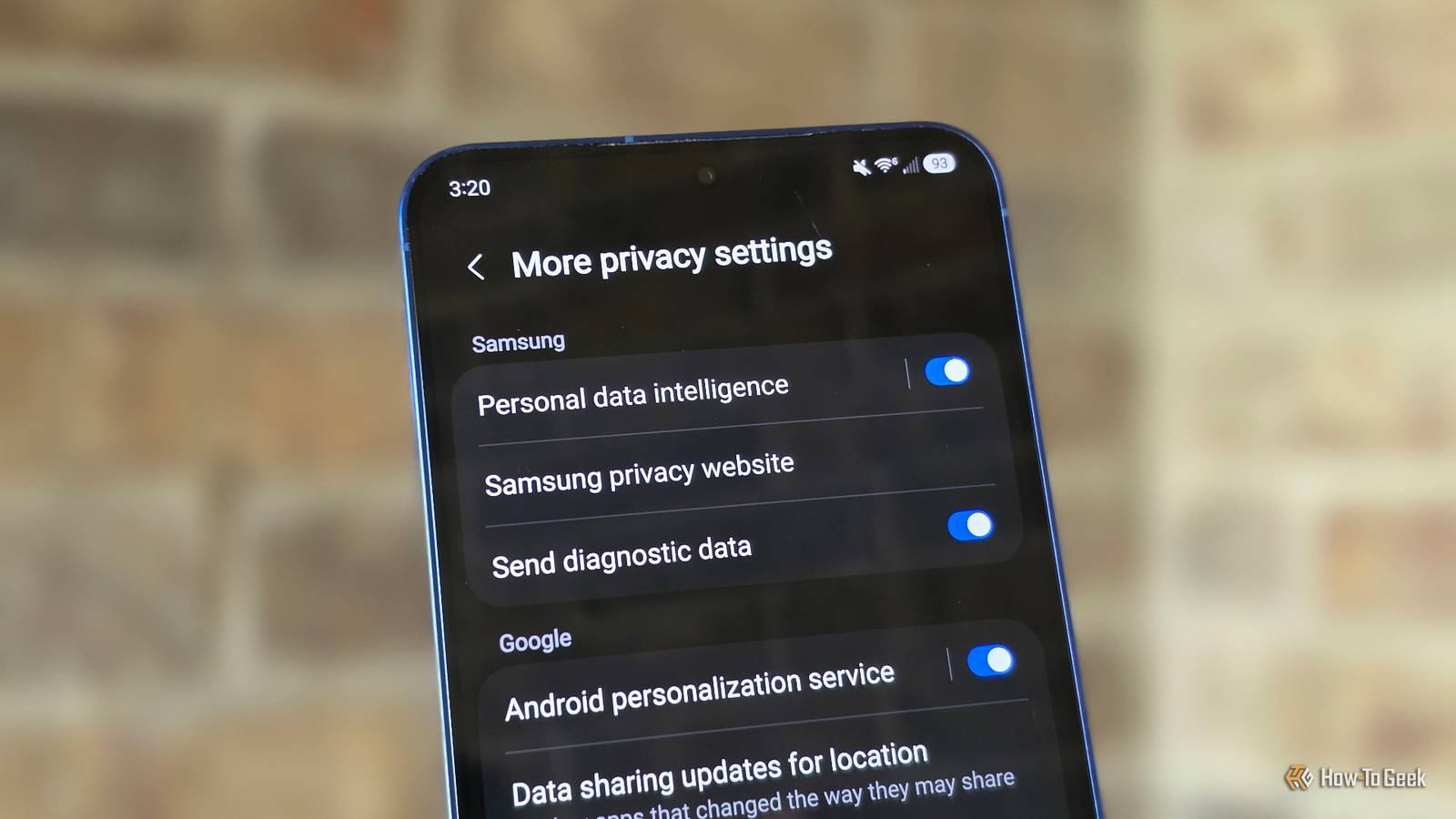
Published Aug 5, 2026, 9:00 AM EDT Cory Gunther is a senior author and Newsletter Editor at Valnet, covering cutting-edge tech, Android, and more for How-To Geek. He's covered Android, cars, and technology for over a decade. When he's not reviewing the latest gadget, you can find him off-roading in his Toyota truck, fixing said truck, or doing something outdoors with friends and family. He's covered CES, SEMA, and MWC and reviewed countless phones, TVs, speakers, EVs, e-bikes, and more. Before Valnet, Cory worked for GottaBeMobile. His writing has also appeared on SlashGear, InputMag, and AndroidCentral. He's written over 9,000 articles. It's safe to say everyone wants a little more privacy and battery life when it comes to our smartphones. But did you know there are two little Samsung settings hiding on your phone that can deliver a bit of both? I refuse to buy a new phone this year, and probably next year, as all these new models aren't all that exciting. As a result, I've been trying to free up space on my aging Samsung phone, uninstall unused apps, and get better battery life by digging into advanced features and settings menus. During the process, I turned off a bunch of customization services that collect my data, but then I realized there are two other things doing something similar on every Galaxy phone. Here's what you need to know. Stop Samsung's diagnostic logs and gathering Your phone logs a bunch of stuff and sends it to Samsung Credit: Cory Gunther / How-To Geek Did you know that, like many other phones, your Galaxy keeps track of your app usage and habits, app and phone performance, battery life, memory usage, bugs, lag, crashes, and other issues, and sends that data back to Samsung for processing? While this isn't inherently bad and is part of how Samsung continues to improve performance across all its devices, it still gathers all sorts of potentially private information. And while this is anonymous and doesn't contain personally identifiable information, it's not ideal. Furthermore, all that data gathering and logging sent in the background can reduce battery life. This is an automated feature that runs in the background, and at some point, you likely agreed to it during the initial setup of your phone. Luckily, whether it's for better battery life or more privacy, you can easily manage and disable it in your phone's settings menu. Here's how: Wake up your phone, go to Settings > Security and privacy, then scroll down to More privacy settings. In here, you'll see a bunch of stuff, like Samsung's personal data intelligence, but you'll also find the option labeled Send diagnostic data. Go ahead and uncheck this option, and you're all done. It's that easy. Now, your phone won't spend unnecessary resources gathering that information, crash logs, and other stats, and it won't use any resources sending that information back to Samsung. Limit Google and Samsung's data collection Take control of your data and privacy Your Samsung Galaxy phone collects all sorts of information about you to help serve targeted ads, which is why we recommend disabling the customization service option as well. Similarly, Samsung and Google gather other bits of information about your device, usage, search queries, and even the text you type, and catalog it to potentially show it again elsewhere for convenience. In the same Settings > Security and privacy > More privacy settings as outlined above, you might also want to flip the switch off and disable the Android personalization service option. According to Samsung and Google, this setting allows the two to "get personalized context based on your app usage. For example, text you've entered in one app may appear as a search suggestion in another app. This data is stored on your phone and not sent to Google or Samsung." While this can use your previous usage to provide predictive text, emoji, smart suggestions, and contextual features across apps, it means your phone is collecting more information. It's worth mentioning that this apparently doesn't leave the device, so privacy shouldn't be a huge concern. It's not sent back to Samsung, but it's another one of those things you might want to disable to help with privacy and battery life, potentially. Considering all those background processes are constantly analyzing your data and usage, it will lead to more battery drain. It's likely not as much as large apps, social media, or the display, but hey, every little bit helps. Two small but easy changes It's worth noting that these settings do have a few benefits. For one, diagnostic data helps Samsung improve its phones, battery life, and One UI over time, and the more information the better. And when it comes to the personalization service, if you enjoy some of those predictive text features, and things of that nature, you might want to leave the second one enabled. That said, I've had both of these settings disabled for years, and I turn them (along with other things) off on every new Galaxy phone I buy. It doesn't harm anything, you won't notice any issues, and your phone will continue to work perfectly. All it does is prevent Samsung and/or Google from gathering your information for diagnostics, ad targeting, or predictive features and such. While you're here, here are five more One UI features we disable on every phone, and you'll probably want to do the same.
Your Samsung phone is draining battery to collect data—these two settings stop it
Full Article
Original Source
Read the full article at Howtogeek →KhanList aggregates and links to publicly available news content. We do not host full articles from third-party sources. Always verify important information with original sources.