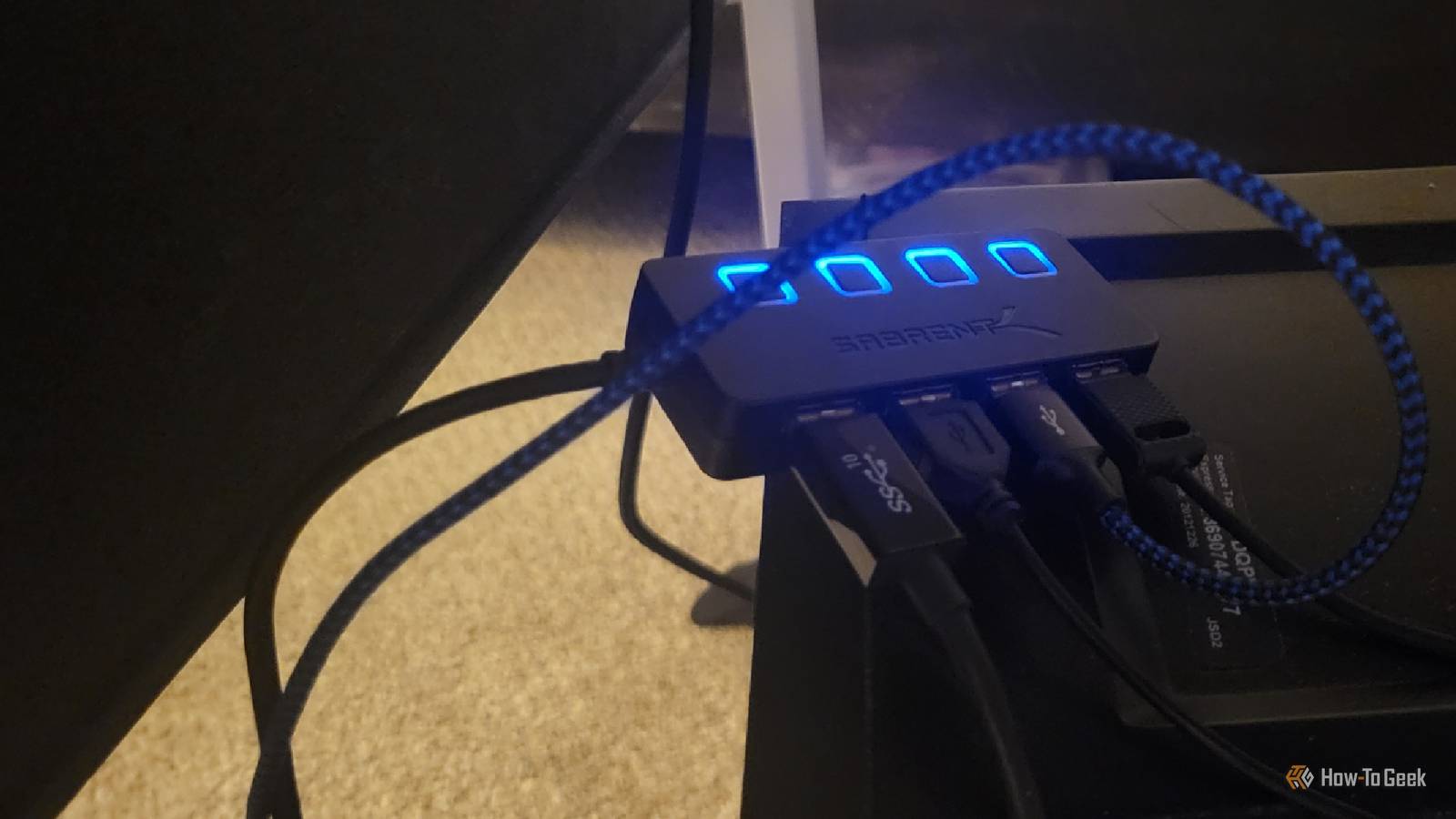
Published Aug 6, 2026, 12:30 PM EDT Aggy is a veteran writer and editor in the technology and gaming space. Having served as a Managing Editor for high-traffic digital publications, alongside being an editor and consultant for over a dozen sites. Aggy's published work spans a wide and respected array of tech and gaming outlets, including WePC, Screen Rant, How-To Geek, Android Police, PC Invasion, and Try Hard Guides. Beyond editorial work, Aggy's direct experience in the tech sphere extends to app development. Aggy has published two games under Tales and is always eager to learn and do more. He also likes working on computers and researching in his spare time. He knows about Windows, Linux, Audio, Video, and much more. Most people treat USB ports as background infrastructure. You plug things in, they work, and you don't think about them until something stops showing up in File Explorer. I assumed desktop PCs were basically immune to the problems I'd seen on laptops, where I'd already burned out ports by pulling too much power through them. However, the limits are real; they just fail in quieter and stranger ways than I expected. I wanted to see how many USB devices my PC could take The math on paper breaks down in real life I came in with the idea that the ports on a computer should be mostly indestructible. I've damaged laptop batteries by overloading the USBs, so I am fully aware of how much damage you can do to a computer this way. However, when it comes to a PC, we should be able to use all the USBs because a tower is plugged into the wall. It doesn't use a battery. I've heard plenty of numbers in regard to how many devices a computer can support, and I don't believe any of them, even today. However, you have to remember how USB packets are structured. There are seven bits set aside for device addresses, which gives you 128 possible values, but one of them is reserved for devices that haven't been configured yet. So an amazing PC should be able to support 127 devices in theory. However, don't believe it, even though it's possible. USB networks are built in a branching structure that starts from a root hub, and the spec only allows for seven levels of depth before things stop working. The host controller and its built-in root hub take up the first level, and the last level has to be an actual device and not another hub. That means you can only chain five external hubs together before you hit the wall. Go beyond that and devices will just quietly stop showing up, with no error message to tell you why. Again, that's all theoretical too, since there isn't a lot of real proof either way. Also, a lot of motherboards and multi-port hubs are already hiding internal hub structures inside them, so those are eating into those five levels before you've plugged anything in. You should also keep in mind that PCs are so radically different from each other. Luckily, I have a PC that is really generalist. I'm very cheap, so I only went for a PC that would work hard at what I needed. Basically, I plugged in as many devices as I could to see where things break. I've also plugged in regular dongles and phones and other parts. I'm not just pushing it to the limit in flash drives, but in real use cases. Issues happen when you plug in too much stuff Your PC will start ignoring devices to keep running or will start overloading Credit: Jorge Aguilar / How-To Geek When you start plugging flash drives, keyboards, and webcams into a chain of USB hubs, everything seems fine at first. I did get really scared when I started running out of ports because my PC started to lag a lot worse than I'd seen it. I also noticed the fan was a lot louder than before if I tried using the devices that were plugged in. USB works by having the host controller schedule when each device gets to talk, and it carves out little time slots to keep everything orderly. The problem is that older devices like USB microphones or legacy sensors often get routed through a hub that has only one translation engine handling all of them at once. As more devices compete for that single engine, it starts falling behind. So you're going to get data dropped, overflow happening, and then the whole thing slows to a crawl. On top of that, if you have high-polling-rate peripherals in the mix, they bombard the CPU with an almost constant stream of interrupts, which grinds the entire operating system to a halt. I was honestly expecting Windows to say "Not enough USB controller resources," or something similar. What actually happened was it just refused to acknowledge some devices. They literally stopped showing up on my PC. That's pretty good because I'd rather my PC ignore devices than try to overwork itself. I made sure to check my CPU use, and I was very happy with my 16 gigs of memory chugging along. Then there was the CPU skyrocketing in its use and my fans getting louder, which just ended with me turning off my PC and unplugging my unnecessary USB accessories. Pushing your USB ports too far can break your PC Safety features will step in before things melt Credit: Jorge Aguilar / How-To Geek Do not do this at all. Plugging multiple USB devices into a single PC at once is just a funny thing to see, but I can say that I was concerned the whole way through. Also, never do this on a laptop. That's the kind of thing that can really cause damage. When you stack device after device onto the USB bus, every one of them is pulling current through the same power planes on the motherboard, and those planes were never designed to carry that kind of combined load. Push it far enough, and you start seeing real issues and the system likely won't crash cleanly; it just gets unstable in ways that are hard to diagnose. Go further still, and you're asking thin copper traces to carry more current than they were built for, which is a good way to burn them out permanently. Other than the motherboard itself, all those flash drives doing reads and writes need steady power to finish what they're doing. Also, if you cut that power suddenly, you can easily end up with corrupted file systems. If any of those drives had data you cared about, it's probably gone. That is pretty dire, but it's important to see why there is a risk before you hear about the fixes. Silicon power switches are designed to catch overcurrent situations before anything melts. When the draw on a port exceeds a safe threshold, these components react in microseconds, clamping the current and eventually cutting power to the affected port entirely if things keep getting worse. The protections are real, and they do work, but they're not meant to be your everyday strategy. I have actually pulled back from how many cords I keep plugged in because I could see how this affects my PC. Polyfuses wear down with repeated use, and yanking power from a storage device mid-write is never a clean outcome, no matter what triggered it. If you do try this for some reason, I do think it is useful to watch a real system fall over underload that you just can't get from reading a spec sheet. It shows you exactly where the gap is between what the numbers say and what the hardware actually does. Whether it's worth the risk is a personal call that we're not responsible for. I've had PCs catch fire before, and that's why I replaced my last one. This isn't something you want to do if you're not experienced, and there may be a fire risk if you push things too far, particularly if your hardware or peripherals are faulty in some way. Don't try this at home This is the kind of experiment that's a lot more fun to read about than to repeat. Those protections do catch most overcurrent situations before anything melts, but they're not built to be tested over and over. If you want to understand where your system's USB headroom actually ends, watching the bus quietly drop devices is a useful thing to see once.
Your PC has a hidden USB limit
Full Article
Original Source
Read the full article at Howtogeek →KhanList aggregates and links to publicly available news content. We do not host full articles from third-party sources. Always verify important information with original sources.