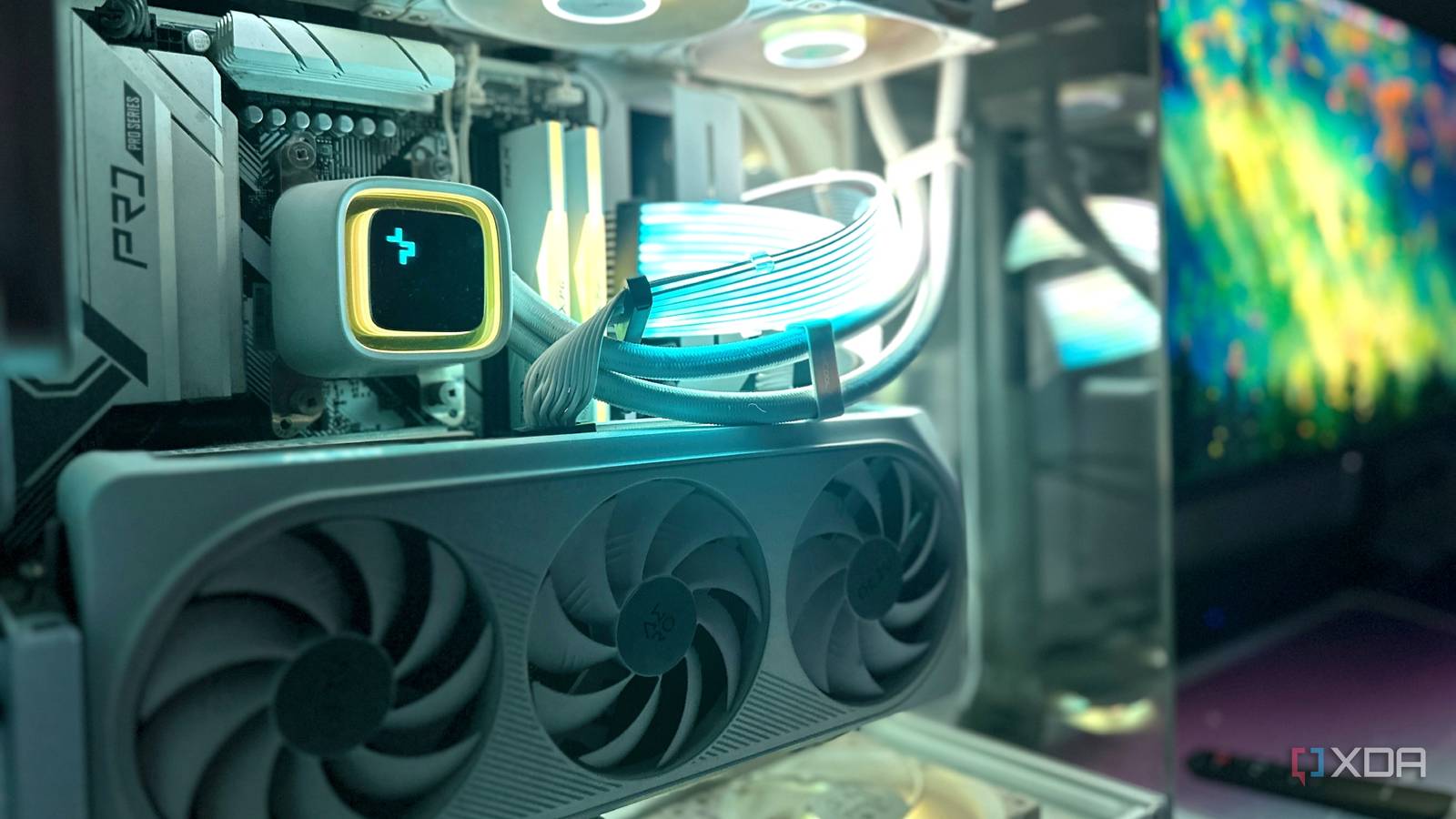
Published Jul 22, 2026, 2:30 PM EDT Gaming has been Samarveer’s greatest passion, and the Literature graduate in him takes immense joy in dissecting games for their themes, messages, and impact. Samarveer holds a deep appreciation of gaming, and considers the platform to be the most immersive and impactful across all media. He can be found engaging with gaming communities online, always ready to debate the finer points of ray tracing or itching to write an 8-page collegiate thesis on any game that impacts him emotionally. There comes a point where every PC starts feeling... familiar. It doesn't quite feel slow enough to justify replacing it, and definitely not outdated enough to retire altogether. However, looking at it just doesn't invoke the excitement it did a couple of years ago. I hit that point with my gaming rig about a year ago, but instead of shopping for a new GPU or slotting in a new processor, I looked elsewhere for that spark. As such, I've definitely "upgraded" my PC with multiple items over the last year, but none of them have translated to more frames per second at all. Instead, they've changed or tweaked how I interact with my PC every single day, making it feel exciting to sit down and use it once again. A second monitor has made my entire setup feel brand new I didn't expect another screen to reignite my excitement for my PC A decent 1440p IPS monitor with a 120Hz or 144Hz refresh rate regularly drops to around $130 or $150 these days, and I managed to grab mine for just $120 during a sale. The moment I added it to my desk, my entire setup felt transformed. I found myself admiring it all over again, taking photos and wanting to show it off to friends online, as if I'd just finished building a brand-new PC. The extra screen has proved to be more than just a party trick, too. It has given me a dedicated space for research, documents, chats, and reference material while I work, making it far easier to organize my workflow depending on the software I'm using. Of course, I still reserve my primary monitor for gaming, but the second display has genuinely become indispensable. It lets me keep Teams, Gmail, WhatsApp, and Discord open without interrupting what I'm doing. Better yet, it's actively helping me chip away at my movie backlog too, letting slower, "second-screen" movies from my list play beside my work without demanding my full attention. Lian Li Strimer cables made me fall in love with my PC all over again It achieves nothing except making me stop and stare When I built my current PC, I came dangerously close to buying Lian Li's 24-pin motherboard and 12VHPWR Strimer cables. In the end, practicality won. I stretched my budget towards a 2TB drive instead, and filled my case with nine fans instead of six. The RGB cables would have to wait. Now, looking at SSD and RAM prices soaring through the stratosphere and reaching out to the next solar system, I figured I might as well buy the Strimer cables instead. The installation did involve hunting down the correct RGB header on my motherboard and even having to pick up a splitter cable, but every bit of that effort was worth it. The performance gain was exactly zero, yet the transformation was anything but. Now, my fans aren't the only source of color, because my entire case looks like it has been lit up like the Fourth of July. It genuinely feels like I'm looking at a brand-new PC, and I still catch myself turning toward it every half hour just to smile. Two monitor arms completely changed my desk My desk got an incredible amount of room to breathe Once I added a second monitor, investing in another monitor arm felt like the obvious next step. I already had a single arm for my original display, and throwing it away just to replace it with a dual-monitor mount seemed outright wasteful. Instead, I bought a second single arm, which ended up giving me far more flexibility than a dual-arm setup ever could. The installation stole the better part of a weekend afternoon, and two floating monitors also meant buying longer DisplayPort cables. Thankfully, I managed to give both my monitor arms enough room to tilt and swivel, and now, the front of my desk looks cleaner than it ever has, even if the back has become a tangled masterpiece. With both displays off their stock stands, the entire area underneath and behind them has opened wide up. That's where my controller dock and new sound system now live, making my desk feel less cluttered, more intentional, and surprisingly close to a brand-new setup. Bias lighting gave my gaming setup a whole new personality It turned every game more cinematic Another cheap lighting upgrade that I've attached to the back of my display is a dual-camera bias lighting kit. This isn't the most technically elegant solution, but it has saved me from the headache of hunting down the right HDMI or DisplayPort sync hardware, especially when high-refresh-rate options can get surprisingly expensive. The camera simply reads the colors on my screen and mirrors them on the light bars in real time. The setup was pretty simple, and once I got done calibrating everything, it worked far better than expected. Every color I see on the screen gets extended beyond the edges of my display, and it isn't just limited to the rectangle in front of me. In fact, this lighting setup has become even more impressive now that I've upgraded to an OLED monitor. The richer colors and deeper contrast of my OLED monitor give the camera better visual info to work with. The entire movie-watching and gaming experience on my monitor now feels so much more theatrical. It's definitely a small addition, but it does remind me why I enjoy sitting at this desk. A vertical GPU mount finally let me appreciate the hardware I paid for No, I didn't sacrifice performance for it, either 99 times out of 100, a vertical GPU mount won't hurt your gaming performance or cook your graphics card. There are exceptions, yes, but they're highly specific to certain GPU models and cooler designs. A quick Google search to make sure your GPU isn't one of those outliers is all it takes before turning it on its side and finally seeing the fans and front shroud you actually paid for. I picked up a white vertical mounting kit to give my PC another visual refresh. My all-white build already carried a premium when I first put it together, and the matching mount completed the look (although I did have to fit a Lian Li O11 Dynamic vertical mount into my NZXT H9 Flow). Instead of staring at the edge of Gigabyte's massive Aero RTX 4070 Ti, complete with its almost RTX 4090-class shroud, I was finally looking straight at it, as it reflected the glow from my Strimer cables and RGB fans. I even ran stress tests and played several games with the card in both horizontal and vertical orientations just to make sure I wasn't sacrificing performance, and I wasn't. What I gained instead was a PC that looked dramatically prettier, and one I can't get enough of as I keep gawking at it every time those lights come to life. My first OLED monitor has made every game feel new again One upgrade that changes everything I actually look at Look, I know $300 isn't exactly cheap, but when it comes to OLED, it really is. It's also cheaper than a pair of DDR5 6000MHz RAM sticks, or a 2TB SSD right now, and upgrading my RTX 4070 Ti certainly isn't happening without blowing through almost $900. OLEDs genuinely are finally becoming attainable, and I'm glad I stumbled across a fantastic $330 deal on a brand-new Alienware AW276DM (I had a friend from Dell use their employee discount). It isn't the brightest or most premium OLED around, but it's certainly my first OLED, and that's a purchase you never, ever forget. This is not an inexpensive upgrade at all. After all, I still could have bought another SSD or even some RAM at today's inflated prices. Instead, I decided to buy something I'd never owned before, and it happened to transform every single game I already have. The richer colors, truer blacks, and near-instant pixel response make even decade-old favorites look freshly remastered. The few hours I get to play games each week now feel twice as rewarding, because every time I sit down, I catch myself starting at scenes I've seen hundreds of times before, marveling at the glow-up they just received in my eyes. Alienware AW2726DM Resolution 2160x1440 Screen Size 27 inches Brand Alienware Max. Refresh Rate 240Hz Response Time 0.03ms Inputs 2x HDMI 2.1, 1x DP 1.4 These upgrades make me want to sit at my desk more None of these "upgrades" have helped me gain another 10FPS or shave a few seconds off a loading screen. My system is already fast enough for what I do, which is why the next meaningful improvements have come in the form of things that change how my PC feels. It's been a capable machine since the start, but now I genuinely enjoy every excuse to turn it on. In fact, I've realized that I'm actually pretty happy spending money on upgrades that don't show up in benchmarks. If they make me smile when I walk into the room, encourage me to game a little longer, work just a little more comfortably, or simply admire my setup more, then they've done exactly what I wanted.
Your old PC doesn't need upgrades — it needs cheap changes I made to keep it feeling new
Full Article
Original Source
Read the full article at Xda-developers →KhanList aggregates and links to publicly available news content. We do not host full articles from third-party sources. Always verify important information with original sources.