
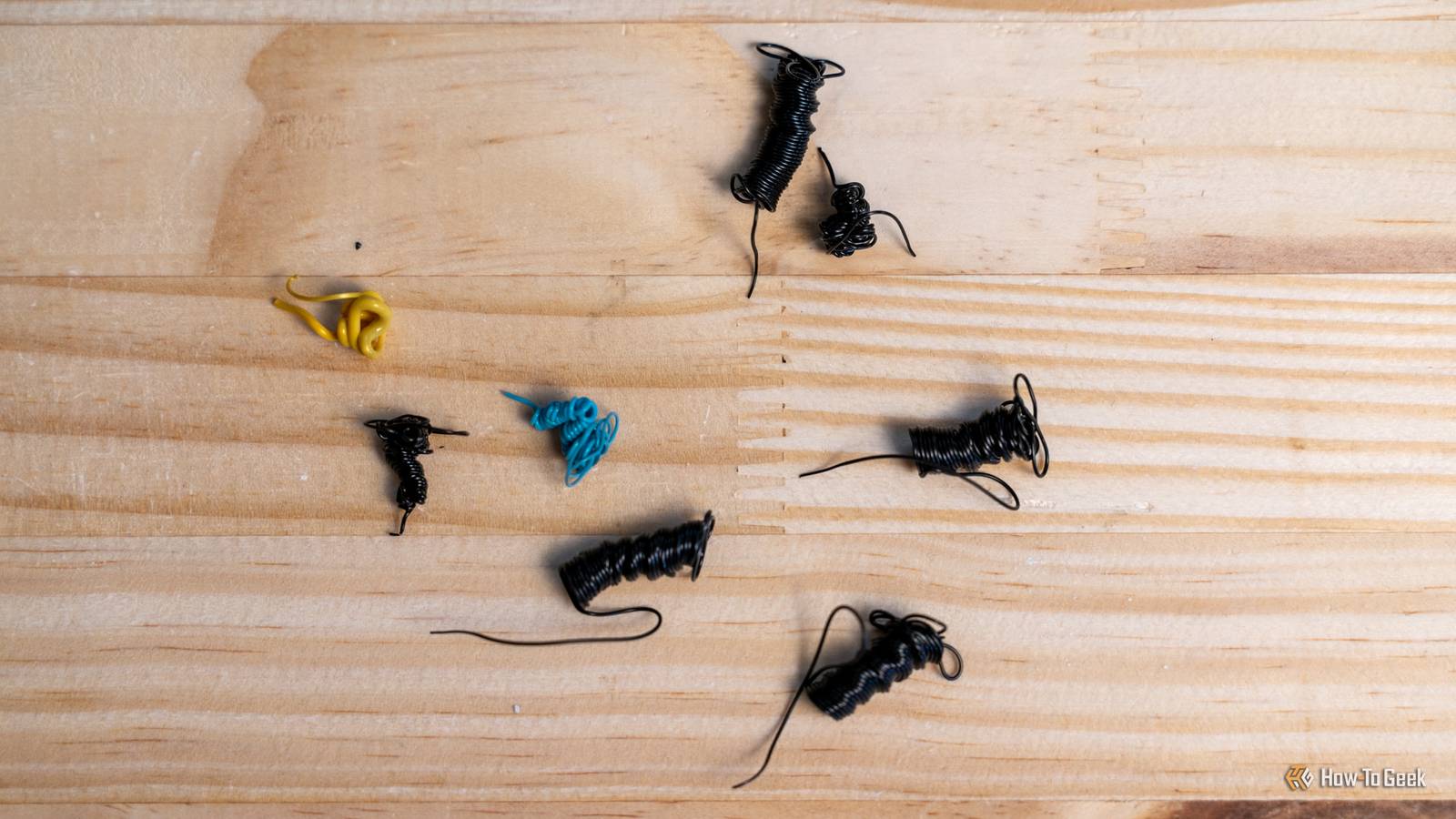
Published Aug 27, 2026, 10:00 AM EDT Sydney Butler is a technology writer with over 20 years of experience as a freelance PC technician and system builder and over a decade as a professional writer. He's worked for more than a decade in user education. On How-To Geek, he writes commerce content, guides, opinions, and specializes in editing hardware and cutting edge technology articles. Sydney started working as a freelance computer technician around the age of 13, before which he was in charge of running the computer center for his school. (He also ran LAN gaming tournaments when the teachers weren't looking!) His interests include VR, PC, Mac, gaming, 3D printing, consumer electronics, the web, and privacy. He holds a Master of Arts degree in Research Psychology with a minor in media and technology studies. His masters dissertation examined the potential for social media to spread misinformation. Outside of How-To Geek, he hosts the Online Tech Tips YouTube Channel, and writes for Online Tech Tips, Switching to Mac, and Helpdesk Geek. Sydney also writes for Expert Reviews UK. He also has bylines at 9to5Mac, 9to5Google, 9to5Toys, Tom's Hardware, MakeTechEasier, and Laptop Mag. If you have a modern 3D printer, most likely the "CoreXY" design that's become so popular, then you may have noticed a little rectangular hole on the back of the machine. Whenever the nozzle has to be purged of its current filament in exchange for a new one, a little filament "poop" comes out the back. This isn't a big deal if it happens once per roll of filament, but if you're using a traditional multicolor printer, you might be looking at hundreds or thousands of poops, with the waste totaling more than the actual model weight! Clearly, this is an issue, and printer manufacturers have come up with all sorts of ways around it. “Poop-free” doesn’t mean waste-free There's no free lunch here It's important to understand that "poops" or, more properly, purge waste is just one form of waste in a 3D printer. In a multi-material print, you'll also see a tower printed next to the models, which you throw away afterward. This is sometimes called a "purge tower" but no actual purge waste goes into it. The correct term is "priming tower" and that tells you what it's for. Every time you switch out filaments, even after purging, the filament has to be primed to the correct pressure in the nozzle. All printers do this, it's what that little line your printer draws down the side of a print does. The only difference here is priming has to happen with every swap, and the purge tower offers a spot to do it in. You can actually turn the priming tower off as well, but without priming you have a higher chance of under-extrusion. Your slicer might also give you the option of priming into the model's infill instead. Credit: Sydney Louw Butler/How-To Geek Purge waste is something different, and is effectively how the printer gets rid of the old filament inside the hot end before it starts printing. Otherwise, your multi-material print will have a bit of the old color in the first few layers of the new color print. You do have some options to reduce purge waste, such as selecting an option in your slicer to flush into the object's infill or flush into a sacrificial object where it doesn't matter what the color is. The infill flush trick only works if the infill won't be visible in the finished object or, again, if you don't actually care about the color or look of the object. How to eliminate the poop I can't believe I just said that Credit: Patrick Campanale / How-To Geek So how are printer designers getting rid of purge waste? Well, the trick is to remove the need to purge material in the first place. This is where "tool-changing" printers like the FlashForge Creator 5 Pro come into the picture. These printers have multiple tool heads, each with a filament loaded. So when you want to change materials, you swap out the head. Not only does this get rid of purge waste entirely, but it also speeds up the printing process, since it's faster than purging too. The Bambu Lab H2C is an interesting variation on this theme, because although it's not a true tool-changing printer, its "Vortek" system uses clever magnetic nozzles to switch out the part of the tool head that has to be purged. This also allows you to switch between different nozzle sizes and types on the fly, but that's just a side benefit. Poop-free printing comes with other costs You'll be wasting lots of green As you can imagine, tool or nozzle changing systems are mechanically complex, and these printers are painfully expensive. Also, and this is just my own two cents, the more complex you make something, the more failure points you introduce. It also makes parts, maintenance, and tuning that much harder. Credit: Patrick Campanale / How-To Geek Ultimately, are these expensive and complex machines worth saving on purge waste? Filament just isn't that expensive. At least not the stuff most people use. Maybe if you're working with super-expensive exotic stuff it might be easier to justify, but I don't think the saving on material or even energy waste makes financial sense with these early tool-changing machines. I’d rather waste a little filament than an entire print When I design multi-material or multicolor prints, I always budget the total waste amount into my calculations. You can see how much material is going towards waste after your slicer runs a simulation. Small tweaks to how you choose to design or paint a model can have a huge impact on the number of filament changes that are necessary. But, if I need to have 1,000 poops to get the result I need, then that's just the cost of doing business. Unless you aren't looking at this from a cost perspective, it's that you just don't like the idea of waste. The good news is you don't have to throw away those poops. You can invest in a filament grinder and make your own new filament. This is also cost-inefficient, but it's probably less expensive than buying a $3,000 fancy tool-changing printer.
Your next 3D printer may be "poop-free," but that's not necessarily a good thing
Full Article
Original Source
Read the full article at Howtogeek →KhanList aggregates and links to publicly available news content. We do not host full articles from third-party sources. Always verify important information with original sources.