
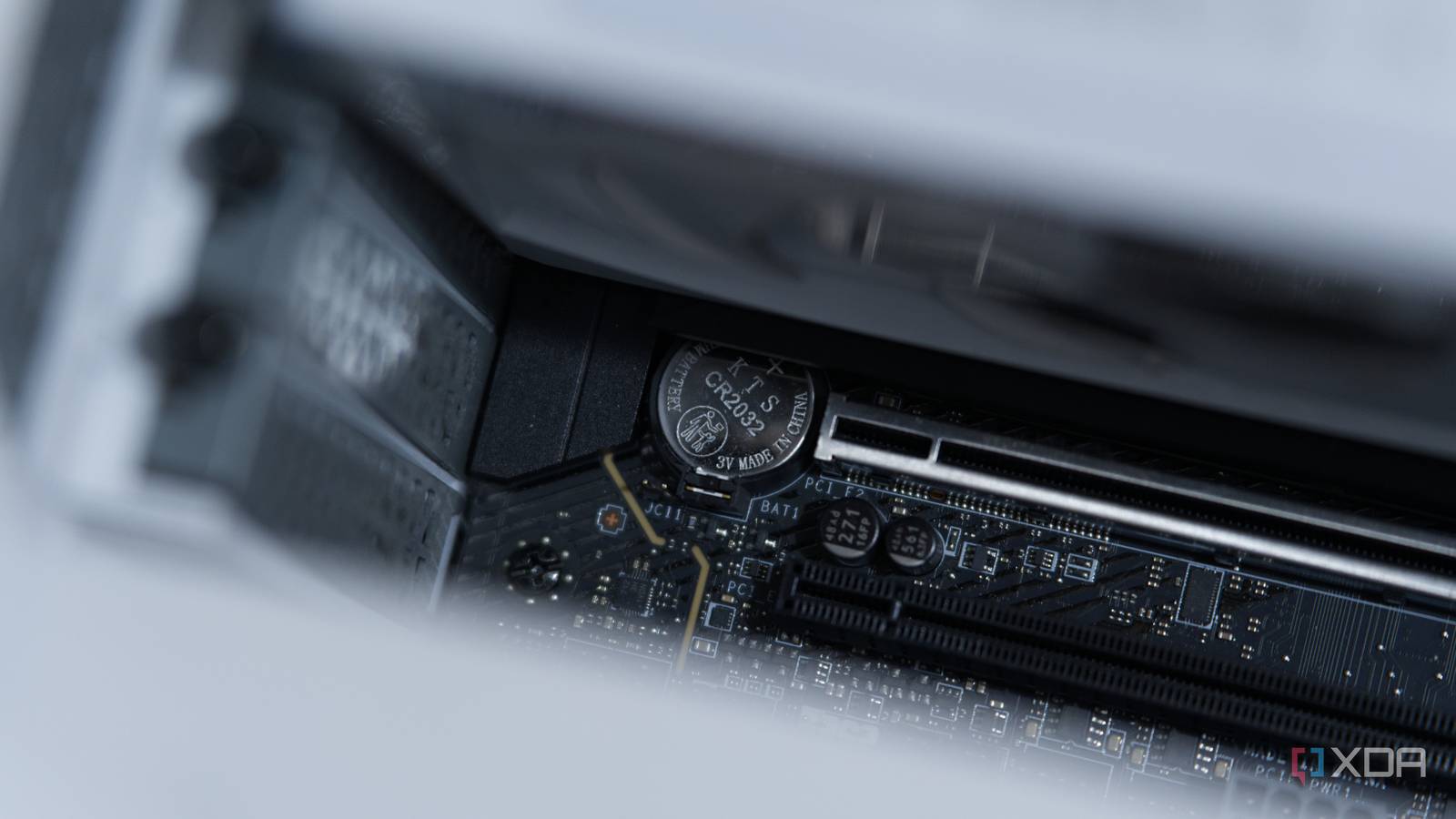
Published Nov 17, 2026, 4:31 PM EST I’m Adam Conway, an Irish technology fanatic with a BSc in Computer Science and I'm XDA’s Lead Technical Editor. My Bachelor’s thesis was conducted on the viability of benchmarking the non-functional elements of Android apps and smartphones such as performance, and I’ve been working in the tech industry in some way or another since 2017. In my spare time, you’ll probably find me playing Counter-Strike or VALORANT, and you can reach out to me at adam@xda-developers.com, on Twitter as @AdamConwayIE, on Instagram as AdamConwayIE, or u/AdamConwayIE on Reddit. Sign in to your XDA account Pretty much every desktop motherboard you can buy today has a CR2032 coin cell on it, and while that's been the case for long enough that it feels like a requirement, Intel's ATX specifications don't require it at all. Intel's own design notes for real-time clocks in chipsets recommend "Duracell 2032, 2025, or 2016," allowing manufacturers to use a thinner cell. All three of those cells are 3V and are 20mm across, differing only in thickness and capacity. According to Panasonic, the 3.2mm CR2032 has a capacity of 225mAh and the 1.6mm CR2016 has a capacity of 90mAh. Way back in 1984, IBM put a battery-backed clock on its PC AT motherboard, and modern chipsets to this day are compatible with the Motorola chip that IBM used. That's not where the CR2032 started, though, as the AT shipped with a 6V lithium pack, and over the following decade, manufacturers used everything from external battery packs and rechargeable cells soldered to the board to sealed clock modules with batteries inside. It was only in the late 1990s that the CR2032 emerged as a default, but nobody required manufacturers to use it. Now, 30 years later, some are starting to do without a separate battery altogether. The IBM PC AT shipped with a 6V battery The clock came first IBM's Technical Reference for the PC AT, dated March 1984, highlights the "Battery backup for CMOS configuration table and Real-Time Clock" as a feature of the system board. This is facilitated by a Motorola MC146818, which IBM describes as containing "the real-time clock and 64 bytes of CMOS RAM." The clock and its control registers took up 14 bytes, and the rest was used for the machine's configuration, including floppy types, hard drives installed, and how much memory it had. Software accessed the chip through two I/O ports, writing an address to port 70h and then reading or writing data at port 71h. Those same ports are still used by modern PCs, and while CMOS is a manufacturing process, Intel recognizes that CMOS is "used interchangeably as the RTC's RAM." The battery was plugged into a four-pin connector on the board, labelled J21, and IBM lists pin 4 as "6Vdc." IBM included a 6V lithium pack on a cable, and the system could detect if the battery failed through a status bit on the clock chip alongside a display 161 error on boot. IBM's suggested workaround in the Guide to Operations was a little grim, too. You could "continue to operate your IBM Personal Computer AT by running the 'Setup' program EACH time you turn your system unit's power on." The 6V requirement came from the clock chip and how it was wired. Motorola's MC146818A datasheet rates it to run at a minimum voltage of 3V, but the AT's battery also went to the chip through a pair of isolation diodes. Across these, you could drop voltage, which would mean that a 3.6V battery could fall below the minimum operating voltage. If it does, while firmware settings would survive, the RTC could be left with intermittent updates, causing clock drift. Using a 6V pack gets around that issue by supplying plenty of headroom. When it comes to the original IBM PC and the PC XT, there was no battery-backed clocks on either motherboard. Expansion cards were used to fill the gap, and AST's SixPakPlus, a memory and I/O card for the PC and XT, came with a "Clock-Calendar with battery backup." Its manual from June 1983 describes a "User-replaceable Lithium battery" held under a retaining clip, with a life expectancy of "approximately one year." In May 1984, AST published a technical bulletin listing compatible replacement batteries for its clock cards, including the Sanyo CR2032 and Varta CR2032. It may not have become the default just yet, but the CR2032 was already being used to keep time in PCs in the mid-1980s. Clones used whatever battery they wanted External packs, barrels, and sealed modules IBM clones were common, and while they typically copied the AT's clock and its port layout, they didn't always copy the battery. In one example, Elitegroup's manual (published in 1988) for the ECS 386/32 says the board "does not have an onboard battery," instead requiring an external pack. Users could power it with four AA batteries or a purpose-built pack, and Elitegroup included a 3.6V lithium battery in the box. Asus took a similar approach with its ISA-386C in 1991, which also shipped with a separate 3.6V battery and accepted external supplies of up to 4.5V. Manufacturers each approached it differently. Some, like one 486 board manual with a 1990 AMI BIOS, used an on-board rechageable battery or external battery, and Gemlight's boards from 1994 and early 1995 still offered either option. These external four-pin connectors were labelled "VDD (6V)." On-board cells were often nickel-cadmium "barrel" batteries, which are notorious among collectors for leaking. Michal Necasek of the OS/2 Museum described one 386 board as having "a dreaded rechargeable NiCd barrel battery near the keyboard connector," along with "hints of green copper oxide" where an earlier battery had leaked. One other popular option was to put the battery inside the clock chip itself. Dallas Semiconductor's DS12887 was a "Drop-in replacement for IBM AT computer clock/calendar," with a lithium cell and a crystal sealed inside, with Dallas rating it for "over 10 years of operation in the absence of power." The downside, though, was that a flat battery usually meant replacing the entire module, and these chips lasted well into the Pentium era. Asus' April 1996 manual for the P/I-P55T2P4 even explains how to clear "the user-entered information stored in the Dallas DS12887A Chip." Coin cells won when clocks moved into chipsets And everyone eventually switched In the early 90s, IBM had already begun using coin cells with some of its own motherboards. A technical guide for its PS/2 Model 90 XP 486 and Model 95 XP 486 published in October 1990 describes "a flat 3-V coin cell" with a life expectancy of "7 to 10 years depending on system usage." By August 1994, IBM's consumer-focused Aptiva came with a Hardware Handbook specifically instructing owners to "Replace the battery with a 3-volt (CR2032) lithium battery only," on a board that still took a 486 processor. Other manufacturers continued using external packs and sealed clock modules, though, and the reason for that was partially where the clock itself was located. When the clock was a separate chip, companies often used a Dallas module, but once chipset makers integrated the clock into their own silicon, motherboard manufacturers were able to supply backup power directly instead. One datasheet from SiS for its 85C497, part of a 486 chipset from July 1995, described an internal real-time clock with a "Battery Power Input" and a current draw of just 2.02µA at 3V. VIA's VT82C406MV companion chip from April 1995 also integrated a Dallas-style clock, while the VT82C586A from October 1996 has a pin called VBAT, described simply as "Battery input for internal RTC." In terms of power consumption, coin cells were the most practical choice, as a clock drawing around 2µA can run for years on a CR2032. Intel later integrated the RTC into its PIIX4 southbridge in April 1997, describing A Motorola "MC146818A-compatible real-time clock with 256 bytes of battery-backed RAM" powered by "a separate 3V lithium battery that provides up to 7 years of protection." The same datasheet says its RTC power plane is "Typically, powered via 'coin-cell' lithium battery." Asus' own boards mark the transition from 1996, too. The P/I-P55T2P4 from April uses Intel's PIIX3, which relied on an external clock chip, and packs a Dallas module. The P/I-P55SP4V from December uses SiS's 5596 chipset instead, and its motherboard diagram shows a round holder labelled "CR2032 3Volt Button Cell Battery." Asus's later Intel boards are similar, with the PIIX4-based TX97 from August 1997 and P2B from December 1998 both showing a "CR2032 3V Lithium Cell" too. ATX wasn't the cause of this; the TX97 is a Baby AT board, and none of the ATX specifications I could find actually name a specific battery. In fact, in 2001, Que's A+ Certification study guide by Mark Soper and Scott Mueller said that "The CR2032 battery has become the most common removable battery on Pentium-class systems," while still listing the Dallas DS12887A as another type you could come across. ATX didn't have a requirement to use a CR2032, and it had simply emerged as the preferred choice for integrated RTCs, making it so manufacturers adopted replaceable 3V coin cells. Modern PCs still use the PC AT's clock interface It never went away Looking to more modern chipsets, like Intel's 800 series, its datasheet says the chipset "contains a real-time clock functionally compatible with the Motorola MC146818B," with "256 bytes of battery-backed RAM." It still uses ports 70h and 71h, and runs on "a 3 V battery or system battery if configured by design as the source." AMD has maintained similar compatibility, with its 2016 developer guide for Family 16h processors describing a bit in register D indicating that the "RTC date, time, and CMOS RAM are invalid due to low RTC battery." This is the same bit and the same register used by the IBM PC AT to detect dead batteries in 1984. On a desktop, the battery isn't responsible for a whole lot. Intel notes that the chipset clock calculates a minimum battery life of 3.88 years under a number of assumptions, while also saying that standby power "will significantly increase the RTC battery life." As well, the coin cell battery is only used when there isn't another power source, meaning that this timespan is likely far longer for most desktop PCs. If power is lost, the battery can keep the clock running and a small block of CMOS memory alive, though most BIOS settings on a modern motherboard are stored in non-volatile flash memory and don't depend on it. Your operating system may not rely on the time kept by the motherboard these days, either. On Linux, for example, its RTC driver will write back to the CMOS clock every 11 minutes when there's an external time source. As for Windows, it has its own longstanding conventions for the hardware clock. Microsoft's Raymond Chen explained in 2004 that Windows traditionally kept it on local time rather than UTC because people dual-booted with "MS-DOS and Windows 3.1," which "operate on local time." Some manufacturers are starting to drop it Not every computer needs a separate RTC battery Microsoft has, for just over a decade, been accounting for devices without a dedicated RTC battery. In November 2015, Windows 10 added Secure Time Seeding, which estimates the current time using information gathered from network connections. Microsoft says that "PCs and big form-factor hardware have a dedicated battery to power their system clock," while pointing out that smaller devices often don't. Secure Time Seeding isn't perfect, though, and in the past, it was the cause of the clock on some servers drifting weeks or even years from the correct time. Framework has gone even further, dropping the separate RTC battery from its 13th Gen Intel and Ryzen 7040 laptops and using the main laptop battery to keep the clock running instead. Framework's reasoning for this is that it reduces the environmental impact and helps it comply with safety requirements for coin cells. If the main battery and external power are both disconnected, the clock resets, but the operating system can restore the correct time when it next connects to a network time server. Dell, meanwhile, is taking a different approach with its PowerEdge servers. Starting with firmware updates for its 14th-generation systems in August 2024, Dell has changed how servers respond to a failed or removed coin cell. BIOS settings were already stored in non-volatile memory, but removing the battery, according to Dell, would reset them "for consistency with prior behaviors and user expectations." Updated firmware preserves those settings, and Dell says that for most users, the impact of replacing the battery "is not worthwhile." On desktop, it doesn't seem like things are changing anytime soon. Desktops don't have main batteries to fall back on, and all major motherboards still use a CR2032. You could use other 3V coin cells to power the same type of clock, but they're not always interchangeable. For example, a CR2016 has the same diameter and voltage as a CR2032, but it's half as thick, so a holder built for a CR2032 may not enable a smaller battery to make proper contact. The CR2032 has made its way to most modern PCs, yet there was never a specification requiring it, and it's taken 30 years for companies to realize that they may not need it anymore. For now, though, the CR2032 is still the default on desktop motherboards, even if it was never a requirement.
Your motherboard's CR2032 battery was never a standard, it just won by accident in the late 1990s
Full Article
Original Source
Read the full article at Xda-developers →KhanList aggregates and links to publicly available news content. We do not host full articles from third-party sources. Always verify important information with original sources.