
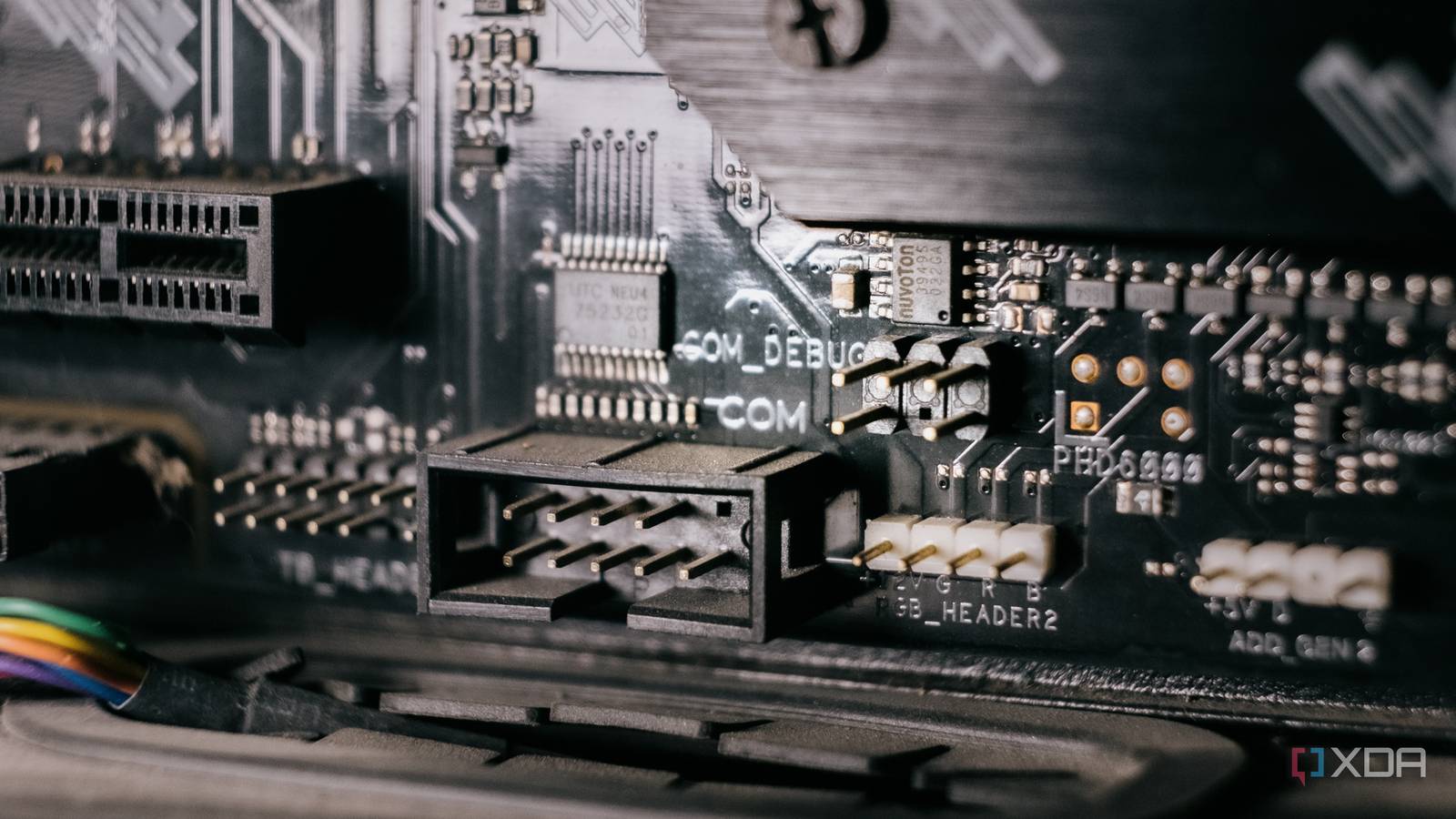
Published Sep 4, 2026, 7:00 AM EDT After a 7-year corporate stint, Tanveer found his love for writing and tech too much to resist. An MBA in Marketing and the owner of a PC building business, he writes on PC hardware, technology, and Windows. When not scouring the web for ideas, he can be found building PCs, watching anime, or playing Smash Karts on his RTX 3080 (sigh). Your modern motherboard has more than a few remnants of legacy ports and headers from decades ago. While the obsolete VGA port and even PS/2 ports can be found on some boards today, the serial/COM header has a more interesting story. It was used to connect older mice and modems up until the mid-2000s, which is when the dedicated serial port started disappearing from the rear I/O. USB took over, but motherboard manufacturers retained the 9-pin serial header for legacy compatibility. You may not know about it or need it for any of your devices, but it still has real-world uses in 2026. The pre-USB era was a bit chaotic It was the wild west Modern users take the flexibility and convenience of USB for granted. Back in the 90s and most of the 2000s, however, using different ports for different devices was just how it was done. 9-pin DE-9 serial ports for mice and modems, 25-pin DB-25 parallel ports for printers and scanners, and 6-pin PS/2 ports for keyboards and mice made the older I/O stack way more diverse. Not that that was better. The USB port was introduced to eliminate more than a few drawbacks of legacy connectors. It brought plug-and-play connectivity, so you no longer needed complex configuration when plugging in a new device. Hot-swapping eliminated annoying reboots. Significantly improved data transfer speeds, especially with USB 2.0 around the year 2000, dwarfed what we had before. Compared to the traditional RS-232 serial port that maxed out at 115.2 Kbps, the 480 Mbps USB 2.0 was roughly 4,000 times faster. Moreover, the USB port simplified connections and removed most of the port bloat from the motherboard I/O. It serves some unique use cases You'd think that a port that was made obsolete nearly 20 years ago would leave no traces on modern motherboards. Well, the dedicated port might have disappeared by the late 2000s, but motherboards still retained a serial header. This header can be used to introduce serial connectivity to your PC, allowing you to connect to a variety of old and new devices. For starters, fans of retro and legacy gaming can plug in vintage mice, joysticks, and other serial peripherals to get a period-authentic experience. Then, there's the ability to connect microcontrollers using an electrical translator to adjust for the high serial voltage. The serial/COM connection beats a USB-to-serial adapter owing to native drivers and zero latency. Users can also rely on the serial connection for configuring and troubleshooting networking devices like switches, routers, and more. The low-level connection helps you perform bare-metal testing to figure out exactly what went wrong. The serial port is usually the only thing left alive when the system shuts everything else off to protect itself. You can get a native serial port with a cheap cable Credit: Wikimedia Commons All you need to convert the onboard serial/COM header to a dedicated serial port is a $5 cable from Amazon. This ribbon cable connects to the 9-pin male header on your motherboard, giving you a male 9-pin serial port on the other end. If you have old printers, scanners, joysticks, and mice lying around, you can now connect them to your modern desktop. The craze to experience legacy technologies on modern systems isn't going anywhere. The serial header on motherboards allows enthusiasts to manifest this desire with a cheap cable and some setup. You don't "need" the serial port to appreciate it The obsolete serial port doesn't serve the modern user in day-to-day workloads. Those who still want to use it do so for testing retro devices, connecting microcontrollers, or performing low-level troubleshooting. It still has a few advantages over modern standards like USB, which make it ideal for niche use cases.
Your motherboard still has a header that no one has needed since 2005, but there's a reason why
Full Article
Original Source
Read the full article at Xda-developers →KhanList aggregates and links to publicly available news content. We do not host full articles from third-party sources. Always verify important information with original sources.