
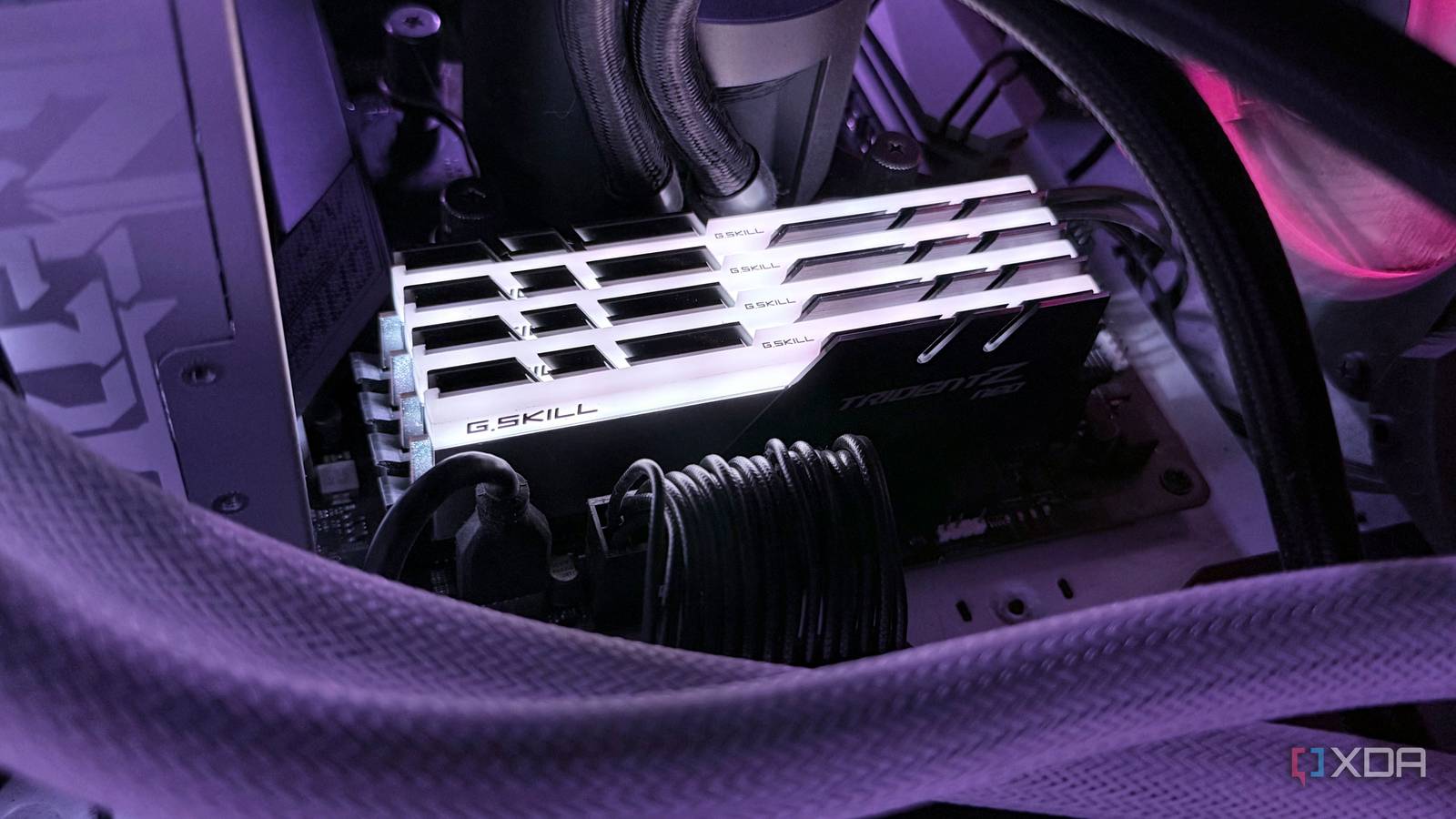
Published Sep 28, 2026, 7:01 AM EDT Hamlin has been in the tech field for over nine years. Since 2017, his work has appeared on MakeUseOf, Android Police, OSXDaily, Beebom, and more. He served as the Senior Editor at Valnet's MakeUseOf for over two years before joining XDA. He uses a high-end gaming rig for desktop use and a MacBook for traveling, but dislikes some of the quirks of macOS. You're more likely to catch him at the gym or on a flight than anywhere else. Filling all four slots on a motherboard always feels right, especially when you're building a high-end PC. After all, you'd want the lighting from your RGB memory to fill the entire DIMM area instead of leaving half the slots empty. I have to admit it's one reason I bought a 4x16GB kit when I built my AM4 PC in 2020. And even if you couldn't care less about aesthetics, simply adding another pair of identical sticks whenever you need more memory just makes sense when you have two free slots. While filling all four slots has never really been ideal for pushing memory speeds, it can be particularly troublesome with DDR5. And the reason for that has to do with your CPU's memory controller. The more DIMMs you ask it to handle, the harder it becomes to keep them stable at the speeds we tend to chase with DDR5. Sure, sometimes your XMP/EXPO profile will just work, but other times you'll have to settle for lower speeds or looser timings just to keep your PC stable. Four sticks can stress your CPU's memory controller Remember, you're going from one DIMM per channel to two The first thing I want to clear up is that your high-end gaming PC is on a dual-channel platform, not quad-channel. If you have a Threadripper or Xeon build, it's a different story, but mainstream Ryzen and Intel CPUs still only have two memory channels. When you install two sticks on a dual-channel platform, you're running one DIMM per channel. Fill all slots, and each channel has to handle two DIMMs instead. That means your CPU's memory controller now has to deal with twice as many modules across the same two channels. Adding a second DIMM to each channel increases the electrical load on the memory controller, making it harder to send and receive clean signals at higher speeds. There's a reason some motherboards built specifically for overclocking only come with two DIMM slots. Just take a look at the MSI Z890 Unify-X or ROG Crosshair X870E Apex, for example. Limiting the board to one DIMM per channel helps with signal integrity when you're chasing extremely high speeds. Of course, four-slot boards are far more practical for most of us, which is why they're far more common, but that's not a guarantee four sticks will run as fast as two. You might struggle to hit XMP/EXPO Don't be surprised if you have to drop the speed or loosen timings When you buy a DDR5-6000 kit, for example, you expect it to run at that speed. But that number printed on the box is pretty much an overclock profile at the end of the day. Enabling that profile technically counts as memory overclocking, even though you can manually tune it beyond those settings if you have the headroom. The official memory speeds are usually lower than the XMP/EXPO sweet spot. For instance, if you go through the 9800X3D's specs, you'll see that the max memory speed is DDR5-5600. Now, that's for two DIMMs. Fill all four slots, and AMD officially rates the 9800X3D for just DDR5-3600. Of course, with EXPO, you'll be able to push well beyond that in many cases, so don't take DDR5-3600 as a hard limit for four sticks. But hitting that rated number you paid for is significantly harder. Even if memory training doesn't fail and your PC boots normally, that doesn't mean your RAM is stable. You could still run into random BSODs, freezes, or memory errors under load, at which point dropping the frequency or loosening the timings might be your best bet. Still, I'd rather buy the capacity you need as a two-DIMM kit whenever possible For some people, capacity really does matter far more than RAM speed. After all, not everyone is a gamer chasing triple-digit frame rates. If you edit 4K or 8K video, run virtual machines, or do pretty much anything that needs 64GB of RAM or more, chances are you'd take the extra capacity over slightly faster RAM. And if you already have two DIMMs installed, it just makes more sense to add another pair than pay full price for a new kit, especially at today's outrageous prices. That said, I wouldn't treat two separately purchased kits as equivalent to one four-DIMM kit. It doesn't matter if they have the same model number, rated speed, timings, and capacity because the manufacturer validates each kit only in the configuration it was sold in. I've seen both Corsair and G.Skill explicitly warn that combining kits can cause stability issues and prevent XMP/EXPO from working properly. So, you're still better off buying the capacity you need as a single two-DIMM kit if you can help it. It's not like you can't find 2x32GB and 2x64GB kits anyway. Those four RAM slots are there for flexibility I don't think motherboard makers are misleading anyone by putting four DIMM slots on a board when using two is recommended if you want to hit advertised speeds. They're there for those who really need the extra capacity and don't mind sacrificing some speed to get it. This has always been the case even with DDR4, but DDR5 just makes the trade-off harder to ignore since we're pushing 6000+ MT/s with XMP/EXPO. So if you're planning to build a new PC as soon as RAM prices come down, make sure you get the capacity you need with two DIMMs instead of four. It may not look as clean inside your case, but that's not going to matter when you're getting the performance you paid for.
Your motherboard has four RAM slots, but filling all four can make your DDR5 slower
Full Article
Original Source
Read the full article at Xda-developers →KhanList aggregates and links to publicly available news content. We do not host full articles from third-party sources. Always verify important information with original sources.