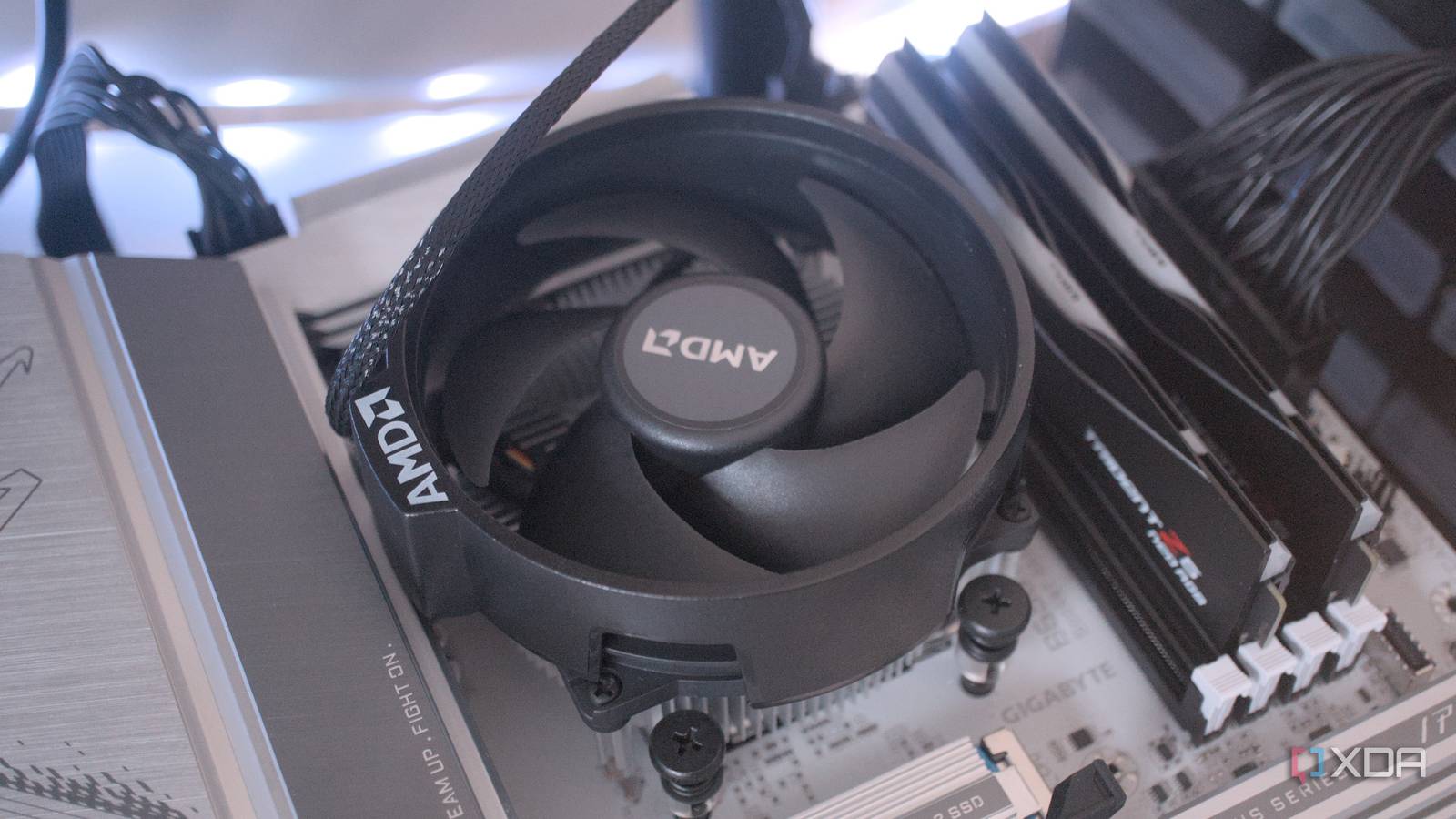
Published Jul 29, 2026, 12:00 PM EDT Abhinav pivoted from a career in banking to pursue his first love in writing. Even while working full-time, he continued contributing as an editor-at-large, a role he has held for more than 7 years. A lifelong tech enthusiast who has built three gaming and productivity powerhouse PCs since 2018, his passion for technology keeps him closely following the semiconductor industry, from NVIDIA and AMD to ARM. His MSc dissertation explored how artificial intelligence will reshape the future of work, reflecting his curiosity about the wider social impact of emerging technologies. I like to think that I've built my fair share of computers, perhaps more than half a dozen by now. I've done it for friends, family, and friends of friends and family. Every time I build one, it's a new year, with a new board configuration, and although most of the process has remained the same, it surprises me how I've managed to learn something new from nearly every single assembly. Motherboard headers, for example, never cease to surprise (and at times, baffle) me. Everyone wants a different set of peripherals for their build, which means a different board SKU, another manual, and another row of pins I've had no reason to look at before. It wasn't until my fifth build that I realized the CPU_FAN header does considerably more than just supply 12V DC power. If you unplug it, your PC may not let you boot into OS Until this one specific build that I worked on, I had always assumed the CPU_FAN header was another ordinary 12V connector. You could plug your cooler into it, and if the fan was spinning, the job was done. And sure enough, to most users, that's all the connector is meant to do. Two of the four pins on the header do exactly that as well, but the other two have another role to play. One of them sends a PWM signal that tells the fan how fast to spin depending on the workload of the CPU, while the other works in reverse by reporting the fan's actual speed back to the motherboard through a tachometer signal. Now, the return signal is the reason why CPU_FAN behaves rather differently from every other fan header on the board. During POST, most motherboards need to see the CPU cooler spinning. If they don't receive an RPM reading, the boot process will be stopped, and if you've ever had a cooler fail on you or had one loosely plugged, you'll recognize the "CPU Fan Error" screen that the system posts. This will often send you straight into the system BIOS. This design is, of course, a product of its era. Back in the older days, it was possible for the CPUs to actually cook themselves before the user could notice something was wrong. Modern Ryzen and Core Ultra CPUs are much better at protecting themselves in this happenstance. That being said, this bit of information (or not knowing it) can trip up those using modern AIOs. Many AIO units come with a controller or powered hub, and for many reasons a user could unwittingly leave the CPU_FAN header empty. To the motherboard, it would look as though there's no cooler installed, and so the PC may just not POST. Across a variety of SKUs, the motherboard must see an RPM signal to get you to POST. If you mix the two up, you'll lose PWM control Right beside the CPU_FAN header, most mATX and ATX motherboards will also include one labeled AIO_PUMP or W_PUMP. It looks the very same and accepts the four-pin configuration, so it's easy to assume they're interchangeable. They technically are, but you'll have some rather unsavory trade-offs that I'm familiar with, seeing as I had those on my first build before I figured what was wrong. If you plug a case fan into a pump header, it'll work fine, but it'll constantly run at its max speed for the rest of its life. This is because a case fan constantly speeds up and slows down depending on the load your CPU's handling. The AIO pump, on the other hand, just needs to keep the coolant moving. Motherboard manufacturers therefore configure pump headers to run at full speed, ensuring consistent coolant flow. If you happen to connect a regular fan here, you'll have effectively given up PWM control. It's also what makes fan curve management possible Once you realize the CPU_FAN header monitors as well as supplies power, you'll realize a lot of the versatility that comes to thermal management is owed to it. A singular air cooler is what most would assume the header is for, but there's an option to use a splitter cable or powered fan hubs with it as well. Interestingly enough, if you use a splitter with the header, it will let multiple fans share the same PWM signal, so they will all speed up and slot down together. However, only one will report its RPM back to the motherboard. The remaining tachometer wires are left disconnected to avoid conflicting speed readings. Powered hubs behave in a similar way, except they draw power directly from the PSU instead of the motherboard, which makes them a better choice if you're running several fans. This also happens to be the header you'll spend most time tweaking if you venture into your BIOS. That's exactly where motherboard vendors place fan controls, which lets you choose between PWM and DC operation, and pick which temperature sensor the fan should respond to and additionally, create custom fan curves. These curves are quite indispensable for those who are into overclocking or using profiles like Precision Boost Overdrive on AMD and Multicore Enhancement on Intel platforms. An undervolted CPU, on the other hand, generates less heat, which makes it appropriate to flatten the curve and keep the system quieter. Four pins, yet only two do what I assumed You can learn an extraordinary amount from building computers, and this one particular lesson reframed a connector I had plugged in countless times without thinking twice. The CPU_FAN header happens to be what most users expect it to be, which is a power outlet, but it also forms a core part of the motherboard's cooling logic by monitoring speeds, enforcing basic safety checks, and of course, giving you some more control over how your temperature balances temperature and noise.
Your motherboard has a fan header that does more than spin fans, and I ignored it for years
Full Article
Original Source
Read the full article at Xda-developers →KhanList aggregates and links to publicly available news content. We do not host full articles from third-party sources. Always verify important information with original sources.