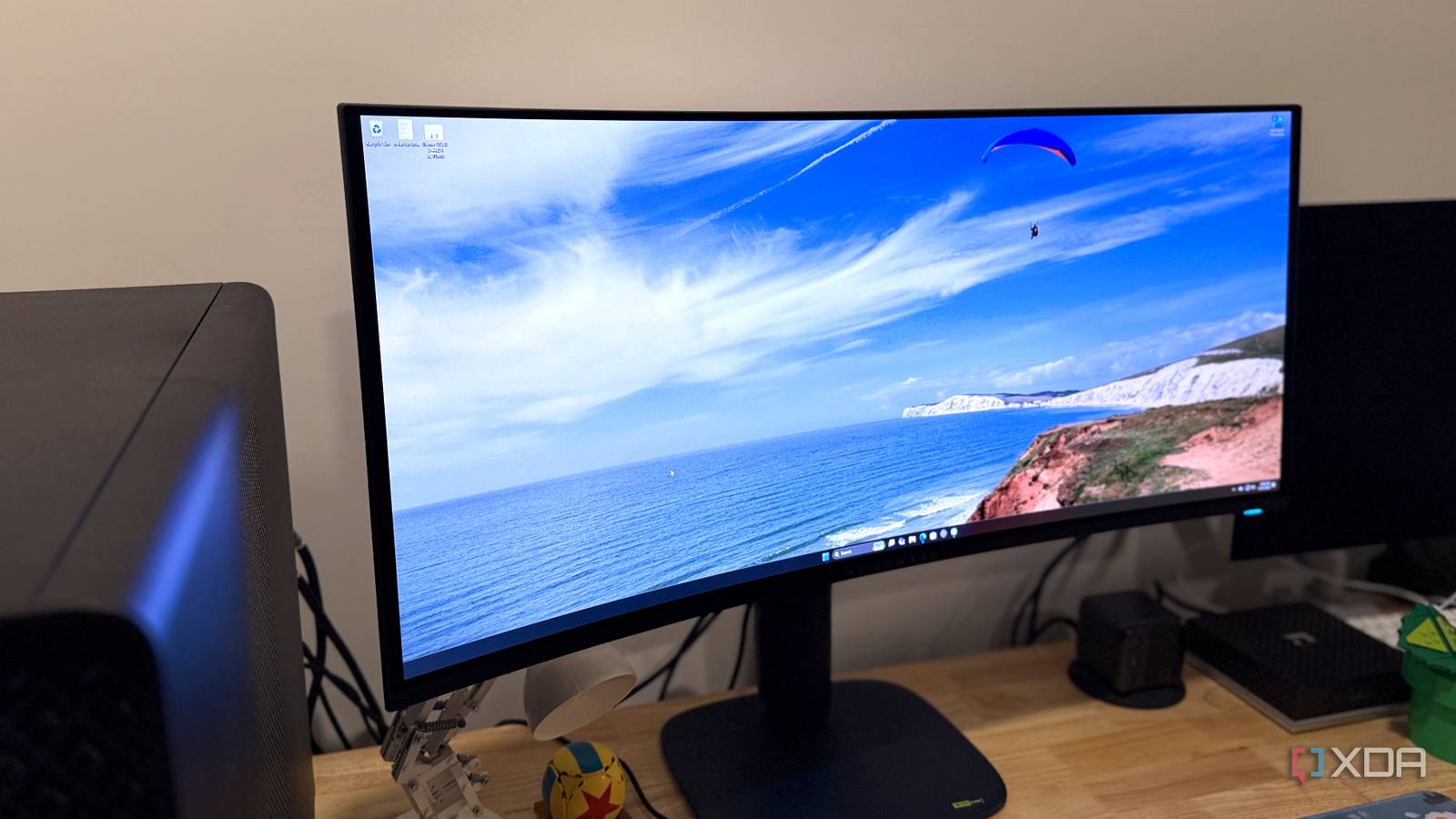
Published Aug 3, 2026, 12:00 PM EDT RGB stripe is a game-changer for OLED fans If you're an ultrawide fan, look no further for your next gaming monitor. Seriously, the Alienware AW3426DW is one of the best gaming monitors you can get. It's a 1440p QD-OLED on a 34-inch, 21:9 panel, with a 280Hz refresh rate. That's hard to beat for gaming, but it's more than that. See, this is the first QD-OLED ultrawide with an RGB stripe subpixel layout. That means vastly reduced fringing around text, making this a monitor that you can use for daily work. It's also tandem, with five layers making it brighter than previous generations of QD-OLED. And when the original AW3423DW had an MSRP of $1,300, the AW3426DW is only $800. It's a killer combination, and the things Alienware removed to get to that low price point are probably ones you won't miss. About this review: Dell sent us the Alienware AW3426DW for review. It had no input into the contents of this article. Alienware AW3426DW Everything you need from a gaming monitor 9.5/10 Screen Size 34 inches Display Technology 5th-gen Penta Tandem QD-OLED HDR VESA DisplayHDR True Black 500, Dolby Vision The Alienware AW3426DW is the successor to the original AW3423DW from 2022. It's cheaper, better, and doesn't waste your money on "added-value" features you might not use, making it probably the best value in gaming monitors right now. Pros & Cons Gorgeous color reproduction Silky smooth frames RGB stripe for improved text clarity No audio jack or speakers (if you care about that) Anti-reflective coating is still fairly reflective No DisplayPort 2.1 Price, specs, and availability of the Alienware AW3426DW This is one seriously epic value Monitors are among the few PC peripherals that are getting cheaper year-on-year, and the Alienware AW3426DW costs $800. You can only get it from Dell right now, but eventually it'll be available from the usual crowd of big box stores and retailers. The pricing on the AW3426DW is excellent, and currently the cheapest way you can get this beautiful panel. The pricing on the AW3426DW is excellent, and currently the cheapest way you can get this beautiful panel. And while every monitor manufacturer uses this same panel, the Alienware is the most affordable option. The MSI is $100 more, and the Asus is $500 more, though both of those other monitors are 360Hz instead of the Alienware's 280Hz. The other two also have DisplayPort 2.1, compared to DP 1.4 on Alienware, and higher USB-C charging capacity, but all three have the same panel with the same coating for better perceived black levels. Alienware AW3426DW Resolution 3440 x 1440 Refresh Rate 280 Hz Screen Size 34 inches Ports 2x HDMI 2.1, 1x DP 1.4, 1 USB-B 5 Gbps upstream port, 1x USB-A 5 Gbps downstream port, 1x USB-C 5 Gbps downstream port (15W power deliver) Display Technology 5th-gen Penta Tandem QD-OLED Aspect Ratio 21:9 Display coating Anti-reflective Screen Brightness 300 nits SDR, 1300 nits peak Dimensions 32.05" x 21.85" x 9.13" Weight 10.76 lbs (with stand) Mounting Options Stand, VESA 100x100 Sound No HDR VESA DisplayHDR True Black 500, Dolby Vision Variable Refresh AMD FreeSync Premium Pro, Nvidia G-Sync Compatible, VESA AdaptiveSync Response Time 0.03 ms GTG (Extreme Mode) Tilt -5 to 21 degrees Swivel -20 to 20 degrees Pivot No Curve 1800R PIP/PBP Yes Price $800 Back to basics with a simple design and simplified ports DisplayPort and USB-C are limited, and there's not an audio port in sight Alienware has kept the more muted design language from the AW2725Q for the AW3426DW, and I really appreciate it. The earlier spaceship-white monitors were hard to match to the rest of your desk, and this deep blue is much easier. The stand is solid, even when you're mashing keyboard keys and swiping your mouse in frantic games. It's got nice soft corners and a well-placed cable channel to keep all the wires under control, and the USB hub ports are under the front lip of the monitor where you can reach them easily. Now, to keep this price point, you only get DisplayPort 1.4, but you do get HDMI 2.1. There's also no audio jack or speakers, and the USB-C port isn't an input; it's only for 15W charging. They're things I've not missed while using the monitor, and that's all you really need to know about it. Fifth-gen QD-OLED is a sight to behold This is a gorgeous panel for any use case The AW3426DW is jaw-droppingly gorgeous. I've always had a preference for QD-OLED because I feel the trade-offs compared to WOLED are easier to live with, and Samsung's fifth-gen penta-tandem QD-OLED panel is a stunner. You get colors that pop, inky blacks, and no purplish color cast that the previous QD-OLED was plagued with. This panel covers 100% of sRGB and 99% of P3, has near-perfect gamma, and has 346 nits peak brightness in SDR. It's factory-calibrated and both color and luminance accurate across the entire panel. And with an average deltaE color accuracy of 0.4, it's a treat to use. Text clarity is fantastic as well. I've used both the AW3423DW and AW3423DWF, and the color fringing issue around text was always hard to use all day for work. That is no longer an issue, and the RGB stripe arrangement on the new panel makes it just as useful for productivity as it is for gaming. This is a near-flawless monitor for gaming Deepest night scenes and eye-popping color Gaming on QD-OLED is peak, and anyone who's seen one knows that. You get a variable refresh rate no matter which brand your GPU comes from, and the pixel density is fine really for gaming. The QuantumBlack film on this monitor (Samsung's branding; Dell doesn't have its own name for it) reduces reflectivity and increases the panel hardness to 3H. This also means black areas stay black even under ambient lighting, whereas earlier QD-OLED panels went gray or purple. You can see this in the top-left corner of the Silksong image above, where the ceiling lighting is kept to a minimum. And look at how beautiful it looks close up. Dark darks, bright brights, and colors that pop out of the screen. Especially in games that support HDR, because it has HDR10 and Dolby Vision, with 1,300 peak nits. Should you buy the Alienware AW3426DW? You should buy the Alienware AW3426DW if: You have been putting off upgrading to OLED because of text clarity issues You want the best QD-OLED ultrawide panel on the market at a bargain price You have a PC that can drive it at high frame rates You should NOT buy the Alienware AW3426DW if: Your desk is in a brightly lit area You need additional features like a KVM or audio jack You want DisplayPort 2.1 The Alienware AW3426DW is a beautiful screen, improving on Dell's previous version while remaining relatively affordable. If you already have a 34" ultrawide, you probably don't need to upgrade. Unless, perhaps, if you have the first-generation model, because this is miles better. Text clarity is a standout, and that's saying something, because every aspect of the panel is already at a high level. The decision here is whether to go for the cheaper Alienware or the more expensive alternatives that offer KVM switches, higher refresh rates, and USB-C connectivity. Those are things I can live without, and I'm pretty sure many feel the same way. Alienware AW3426DW 9.5/10 Resolution 3440 x 1440 Refresh Rate 280 Hz Screen Size 34 inches Ports 2x HDMI 2.1, 1x DP 1.4, 1 USB-B 5 Gbps upstream port, 1x USB-A 5 Gbps downstream port, 1x USB-C 5 Gbps downstream port (15W power deliver) The Alienware AW3426DW is a stunning QD-OLED for ultrawide monitor fans. Display Technology 5th-gen Penta Tandem QD-OLED Aspect Ratio 21:9 Display coating Anti-reflective Screen Brightness 300 nits SDR, 1300 nits peak Dimensions 32.05" x 21.85" x 9.13" Weight 10.76 lbs (with stand) Mounting Options Stand, VESA 100x100 Sound No HDR VESA DisplayHDR True Black 500, Dolby Vision Variable Refresh AMD FreeSync Premium Pro, Nvidia G-Sync Compatible, VESA AdaptiveSync Response Time 0.03 ms GTG (Extreme Mode) Tilt -5 to 21 degrees Swivel -20 to 20 degrees Pivot No Curve 1800R PIP/PBP Yes Price $800
Your monitor probably has the wrong pixel layout — here's why Alienware's new one is different
Full Article
Original Source
Read the full article at Xda-developers →KhanList aggregates and links to publicly available news content. We do not host full articles from third-party sources. Always verify important information with original sources.