
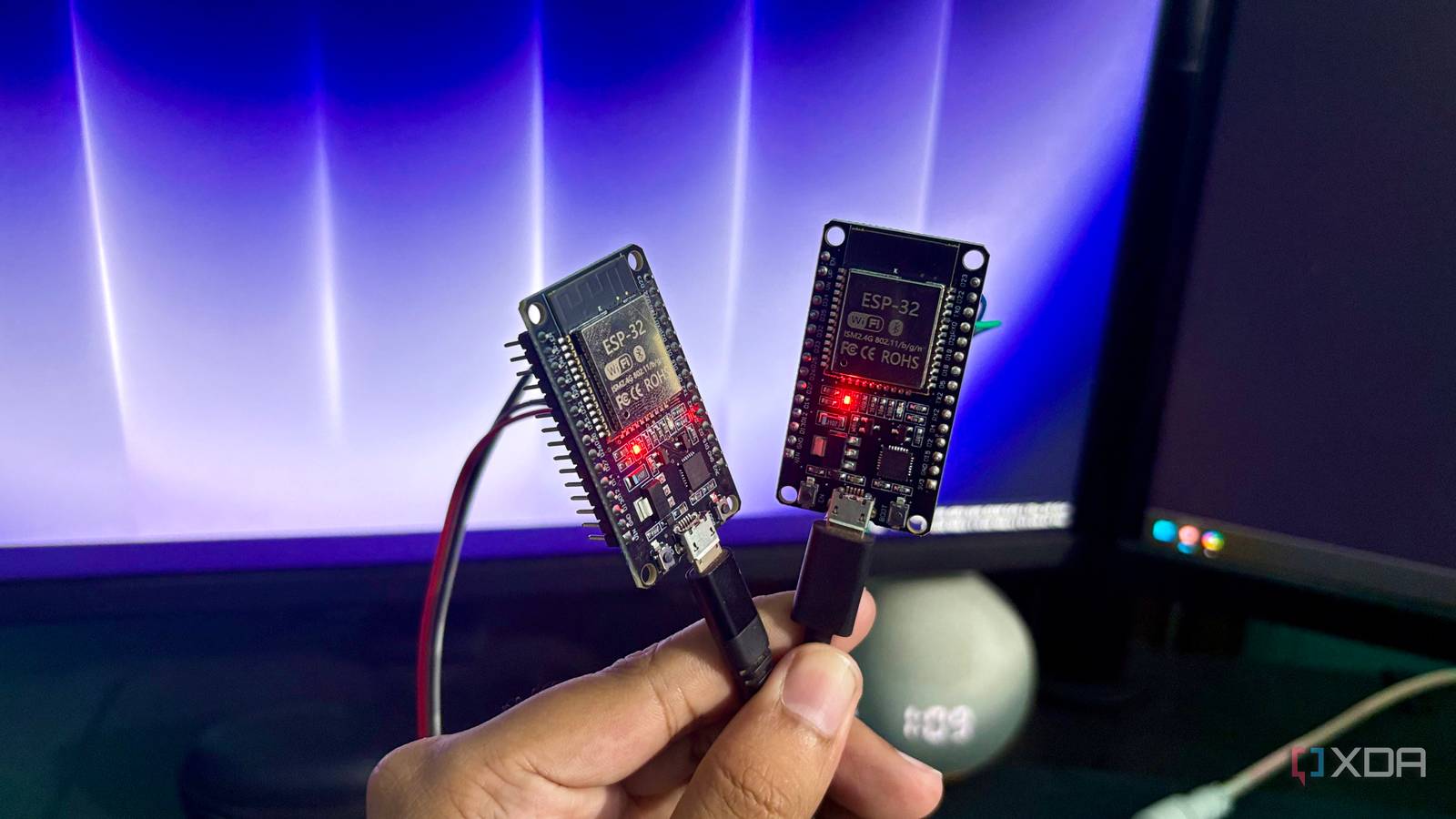
Published Oct 29, 2026, 3:30 PM EDT Shekhar Vaidya is a veteran technology journalist and computer science engineer. He is the founder of TechLatest, where he has spent years providing technical analysis on hardware and Windows ecosystems. Now a Computing Writer at XDA, Shekhar leverages his deep background in NAS, storage solutions, and PC internals to help readers master their tech. When a software guy gets into hardware, something new turns up each day. The same is true for me. I have been into software development for almost a decade now (uni days included). For the last month or so, I have been doing small experiments with hardware like ESP32s and Pis. For most of the ESP32 projects I had done, there was always the same starting point: Wi-Fi. Since this cheap board has Wi-Fi, I’d build everything around that only and never thought there was another way to communicate with it. It all changed when I came across ESP-NOW. All I needed was another board. The equation flips when you add a second board A button on one board lit a ring on the other My last three small ESP32 projects were a home server health display, a real website on the board, and a watchdog for my server. All of these start by joining a Wi-Fi network and relying on a router to connect devices. But one thing was common to all those projects: only one board was involved. The equation flips when you add another board to the scenario. Espressif’s ESP-NOW feature is built for exactly that: two or more boards talking to each other. ESP-NOW makes direct communication between multiple boards possible using MAC-based P2P. It skips the traditional TCP/IP overhead for fast, direct data transfer between microcontrollers. To be precise, the feature doesn’t remove Wi-Fi from the equation; the boards still use Wi-Fi radios, just without a router or network association. This was fascinating for me, so what's better than understanding a theory with a practical example? I immediately opened the drawers and gathered everything I had that could build an experiment. I had a bunch of electronics hardware, but I didn’t need it all to prove the concept. So I just took two ESP32s and an LED ring. Even though two ESP32s were all I needed to verify the theory, an LED addition proves the point physically. The build was simple: one board used its onboard BOOT button to trigger an event, and the other board, working as a receiver, received the packet and showed the delivery by lighting up the LED. And in the sketch, it never connected to a Wi-Fi network, and I made sure with the WiFi.disconnect() function. Both boards communicated with each other using their MAC addresses. I sent 50 button presses and observed each press; the receiver registered all 50 of them. This was the first easy win and proved the concept that two ESP32s could communicate with each other without relying on a router. My ESP32 sensor reached across two walls without a router The display stayed on my desk, and the readings kept coming The first experiment was proof of concept, and I should have stopped there. But you know me, I wasn’t ready to leave it there. That was just a generic demonstration of the ESP-NOW feature. And I wanted to test something that I would have a real use case for. That was when I decided to build a small project that could replicate a part of my future projects. After thinking about it a bit, I picked up a sensor and a display, as most useful sensor projects involve a different kind of communication. One device continuously collects data, and others display or use it. So, if I could use two boards to collect sensor data and show it on the display, it could be useful for my future experiments. The build started with the same two boards, an AHT10 sensor, and a small 1.3-inch OLED display. I connected the sensor to one ESP32, “the sender,” and the display to another board, “the receiver.” The idea was simple: the sender would read the temperature and humidity from the sensor, and the receiver would show them on the OLED display. I built it, and it worked as expected. Again, I made sure they never joined a Wi-Fi network and communicated only via ESP-NOW. Since this time I had a display, I counted the packets received and missed on the display itself. The sender numbered every packet, so the receiver could tell when one was missing. I tested the setup in three scenarios: both boards on my desk, one wall apart, and two walls apart. And the interesting fact is, in all three scenarios, no packets were missed. I didn’t time each run, so I won’t claim a particular reliability rate. Zooming out from specific results. The wireless link in both tests had no issues. Interestingly, I had a detour when building the second experiment, but it was because of the hardware, not the radios. Since it was just a demo illustration, I pushed the header pins through the sensor holes without soldering. So, for the initial tries, the board didn’t even detect the AHT10. I had to solder them to get it working. The takeaway was that two separate builds worked, and in both builds, neither of them joined a Wi-Fi network. But a few things still needed testing to learn more about the feature. It works without a router until something needs one Forcing a channel mismatch cost me almost half my packets The thing I wanted to test was what happens when a project needs internet connectivity or at least LAN access to send data to an external server. The ESP-NOW link works seamlessly without the router, but what happens when one of the boards joins my router? I built another experiment to test this. In the first step, I made the receiver board join my router. It connected to the Wi-Fi on the same channel as the router, in my case, Channel 1. The link was good; I received all packets without loss. And this worked because the sender’s default channel also happened to be 1. In the second step, I forced the sender board to a different channel, and it started losing about half the packets. Then I set the sender board back to the router's channel, and communication returned to normal. This showed one thing clearly: a board on my router sits on the router’s channel, and the other board has to follow the same, or packets get lost. I didn’t test heavy Wi-Fi traffic or a router changing channels, but that was not needed to prove the point. There were a few more things that are still untested, like encryption and running the sensor outside. My two-board build demonstrated P2P communication but couldn’t show how it would act with a many-to-one sensor network. Now, coming to where this setup falls short. If I need a web interface, cloud connectivity, or Home Assistant services on my LAN, the normal Wi-Fi becomes a better option. ESP-NOW is most helpful when I need to exchange small events or readings given the packet limit. The standard version supports up to a 250-byte payload, and v2 supports up to 1,470 bytes, per Espressif’s docs. Where this leaves my next ESP32 project After both builds, one thing is clear. Two boards can talk to each other with no credentials, no router, and no broker. It even worked through two walls in my house. So yes, ESP-NOW is useful. A sensor no longer sits between my router and the two boards get a direct link. But when LAN or internet access is required, it's a whole different story. For instance, if I wanted to extend my second experiment to my Home Assistant, it would require LAN access; the receiver board would then have to connect to my router, and both would need to be on the same Wi-Fi channel. For now, I look forward to testing it in real use cases and seeing how it behaves. Brand AITRIP Connectivity Features UART, USB A 30-pin ESP32 dev board with Wi-Fi, Bluetooth and a CP2102 USB chip, and it supports ESP-NOW out of the box.
Your ESP32 can talk to other ESP32s without a router, and it changes what you can build
Full Article
Original Source
Read the full article at Xda-developers →KhanList aggregates and links to publicly available news content. We do not host full articles from third-party sources. Always verify important information with original sources.