
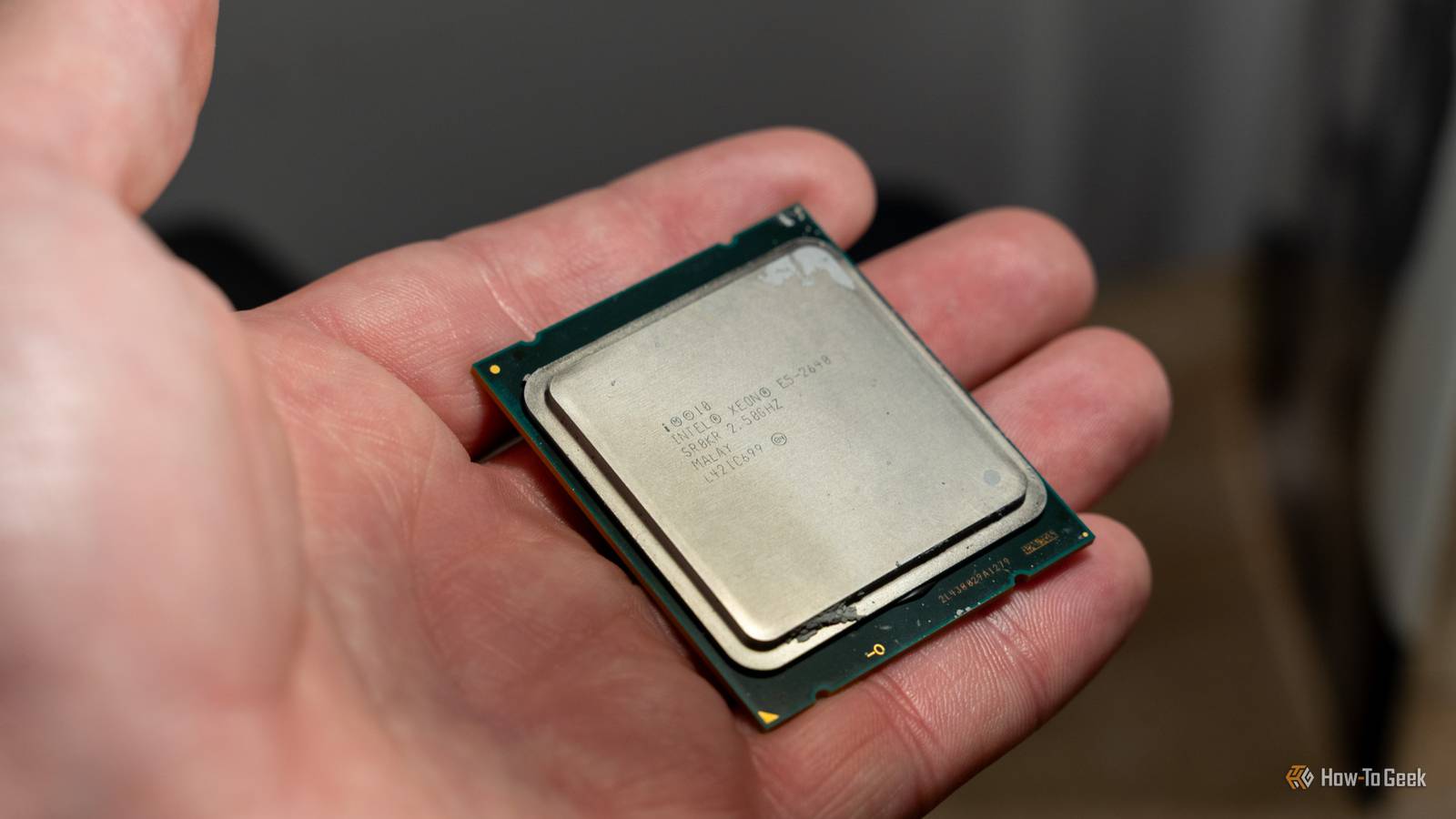
Published Nov 5, 2026, 2:30 PM EST Monica J. White is a journalist with over a decade of experience in covering technology. She built her first PC nearly 20 years ago, and she has since built and tested dozens of PCs. PC hardware is her main beat, and graphics cards and the GPU market at large are her main area of interest, but she has written thousands of articles covering everything related to PCs, laptops, handhelds, and peripherals. From GPUs and CPUs to headsets and software, Monica's always willing to geek out over all things related to computing. Outside of her work with How-To Geek, Monica contributes to TechRadar, PC Gamer, Tom's Guide, Laptop Mag, SlashGear, Whop, and Digital Trends, among others. Her ultimate goal is to make PC gaming and computing approachable and fun to any audience. Monica spends a lot of time elbow-deep in her PC case, as she's always making upgrades, testing something, or plotting out her next build. She's the go-to tech support person in her immediate circle, so she's never out of things to do. Whenever she has spare time, you'll find her gaming until the early hours and hanging out with her dog. Computing has come a long way in the last few decades. In fact, the advancements are now so quick that you'd think the PC you own now has next to nothing in common with the one you had 10 years ago. In many ways, you're not wrong, but x86-64 CPUs are still stuck in the past, and it all comes down to the way they boot. Your modern CPU starts its journey in 1978 The first stop is 16-bit real mode, just like the Intel 8086 I'd wager that you have a 64-bit CPU, and when you boot your PC, you probably expect it to get right to ... well, modern 64-bit stuff. But nope. Instead, an x84-64 processor starts off in something called real mode. Real mode is a 16-bit operating mode that dates all the way back to the Intel 8086, which launched in 1978. I bet some of you weren't even alive back then, and in all fairness, neither was I. And yes, even your brand-new CPU needs to follow that path. The Intel 8086 laid the path Back in the day, the original 8086 used 16-bit registers and a 20-bit address space, allowing it to address up to 1MB of memory. That's less than nothing by today's standards, but it laid the groundwork for the entire x86 architecture, which we use to this day. Obviously, modern CPUs are way more capable, whether they're the best CPUs of all time or just some random chip you've had lying around. They still retain these ancient booting rituals for compatibility reasons. When the CPU resets, it begins executing firmware instructions from a special location called the reset vector. From there, the firmware gets things ready and eventually moves the processor into more advanced operating modes. But before we get to the modern stuff, your CPU has one more highly outdated stop on its way. Next, your CPU visits the 32-bit computing era Protected mode brought the foundations of modern operating systems The next stop on this little trip through time is protected mode, which first appeared with Intel's 80286 processor in 1982. Back then, it was still a 16-bit affair, but things changed with the arrival of the Intel 80386 in 1985. That ushered in proper 32-bit computing to the x86 architecture. A massive leap forward, that. It allowed processors to address up to 4GB of physical memory, which is still not a lot, but still an improvement. It also introduced paging for virtual memory management. Protected mode also gave operating systems much better control over memory access and application isolation, paving the way for more sophisticated multitasking. Sounds pretty neat, huh? Well, I guess it was neat to the extent that the powers that be decided it should stick around forever, because indeed, your CPU still makes a stop at protected mode on its journey toward 64-bit operation. These days, the transition can happen so quickly that you'd never notice it, though. You don't even need an expensive SSD for that (although, to be fair, all SSDs are expensive now). Finally, your CPU reaches the 64-bit world AMD helped make the biggest architectural transition of the 2000s I've been singing Intel's praises (in a way) in this article, but AMD deserves some kudos, too. The next big leap came in 2003, and indeed, it was courtesy of AMD. It introduced its AMD64 architecture with the Opteron processor, followed by the iconic Athlon 64. This was a pretty massive deal because it brought 64-bit computing to x86 without throwing decades of software compatibility down the drain. I guess in a way, we have this to thank for still being able to use this ancient workflow on our modern CPUs. AMD introduced something called long mode, which lets CPUs execute 64-bit code while still offering support to older 32-bit applications through a compatibility mode. As is often the case with those two, Intel followed suit and adopted a compatible version of the architecture. That's how we ended up with the x86-64 CPUs we use today. Your CPU has now made its way through roughly 25 years of computing history, and you haven't even reached the Windows login screen. (Waiting for Linux users to tell me they never would, anyway.) Modern UEFI doesn't erase this history Your firmware handles the journey before Windows gets involved You might be wondering how all of this works when modern PCs use UEFI instead of the ancient BIOS. Well, sure, UEFI modernized the boot process, but it didn't change the way these x86-64 processors start up, as evidenced by the fact that this whole path remains unchanged after so many years. Your CPU still begins in real mode, and it's the motherboard's firmware that handles the early initialization and switches it into more advanced operating modes. By the time a modern 64-bit UEFI environment is ready to hand things over to Windows, the processor is already running in long mode. This means your OS doesn't really have to make that entire historical journey all by itself; most of it happens before it even gets to say hello. Nearly 50 years of compatibility are still hiding inside your CPU PC components lose compatibility every so often, and processors are especially notorious for forcing full platform upgrades as they drop socket support with a new generation (looking at you, Intel. So, why do modern CPUs still bother with this if the market, as a whole, is no stranger to saying bye-bye to backward compatibility? The answer is that software compatibility and hardware compatibility are two very different beasts. Preserving those older CPU modes has helped x86 survive nearly five decades of technological change, and that's something to be admired. Your PC may be brand-new or officially too old, but at its very foundation, it's still similar to those computers from ages ago.
Your CPU travels through three generations of computer history every time you turn on your PC
Full Article
Original Source
Read the full article at Howtogeek →KhanList aggregates and links to publicly available news content. We do not host full articles from third-party sources. Always verify important information with original sources.