
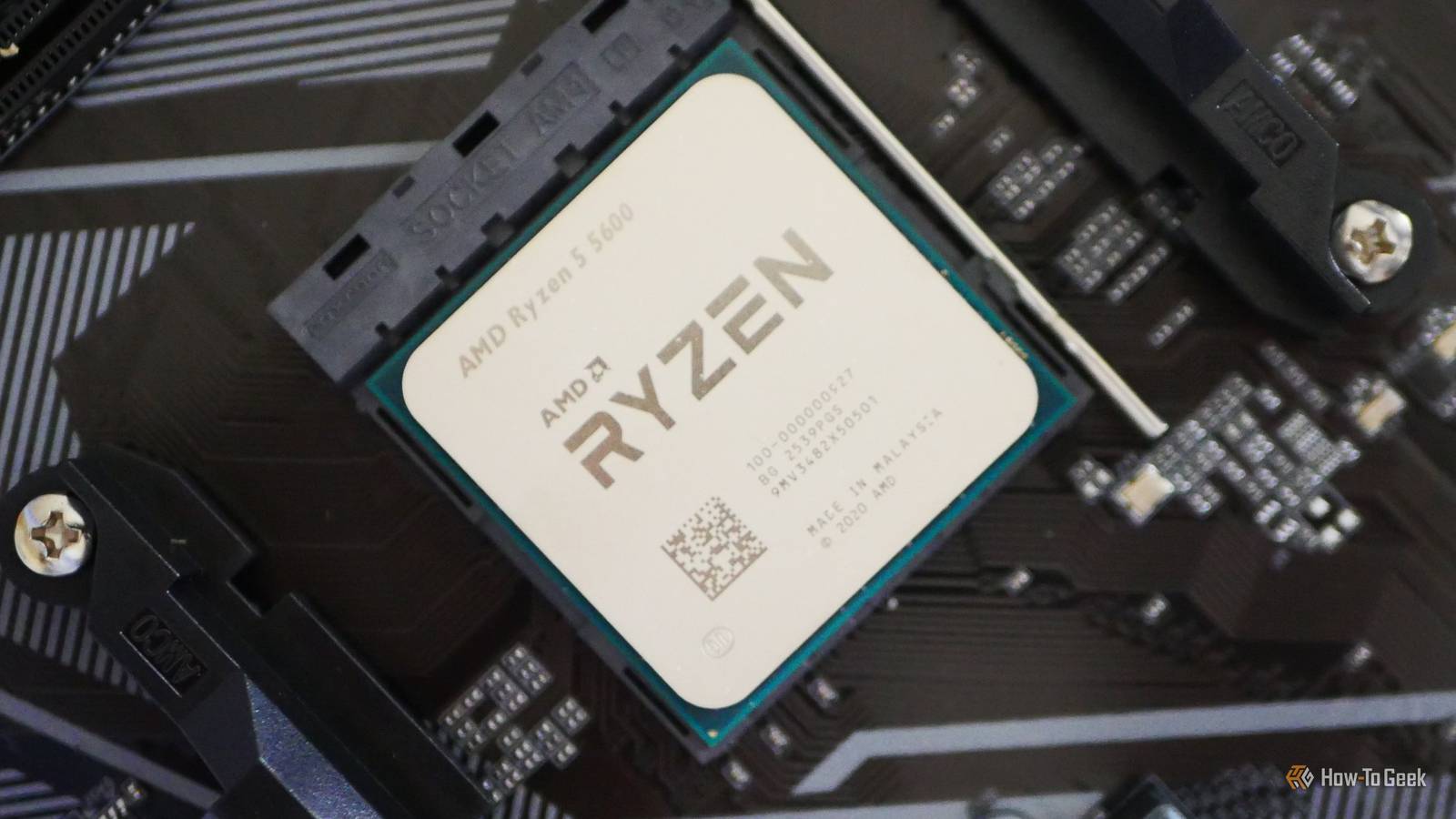
Published Nov 6, 2026, 2:30 PM EST Monica J. White is a journalist with over a decade of experience in covering technology. She built her first PC nearly 20 years ago, and she has since built and tested dozens of PCs. PC hardware is her main beat, and graphics cards and the GPU market at large are her main area of interest, but she has written thousands of articles covering everything related to PCs, laptops, handhelds, and peripherals. From GPUs and CPUs to headsets and software, Monica's always willing to geek out over all things related to computing. Outside of her work with How-To Geek, Monica contributes to TechRadar, PC Gamer, Tom's Guide, Laptop Mag, SlashGear, Whop, and Digital Trends, among others. Her ultimate goal is to make PC gaming and computing approachable and fun to any audience. Monica spends a lot of time elbow-deep in her PC case, as she's always making upgrades, testing something, or plotting out her next build. She's the go-to tech support person in her immediate circle, so she's never out of things to do. Whenever she has spare time, you'll find her gaming until the early hours and hanging out with her dog. The term "CPU bottleneck" is familiar to every gamer. I don't think I've met anyone who wasn't into games and still cared about these alleged "bottlenecks." As a gamer myself, I'm here to say: please stop. You probably don't even have a CPU bottleneck. Many performance issues can disguise themselves as a CPU bottleneck. Whether you're just now shopping for a new build and a lot of smart-sounding people are telling you the CPU isn't going to cut it, or you're turning your current CPU into a convenient scapegoat for poor PC performance, read this first. Those bottleneck calculators are giving you meaningless percentages Your PC's performance can't be summarized by a single number As a PC gamer myself, I'm no stranger to two things: optimizing everything to the max and complaining about things that may or may not be within my control. So, I get wanting to nail down the exact thing that's being a nuisance and dropping your gaming enjoyment; I've been there. But, I'll say it. If there's one thing I'd love for PC gamers to stop doing, it's trusting online bottleneck calculators. You know the ones. You enter your CPU and GPU, pick a resolution, and suddenly you're told your processor is causing a 17.3% bottleneck. Oh no! Whatever shall we do with that? Most commonly, nothing. Nothing at all. Guessing game Remember that these calculators have no way of knowing how your PC actually performs in the games you play. A single percentage can't possibly describe the relationship between two components across every workload. The same CPU and GPU combo might be CPU-bound in one game and GPU-bound in another. There are so many variables involved ... such is the beauty of PC gaming. Your graphics settings, target fps, cooling, and even your RAM configuration can affect performance. A single calculator doesn't really know a thing here. Low GPU utilization doesn't automatically mean your CPU is struggling Your graphics card might be waiting for something else entirely Another thing that makes gamers immediately stress about the mythical CPU bottleneck is seeing their GPU utilization sitting at 60% or 70% instead of the desired 99%. Surely, that means the CPU is awful and belongs in the trash. Well, nope. There are plenty of other reasons why your GPU might not be working at full capacity. For starters, you might have V-Sync enabled or an fps cap in place, which means your GPU simply can't work any harder. If your system can produce 150 fps but the game is capped at 60 fps, there's no reason for the GPU to be pulling double shift. Then, there are also things like GPU power limits, which can affect performance even when utilization looks A-OK. I've previously talked about how one tiny slider can tank your GPU performance, and it's worth checking before pointing fingers at your CPU. Your graphics settings can completely change the bottleneck The same PC can be CPU-bound at 1080p and GPU-bound at 4K Here's another reason why I prefer not to treat this alleged CPU bottleneck like some sort of permanent condition: They can change at the drop of a hat. Change the game, change the bottleneck. Let's say you're playing at 1080p at low settings. Your GPU might indeed be able to churn out frames so quickly that your CPU struggles to keep up with preparing them, and yes, that is a CPU bottleneck. But crank the resolution up to 4K, add some proper settings, and your GPU is going to be sweating while your CPU is chilling. The exact same PC might now be GPU-bound. Funny how that works ... This is also why tech like DLSS and FSR can sometimes expose CPU bottlenecks that weren't noticeable before, as they reduce the GPU's rendering workload. If you want to see what's actually happening on your PC, try to lower the resolution or render scale in a demanding game and watch what happens with your fps. If performance shoots up, the GPU was probably a significant limiting factor. Not every situation is your processor's fault Shader compilation, VRAM limits, poor optimization all play a factor Another thing that drives me up the wall is how often people blame their CPU for every little thing. I suppose it is better to blame the CPU, what with the GPU prices the way they are; if you have to replace something, it's genuinely better for it to be that. Sure, a struggling processor can cause poor frame times, but there are also other explanations. Shader compilation is a big one, especially in games that compile shaders as you're playing, causing those annoying little freezes when you enter a new area or encounter an effect for the first time. Running out of VRAM (an increasingly common problem) can also cause stuttering as your GPU has to juggle resources between video memory and system RAM. Then there's insufficient system RAM, too. It never ends. A real CPU bottleneck is easy enough to investigate Test before you spend hundreds on another processor If you've got your heart set on the CPU bottleneck explanation, let's investigate it. It's fair: CPU bottlenecks absolutely do exist, and it's a good idea to rule one out before you dig deeper. Grab a tool like Intel PresentMon, which lets you monitor frame times alongside CPU Busy and GPU Busy metrics. If your GPU is spending significantly less time processing each frame than the time between frames, that's a clue that something else is limiting performance. You can also try to lower your resolution substantially and see whether your fps improves. If it barely budges, your CPU becomes a likely suspect. It could be the CPU, but it probably isn't I've personally never had a CPU bottleneck, but I know it's possible. Especially if you have a powerful GPU paired with an old, mismatched CPU, you might run into that problem. But for the vast majority of us, the issue usually lies elsewhere. So, given the circumstances, give your CPU some grace. It doesn't have to be the best CPU of all time to be good enough. Give the poor thing a break, please. It's (probably) doing its best.
Your CPU bottleneck isn't real, and I'm tired of pretending that it is
Full Article
Original Source
Read the full article at Howtogeek →KhanList aggregates and links to publicly available news content. We do not host full articles from third-party sources. Always verify important information with original sources.