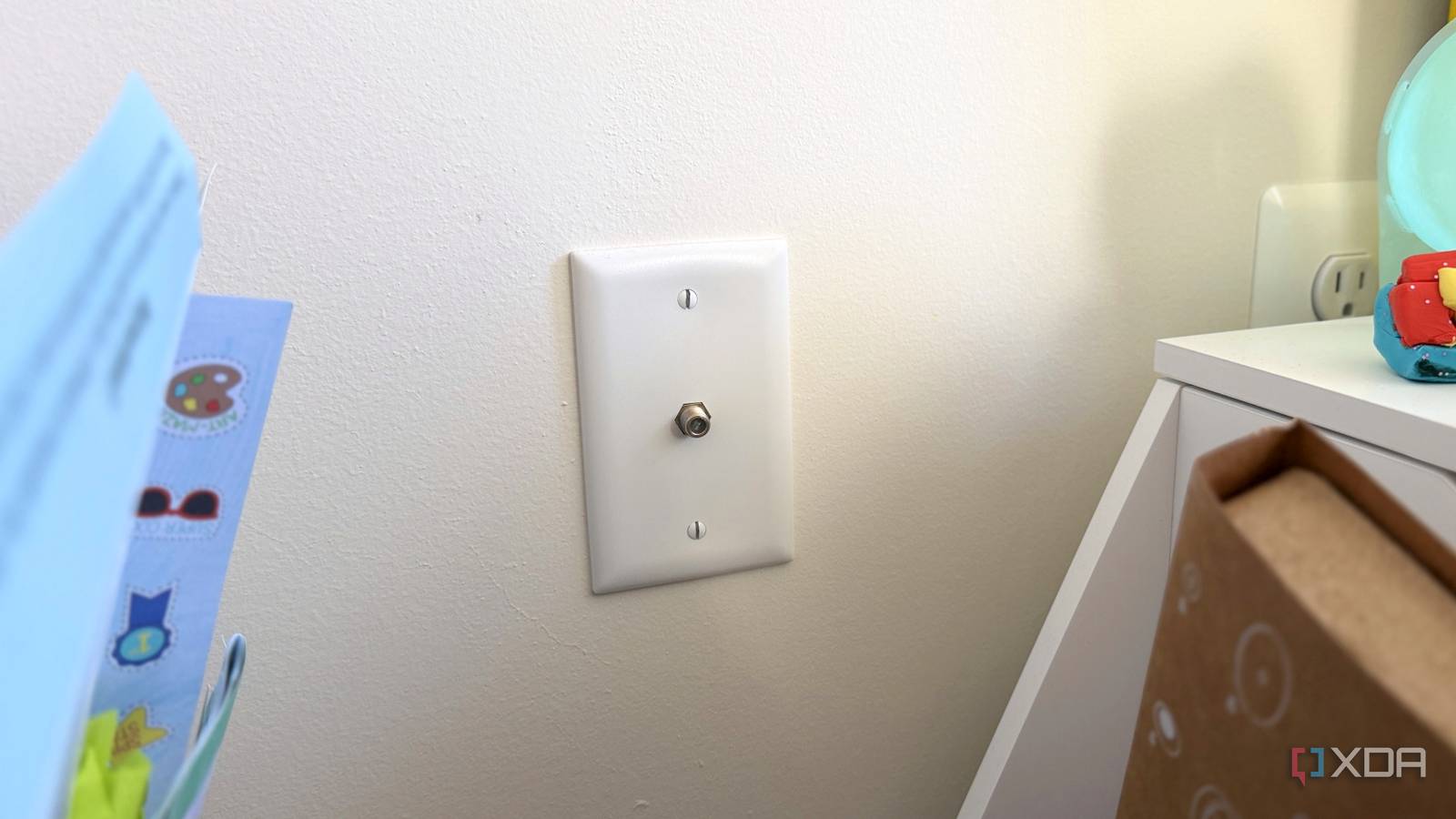
Published Aug 9, 2026, 8:00 AM EDT Maker, meme-r, and unabashed geek, Joe has been writing about technology since starting his career in 2018 at KnowTechie. He's covered everything from Apple to apps and crowdfunding and loves getting to the bottom of complicated topics. In that time, he's also written for SlashGear and numerous corporate clients before finding his home at XDA in the spring of 2023. He was the kid who took apart every toy to see how it worked, even if it didn't exactly go back together afterward. That's given him a solid background for explaining how complex systems work together, and he promises he's gotten better at the putting things back together stage since then. Does anyone actually enjoy pulling Cat6 through the walls of a finished house? I know I don’t, and I’ve even got existing Cat5e that I can use to pull the better cable into place. That’s why I’m currently using wireless backhaul to paper over the problem, which works well enough that I don’t have to worry about the problem (yet). But I’ve got a perfectly good wired network already sitting there, hiding in plain sight. I don’t even use them since I watch TV streamed to Apple TV boxes, and the coaxial outlets in most of my rooms are unused. A pair of MoCA 2.5 adapters would give me fast wired networking for my home lab at a lower cost than a new wireless node and 15 minutes of work. What MoCA actually does with the coax in your walls It’s a full wired mesh, not a hack MoCA can coexist on the same cable your TV signal runs over because TV stays under 1,002 MHz, while MoCA network traffic runs in the 1,125 to 1,675 MHz band. DOCSIS internet stays in the lower region as well, so theoretically, MoCA should never interfere with your other network traffic. If you’ve got fiber-to-the-home, your coax isn’t even used in most cases, giving your MoCA full reign. Version Rated speed What you actually get MoCA 1.1 175 Mbps One to avoid, it's legacy tech only MoCA 2.0 500 Mbps single channel MoCA 2.0 Bonded 1 Gbps ~850 to 940 Mbps MoCA 2.5 2.5 Gbps ~ 1.4 to 2.3 Gbps MoCA 2.5 gets to that speed by bonding up to five channels, and it'll stay consistently fast because coax is a shielded cable rather than shared airspace. The average link delay is 3.6 ms, with manufacturer data indicating it could be 6 ms.3 ms at worst. That’s the latency Wi-Fi wishes it could consistently get. Both are half-duplex, so it’s not quite an Ethernet replacement, but it’s close enough for most users. And here’s the other interesting thing. MoCA isn’t a two-ended dongle experiment. It’s a proper network that supports up to 16 nodes, and every coax outlet fed from the main splitter tree can access it. One adapter at your router, and one at every mesh node, desk, or console, and they can all see each other. Well, almost everything. Satellite TV from DirecTV or Dish uses the coax for their own signals, and DirecTV uses a MoCA-esque system called DECA. Standard adapters are a no-go if you have satellite TV, and you’ll need niche E-band units. goCoax MoCA 2.5 adapter Add 2.5 GbE to your home with the coax already in your walls. The adapter you buy matters more than the standard Don’t wait for MoCA 3.0 because it’s not coming Credit: Source: Asus MoCA adapters have one trap that isn’t immediately apparent. MoCA 2.5 is the coax side of the adapter, and has nothing to do with the Ethernet jack on the other side. Both sides need to support 2.5 GbE for you to get 2.5 GbE; a 1 Gb port will cap your link at 940 Mbps. You might not notice either; most residential internet plans are gigabit or thereabouts, and if you’re not doing heavy data transfer between devices on your network, the gigabit ports are enough. You’re still leaving over half the standard's speed on the table if you do this, so keep an eye on the Ethernet port speed. Yes, there is a MoCA 3.0 specification that could make your coax handle 10 GbE speeds. It’s also fantasy, because it lives in that specification and nowhere else. There is no silicon that can enable this, and the last MoCA manufacturers are shipping at a maximum of 2.5 GbE. Don’t wait if you want MoCA; 2.5 GbE is all you need, and likely, all you’re going to get. A $15 filter and a decent splitter make or break your install Seriously, this is the important part Credit: Source: Reddit Two inexpensive parts decide how well your MoCA link will perform. That’s a point-of-entry (PoE) filter, which screws onto the coax cable where it enters your house and prevents your MoCA network data from leaking into your neighborhood. I shouldn’t need to explain why that would be a bad idea, but it also reflects the signal back into your home, making it stronger. These are cheap, regularly $10 or $15, and that's fine. Then you need a coax splitter rated 5–1675 MHz or higher, because any older ones rated 1,000 MHz aren’t sufficient to pass MoCA signals. Amplifiers can also break your coax network because many of them block the MoCA band entirely; remove them if found. There are two last things to set before your network is ready. Log in to the adapter’s web UI and enable MoCA privacy, which enables AES encryption, since it’s typically shipped off by default. Then test with iperf3 between two wired machines; you’re looking for 840 Mbps or thereabouts on a 1 gig link, and closer to 2.3 Gbps on a 2.5 GbE link. The results should be similar up and down, and any asymmetry means something else is lurking and dragging your speeds down. When should you pull Cat6 instead I’m not going to pretend that coax beats twisted-pair cables, because it only really wins on ease of use. Cat6 beats it on latency, jitter, full-duplex communication, and the headroom to support up to 10 GbE. But having a professional pull Cat6 through your walls is a hundred bucks or more per drop, and that makes those expensive MoCA adapters look like a good deal. MoCA also routinely stomps the other alternatives, because powerline adapters sit on your noisy electrical wiring and often deliver a fraction of their rated speed. MoCA-backed mesh networking beats wireless backhaul every time. If you don’t have coax in your walls, powerline is your best worst option for wired networking, but it’s a last resort. The best network upgrade is the one already stapled inside your walls Adding 2.5 GbE by screwing on a bunch of MoCA adapters is the least invasive way to upgrade your home network. That makes it ideal for renters, but it’s also great for homeowners who don’t want the expense and hassle of pulling new cables. And with more people shifting to streaming services instead of cable TV, those coax cables are sitting there with no signal going over them, so nothing is going to reduce your network speeds.
Your coaxial cable is already running the fastest home network upgrade you've never heard of
Full Article
Original Source
Read the full article at Xda-developers →KhanList aggregates and links to publicly available news content. We do not host full articles from third-party sources. Always verify important information with original sources.