
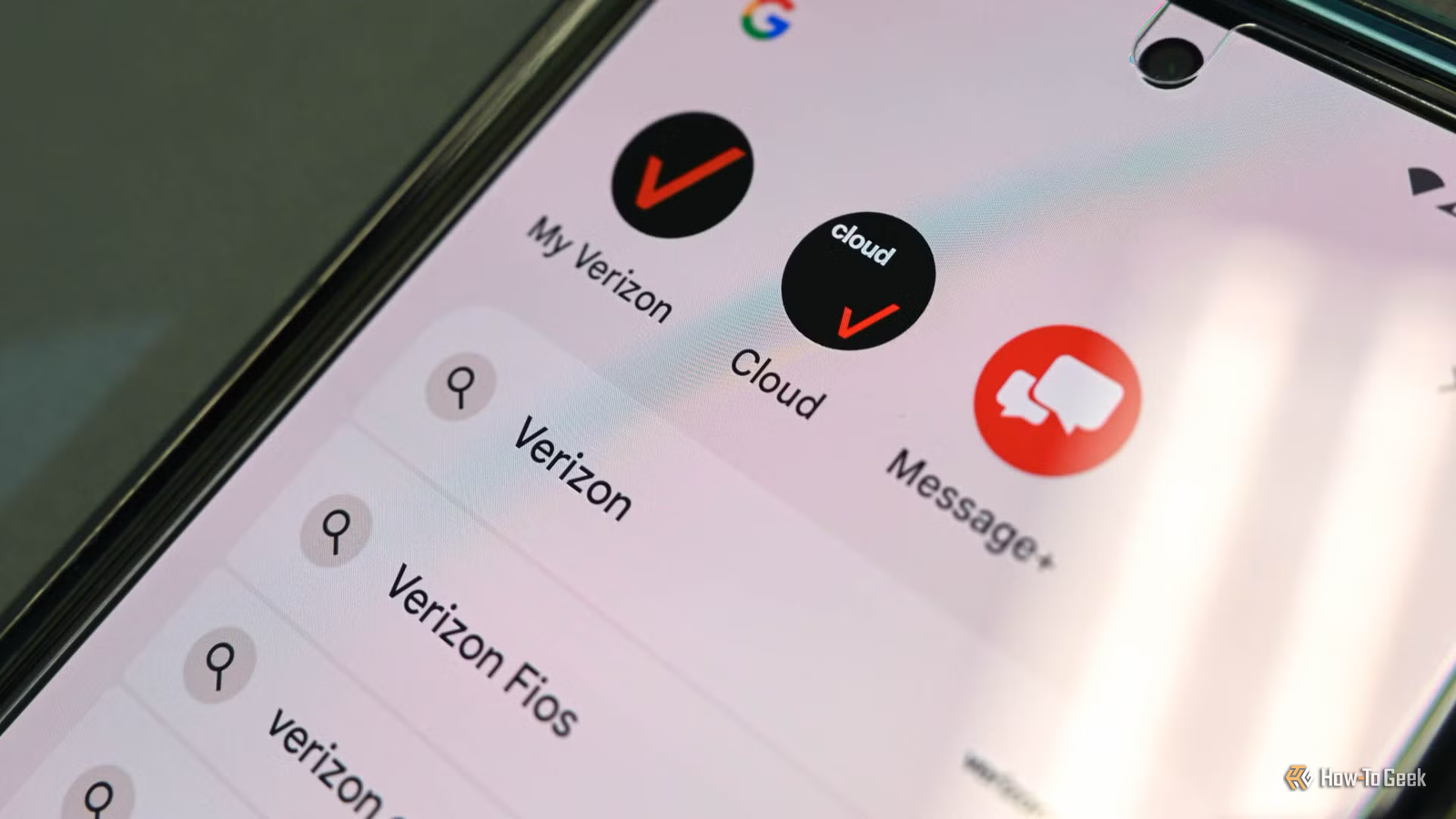
Published Nov 5, 2026, 4:30 PM EST Nathaniel Pangaro is a tech enthusiast who dives deep into Apple’s world, from Macs and iPads to iPhones, Apple Watches, and every gadget in between. He loves turning tricky tech features into guides and reviews that are actually fun to read—and easy to use. At AppleInsider, he broke down the latest Apple releases with hands-on testing, clear explanations, and visuals that make readers feel like they’re right there with him. He also keeps SEO in mind so people can actually find his work online. He’s also written for The Student Loan Help Group, turning tech and finance topics into simple, helpful, and engaging content. Nathaniel also takes photos and creates rendered visuals to showcase devices and highlight features. When he’s not writing, Pangaro enjoys listening to music, working out, baking, and spending time with his pets. These hobbies help him recharge and bring a fresh, creative perspective to his work, keeping his writing energetic and relatable. Pangaro's goal is simple: help readers get the most from their Apple devices and actually enjoy doing it. When you get a new phone, everything seems to run faster. Apps launch quicker, menus appear snappier, and the whole experience feels less congested. But after a while, your phone can start to slow down. You may think it is because of age, but it is not. Actually, your carrier could be slowing down your device without your knowledge. Pre-installed bloatware Apps that do more than just take up space on your home screen You may not realize it when you first start using your new phone, but your carrier adds a lot of bloatware you didn’t ask for. This can include preinstalled apps that take up space before you even unlock your device. These apps — which can include customer service tools, billing apps, or additional services like music streaming and news — often offer no core functionality and exist mainly as promotional assets. Now, one app may not seem like a lot, but the more that are there, the more they can impact your device, and this is mostly done in the background. For instance, these apps not only take up storage, but they also run background processes that use your phone’s RAM and CPU and drain the battery. Bloatware is typically on your device because the manufacturer and software developer have a partnership that lets them pre-install various apps. It’s not fun, but it’s the result of those partnerships. Furthermore, bloatware apps run in the background at startup, so even without your permission, they slow your phone down. Worse, you sometimes can’t uninstall these apps using the same standard methods you use for other apps. This is because the operating system gives these apps special permissions since they are preinstalled, which makes them harder to remove. Some let you uninstall or disable them like regular apps, but others require you to use Android Debug Bridge to remove them. Others make you root your device, which gives you full control over the operating system that basic controls don’t. While carriers make it easy for bloatware to be installed on your device, it is not always simple to delete. And in the end, your phone’s performance suffers. Thermal throttling Background apps can help make your phone hot Credit: Kobzev Dmitry/Shutterstock.com As mentioned, bloatware on your phone can come from your carrier and run in the background without you knowing. These are called continuous CPU wakelocks, which force the CPU to wake up and run tasks every few minutes or seconds. Carriers do this to see how seamlessly your phone jumps from cell tower to cell tower as you move, and to measure signal drops, dead zones, and data speeds to identify areas where network infrastructure needs improvement. It's also done to monitor your cellular data consumption in real time so they know how you're tracking against your data caps. Credit: Project Genesis/Dish With all of this running in the background, it can help make your phone run hot. When this happens, your phone automatically reduces CPU and GPU performance, which can affect visuals and the overall user experience. This process is better known as thermal throttling, and it helps protect sensitive components such as your phone’s CPU, GPU, battery, storage chips, and display components. However, collecting background data on your phone alone isn't enough to cause thermal throttling, but it can contribute when paired with other factors. These include gaming, recording video in higher resolutions, fast charging, or even using your device in direct sunlight. When thermal throttling occurs, it can reduce frame rates, slow app performance, and reduce responsiveness — just to name a few. In simpler terms, it can make your phone sluggish. So, even if it is not the main reason your phone is slowing down, background processes can still contribute if you notice it becoming sluggish, especially when it is supposed to be running at peak performance. Lessen the carrier blow on your phone’s performance Unfortunately, there is no way to turn off all these background operations in one quick menu when your carrier uses your phone without your knowledge. However, there are still ways you can lessen the blow and stop carriers from taking over your phone’s performance. One method, as mentioned before, is to remove preinstalled apps — if applicable. Some can be extracted like normal apps, but others are baked into the operating system and require rooting your phone or using the Android Debug Bridge to remove them. Google Pixel 11 Brand Google SoC Google Tensor G6 Display 6.3-inch Actua display RAM 12GB Storage 256 or 512GB Battery 4985 mAh The new Pixel 11 line introduces HiLight feature and storage options starting at 256GB. Samsung Galaxy S26+ $1025 $1300 Save $275 SoC Snapdragon 8 Elite Gen 5 Display 6.7-inch Dynamic AMOLED 2X RAM 12 GB Storage 256 or 512 GB Battery 4,900 mAh The Samsung Galaxy S26+ strikes a sweet spot between the compact Galaxy S26 and the feature-packed Galaxy S26 Ultra. It pairs a large, vibrant AMOLED display with flagship performance, excellent cameras, and long battery life. Another way is to restrict background usage and battery drain. Doing this can manually prevent carrier utilities from waking up your processor or running when you aren’t using them. When finding the setting, it may be set to “optimized,” but you will want to change it to “restricted.” This prevents apps from generating CPU wakelocks when the phone isn't in use. But the best long-term way to stop carriers from taking over your phone’s performance is to buy a factory-unlocked device that isn’t tied to a carrier. Getting one means you get a device that ships with clean firmware, receives Android updates immediately — since carriers can delay updates because of the bloatware apps they add — and lacks non-removable carrier diagnostic frameworks. No matter which route you take, carriers will likely work behind the scenes — unless you use an unlocked device — to collect information and provide what they believe is best for their customers. Luckily, by knowing what they are doing on your phone, you can take steps to lessen the impact.
Your carrier's preinstalled bloatware may be slowing your Android phone down
Full Article
Original Source
Read the full article at Howtogeek →KhanList aggregates and links to publicly available news content. We do not host full articles from third-party sources. Always verify important information with original sources.