
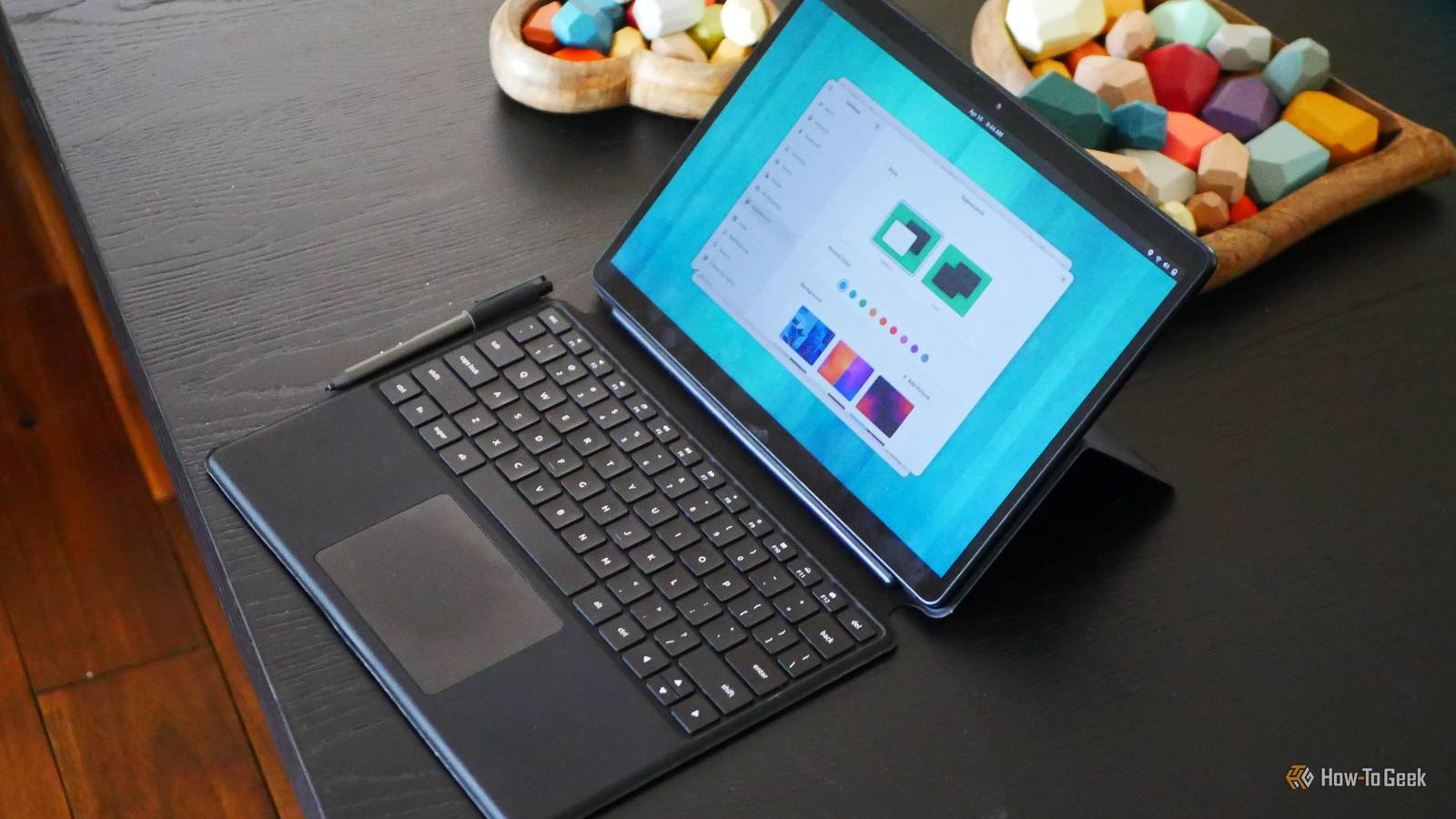
Published Aug 30, 2026, 7:30 AM EDT Bertel is a lifelong tech enthusiast with over a decade of experience writing thousands of articles about Android devices, Linux, and more. Before joining the How-To Geek team, Bertel wrote for the likes of MakeUseOf, MakeTechEasier, and Android Police—at the latter he wrote over 3,500 articles. He delights in helping others decide which tech to bring into their lives... and which tech to do without. Bertel graduated from the College of William and Mary in 2012 with degrees in History and Government. He has spent his entire career as a tech journalist covering Android, Linux, wearables, smart home devices, and more. Linux is having a moment, or rather, Microsoft is scaring people away from Windows. If you're making a transition, I highly recommend you consider the open-source GNOME desktop. Far from being a complicated hobbyist project for hardcore Linux nerds, GNOME today is fun, stylized, polished, and privacy-respecting in a way that feels foreign on Windows PCs, Chromebooks, and even MacBooks. This is GNOME Introducing a desktop that isn't trying to copy Windows GNOME doesn't look like Windows. There is no app launcher in the bottom-left, no app icons arranged across the bottom, and no status indicators in the bottom-right. Unlike Chromebooks or Samsung DeX running on a Galaxy phone, GNOME isn't trying to appeal to you by being familiar to the Windows layout you likely already know. GNOME's designers have laid out an entirely different way to use a computer. It all centers around the use of an Activities Overview and a series of virtual workspaces. The Activities Overview is a dashboard that arranges all of your virtual desktops while also functioning as your app drawer. You can click an app to open it on your current desktop or drag it to any of the others. You can then pan in and out of any virtual desktop or switch directly from one to another using hotkeys. You can open the Activities Overview at any time by tapping the Super (Windows or Command) key and search for apps or files by typing. All of this is brought together by system animations that give the desktop a sense of depth. The design shows an attention to detail more common to mobile phones than desktop computers. This vision has been maturing since the release of Gnome 3.0 way back in 2011. Now we're at version 50, and the promised vision has been fully realized. Plus, with support for fractional scaling and HDR, it finally looks at home on high-end HiDPI monitors. GNOME has an entire ecosystem of useful apps Free and simple tools that make it worth switching to Linux No matter how polished your desktop may be, the experience falls apart if there aren't any apps. I've learned this first hand, because it has taken a long time for the GNOME desktop to get where it is today. In the early days, there were very few apps designed for modern GNOME, and installing them was tricky. Today, Linux app stores are exciting. Now when I sit down at a Linux desktop, I primarily use software designed explicitly for GNOME. I love writing in the Apostrophe distraction-free Markdown editor, listening to my MP3 collection via Amberol, using Sessions to manage my pomodoro breaks, and jotting down thoughts in Buffer. Gradia is great for annotating images, Switcheroo can quickly convert files in bulk from one format to another, and Planify is good for organizing research. Tools like GSConnect provide GNOME with Apple Continuity-like integration between multiple devices, and Packet lets you share files with Android devices using Quick Share. GNOME is also a mobile interface It feels right at home on tablets and phones Earlier this year, I purchased a convertible 2-in-1 PC designed for Linux. Like a Microsoft Surface, it was a tablet with a keyboard case. GNOME felt like a dream in that form factor. Gestures made perfect sense with the ability to open the Activities Overview by swiping from the bottom of the screen. I could switch between desktops by swiping left or right with three fingers. GNOME apps don't need to be redesigned for mobile devices. They scale perfectly from a desktop to a tablet and even down to a phone thanks to an adaptive design, just like modern websites. While there is sadly a lack of phones that come with GNOME pre-installed, we can install it on some older devices using postmarketOS. I'm personally keeping a keen eye on the progress developer Jorijn van der Graaf is making on bringing postmarketOS to the far more recent Fairphone 6. As for the tablet experience, if you aren't able to snag an affordably priced second-hand StarLite tablet, your best bet is installing GNOME on any 2-in-1 Windows PC. Not all versions of GNOME are created equal I personally like to stick to Fedora Linux for a relatively pure version of GNOME, as this is also a distribution that many GNOME developers also use. Ubuntu runs GNOME by default, but it modifies both the layout and the theme, introducing a few issues along the way. Fortunately, these are hardly the only Linux distros that come with GNOME by default.
You need to try GNOME 50—it's the most polished and impressive Linux desktop today
Full Article
Original Source
Read the full article at Howtogeek →KhanList aggregates and links to publicly available news content. We do not host full articles from third-party sources. Always verify important information with original sources.