
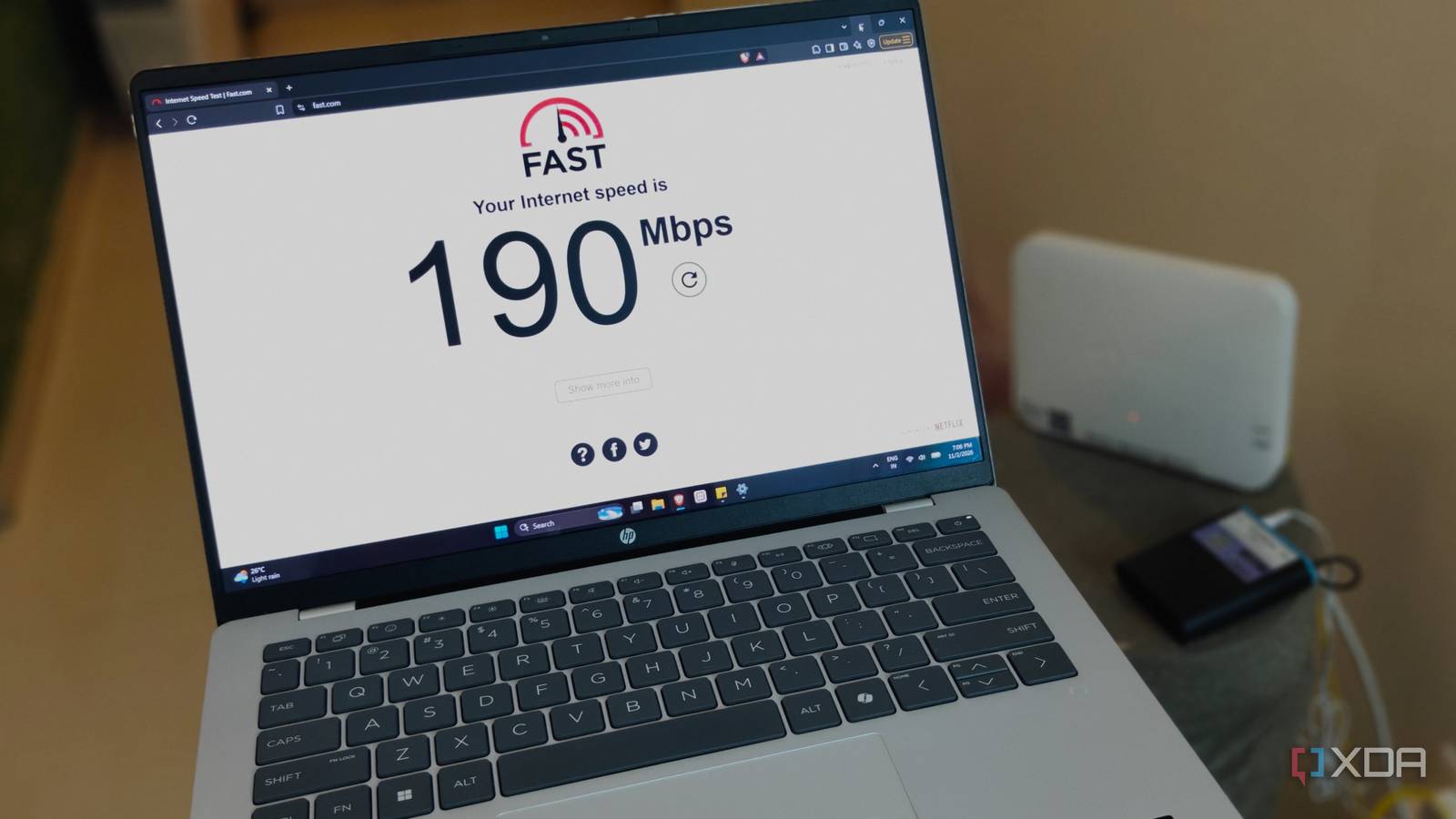
Published Nov 2, 2026, 2:31 PM EST After a 7-year corporate stint, Tanveer found his love for writing and tech too much to resist. An MBA in Marketing and the owner of a PC building business, he writes on PC hardware, technology, and Windows. When not scouring the web for ideas, he can be found building PCs, watching anime, or playing Smash Karts on his RTX 3080 (sigh). There's a lot of talk about upgrading to a Wi-Fi 7 router to benefit from all the latest features it promises. Wi-Fi 7 routers have been around for a few years, but they still hold only a 7.2% share of Wi-Fi router generations (as of Q1 2026). So, it's only just picking up, even as the Wi-Fi 8 hype train is gathering steam. We already have Wi-Fi 8 routers from TP-Link and Asus on the market, and Wi-Fi 8 mesh systems are slated to launch in Q1 2027. Amid all this FOMO about Wi-Fi 7 hardware and the improvements promised by Wi-Fi 8, I feel most people are getting carried away. The typical Wi-Fi user isn't using a fast enough internet plan to justify spending on a Wi-Fi 7 router. And as far as reliability and range are concerned, Wi-Fi 6 routers are already pretty capable. Neither internet affordability nor client support is spurring people to upgrade their routers, even in late 2026. Wi-Fi 8 is coming to attack fundamental Wi-Fi problems But don't hold your breath yet Cloudflare provides you with more information when compared to a standard speed test. Wi-Fi 8 is poised to focus on "Ultra High Reliability (UHR)," taking a step away from yet another bandwidth boost. It will feature the same 46 Gbps maximum theoretical throughput. There are no new bands or increased channel width, and the peak modulation (4096-QAM) remains the same, too. What will change is the coordination between access points, spectrum usage efficiency, signal strength at the fringes of coverage, and packet delivery. UHR means bringing new features like Multi-Access Point Coordination (MAPC), Distributed Resource Units (DRUs), Dynamic Sub-Band Operation (DSO), Non-Primary Channel Access (NPCA), and Unequal Modulation (UEQM). Those are too many new acronyms to wrap your head around, but the primary point is that they'll all work in tandem to improve the communication between your Wi-Fi and your neighbors'. In a nutshell, multiple access points (not just those part of your own network) will work together to drastically reduce interference and improve signal strength where it's needed the most. Wi-Fi 8 will also allow slicing larger channels into smaller sub-channels to improve spectrum utilization, allow devices to transmit on a secondary channel if the primary one is busy, and transmit at its own maximum allowed rate instead of dragging the entire network down. Reports indicate that the Wi-Fi 8 specification will be finalized by May 2028 — at least, that's the plan, according to IEEE. What this means, practically, is that early networking gear with draft Wi-Fi 8 specs will have been on the market for quite some time before Wi-Fi 8 client devices are truly available to the masses. The final Wi-Fi 8 specs may change a lot from the current draft, so I don't recommend buying early Wi-Fi 8 routers until Q3 2028, at least. Wi-Fi 7 isn't that new, but it still hasn't delivered on its promises It feels like Wi-Fi 7 is still rolling out The promise of Wi-Fi 7 was Extremely High Throughput (EHT), enabled by wider bands, higher modulation, and Multi-Link Operation (MLO). After Wi-Fi 6E focused on efficiency, Wi-Fi 7 brought the conversation back to peak throughput. The problem, though, is that almost no one is equipped to enjoy that peak throughput. Even today, the availability and affordability of ISP plans determine the Wi-Fi speeds in most parts of the world, not the capabilities of the router. Most Wi-Fi 7 features are still not really usable by most people around the world. Take MLO, for instance. Device support for true MLO, i.e., Simultaneous Transmit and Receive (STR), is reserved for high-end access points. STR needs multiple physical radios to send and receive data across two or more bands simultaneously, which is non-existent on battery-powered devices like phones and laptops. Plus, many devices support MLO only on the 2.4 GHz and 5 GHz bands. Then, there's the much-touted 320 MHz channel width that exists only on the 6 GHz band, which isn't available everywhere due to licensing regulations. Furthermore, many "Wi-Fi 7" client devices only support up to 160 MHz channels. Both the 6GHz band and the 320 MHz channels struggle with range and obstacles, making them usable only when you're in the vicinity of the router. When you remove all the fancy features of Wi-Fi 7, what remains is a theoretical boost to the maximum throughput. And with most people in the world limited to just over 100 Mbps median broadband speed (300 Mbps in the US), Wi-Fi 7 isn't really the upgrade everyone says it is. Wi-Fi 6 is more than enough for most people Even for Gigabit internet Wi-Fi is still in the future, and Wi-Fi 7 is, well, mostly useless and overpriced for the vast majority of the global user base. Even if you're still using a Wi-Fi 6 router like myself, you're perfectly placed to enjoy almost all the benefits of modern Wi-Fi. Your router is capable of a little over 1 Gbps in wireless speeds, so your internet plan is most likely within the bounds of your Wi-Fi 6 backbone. In terms of range, a typical Wi-Fi 6 router can cover up to 2,500 sq. ft. of space without leaving dead zones. Thanks to OFDMA and MU-MIMO, your Wi-Fi 6 router can communicate with multiple devices at the same time, maintaining concurrent data streams. Of course, the real performance depends on your internet plan, but as long as you have 300–500 Mbps of bandwidth, you're not missing out on anything. Wi-Fi 6E is only necessary when your devices can make use of the 6 GHz band, and you have the internet speed to justify the upgrade. As I mentioned, the 6GHz band reduces the signal range and struggles with walls and other obstacles, so keep that in mind, too. The upgrade from Wi-Fi 6 to 6E is an incremental one, so most people can comfortably stay on Wi-Fi 6 for the near future. Wi-Fi 6 users don't need to worry about an upgrade for now As a Wi-Fi 6 user myself, I don't see the point of paying $150 for a Wi-Fi 7 router that can't even use the 6 GHz band properly where I live. My internet plan won't see an upgrade from 200 Mbps for another year (maybe more), and even when it does, paying for Gigabit speeds will cost me four times as much per month. So, I'm not in a hurry to change anything about my home Wi-Fi for quite a while.
You can ignore the hype around Wi-Fi 8 and even Wi-Fi 7 if you're already on Wi-Fi 6
Full Article
Original Source
Read the full article at Xda-developers →KhanList aggregates and links to publicly available news content. We do not host full articles from third-party sources. Always verify important information with original sources.