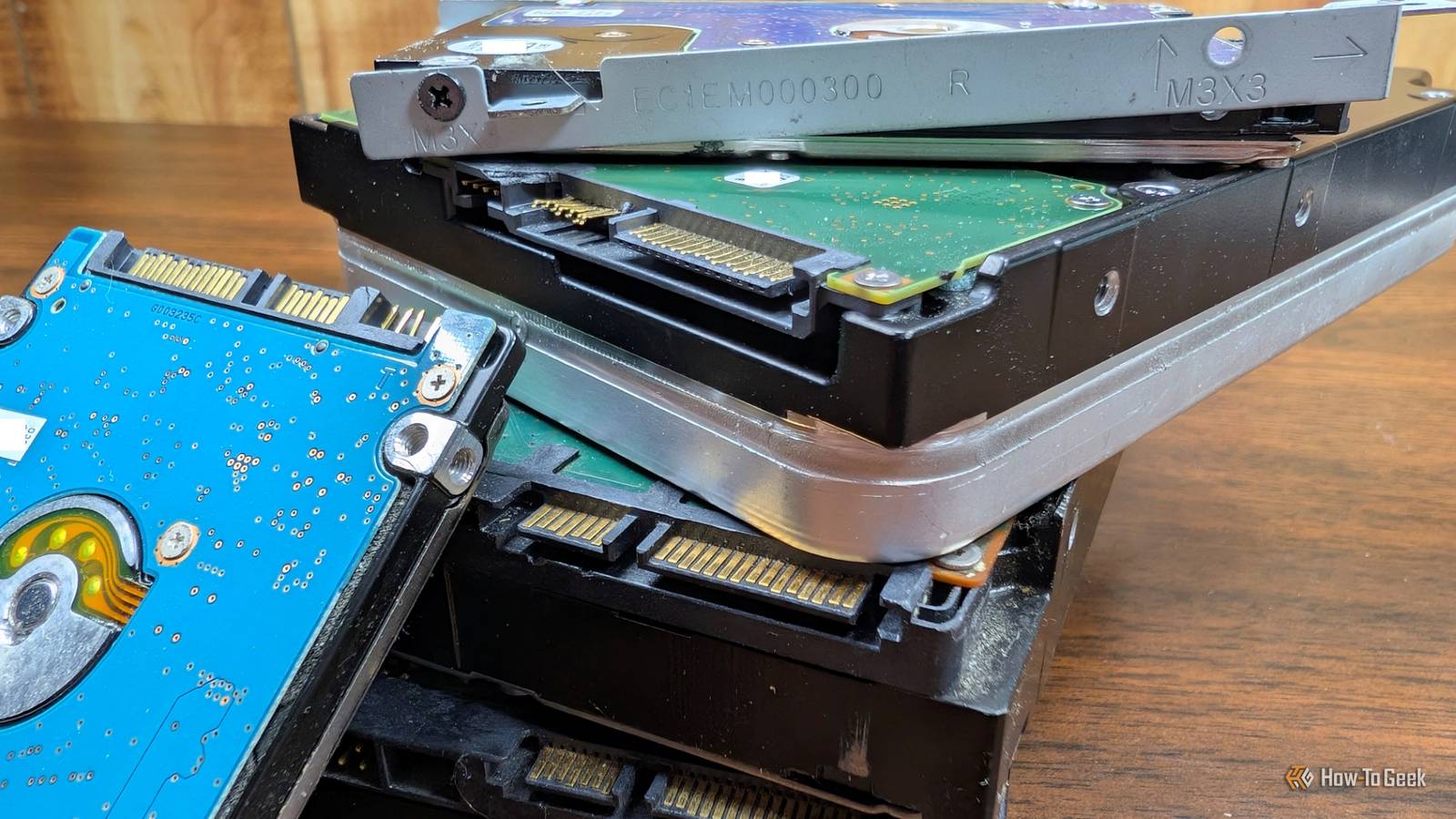
Published Jul 29, 2026, 11:00 AM EDT Nick Lewis is an editor at How-To Geek. He has been using computers for 20 years --- tinkering with everything from the UI to the Windows registry to device firmware. Before How-To Geek, he used Python and C++ as a freelance programmer. In college, Nick made extensive use of Fortran while pursuing a physics degree. Nick's love of tinkering with computers extends beyond work. He has been running video game servers from home for more than 10 years using Windows, Ubuntu, or Raspberry Pi OS. He also uses Proxmox to self-host a variety of services, including a Jellyfin Media Server, an Airsonic music server, a handful of game servers, NextCloud, and two Windows virtual machines. He enjoys DIY projects, especially if they involve technology. He regularly repairs and repurposes old computers and hardware for whatever new project is at hand. He has designed crossovers for homemade speakers all the way from the basic design to the PCB. Nick enjoys the outdoors. When he isn't working on a computer or DIY project, he is most likely to be found camping, backpacking, or canoeing. The best NAS I've ever used wasn't the one that I picked up off a shelf. It was the one I cobbled together from old desktop hard drives, an old gaming PC, and a small SSD for a boot drive. It has run for years without a single hitch and beats even expensive modern NASes in most ways that matter. NASes aren't as special as you might assume A NAS doesn't require fancy components Credit: Patrick Campanale / How-To Geek Network Attached Storage (NAS) sounds a bit fancy, like it is some complicated tech product that requires expensive hardware and a master's degree to build. The reality is actually quite different. If you open up a commercial NAS, what you'll find is a low or medium-power CPU, somewhere between 2GB and 8GB of RAM, one or two network adapters, and a bunch of ports for storage—that's it. Critically, the CPUs are basically always chosen for their efficiency rather than their raw processing power. You don't need special storage either NAS PC hardware isn't anything special, and the storage doesn't need to be either. You can use any drives you want, and you can even mix drives. I've seen very successful home NAS units built with a baffling mixture of recovered laptop drives, desktop 3.5-inch drives, and NVMe SSDs. It took a little bit more work to ensure that any really important data was securely backed up, but it has been running for several years now without any problems. WD Red Pro NAS Hard Drive Storage Capacity 2 - 26TB Workload 550TB/yr Suitable for NAS Western Digital's Red Pro NAS hard drives come in sizes from 2TB to 26TB. You can build a great NAS out of spare parts Low requirements make them easy to build Because a NAS doesn't require anything special, you can coble one together out of almost anything. Any desktop PC built in the last 10 years will work just fine, and most laptops will too—and those even come with a built-in battery backup so they're not affected by brief outages. If you have a stray Raspberry Pi 4 (or fewer) sitting around, you can turn it into a NAS. They won't all have the same bells and whistles, and their performance is going to vary, but they'll all be able to fulfill a NAS's most basic function: storing files on your network. In most cases, however, you'll find that a desktop PC actually outperforms off-the-shelf NASes. Desktops are built primarily to be as fast as possible at a given price point, and they often have GPUS. A GPU alone offers you a huge performance increase in some tasks, like AI or media transcoding. If you use your NAS as a Jellyfin server or run Immich to back up your photos, it is great to have. There are a few minor drawbacks However, electricity is the honest cost of this approach. An older i5 desktop might have an idle power draw around 50 watts (W) compared to under 10W for a modern N100 box. At $0.18/kWh, that continuous draw can cost you somewhere around $80 a year. Picking the software, lightest to most capable NAS software matters as much as the operating system Credit: openmediavault The operating system you load onto your older hardware is as important as the hardware itself, and it is important that you match the software to the hardware you have. There are four big options available. If you're using an especially old PC, I'd recommend OpenMediaVault. It is based on Debian and can run on as little as 1GB of RAM. It runs on almost anything. If you want the most features at a great price—free—get TrueNAS. It is built on OpenZFS, and provides end-to-end checksums and snapshots, which are important for data integrity. The downside to TrueNAS is that it requires at least 8GB of RAM, and ZFS—a file system—works optimally if you preplan your hard drive pool a bit. If you have a chaotic mix of salvaged drives of varying sizes, Unraid lets you easily mix different drive sizes and add new drives at any time. The only "downside" is that Unraid costs between $50 and $110, depending on your license, or $250 for a lifetime license. It is well-polished software and if you'll actually use it regularly it is worth the price. The last option is Proxmox, which gives you more flexibility. Proxmox is a hypervisor that allows you to create and run virtual machines or containers. Rather than turn your salvaged PC into a dedicated NAS, you turn it into a Proxmox server and then run a NAS operating system in a container or virtual machine. It isn't as resource efficient, but it does allow you to put your PC to use in a million other ways besides just using it as a NAS. A combination of Proxmox and TrueNAS is how I have my personal server configured, and I'm very happy with it. If you have a powerful enough PC I'd recommend it. A NAS is only one part of a backup Whatever you do, treat this as a backup NAS, not the only copy of your data. Apply the 3-2-1 rule: the NAS is copy two. You should add an off-site or cloud copy target before you delete anything from the original device. You can also use your DIY NAS to occasionally make backups to another drive that you store off site. It isn't completely foolproof, but it'll ensure that a fire or broken pipe doesn't destroy all of your physical copies of your data.
You already own a NAS, you just don't know it yet
Full Article
Original Source
Read the full article at Howtogeek →KhanList aggregates and links to publicly available news content. We do not host full articles from third-party sources. Always verify important information with original sources.