
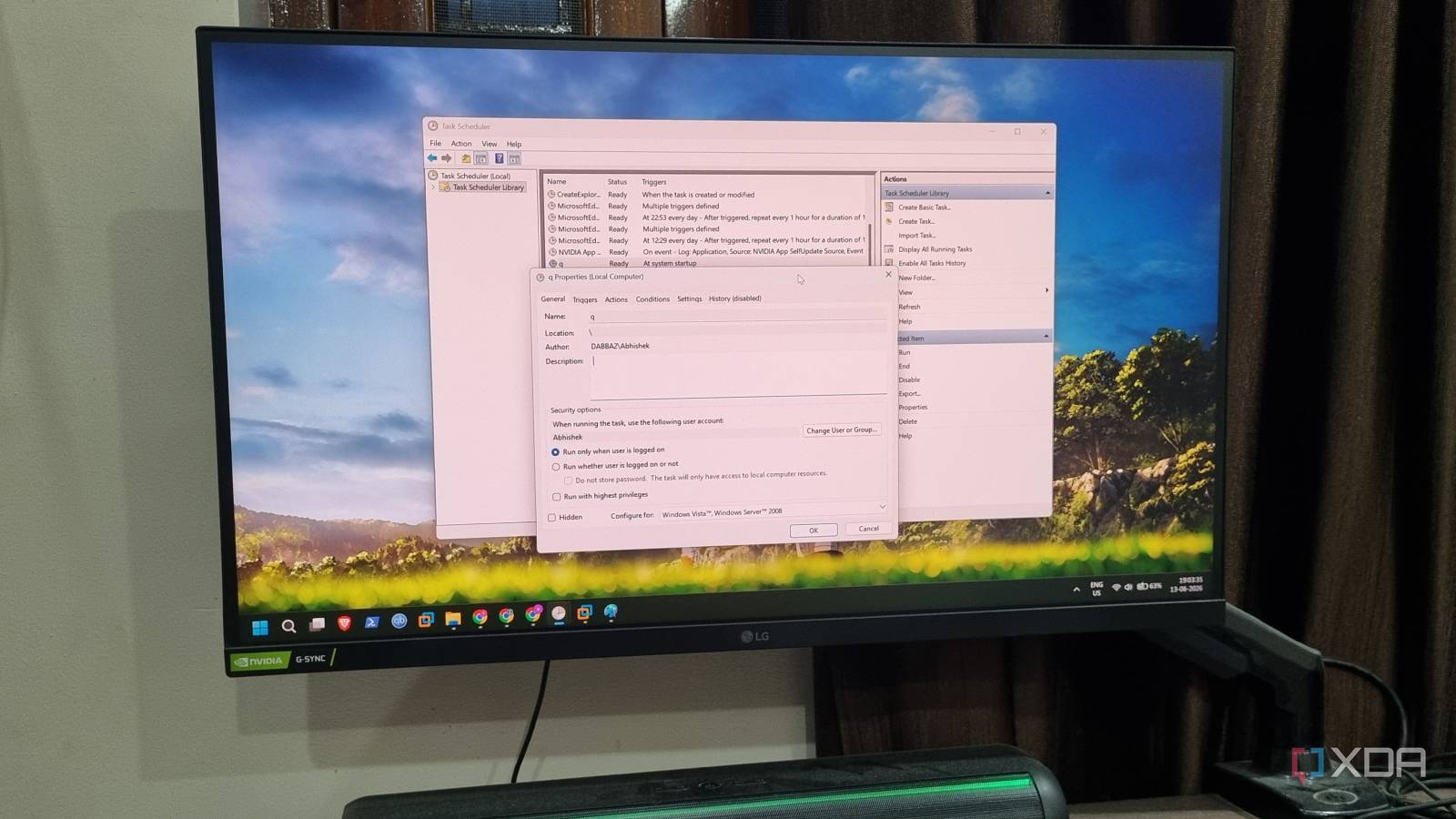
Published Aug 23, 2026, 11:00 AM EDT Abhishek is an author at XDA who covers computing. He has loved computers since he got the Lenovo G570 in 2012. Abhishek holds a master's degree in computer applications and began his writing career in 2018. He loves writing how-to articles, listicles, and informational posts on popular operating systems and web services. He closely follows the Windows Insider program and tests new Insider builds to discover upcoming experimental features and upgrades. His past work includes long-term collaborations with reputed publications like Tom's Hardware, and Windows Latest. When not writing anything, he is busy watching new episodes of One Piece or searching for something binge-worthy. Windows Task Scheduler is one of the most powerful tools in the OS arsenal. If you have ever experimented with scripts or wanted to automate a feature or action in Windows, there’s a high chance that you used Task Scheduler for it. Even if you don’t play with scripts, many apps installed on your PC leverage the tool’s power to create automated, recurring jobs. I use it for running a Robocopy script and launching a hyper-focused session whenever I boot my PC. But it's hard to ignore that Task Scheduler’s design still clings to the past. The interface, common to most OS utilities like Device Manager and Event Viewer, feels uninviting and complex at first glance. Let’s discuss why it's a massive roadblock for users who want to try the tool for automation, and even for those who actively use it. A barely functional interface doesn’t cut it anymore Held back by an outdated design principle Windows 11’s debut showcased a more polished UI, one that looked like a competitor to the sleek macOS design. Some apps, like Paint or Snipping Tool, got a well-deserved facelift in both looks and features, but many of the advanced Windows tools didn't. A glance at Task Scheduler’s main page or Event Viewer is enough to justify my statement about the horrible, outdated design. The main page looks like a cluttered mess, one that hasn’t been cleaned for years. You’ve got the left pane with some menu items, followed by the middle section split into two halves. The top part shows all the existing tasks on your Windows PC, while the bottom one acts as a visual preview of the task details. The right pane lets you control tasks, create new ones, edit the selected task status, and delete useless items from the list. I’m not a fan of this design at all. When you first try the tool, the main section is very confusing. Ideally, when you want to do a new thing in any app, you do it from the toolbar. For example, if you want to create a new document in Word, you click on File -> New. But Task Scheduler doesn’t adhere to this design and presents a cluttered, confusing mess of a tool, with the most useful options stacked on the right side. The whole interface makes little effort to help you easily understand or navigate anything. You’re expected to learn it yourself, which makes it feel like an administrative tool rather than a more user-friendly one. Even the view customization options are so limited that it barely makes a difference. The tasks are squeezed into thin rows, which hurts readability. Imagine trying to find a task in a table that doesn’t even have a search function. Clearly, it's grueling for both novice and experienced users. Task Scheduler alternatives have a better design It’s not hard to take inspiration There are both free and paid alternatives to Windows Task Scheduler, like RoboTask and Task Till Dawn. I’ve used the latter and found it much simpler than whatever Windows’ native tool tries to be. When you fire up Task Till Dawn, it has none of the weird, text-heavy welcome page in the front and cluttered side panes. It’s more of a blank slate where you can take control and start building your first task. Task Till Dawn’s action library is much more diverse than the options you get in Task Scheduler. For example, I can create a task that handles automatic Recycle Bin cleanup for me. It's one of those trivial tasks that Windows doesn't have granular options for. There are very limited presets for Recycle Bin cleanup. In Task Till Dawn, I can browse the action library and pick the Empty trash option, which can do the task for me twice a day. Emptying the trash isn't enough; I need to know the action actually happened. To do that, I can add the “play a sound” action after the Empty trash action. Thereafter, the sound will tell me that the trash is empty, even when notifications are disabled. It's a simple workflow, but I can create more complex ones, like moving my downloaded items to an external USB storage. The task will check whether the USB drive is connected and available, then copy the downloaded items to a specific folder on the drive, and play a confirmation sound. I can chain all these actions together in a workflow. Note how everything is visual and drag-and-drop friendly in Task Till Dawn. It’s one of the biggest reasons why a newbie will prefer the tool over the native one. Task Scheduler can be more approachable Desperately needs quality-of-life improvements Windows Task Scheduler urgently needs a UI revamp and more automation-friendly actions. The tool should feel accommodating and offer simple actions I can combine to create a truly custom task. It should have diverse actions that the other third-party tools offer. I can control so many elements via Task Till Dawn’s actions compared to what Task Scheduler offers. The old “leave everything to the script” approach isn’t beginner-friendly, and if you’ve built scripts before, you know that it takes effort to pitch-perfect everything. You have to get the commands right, handle errors, even before you can call one from a task in Task Scheduler. The native tool is more powerful and deeply integrated with Windows than any third-party offering, but the old UI and the lack of a workflow builder make it hard for many users. Windows Task Scheduler needs a serious revamp Power Automate is also a Microsoft tool, and it has the capabilities of an excellent workflow builder. It supports a drag-and-drop, step-by-step workflow, and you can get absolutely crazy with granular automation tasks. If some of those features make it to the native tool, automation will become easy for users. There would be less reliance on scripts because the built-in actions would cover most of the automation requirements. It’s not a far-fetched idea, but Microsoft will have to seriously rethink Task Scheduler. Windows 11 Pro A USB installation drive and license key for Windows 11 Pro, with additional features like Hyper-V and Windows Sandbox support.
Windows Task Scheduler is criminally powerful, but its outdated interface is holding it back
Full Article
Original Source
Read the full article at Xda-developers →KhanList aggregates and links to publicly available news content. We do not host full articles from third-party sources. Always verify important information with original sources.