
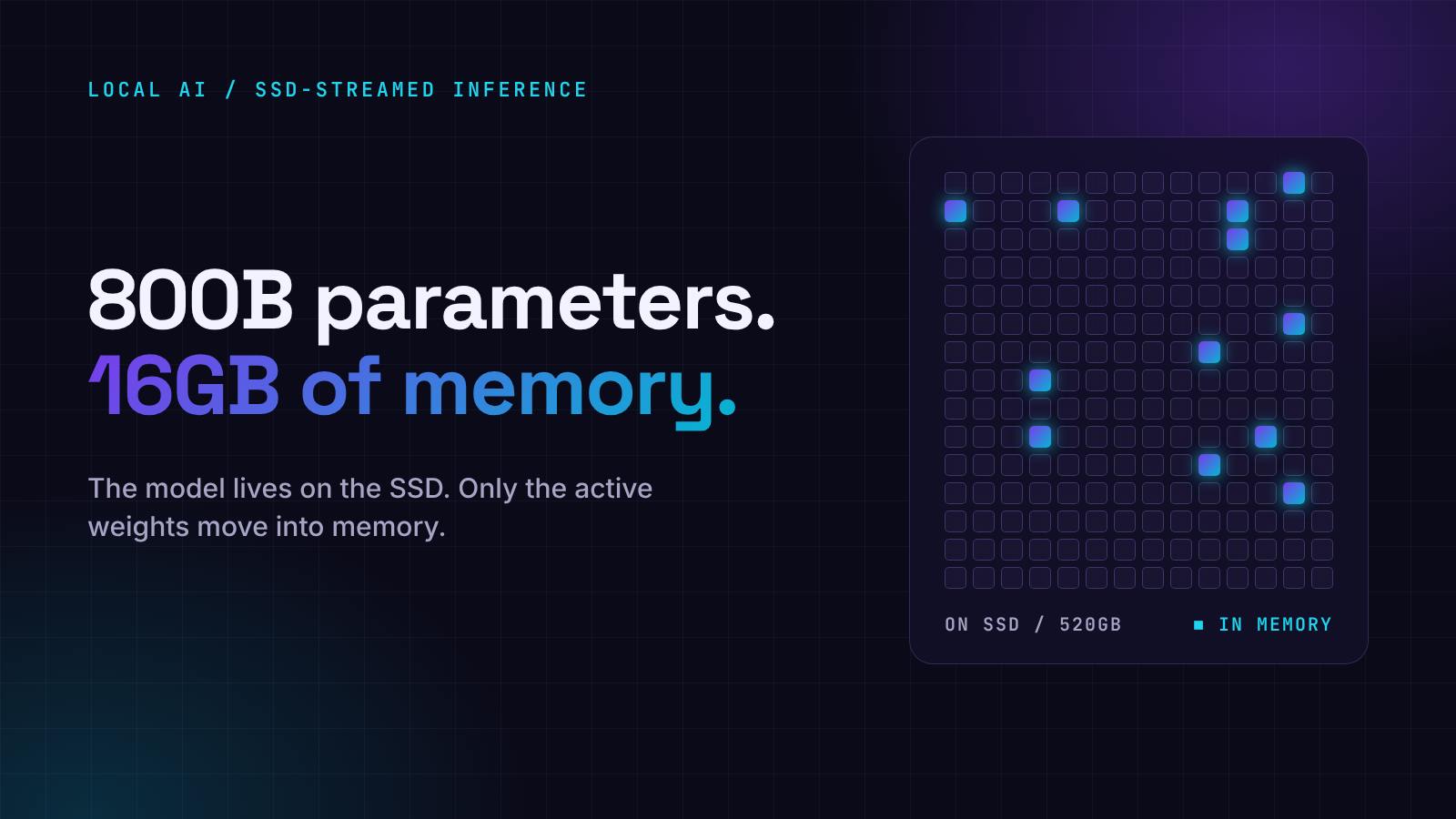
WiCi, the systems research lab behind the WiCi One wireless GPU, has released WiCi Infer, a free desktop app built to run large local LLMs on a personal computer. It runs 800B-parameter models on Macs and Windows PCs that can hold only a fraction of the model in memory. Until now, running a model that size has meant owning more memory than any laptop ships with.The app does not load the full model into RAM or GPU memory before it answers. It keeps the weights on the computer's SSD and pulls in the parts each step needs. WiCi Infer is built on InferSSD, the open-source inference engine the company recently released. Both make the same argument: frontier AI should run on hardware people already own, without a data center behind it. How Does WiCi Infer Run Large LLMs Locally With Limited Memory? WiCi Infer stores the model on the SSD and moves only the active portion into memory as text is generated. That works because the models it targets are mixture-of-experts designs, which route each token through a small subset of their weights. Muse Spark Open has 816 billion parameters, and about 42 billion are active at a time, according to WiCi. InferSSD, which is built on llama.cpp, keeps those routed expert weights on disk. The shared layers, attention and working cache still have to fit in RAM or GPU memory, as WiCi explains in its write-up on running 800B-parameter LLMs on consumer hardware. Memory requirements shrink. They do not disappear. That changes the hardware math for local AI. The files for an 800B-class model take up about 520GB, more than ten times the memory in a well-equipped laptop. With WiCi Infer, storage carries that load. WiCi's published requirements: DeepSeek V4.1 Flash (763B): 16GB of memory minimum, 48GB recommended Muse Spark Open (816B): 24GB of memory minimum, 48GB recommended Storage: about 520GB of available SSD space for either model Platforms: macOS on Apple Silicon and Windows x64. Linux users run the InferSSD command-line engine. Diagram showing WiCi Infer keeping about 520GB of model weights on the SSD and streaming active expert weights into RAM or GPU memory to generate tokens How WiCi Infer runs an 800B-parameter model: weights stay on the SSD and only the active experts move into memory. How Fast Are 800B-Parameter Models on Consumer Hardware? WiCi's published benchmarks show about 2.7 tokens per second running DeepSeek V4.1 Flash on an Apple M5 Max MacBook Pro with 48GB of memory. Standard llama.cpp reached about 0.9 tokens per second on the same machine in WiCi's tests, which puts InferSSD at roughly three times the speed. The same laptop produces about one token per second with Muse Spark Open, against 0.15 for llama.cpp. Those speeds are slow next to smaller models or cloud AI services. At 2.7 tokens per second, a 300-word answer takes about two and a half minutes. The news is that models of this size run on a laptop at all. The figures are WiCi's own, not independent tests. Results will vary with the computer, the model and the settings. Bar chart of WiCi's published benchmarks on a 48GB M5 Max MacBook Pro comparing InferSSD and llama.cpp tokens per second for DeepSeek V4.1 Flash and Muse Spark Open Decode speed on a 48GB M5 Max MacBook Pro, in tokens per second. Source: WiCi published benchmarks. Does Local AI Keep Prompts and Files on Your Computer? Yes, according to the company. WiCi Infer serves the loaded model through a local OpenAI-compatible API, so existing coding, writing and document tools can connect to a model running on the same machine. WiCi says prompts are processed locally, not on a cloud AI service, and the app requires no account or login. For teams working with sensitive documents, source code or private business data, that is a practical reason to run a model locally. It also puts the choice of model, and where data is processed, in the user's hands. The app has a graphical interface for downloading, launching and managing models, so no command line is required. The InferSSD engine underneath is open source, which lets developers inspect and build on it. WiCi also makes WiCi One, a wireless GPU for local AI workloads. WiCi Infer applies the same idea in software: get more out of the hardware a person already has. What Is the Trade-Off of Running Large AI Models Locally? Large models have outgrown personal computers. Memory requirements climbed past what a desktop or laptop offers, which left cloud services as the practical option for most people. WiCi Infer offers a second option by leaning on storage. The trade-off is plain: users need about 520GB of free SSD space, and generation is slow compared with the cloud. In return, an 800B-class model runs on a personal computer, privately, at no cost for the software. What This Article Covers What WiCi Infer is and which computers can run large LLMs locally How SSD streaming lets 800B-parameter models run with 16GB to 48GB of memory Memory and storage requirements for DeepSeek V4.1 Flash and Muse Spark Open WiCi's published benchmarks for 800B-parameter models on consumer hardware What stays on the computer when AI models run locally The storage and speed trade-offs of local 800B-class models
WiCi Infer Runs 800B-Parameter AI Models on a Laptop by Streaming Them From the SSD
Full Article
Original Source
Read the full article at Hackernoon →KhanList aggregates and links to publicly available news content. We do not host full articles from third-party sources. Always verify important information with original sources.