
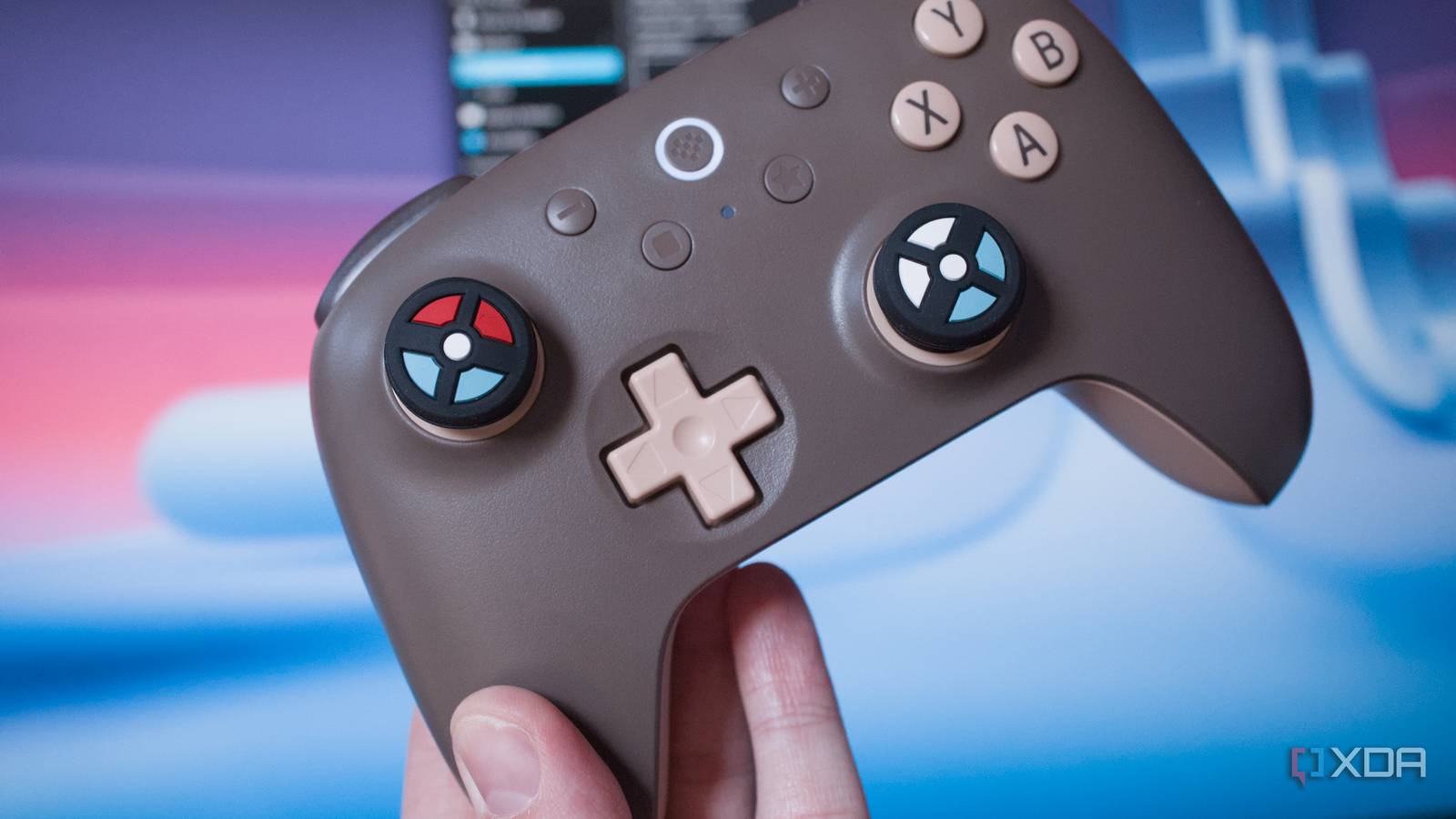
Published Aug 21, 2026, 8:00 PM EDT Richard is the PC Hardware Lead at XDA and has been covering the technology industry for almost two decades. He's been building PCs since young, and when not creating content, you can often find him inside a chassis somewhere. You've just bought a brand-new modern controller, such as the 8BitDo Ultimate 2C I just picked up to replace an aging Xbox One gamepad. Once connected to your PC, you notice something a little strange. It's not showing the buttons present on the new gamepad in games, but those from an Xbox 360 gamepad. The reason is actually really simple (and fairly clever). Instead of complicating matters by fully supporting each and every gamepad ever released, XInput from Microsoft is utilized to ensure just about any gamepad will work with Windows and beyond. Before XInput, gamepads on PC was a mess Microsoft made something to bring it all under one umbrella Prior to XInput, which was rolled out with the Xbox 360, controllers relied on DirectInput. This was actually fairly useful for the PC industry, where a game controller could cover all input device types, including gamepads, joysticks, wheels, and throttles, among others. The drawback of this approach is the complexity pushed onto the player. A game developer couldn't assume button A on a connected device would be present in a standardized location. This is especially the case with flight gear, where buttons can be just about anywhere. That's where the Xbox 360 came into play with the excellent official gamepad. Microsoft nailed it with ergonomics and design, but the company also did a lot of work behind the scenes. Microsoft released XInput as a successor to DirectInput, which required less setup, made it easier to use, and even allowed shared programming between the popular console and Windows. But instead of allowing for an almost endless number of peripheral configurations and types, XInput kept it purposely simple with a predictable common controller. This can help provide more customization to specific input, such as triggers. These were combined onto one axis due to legacy assumptions around a centered axis. XInput changes how these are handled by exposing them independently. The PC industry has always focused on being as flexible as possible, providing as much choice for gamers and everyone else as possible. But sometimes it's better to sacrifice flexibility for more predictability, which can lead to a game simply working without asking the player for a configuration. How XInput works with all your gamepads XInput has a core XINPUT_GAMEPAD structure that contains a button bitmask, separate dedicated right and left triggers, as well as X and Y values for the two thumbsticks. For buttons, we've got your typical D-pad, start, back, stick clicks, shoulder buttons, and the familiar A, B, X, and Y button layout. Microsoft essentially used the Xbox 360 as a foundation to create a programming interface for all input devices to use for Windows and Xbox. Microsoft then used its Xbox 360 dominance to require developers and manufacturers to all support it. This is how the Xbox 360 became the de facto input link between your gamepad and your PC. Developers supported XInput because everyone used a compatible controller in the mid-2000s, which then saw manufacturers support the same API because developers built their games around the standard. Players would then expect controllers to just work because XInput hardware performed without configuration with many games. Even in 2026, this notion is still in place. My brand-new 8BitDo controller supports XInput and DirectInput. Steam helps to emulate an Xbox 360 gamepad Steam Input is for gamepads what Proton is to gaming on Linux Valve made it so Steam Input can take a connected controller and translate the inputs into what a specific game can understand. This is handled using existing input APIs, including XInput. This creates an emulated Xbox controller device, which then exposes a compatible controller to the game instead of one it may not have a clue how to work with. This is notable if you have a PlayStation console but wish to use the DualShock on PC. Steam understands and reads it as a PlayStation gamepad, but a game may not work with it. That's where Steam can become an interpreter, masking the PlayStation gamepad as an Xbox counterpart. That doesn't mean you'll always have to see Xbox control buttons on-screen. Steam provides an API that developers can use to show specific glyphs tied to a controller, which would allow the aforementioned PlayStation controller to work as an Xbox gamepad but show up in game with all the correct visuals. Because who wants to wield a DualShock controller and see Xbox button mapping? For Valve's own Steam Controller, you'd be looking at Windows and Steam knowing you have it connected via USB. Steam would see the gamepad as it is, but an XInput game would see it as an Xbox-style (Xbox 360) controller, whereas a game running Steam's Input API would specifically know it as a Steam Controller. Things are slightly different on Linux (when aren't they?), but the concept is largely identical to Windows. Proton on Linux treats it even more like an Xbox 360 through the compatability layer. Microsoft has a fresh new gamepad API GameInput is something that will appear more often these days. It's Microsoft's next-gen controller interface that supports a wider range of devices and is essentially a superset of legacy systems, such as XInput, DirectInput, and Raw Input. What makes this notably interesting is Microsoft offers the means for existing XInput code to run on top of GameInput, accommodating software written for the older controller API. The Xbox 360 may be a few generations behind at this point, but it's still living on through newer controller APIs.
Why your new gamepad pretends to be an Xbox 360 controller, and why that's actually brilliant
Full Article
Original Source
Read the full article at Xda-developers →KhanList aggregates and links to publicly available news content. We do not host full articles from third-party sources. Always verify important information with original sources.