
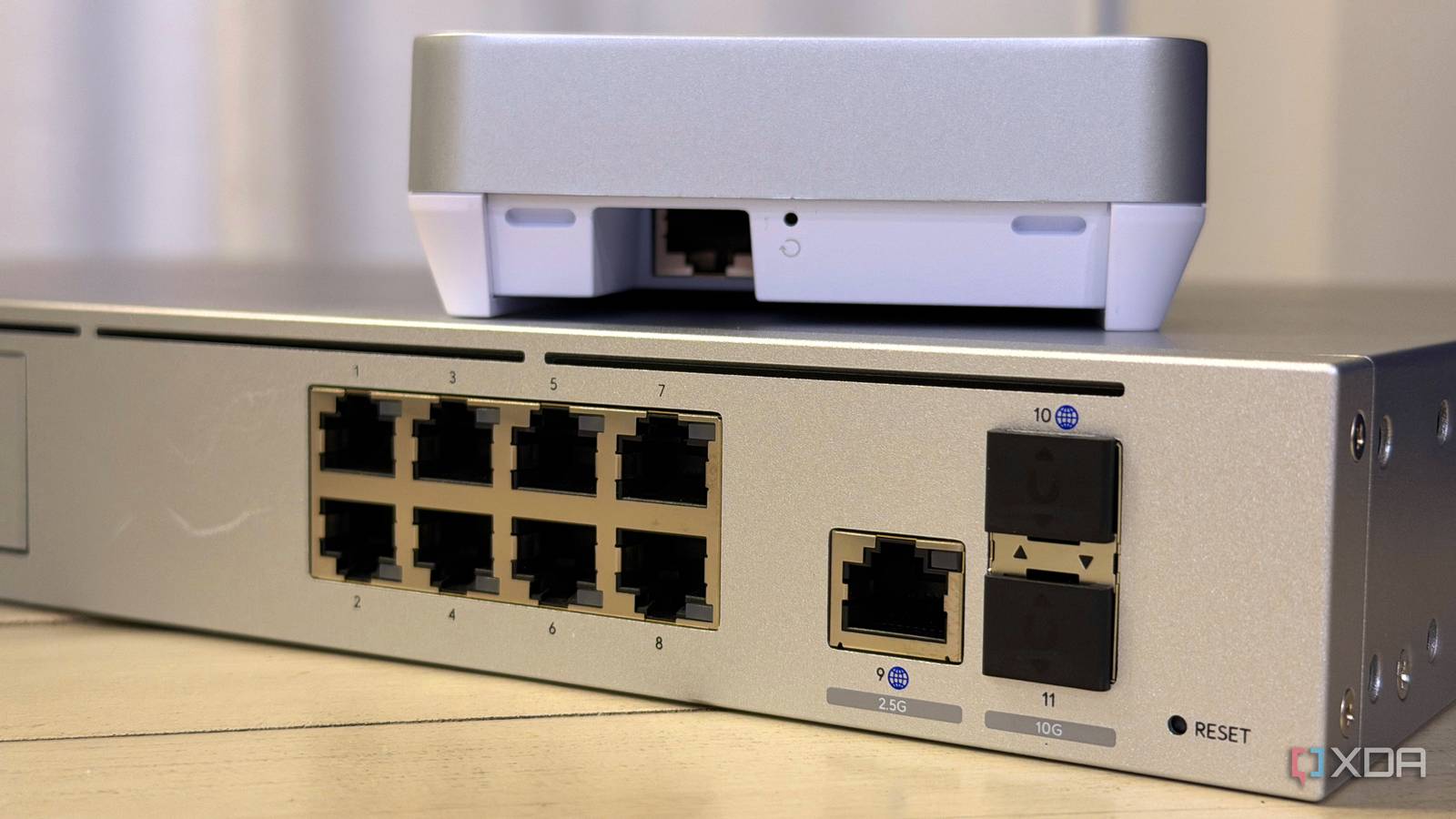
Published Oct 30, 2026, 10:00 AM EDT Maker, meme-r, and unabashed geek, Joe has been writing about technology since starting his career in 2018 at KnowTechie. He's covered everything from Apple to apps and crowdfunding and loves getting to the bottom of complicated topics. In that time, he's also written for SlashGear and numerous corporate clients before finding his home at XDA in the spring of 2023. He was the kid who took apart every toy to see how it worked, even if it didn't exactly go back together afterward. That's given him a solid background for explaining how complex systems work together, and he promises he's gotten better at the putting things back together stage since then. I already run Wi-Fi 7 gear with 6 GHz switched on, and I still get the itch every time a new standard shows up. Wi-Fi 8 is the first one in a while where that itch makes sense for a home lab, and it has almost nothing to do with speed. The last generation sold itself on bigger channels and bigger numbers, and Wi-Fi 7 routers promised the future but delivered a compatibility nightmare for plenty of people. Wi-Fi 8 keeps the same top speed and spends its effort on making the network behave. Most of that work happens between access points, and homelabbers tend to own more of those than anyone else on the street. That changes the early adopter math, though not always in your favor. Wi-Fi 8 is a reliability standard, not a speed increase That's a great thing for your home lab The standard behind Wi-Fi 8 is IEEE 802.11bn, and its working name is Ultra High Reliability (UHR). It uses the same 2.4, 5, and 6 GHz bands as Wi-Fi 7, the same 320 MHz maximum channel width, and the same 4096-QAM modulation. There's no new band and no new peak speed to put on the box. Instead, the task group set targets for the stuff you actually feel. Compared to Wi-Fi 7, it's aiming for 25% more throughput at a given signal-to-interference-and-noise ratio, 25% lower latency at the 95th percentile, and 25% less packet loss, especially when a device moves between access points. Those are design targets, not guarantees. But they're aimed squarely at the jitter and dropouts that make a home lab feel flaky. The features that matter happen between your access points Multi-AP coordination treats your APs as a team instead of rivals Today, your access points mostly ignore each other. Two APs on overlapping channels take turns, and nearby clients wait. Wi-Fi 8 adds a family of multi-AP coordination schemes so that APs can plan around each other instead: Coordinated Spatial Reuse (Co-SR): neighboring APs manage transmit power so they can talk at the same time without stomping on each other. Coordinated Beamforming (Co-BF): an AP steers its signal away from clients that belong to a neighboring AP. Coordinated TDMA and Restricted TWT (Co-TDMA, Co-RTWT): APs share airtime on a schedule rather than fighting for it. MediaTek was already demoing coordinated beamforming, spatial reuse, and multi-AP scheduling on its Filogic 8000 platform at CES 2026. We've covered how Wi-Fi 8's real upgrade is that your devices start talking to each other, so I'll stick to why it matters at home. A home lab with an AP in the office, one in the living room, and one in the garage is exactly the dense, overlapping setup these features were written for. NPCA uses the parts of a channel nobody is using Non-Primary Channel Access (NPCA) is the other big one. When a neighboring network is busy on your primary channel, a Wi-Fi 8 device can hop onto an idle part of the wider channel instead of waiting. In late October, Intel and Broadcom showed the first public cross-vendor Wi-Fi 8 interop demo using NPCA, and measured about 30% higher aggregate throughput and up to 50% lower latency against APs simply taking turns. That demo was staged for an audience of regulators, so your mileage will vary. Anyone whose 5 GHz performance has been wrecked by a neighbor's wide channel can see the appeal. Dynamic Sub-channel Operation (DSO) rides alongside it, letting a wide-channel AP serve narrower-channel clients without dragging the whole channel down. The client-side features are where the wait comes in Roaming, range, and uplink all need Wi-Fi 8 devices to show up The Seamless Mobility Domain (SMD) is the feature I want most, and it's the one that needs clients the most. It lets several APs act as a single entity, passing security keys, sequence numbers, and connection state between them, so a roaming device doesn't have to start over at each AP. If you've ever fiddled with 802.11r, k, and v and still had a phone cling to the wrong AP, you get it. The rest of the client list reads like a fix for every IoT complaint I've had. Enhanced Long Range (ELR) adds a robust 20 MHz format for distant devices, and Distributed-tone Resource Units (DRU) spread a device's signal across the channel to raise uplink power. Unequal Modulation (UEQM) lets each spatial stream run at its own rate, and four new MCS steps add 5 to 30% better rates depending on conditions. The catch is that your cheap smart plugs won't get Wi-Fi 8 radios anytime soon. Wi-Fi 8 hardware assumes multi-gig Ethernet behind it Look at the first wave of hardware and one thing jumps out. The ASUS ROG Rapture GT-BN98 Pro has two 10GbE ports and four 2.5GbE ports. TP-Link quotes 10 Gbps wired connectivity for the Archer 8 Ultra, and Qualcomm's Dragonwing NPro A8 Elite platform goes as far as two 25GbE ports. Multi-AP coordination works best when your APs are wired and talking to each other quickly. So the smartest Wi-Fi 8 move today might not be a Wi-Fi 8 router at all. It's running multi-gig to where your APs will live and picking up a managed switch with 10GbE uplinks, because multi-gigabit Wi-Fi 7 routers are pointless without multi-gigabit switches and Wi-Fi 8 won't change that. That work pays off on Wi-Fi 7 now and Wi-Fi 8 later, and it's the part of the upgrade that can't go stale. Upgrading to Wi-FI 8 right now might not be the move But keeping an eye on developments always pays off If you want to upgrade, I'm not going to try to convince you to wait. Access points like the Wi-Fi 7 ones I have will last longer than any client device I'll connect to them, and that won't change once Wi-Fi 8 options are on the market. And the signs are that client devices aren't far off, with the Linux kernel and Intel Wi-Fi driver setting the groundwork for Wi-Fi 8 support, and smartphones with Wi-Fi 8 might even be out before the end of the year. It's worth pointing out two things here. Wi-Fi 7 still doesn't have properly working Multi-Link Operation in most cases, with only a few broadcast options and even fewer clients. And Wi-Fi 8 is still a draft standard. Things might change, although Wi-Fi 7 devices launched when the standard was in a similar state, and it was (mostly) fine. You'll want to pay attention to the specs again, because not every Wi-Fi 8 access point or router will support the 6 GHz band. That's going to be the band you'll want for speed and reduced interference. And expect things like the coordination features to work best in the same manufacturer's ecosystem at first, which matters if you mix brands like I do. Wi-Fi 8 is worth planning for now, even if you buy later For most home labs, I'd treat Wi-Fi 8 as a roadmap rather than a shopping list. Run the cable, buy switches with multi-gig uplinks, and keep an eye on which vendors actually ship multi-AP coordination and SMD in firmware. Sure, early adopters will get the first taste of NPCA and better Wi-Fi 7 client handling. But the features that make Wi-Fi 8 special for a multi-AP home need clients and mature firmware, and both are a year or more away. If you're refreshing ancient Wi-Fi 5 gear right now, a first-gen Wi-Fi 8 system isn't a bad bet, as long as it's tri-band and you go in with eyes open. If you're on decent Wi-Fi 7 already, sit tight and spend the money on the wired side. That's the part of the network that will still be doing the heavy lifting when Wi-Fi 9 shows up.
Why your home lab network should care about Wi-Fi 8 right now
Full Article
Original Source
Read the full article at Xda-developers →KhanList aggregates and links to publicly available news content. We do not host full articles from third-party sources. Always verify important information with original sources.