
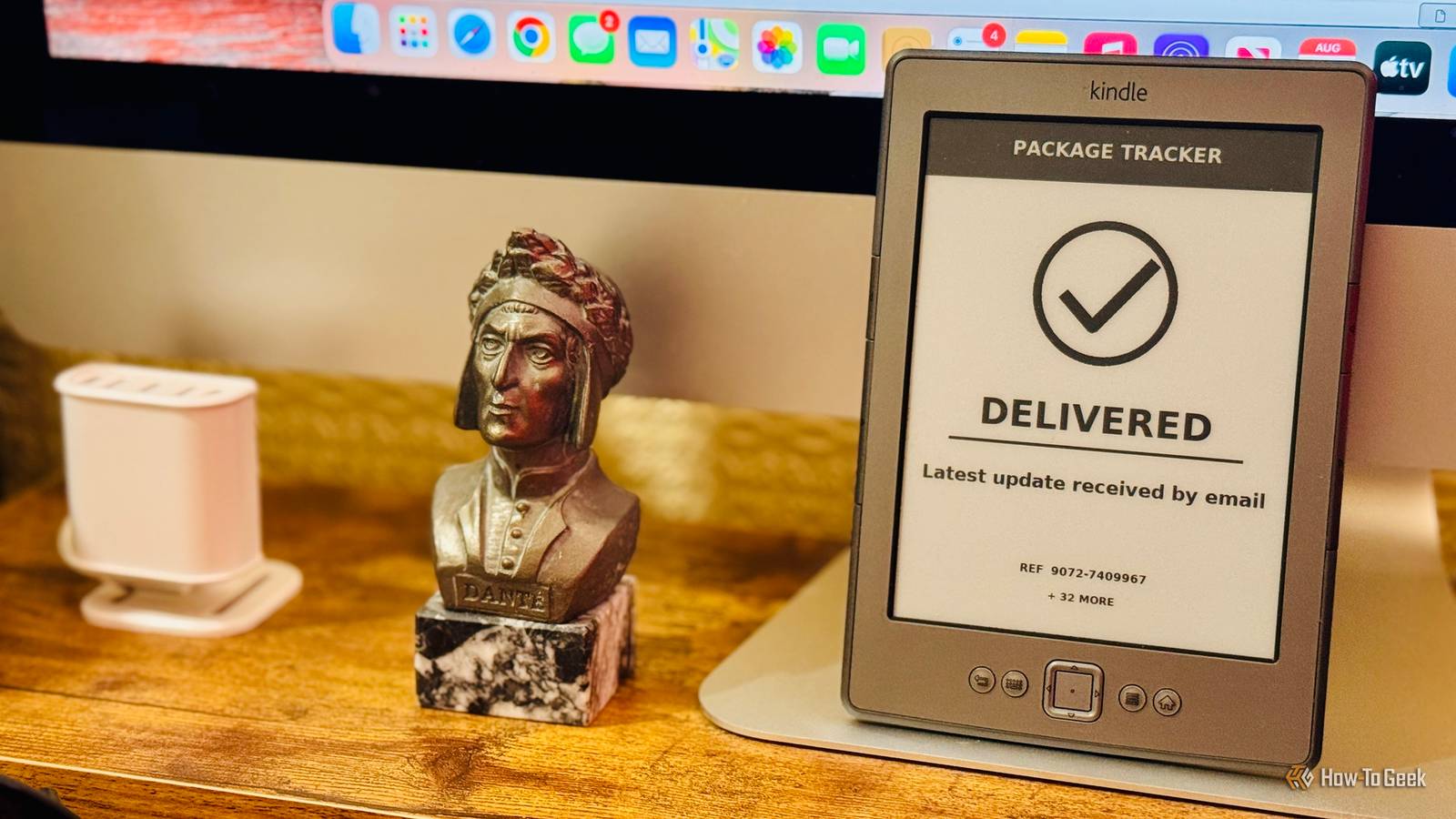
Published Sep 15, 2026, 7:00 PM EDT Adam has a degree in Engineering and has a life-long interest in technology. He has been writing for over a decade for various print and online publications, with a focus on consumer tech. He joined How-To Geek in 2024 while working at Pocket-lint. As well as being a long-term fan of Apple products, he also has a strong interest in smart home tech, running a Home Assistant server at home to automate all his smart home devices. He believes that the ideal smart home should work with minimal interaction from the user, with automations running as if by magic rather than requiring you to push buttons on a control panel. You can find more of his work on Muck Rack. If you need a display for a Raspberry Pi project, the obvious solution is to buy a dedicated accessory specifically designed to work with your single-board computer. For many projects, however, a used $25 Kindle can actually be a better choice. A $25 Kindle is cheaper than most Raspberry Pi displays You get an entire device, not just a screen Credit: Adam Davidson / How-To Geek If you want a display guaranteed to work well with your Raspberry Pi, you may want an official Raspberry Pi display, made by the same company that made your SBC. The problem is that even the cheapest options are fairly expensive. The Raspberry Pi Touch Display 2 comes in three sizes: 5-inch, 7-inch, and 10-inch, and the official Raspberry Pi site claims that prices start from $40. Currently, many sites are selling the 5-inch display for $50 or more. In comparison, you can find used Kindles for half that price or less. There are currently Kindle 4 models selling on eBay for under $25, Kindle 5 models for under $30, Kindle Touch models for under $30, and early Paperwhite models for around $25. You may be able to find even bigger bargains on secondhand marketplaces such as Facebook Marketplace. A Kindle isn't only cheaper; it also offers more value for your money. A Raspberry Pi display is useless without hooking it up to a Raspberry Pi, but a used Kindle is a functional device in its own right. A Kindle can run for a long time without being plugged in E-Ink and a built-in battery give you far more placement options Credit: Adam Davidson / How-To Geek A Raspberry Pi display connects to the board through DSI and pulls the power it needs to run directly from the Pi. Under normal circumstances, the display needs to live with the Raspberry Pi, as otherwise it can't communicate with the Pi or draw power. A jailbroken Kindle has no such issues. Even older Kindles have built-in Wi-Fi and their own rechargeable batteries. Not only does a Kindle not need to be connected directly to the Raspberry Pi, but it doesn't need a constant power supply either. This means that you can put your Kindle almost anywhere you want. Your Pi could be on the opposite side of the house, but as long as it can communicate with the Kindle over Wi-Fi, you can use the eReader as a display. Since you don't have to worry about plugging it in, you can place the Kindle in otherwise inaccessible locations, from sticking it to your fridge to taking it out into the yard. This is thanks to the Kindle's E-Ink display. The display uses very little power at all while displaying a static image, so it can potentially run for days at a time without being plugged in. A Kindle display looks better in bright sunlight E-Ink benefits from ambient light Credit: Adam Davidson / How-To Geek If your Raspberry Pi display is under bright light or in direct sunlight, it may be hard to read. While the backlit LCD screen has an anti-glare surface treatment, it can still suffer under bright lights. A Kindle's E-Ink screen is reflective. Instead of relying on a backlight to outshine the ambient light, it uses that ambient light to make the display visible. That means that it can be easier to read a Kindle's screen than a Raspberry Pi display under some conditions. If you want to take your display outside, for example, a Kindle is far easier to read in bright sunlight. The E-Ink screen can also be more comfortable to read than a backlit LCD. A Kindle can do some of the work itself Your Raspberry Pi doesn't have to handle everything Credit: Adam Davidson / How-To Geek A Raspberry Pi Touch Display 2 is just a peripheral. The Raspberry Pi does all the hard work, rendering the graphics and driving the display. The display itself simply displays those graphics and sends touchscreen data back to the Pi. In comparison, a jailbroken Kindle is a Linux-based computer in its own right. The Raspberry Pi doesn't have to do absolutely everything itself; the Kindle can handle some of the work. For example, the Pi can generate the content for the Kindle to display, but a script on the Kindle can then fetch the content and display it. This means a single Pi could potentially serve multiple Kindles, each pulling the relevant images from the Raspberry Pi. E-Ink is perfect for many dashboards A Kindle's biggest weakness often doesn't matter There's one area where a Raspberry Pi display is a clear winner. An E-Ink screen isn't designed for fast refresh rates, so if you need to display fast motion or data that updates constantly, then a Kindle isn't the right choice. However, if you want to use your Raspberry Pi to display a dashboard, these often don't require fast refresh rates at all. For example, a weather dashboard only needs to update when something changes, such as the temperature or weather conditions. A package tracking dashboard may only update once or twice a day. Even smart home dashboards don't always need to update multiple times a second, depending on the information you're displaying. When the information is fairly static, a Kindle can be the better option, because it uses very little power at all between updates. In comparison, a Raspberry Pi display requires constant power whether it's updating or not. A Kindle really can beat a Raspberry Pi display A jailbroken Kindle isn't the perfect option. If you need color, responsive touch controls, video, or rapid updates, the Raspberry Pi Touch Display 2 is a no-brainer. Many Pi projects don't need any of those things, and for those projects, a Kindle's benefits can outweigh its drawbacks.
Why a used $25 Kindle beats any Raspberry Pi display you can buy today
Full Article
Original Source
Read the full article at Howtogeek →KhanList aggregates and links to publicly available news content. We do not host full articles from third-party sources. Always verify important information with original sources.