
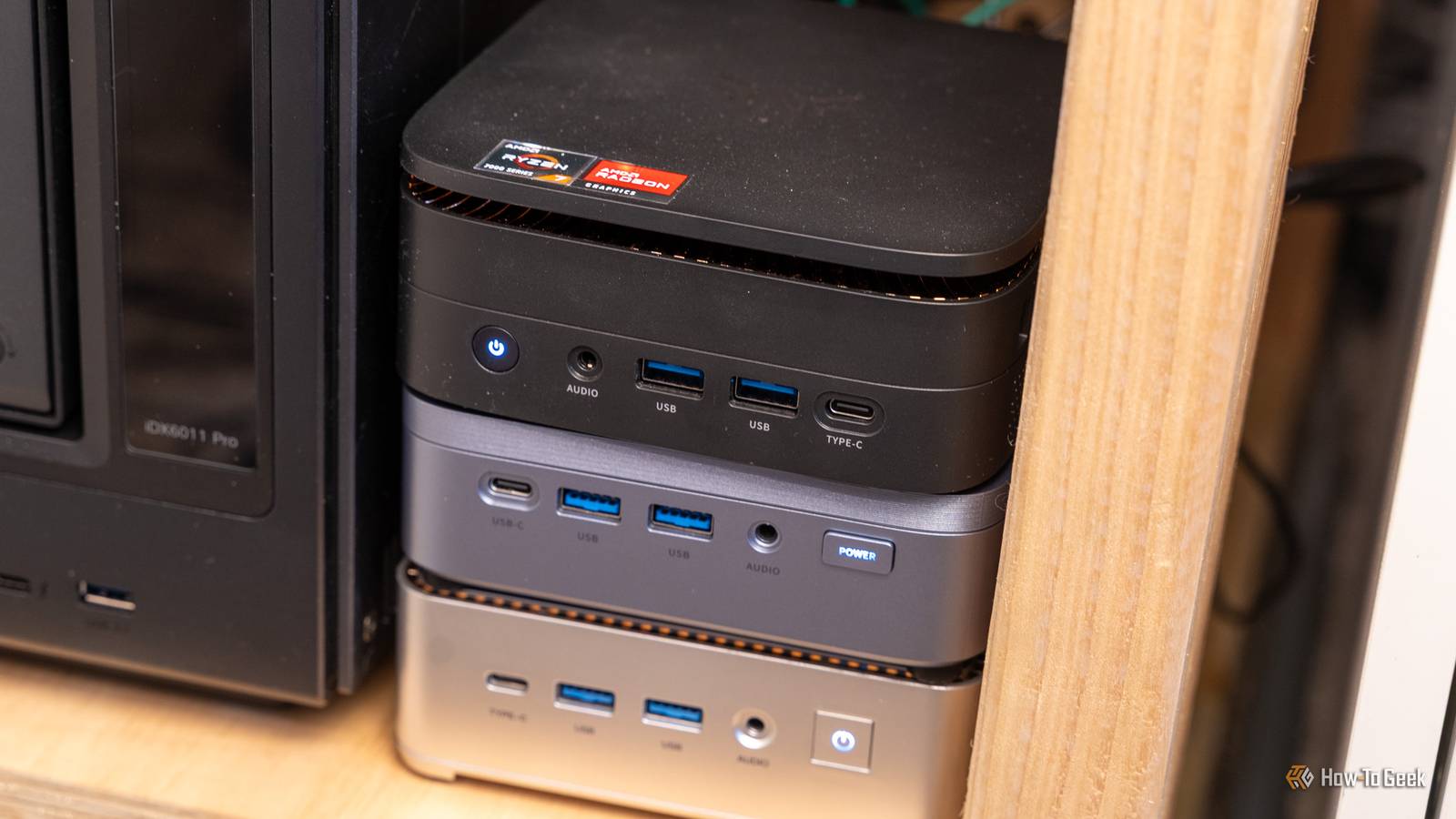
Published Oct 27, 2026, 2:30 PM EDT Monica J. White is a journalist with over a decade of experience in covering technology. She built her first PC nearly 20 years ago, and she has since built and tested dozens of PCs. PC hardware is her main beat, and graphics cards and the GPU market at large are her main area of interest, but she has written thousands of articles covering everything related to PCs, laptops, handhelds, and peripherals. From GPUs and CPUs to headsets and software, Monica's always willing to geek out over all things related to computing. Outside of her work with How-To Geek, Monica contributes to TechRadar, PC Gamer, Tom's Guide, Laptop Mag, SlashGear, Whop, and Digital Trends, among others. Her ultimate goal is to make PC gaming and computing approachable and fun to any audience. Monica spends a lot of time elbow-deep in her PC case, as she's always making upgrades, testing something, or plotting out her next build. She's the go-to tech support person in her immediate circle, so she's never out of things to do. Whenever she has spare time, you'll find her gaming until the early hours and hanging out with her dog. I'm a PC builder with so much love for humongous desktops, but even my love gets tested at times. I recently tried a really high-quality GEEKOM mini PC, which made me re-evaluate the whole concept of owning those things, and how they can pretty much replace an actual desktop on many fronts. Desktops, these days, cost a fortune. A cheap mini PC decidedly does not. So, why not replace an expensive desktop with a trio of highly portable mini PCs? Hear me out here. Your main mini PC doesn't need to be a compromise Modern mini PCs are indeed powerful enough to replace many desktops Given my undying love for PC building and desktops in general, it won't surprise you that I'm no big fan of laptops. However, mini PCs are a different story. I already think that a mini PC is a better buy than a laptop, and now, I'm starting to think that for many people, a mini PC is a better buy than a desktop. Five-years-ago me would be disappointed, but hey, opinions change as the economy changes, too. Building a desktop is super pricey right now, whereas mini PCs are abundant at various price points. So, to sell you on this idea of mine, which is having different mini PCs for all the different things you might need to do (apart from gaming, that is), I'll go over each, then tie the whole argument together afterwards. The first PC This is the PC that's going to consume the biggest chunk of your budget, because this is going to be your main workstation. The good news is that you don't need some massive desktop tower to achieve this. Well ... Unless your specific workloads call for one, that is. But most people who work on a PC, even heavily, can make do with a mini PC. I recently used one for a week for work and barely noticed a difference. (I'm sorry, my desktop PC. I still love you most.) Mini PCs with Ryzen 7 or Intel Core Ultra CPUs, 16GB or 32GB of RAM, and fast NVMe SSDs can comfortably handle everyday tasks, including multitasking, productivity, programming, some creative workloads, etc. And trust me, there are loads of those available, many of them around the $400 to $1,000 price point. Your second mini PC can run things around the block There's no reason to keep your main PC running for tiny background tasks This second mini PC is where you can save some money. It'll be the sidekick in the background to your "main" mini PC, running the stuff you don't want the main, pricier computer to be slowed down by. You don't need a powerful CPU to run some background services. I'm talking about things like Pi-hole, Home Assistant, a lightweight Jellyfin server, or a few Docker containers. These are all things you might want running 24/7, but keeping a massive desktop powered on just for that feels like a waste. A mini PC can handle those tasks without interfering with your main workstation, and you can always shut down your primary computer without taking your home services offline. Power consumption is also a non-issue with these cheap, low-power PCs. The third mini PC belongs somewhere else in your house Turn your TV into another fully functional computing setup The third mini PC isn't sitting in your office, and its sole purpose is to bring joy and entertainment everywhere it goes. Okay, that sounds a little extra, but basically, I'm talking about a PC that lives in your living room and connects to the TV. You'd essentially turn your TV into another computer, capable of streaming movies you own (plus Netflix and the like, of course), browsing the web, playing older games, or accessing files from your local home server. Pair it with a wireless keyboard and mouse, or even a controller, and you've got yourself a pretty sweet entertainment setup. You could also use Steam Remote Play to stream games from your main PC, provided it's powerful enough to run them. Three separate PCs give you so much flexibility One computer failing doesn't have to take everything offline So, what's the whole point in having three separate PCs? It's mostly that you're no longer relying on a single machine for absolutely everything. If your main workstation crashes, needs a Windows update, or decides to be an absolute nuisance, your home server can still keep doing its thing without a care in the world, and your living room PC is still there to provide some much-needed post-troubleshooting stress relief. You can also run different operating systems on each machine, and if you're feeling adventurous, three mini PCs can even form a Proxmox cluster for your homelab. Sure, you could run all of these on a powerful desktop, but you miss out on some big wins, such as each machine doing its own thing undisturbed, and power consumption concerns. Plus, again, those RAM-pocalyptic prices. A desktop tower still wins if you need serious horsepower Three smaller PCs in a trenchcoat don't make a desktop PC As much as I think this idea has some serious legs, I'm not going to pull wool over your eyes and tell you that three mini PCs will replace a desktop every single time. If you're into AAA gaming, 3D rendering, or GPU-heavy workloads, a proper desktop with a discrete graphics card is always the better choice. But if you do have a mini PC, external graphics can work. There's also the matter of upgradeability. Often limited in mini PCs (you'll be lucky if you can add more RAM and more storage), it's basically endless in desktops, which is part of why I love them so dearly. The smartest PC isn't always the most powerful one I think that we all have a problem with buying electronics that are slightly better than we need right now. And I get it, because future-proofing is a real concern. But sometimes, when you know your workloads are highly separate, buying a couple of mini PCs can legitimately make more sense than a single desktop, and I stand by that opinion. GEEKOM IT13 Mini PC $1399 $1690 Save $291 8/10 This GEEKOM mini PC may not be the cheapest, but it's a real workhorse of a computer. It kept up with my $3,000 desktop in everything except gaming. CPU Intel Core Ultra 7 356H (16 cores, 16 threads, up to 4.7GHz)
Why a trio of mini PCs is a smarter buy than a single desktop tower
Full Article
Original Source
Read the full article at Howtogeek →KhanList aggregates and links to publicly available news content. We do not host full articles from third-party sources. Always verify important information with original sources.