
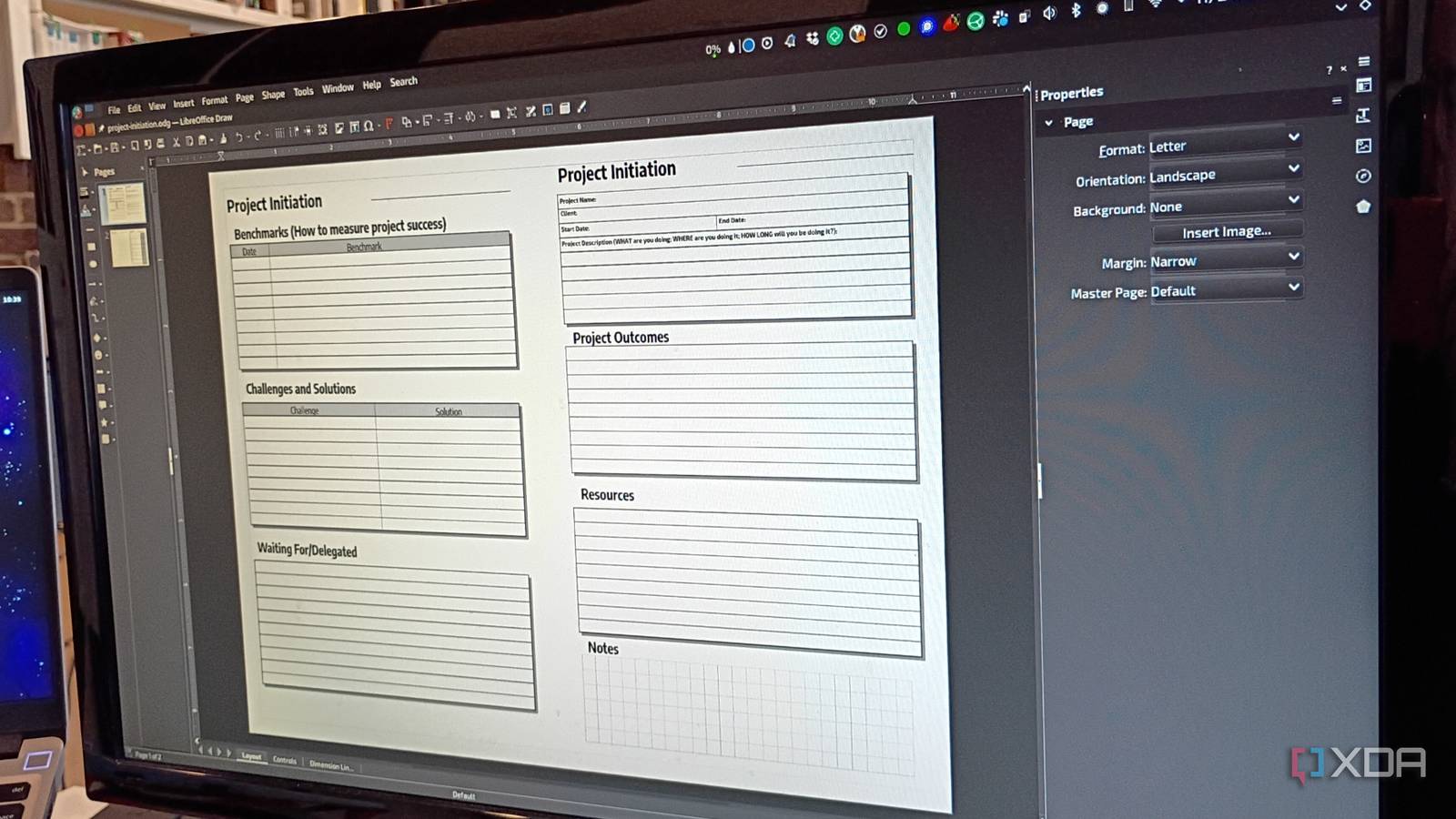
Published Nov 26, 2026, 10:30 AM EST Richard Sezov has worked in IT most of his life, and loves all things Linux, 3D printing, and retro computing. When Rich isn't working, you'll find him spending time with his wife and kids, playing with single board computers, packaging Linux software, 3D printing, reading science fiction, playing games, and hopefully not blowing anything up. Office suites were exciting in the 90s because there was competition. You had your Corel/WordPerfect stalwarts (mostly lawyers), your IBM-centric Lotus SmartSuite users, and of course you had Microsoft, which slowly chipped away at everybody’s market share until Office became the de facto standard. After that, office suites became kind of a boring wait for the next version of Microsoft Office. With no real competition, Office became so expensive that Sun Microsystems found it more economical to buy Star Division to obtain StarOffice (which they renamed OpenOffice) than it would have been to license Microsoft Office for their users. Since then, we’ve mostly had two camps: Microsoft Office on Windows and Mac, and LibreOffice (what OpenOffice became) on Linux, Windows, and Mac. But now things are changing, and office suite competition is heating up. People are tired of renting their software by shelling out for a subscription to Microsoft Office every year. And new open source alternatives are available. Of course, there’s the venerable LibreOffice. But now Collabora Office and Nextcloud Office have entered the fray: both of which promise a similar experience to those coming from Microsoft Office, along with enhanced compatibility with Microsoft’s formats. But which one should you choose? That, my friend, depends on your needs. Read on for a closer look. LibreOffice: old faithful Sometimes what’s familiar is what’s best LibreOffice is still installed by default on most Linux distributions. If you’ve been using Linux for a long time as I have, LibreOffice may have become your familiar friend for creating documents, spreadsheets, and presentations. And if you’re a Windows or Mac user who gave up on paying for an office suite subscription a long time ago, you probably have LibreOffice installed on your machine. For those not in the know, LibreOffice contains six programs: Writer (word processor), Calc (spreadsheet), Impress (presentations), Draw (vector graphics), Base (database), and Math (formulas). Each component is highly competent at what it does; I have done extensive diagrams with Draw and laid out entire books with Writer, complete with an index and a table of contents. You should be aware of one thing with regard to LibreOffice: its default file formats are the OpenDocument file formats, not the Microsoft Office formats. While it boasts high compatibility with the Microsoft formats, if your primary purpose with your office suite is to share files with people who use Microsoft Office, LibreOffice might not be for you. It will not default to Microsoft formats, though it can save them. Now, when I say high compatibility, I do mean it. I was able to use LibreOffice on Linux along with its track changes feature to collaborate with my editor on a book, chapter by chapter — and this was over 15 years ago. She never complained of any problems, and neither did the layout people. When I read LibreOffice reviews that doubt its compatibility with Microsoft formats, I’m always puzzled by this, because I’ve had very few problems doing that, for a long time. One thing I love about LibreOffice (at least on Linux) is that its default interface does not use ribbons. This is another area in which you may be different from me, especially if you are used to Microsoft Office. If I use a piece of software for a long time, I want to learn the keyboard shortcuts. Ribbons force me to grab the mouse instead, and they don’t show the relevant keyboard shortcuts so I can learn them. And they take up too much space. And I have to read hieroglyphics (i.e., icons) to know what the functions do. With that said, LibreOffice does offer a ribbon: if you don’t like the pull-down menus, you can select View -> User Interface and select the tabbed option. LibreOffice is likely the best suite for those who only occasionally have to deal with Microsoft formats (not because of compatibility, but because they’re not the default), or those who have been using it for a while. It’s powerful, stable, and for those familiar with it, there’s little reason to switch. Collabora Office Supported, cross-platform LibreOffice you can run locally or online Default Collabora templates. Collabora Office runs from the same code base as LibreOffice. In fact, Collabora is the biggest contributor to LibreOffice. And it has the same six programs as LibreOffice. So why use Collabora when you could use LibreOffice? Collabora’s main thing is the collaboration piece. Collabora Office runs in a browser, which means you get all those great features you may be used to from Google Docs: multiple users with multiple cursors modifying a document at the same time — and talking to each other about it in chat. Collabora also uses the ribbon interface by default, so it’s a more familiar environment for Microsoft Office users. If, however, you’re used to Google Docs (which has pull-down menus), you may want to go to the View tab and select Compact view to get pull-down menus like Google Docs. Collabora is a great alternative to Microsoft 365. You can adopt Collabora for your organization by signing up for an account. Or you can use it within a Nextcloud installation. Or you can even install a standalone version that doesn’t have an online component. This works slightly differently from LibreOffice, in that all the office components are embedded in a single window, and files appear in tabs across the top. Collabora Office shines within organizations that have a Collabora account or a Nextcloud instance and work on documents together. Nextcloud Office Once written, twice forked Nextcloud Office is the youngest suite in this roundup. It’s a fork of Euro-Office, which itself is a fork of OnlyOffice, a dual-licensed (commercial and Affero GPL) office suite designed for online and offline use. Because it is also built for online collaboration, it runs in a browser. The standalone version of Nextcloud Office by default also runs all of its components in a single window, with files in tabs across the top, though there is a setting to open them in separate windows. It uses a ribbon interface similar to Microsoft Office. In fact, it is designed to be as similar to Microsoft Office as possible, matching the functions and organization of its interface closely. There is no way to switch this interface to a pull-down menu interface. The standalone version of Nextcloud Office comes with four programs: Nextcloud Write, Nextcloud Spreadsheet, Nextcloud Present, and Nextcloud PDF Editor. I tested the word processor with the biggest document I could find: a public domain Bible in .docx format. I loaded it up and tried one change: modify the default style’s font and see if Nextcloud’s word processor could reformat almost 2000 pages. Unfortunately, I got the error you see above. This test worked in LibreOffice and Collabora Office. Nextcloud Office’s default file format is all the Microsoft formats, so it is positioned as a drop-in replacement for Microsoft Office. I threw a bunch of files at it, and it formatted all the Microsoft files well. If you are coming from LibreOffice, however, its OpenDocument support seems lacking; I had problems with several of my complex files. Perhaps the pièce de rèsistance for Nextcloud Office is its integration with Nextcloud. Like with Collabora, if you are looking for a replacement for Microsoft 365 or Google Drive accounts and need real-time online collaboration, combining Nextcloud with Nextcloud Office could be exactly what you need. Because its default format is the ooxml format Microsoft Office uses, you should be able to migrate all your files from OneDrive to a Nextcloud instance and have your users collaborate on files almost the same way they did before. Office suites are exciting again Who had this on their bingo card? Default Collabora templates. After about two decades of one dominant (and boring) office suite, we now have several viable, open-source options. You should take each one for a test drive and see how it handles your existing files. And if you are building an environment where users collaborate on documents, you don’t have to accept the default suite and its default pricing: you have several options available to you — including hosting Nextcloud on your own hardware for free. Give one of these suites a try!
Which open source office suite is right for you? LibreOffice, Collabora, or Nextcloud
Full Article
Original Source
Read the full article at Xda-developers →KhanList aggregates and links to publicly available news content. We do not host full articles from third-party sources. Always verify important information with original sources.