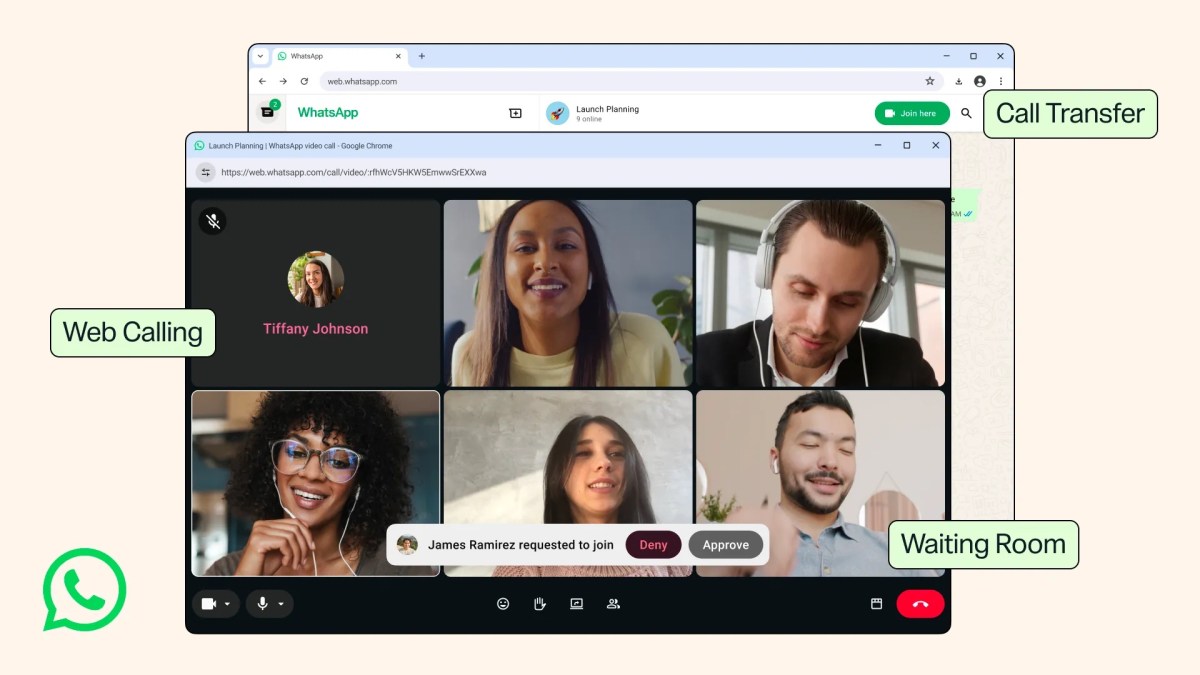
In Brief Posted: 7:53 AM PDT · July 28, 2026 Image Credits:WhatsApp WhatsApp calls have been for years only supported on the smartphone app or its native desktop app. Now, Meta is finally letting users make and receive audio and video calls using WhatsApp for Web. Similar to the smartphone and desktop apps, the Calls tab on the web interface will house your call history and favorites. The web app will also support calling features you get in the desktop app, such as screen-sharing and reactions. WhatsApp is rolling out a few more updates for calls as well. Users can now transfer calls from one device to another without hanging up, so if you initially received a call on desktop or on the web, you can continue speaking on your phone. The company is also introducing waiting rooms. If someone has a link to a group call, you can let them in when you want to, or boot them out. This is a key update for people who might host work calls on WhatsApp. When creating a call link, you can enable the “Require approval to join” option to create a waiting room for the meeting. Another small but useful upgrade is background noise suppression, which filters out noise in large places. The company said WhatsApp will start streaming video calls in high definition in the first few seconds of the call. Before now, calls would sometimes take a few seconds to switch to high-definition video. WhatsApp recently opened up reservations for usernames. Once the username feature goes live, people will be able to use them to call other users across platforms. Newsletters Subscribe for the industry’s biggest tech news Related Latest in Apps
WhatsApp now lets you make calls using its web app
Full Article
Original Source
Read the full article at Techcrunch →KhanList aggregates and links to publicly available news content. We do not host full articles from third-party sources. Always verify important information with original sources.