
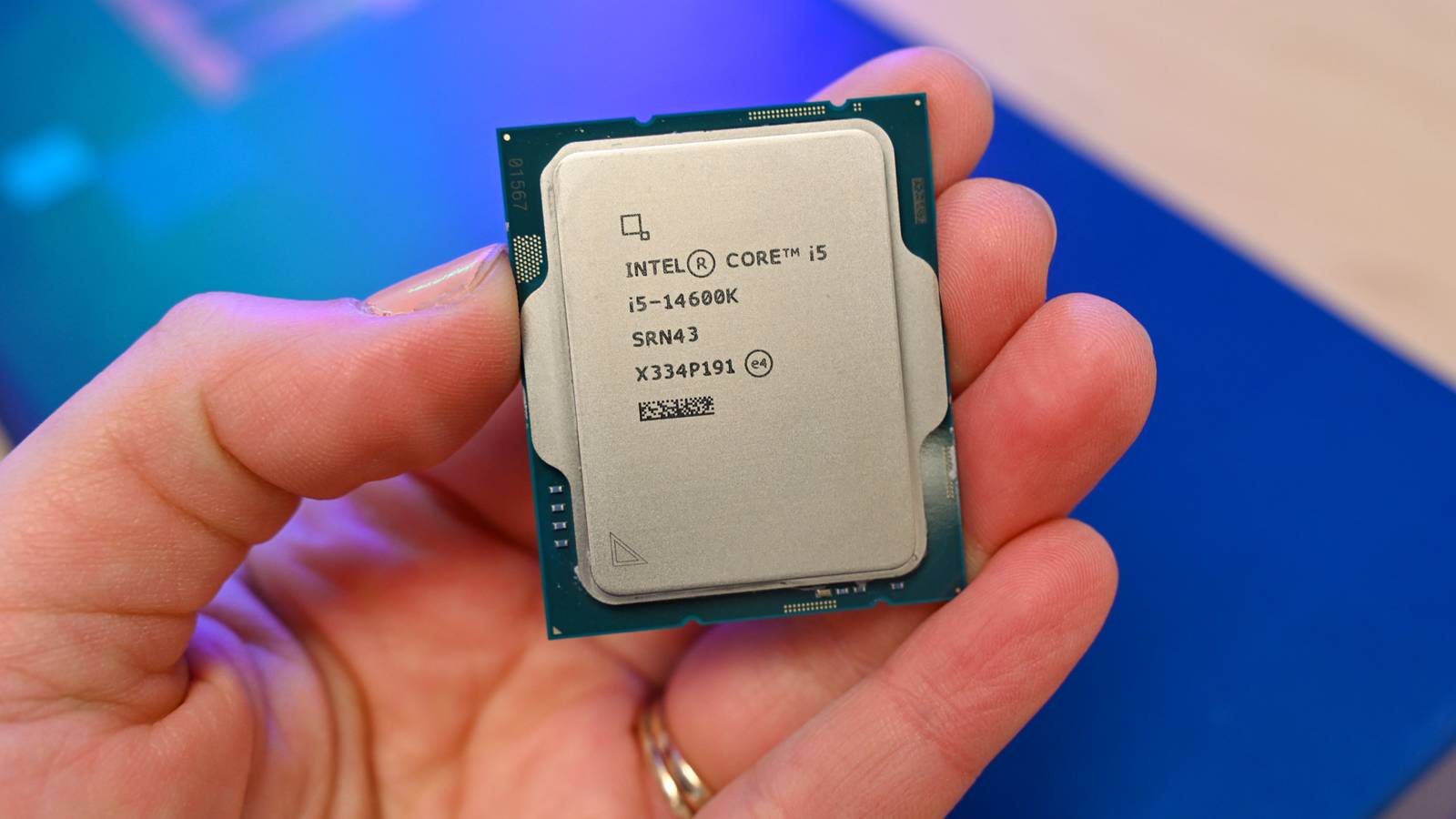
Summary The CPU (central processing unit) is the brain of your computer, processing instructions from programs and components. Modern CPUs use billions of microscopic transistors to interpret binary signals, enabling complex tasks at high speeds. Your CPU connects with other PC components through sockets and buses. The most important part of your computer, if you had to choose just one, would be the central processing unit (CPU). It's the primary hub (or "brain"), and it processes the instructions that come from programs, the operating system, or other components in your PC. 1's and 0's: What a CPU Does Thanks to more powerful CPUs, we've jumped from barely being able to display an image on a computer screen to Netflix, video chat, streaming, and increasingly lifelike video games. The CPU is a wonder of engineering, but, at its core, it still relies on the basic concept of interpreting binary signals (1's and 0's). The difference now is that, instead of reading punch cards or processing instructions with sets of vacuum tubes, modern CPUs use tiny transistors to create TikTok videos or fill out numbers on a spreadsheet. How a CPU Actually Works: The Instruction Cycle [IMAGE: A clean diagram showing the fetch-decode-execute-store cycle as a circular flow, with the ALU and control unit labeled. Screenshot or vector illustration.] The CPU does not simply "run" your programs. It processes them one instruction at a time, in a repeating loop called the fetch-decode-execute cycle. Each cycle takes a fraction of a nanosecond, but the loop repeats billions of times per second. Fetch: The CPU reads the next instruction from RAM into a register. Decode: The control unit interprets what that instruction means—what operation to perform and on which data. Execute: The arithmetic logic unit (ALU) performs the computation: addition, comparison, data movement, or a branch. Store: The result is written back to a register or memory. The control unit and the ALU work together as the functional core of the processor. The control unit decides what to do next; the ALU does the math. Everything else you see in a CPU spec sheet—cores, caches, PCIe lanes—is infrastructure designed to feed data to these two components as quickly as possible. One nuance worth knowing: the clock speed listed in a CPU's specs (say, 5.0 GHz) is the base clock. Under load, most modern CPUs can temporarily push higher, which is the boost clock. Both matter, but sustained performance under real workloads depends on how long the CPU can hold that boost before thermal or power limits kick in. The Basics of the CPU Credit: Justin Duino / How-To Geek CPU manufacturing is complicated. The important point is that each CPU has silicon (either one piece or several) that houses billions of microscopic transistors. As we alluded to earlier, these transistors use a series of electrical signals (current "on" and current "off") to represent machine binary code, made up of 1's and 0's. Because there are so many of these transistors, CPUs can do increasingly complex tasks at greater speeds than before. The transistor count doesn't necessarily mean a CPU will be faster. However, it's still a fundamental reason the phone you carry in your pocket has far more computing power than, perhaps, the entire planet did when we first went to the moon. Before we head further up the conceptual ladder of CPUs, let's talk about how a CPU carries out instructions based on machine code, called the "instruction set." CPUs from different companies can have different instruction sets, but not always. Most Windows PCs, for example, use the x86-64 instruction set, regardless of whether they're an Intel or AMD CPU. Macs from the year 2020 and newer, however, have ARM-based CPUs called Apple Silicon, which use a different instruction set. There is also a small but growing number of Windows PCs using ARM processors, such as the Lenovo Yoga Slim 7x. A Look Inside: Cores, Caches, and Graphics Credit: Intel Now, let's look at the silicon itself. The diagram above is from an Intel white paper published in 2014 about the company's CPU architecture for the Core i7-4770S. This is just an example of what one processor looks like—other processors have different layouts. We can see this is a four-core processor. There was a time when a CPU only had a single core. Now that we have multiple cores, they process instructions much faster. Cores can also have something called hyper-threading or simultaneous multi-threading (SMT), which makes one core seem like two to the PC. This, as you might imagine, helps speed up processing times even more. The cores in this diagram are sharing something called the L3 cache. This is a form of onboard memory inside the CPU. CPUs also have L1 and L2 caches contained in each core, as well as registers, which are a form of low-level memory. If you want to understand the differences between registers, caches, and system RAM, check out this answer on StackExchange. The CPU shown above also contains the system agent, memory controller, and other parts of the silicon that manage information coming into, and going out of, the CPU. Finally, there's the processor's onboard graphics, which generate all those wonderful visual elements you see on your screen. Not all CPUs contain their own graphics capabilities. AMD Zen desktop CPUs, for example, require a discrete graphics card to display anything on-screen. Some Intel Core desktop CPUs also don't include onboard graphics. The CPU on the Motherboard Credit: Jason Fitzpatrick / How-To Geek Now that we've looked at what's going on underneath the hood of a CPU, let's look at how it integrates with the rest of your PC. The CPU sits in what's called a socket on your PC's motherboard. Once it's seated in the socket, other parts of the computer can connect to the CPU through something called "buses." RAM, for example, connects to the CPU through its own bus, while many PC components use a specific type of bus, called a "PCIe." Each CPU has a set of "PCIe lanes" it can use. AMD's Zen 5 CPUs, for example, have 28 lanes that connect directly to the CPU. These lanes are then divvied up by motherboard manufacturers with guidance from AMD. For example, 16 lanes are typically used for an x16 graphics card slot. Then, there are eight lanes for storage, such as a fast storage device, like an M.2 SSD. Alternatively, these eight lanes can also be split. Two lanes could be used for the M.2 SSD, and two for a slower SATA drive, like a hard drive or 2.5-inch SSD, and so on. That's 24 lanes, with the other 4 reserved for the chipset, which is the communications center and traffic controller for the motherboard. The chipset then has its own set of bus connections, enabling even more components to be added to a PC. As you might expect, the higher-performing components have a more direct connection to the CPU. CPU vs. GPU: What's the Difference? Credit: Intel The CPU and the GPU are both processors, but they are built for fundamentally different jobs. The CPU is a latency machine: it takes a handful of complex, sequential tasks and finishes them as fast as possible. The GPU is a throughput machine: it takes thousands of simple, parallel tasks and chews through them simultaneously. CPU GPU Cores 4–32 (few, complex) 1,000–20,000+ (many, simple) Design goal Low latency for sequential tasks High throughput for parallel tasks Cache Large L1/L2/L3 per core Small or no per-core cache Control logic Complex branching, out-of-order execution Simple, uniform scheduling Best at OS, apps, single-threaded workloads Rendering, AI inference, video encoding A GPU cannot run your operating system. A CPU cannot render a 4K frame in real time. They are complementary, not competing, which is why a functional PC needs both working in tandem. Choosing the Right CPU for Your Needs If you're building a PC, especially one for gaming, you want to make sure you choose a fast and future-proof processor. Check our guide to the best CPUs on the market to get started. Be sure to check your measurements before ordering any other parts, though.
What is a CPU, and what does it do?
Full Article
Original Source
Read the full article at Howtogeek →KhanList aggregates and links to publicly available news content. We do not host full articles from third-party sources. Always verify important information with original sources.