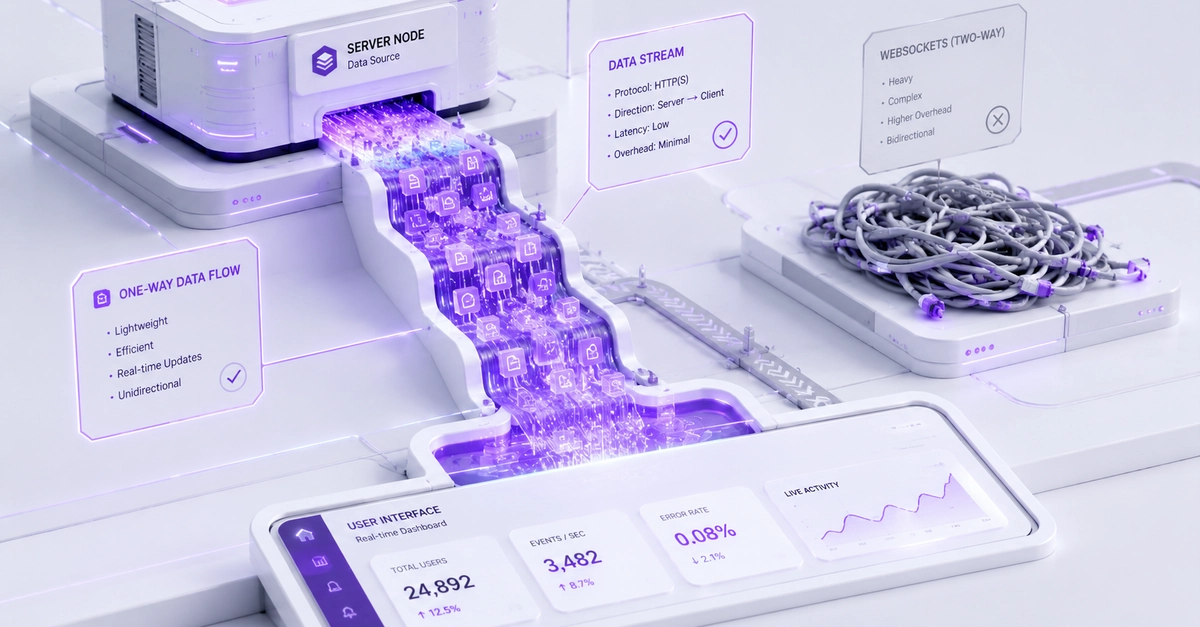
The WebSocket Default Trap When building a modern B2B SaaS dashboard at Smart Tech Devs, you often need real-time updates. If a background job finishes processing a massive CSV export, you want a notification to instantly pop up on the user's screen. The immediate developer reflex is: "I need WebSockets. Let's install Socket.io or Laravel Reverb." For a collaborative whiteboard or a live chat application, WebSockets are mandatory because the data is bidirectional (the client and server are constantly talking to each other). But for 90% of SaaS use cases—like notifications, live progress bars, or stock ticker updates—the communication is unidirectional. The server just needs to push data to the client. Using a heavy, persistent WebSocket connection for unidirectional data is absolute overkill, and introduces severe scaling headaches with load balancers and firewalls dropping connections. The Elegant Alternative: Server-Sent Events (SSE) Server-Sent Events (SSE) is a native browser API designed specifically for unidirectional, real-time data. Unlike WebSockets, SSE operates entirely over standard HTTP. There are no custom protocols, no complex handshake upgrades, and it leverages native HTTP/2 multiplexing, making it incredibly lightweight and firewall-friendly. Step 1: Architecting the SSE Route in Next.js In the Next.js App Router, we can create a dedicated API Route Handler that streams an event response back to the client. // app/api/notifications/route.ts import { NextRequest } from 'next/server'; export async function GET(req: NextRequest) { // 1. Create a readable stream const stream = new ReadableStream({ async start(controller) { const encoder = new TextEncoder(); // Simulate listening to a Redis Pub/Sub channel or Database Event const sendUpdate = (data: any) => { // SSE requires a specific format: "data: {json}\n\n" const payload = `data: ${JSON.stringify(data)}\n\n`; controller.enqueue(encoder.encode(payload)); }; // Send an initial connection success message sendUpdate({ type: 'connected', message: 'SSE Stream Active' }); // Example: Push a notification every 10 seconds const interval = setInterval(() => { sendUpdate({ type: 'notification', message: 'Your export is ready!' }); }, 10000); // Cleanup when the client disconnects req.signal.addEventListener('abort', () => { clearInterval(interval); controller.close(); }); } }); // 2. Return the stream with strict SSE HTTP headers return new Response(stream, { headers: { 'Content-Type': 'text/event-stream', 'Cache-Control': 'no-cache, no-transform', 'Connection': 'keep-alive', }, }); } Step 2: Consuming the Stream in React Because SSE is a native browser feature, we don't need any heavy third-party NPM packages on the client. We simply use the built-in EventSource API inside a useEffect hook. // components/LiveNotifications.tsx "use client"; import { useEffect, useState } from 'react'; export default function LiveNotifications() { const [notifications, setNotifications] = useState([]); useEffect(() => { // 1. Connect to our Next.js SSE endpoint const eventSource = new EventSource('/api/notifications'); // 2. Listen for incoming messages eventSource.onmessage = (event) => { const data = JSON.parse(event.data); if (data.type === 'notification') { setNotifications((prev) => [...prev, data.message]); } }; // 3. Handle errors and auto-reconnect logic (built into EventSource naturally!) eventSource.onerror = () => { console.error("SSE connection lost. Reconnecting..."); }; // 4. Cleanup the connection when the component unmounts return () => { eventSource.close(); }; }, []); return ( Live Updates {notifications.map((note, idx) => ( {note} ))} ); } The Engineering ROI By migrating your unidirectional real-time features to Server-Sent Events, you dramatically reduce your infrastructure complexity. You no longer need to manage sticky sessions on load balancers or worry about corporate firewalls blocking ws:// traffic. You get native auto-reconnection and standard HTTP caching rules, allowing your team to build real-time features faster and more reliably.
WebSockets are Overkill: Master Server-Sent Events in Next.js ⚡
Full Article
Original Source
Read the full article at Dev →KhanList aggregates and links to publicly available news content. We do not host full articles from third-party sources. Always verify important information with original sources.