
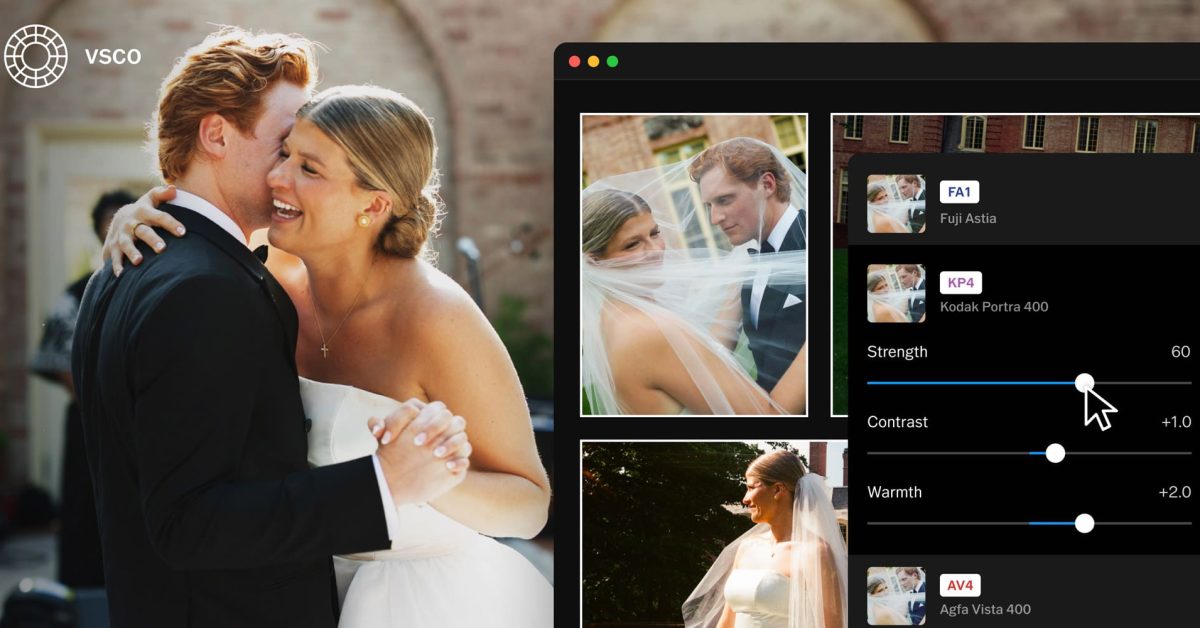
VSCO today released Studio Pro Desktop, its first native photo editor for Mac, bringing many of the company’s familiar editing tools to macOS, alongside new features aimed at photographers working with large numbers of images. Here are the details. VSCO comes to the Mac Professional and amateur photographers just got a new alternative for editing and managing their photos on Mac with the release of VSCO Studio Pro, a native macOS app that brings the company’s popular editing tools to the desktop for the first time. More than that, VSCO Studio Pro integrates with the company’s broader ecosystem of photography tools, allowing users to manage their workflow from importing and editing photos to delivering finished images to clients through VSCO Galleries, without having to manually export and upload them to another app. It also supports keyboard shortcuts similar to those found in other popular photo editors, making it easier for photographers familiar with those apps to get started. Here’s Eric Wittman, CEO of VSCO, on today’s launch: “Photographers deserve tools built around how they actually work. […] 75% of VSCO Pro members have used our presets in the last six months. Now those looks live on the desktop, with one connected workflow from camera to client delivery and nothing getting in the way. The first thing users will notice, and then continue to notice when using VSCO Studio Pro, is how fast it is. From changing the grid size, to sorting images, to applying presets by rolling the cursor over each of the 200+ presets, pretty much everything about VSCO Studio Pro feels as real-time and instant as it can be when dealing with large numbers of images. As for importing photos, VSCO Studio Pro supports Apple Photos, local folders, SD cards, and external drives, and offers RAW compatibility with more than 800 cameras from 20 brands. Users can also choose whether to work with files in their original location or copy them elsewhere. Under the hood, VSCO Studio Pro Desktop combines Apple’s Core Image RAW processing with the company’s own Reflex image processing engine, which handles presets and editing adjustments. Batch editing in VSCO Studio Pro Desktop can handle anywhere from two to 500 images at once, which is great for quickly applying the same preset or film-inspired look (including Kodak Portra, Kodachrome, Fujifilm Velvia, and Kodak Tri-X), or making adjustments to an entire set of photos simultaneously, with changes appearing across all selected images in real time. And speaking of presets, VSCO Studio Pro packs an exclusive one called IOE1 Pro, developed with photographer Joe Greer. IOE1 Pro, as well as VSCO’s other presets, allow users to adjust the strength, color, tone, and contrast, further helping them fine-tune each look to their liking. VSCO Studio Pro’s editing tools include the usual suspects photographers might expect from photo editing software, including exposure, contrast, fade, highlights, shadows, whites, blacks, skin tone, temperature, tint, hue, saturation, lightness, sharpening, clarity, vignetting, and grain adjustments for strength, size, and color. VSCO is also working to expand its toolset to include bloom and halation effects, curves, masks, and a remove tool for users looking for more control over their edits and to make more precise, localized adjustments to their images. Also in the works are new organizational features, including projects for managing groups of photos, as well as culling tools that will allow users to rate images with stars and mark them as accepted or rejected, making it easier to sort through large photo collections. Once users are happy with their adjustments, they can export their photos individually or in batches, choosing the file name, format, resolution, and compression quality. VSCO Studio Pro also offers resizing presets for web, social media, and client delivery, as well as the option to save the finished images to a folder of their choice. And speaking of client delivery, users can publish their edited photos directly to VSCO Galleries, allowing them to share full-resolution images without having to export them and upload them separately elsewhere. VSCO Studio Pro Desktop is available today as a free download for Apple Silicon Macs, with full feature access requiring a VSCO Pro membership, starting at $4.99 per month or $59.99 per year, or a VSCO One membership. You can see it in action below: To learn more about VSCO Studio Pro Desktop, follow this link. Worth checking out on Amazon Apple HomeView Apple TV 4K Apple Watch Series 12 AirPods Pro 3 AirTag (4 Pack) FTC: We use income earning auto affiliate links. More.
VSCO launches its first native Mac photo editor with RAW support, batch editing, more
Full Article
Original Source
Read the full article at 9to5mac →KhanList aggregates and links to publicly available news content. We do not host full articles from third-party sources. Always verify important information with original sources.