
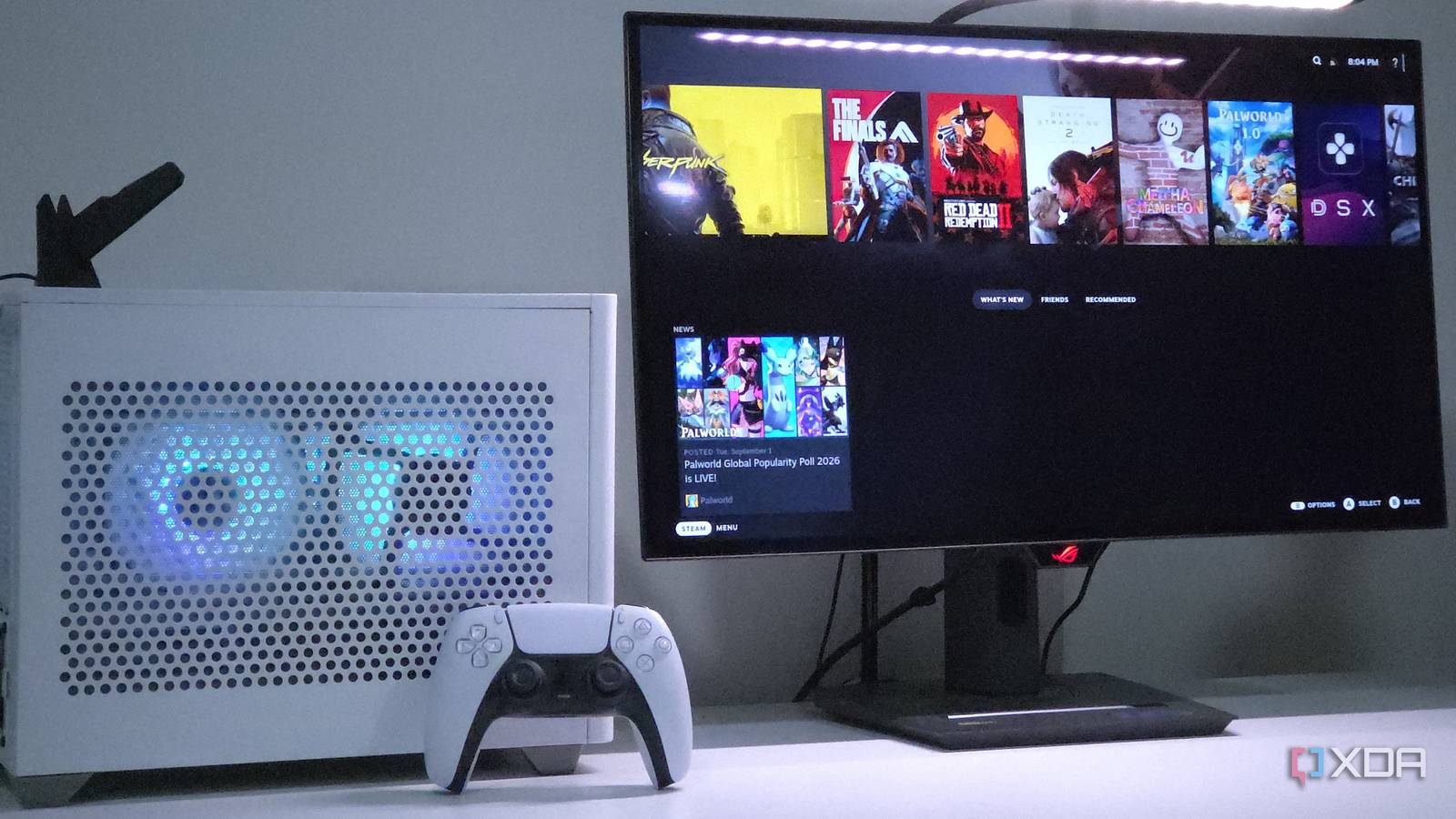
Published Sep 17, 2026, 7:31 AM EDT Holding a degree in Computer Engineering, Rayan is an avid PC hardware enthusiast. Having built his first computer during the pandemic, he's been hooked on the hobby ever since. His greatest passion is getting the most value out of every dollar, whether building a PC for gaming or tailoring one to another use case. He spends much of his time researching and testing new ways to maximize that value, then shares his findings through his writing. Valve's Steam Machine has sparked much controversy since its reveal earlier this year. After an already delayed launch, the $1,049 price tag for the base variant didn't land well; for that price, the Steam Machine's hardware configuration leaves much to be desired. Although many, myself included, were hopeful for a price-competitive console killer upon seeing the bespoke CPU and GPU configuration, things didn't pan out that way. The Steam Machine's semi-custom silicon failed to keep prices low Blame the RAM crisis Credit: Steam Store | Valve One reason the Steam Deck was such a success was its surprisingly low price. At just $399 for the base config, it offered very solid performance for the time, especially when you factored in the handheld form factor. This was largely thanks to the custom silicon Valve secured from AMD. Essentially, the APU used in the Steam Deck was originally destined for laptops, but when AMD scrapped that idea, Valve swooped in and secured a large quantity of them for pennies on the dollar. So when Valve announced the Steam Machine's hardware specs, enthusiasts were rightfully excited to see the bespoke CPU and GPU configuration. Unfortunately, no matter how good a deal Valve was able to cut with AMD, it was all for naught, as the RAM crisis put an end to the Steam Machine's "budget PC" aspirations. Building your own Steam Machine is easier than ever Valve's done great work here Thankfully, even though the Steam Machine has turned out to be a bit overpriced, Valve has made it so that building your own is now a piece of cake. With the SteamOS 3.8 update, Valve opened the gates for all types of AMD hardware, without any special tweaks required. As luck would have it, my sister's PC happens to be an AM4-based Mini-ITX box, so I decided to appropriate it for a weekend and try SteamOS myself. This compact build, housed in the roughly 18-liter CoolerMaster NR200P, can't quite match the tiny 4L footprint of the Steam Machine, but I'd say it's still small enough to blend into a home console setup. Another confounding variable is HDMI-CEC, which the Steam Machine supports out of the box, but that's easily rectified on the custom build with this $20 adapter. So with all the asterisks out of the way, let's talk specs. AM4 and RDNA 4 make for a sweet combo AMD is keeping the budget PC dream alive Spec-wise, we're looking at a Ryzen 5 5500 and an RX 9060 XT 16GB. Paired with a budget ITX motherboard — like the ASRock A520M-ITX, currently available for $99 — and a solid 2x16 kit of DDR4 memory, this combo roughly matches the Steam Machine's CPU performance and handily outclasses it in GPU performance. With a 512GB SSD, this build would cost $1,040 in total, coming in just below the Steam Machine's $1,049 price point. If you're fine with spending a bit more, I'd recommend bumping up to the Ryzen 5 5600 to ensure the 9060 XT doesn't hit any CPU bottlenecks. I'd also recommend investing in a solid low-profile CPU cooler and some case fans to ensure the NR200 doesn't turn into a sauna for your components. However, even specced as is, this PC offers a markedly better experience than the Steam Machine, thanks to the 9060 XT. With FSR 4, better ray-tracing performance, and double the VRAM, it pretty much mops the floor with the Steam Machine's RDNA 3-based GPU; expect to get between 1.5 and 2X the performance when GPU-bound. Gaming performance, thermals, and noise How does it fare in the real world? Assuming you spend the extra $20 on a low-profile CPU cooler and $10 on some case fans, you can expect decent thermals. In Death Stranding 2, the CPU was pegged at 77C, while the GPU maxed out at 67C. This was with only two fans installed, both on the mesh side panel: one directly feeding fresh air into the CPU cooler, and one right next to it serving as exhaust. With another case fan mounted on the bottom of the case feeding air into the GPU, and a top exhaust fan, you could reduce thermals even further. In terms of operating noise, the system wasn't dead silent at load, but it also wasn't obtrusively loud. The main source of noise was the CPU cooler, although that shouldn't be a concern if you use a Ryzen 5 5500 (my build used the higher-wattage Ryzen 5 5600). On the other hand, the GPU and other components were dead silent, even at full load, which makes sense for two reasons: first, the GPU and CPU only draw 160W and 55W at load, respectively; and second, the case isn't very small by ITX standards. With a decent airflow setup, you should be completely fine for both noise and thermals. The gaming performance is very impressive, given our budget. In Cyberpunk 2077, using the RT Ultra preset at 1440p with FSR 4 performance, I saw an average of 74FPS in the built-in benchmark. In Red Dead Redemption 2, it was a similar story: 78FPS average through the benchmark pass at 1440p Ultra with no upscaling enabled. Testing a more modern game, this PC was able to pump out 71 FPS through the opening mountain scene of Death Stranding 2, at 1440p Very High with FSR 3.1.5 Quality enabled. Suffice it to say that this PC can easily handle modern AAA games at 1440p, whereas the Steam Machine has been shown to struggle with the same. The SteamOS Experience Not hands-free yet In terms of the installation process, SteamOS was unbelievably painless. It comes with the Wi-Fi drivers used by my motherboard's network adapter, and after I signed in to my Wi-Fi, it automatically grabbed the GPU drivers as well. That said, the experience isn't completely hands-free. For example, I had to patch FSR 4 via GE-Proton, which is a task that definitely requires a keyboard and mouse. Similarly, launching RDR2 for the first time required a 2FA code for Rockstar's launcher, which yet again needed a keyboard. Keep a Bluetooth keyboard and mouse handy for your SteamOS couch gaming setup. Unfortunately, these niggles mean that the console-like experience many dream of when they install SteamOS still isn't quite there. Operating any SteamOS PC — whether that be a custom build or the Steam Machine — purely with a controller just isn't feasible yet. That isn't to say that SteamOS is without any benefit. It's certainly an improvement over Windows, and if I were building a PC for a couch gaming setup, it would probably be my operating system of choice. If installed on an all-AMD system, you barely lose any performance compared to Windows, and the UI is much more controller-friendly. With Valve committed to expanding hardware support for SteamOS in the future, it definitely looks like it'll be the future of PC gaming on the couch.
Valve's Steam Machine is $1,049, but I built the same machine for less earlier this year
Full Article
Original Source
Read the full article at Xda-developers →KhanList aggregates and links to publicly available news content. We do not host full articles from third-party sources. Always verify important information with original sources.