
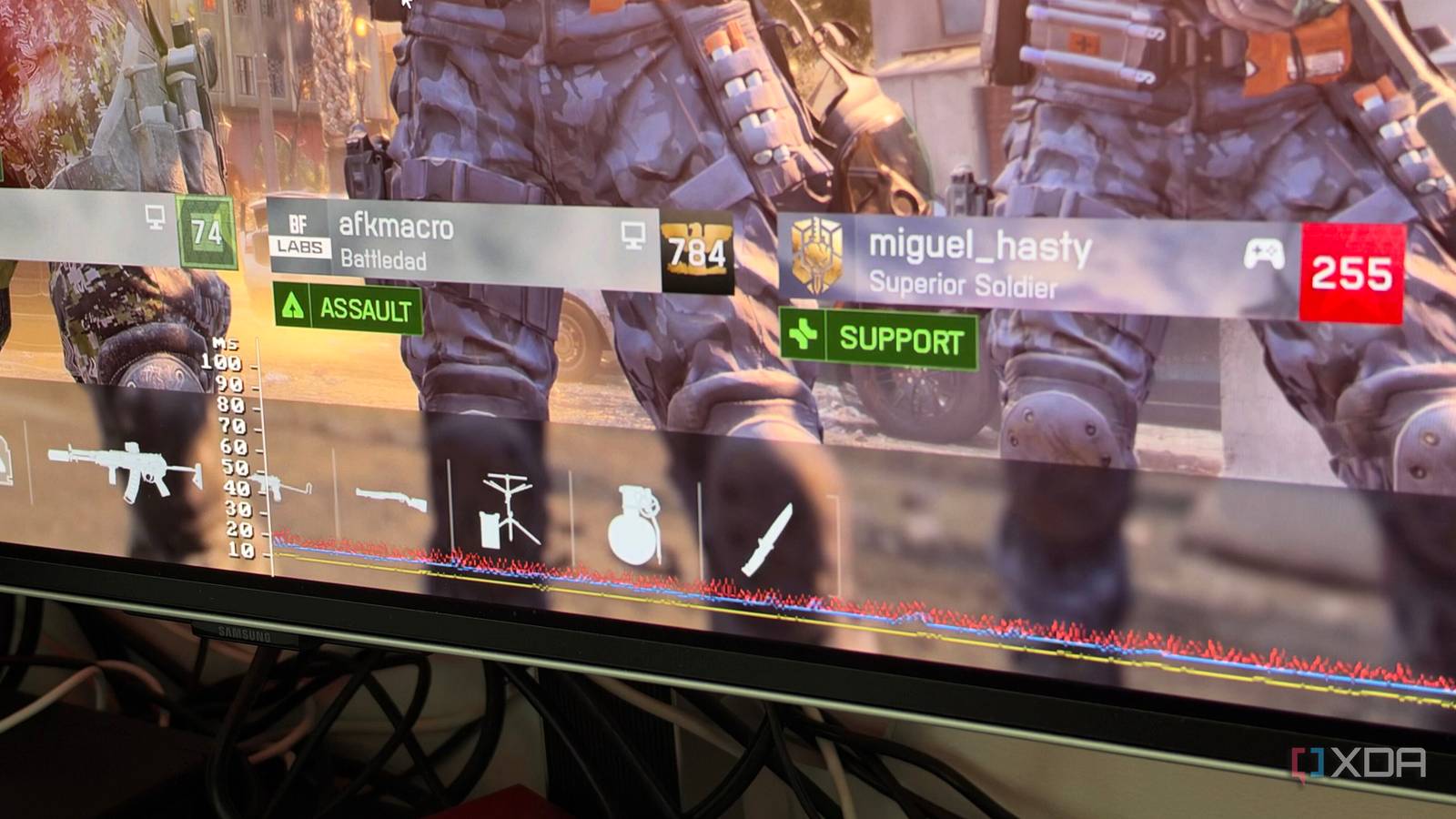
Published Sep 30, 2026, 1:30 PM EDT His love of PCs and their components was born out of trying to squeeze every ounce of performance out of the family computer. Tinkering with his own build at age 10 turned into building PCs for friends and family, fostering a passion that would ultimately take shape as a career path. Besides being the first call for tech support for those close to him, Ty is a computer science student, with his focus being cloud computing and networking. He also competed in semi-pro Counter-Strike for 8 years, making him intimately familiar with everything to do with peripherals. Valve's new Pyrowave codec for Steam Remote Play sounds like excess for the sake of it on paper. Valve says it uses five to ten times the bandwidth of other streaming codecs, and in my testing Steam's overlay showed roughly 400 to 480 Mbit/s of video with full HDR and 4:4:4 color enabled. Nearly every video codec exists to shrink that bandwidth instead of grow it, but Pyrowave spends bandwidth to save time and latency instead, and on a wired home network where bandwidth is the one thing you have plenty of, that's a great trade. Why Pyrowave skips the compression trickery of other codecs Sacrificing efficiency for speed Codecs like H.264, HEVC, and AV1, which Remote Play already supports, get small streams largely by predicting what changes between frames and then squeezing the result with entropy coding. It's extremely efficient, but it takes time. Pyrowave, created by Hans-Kristian Arntzen, skips both. Its documentation describes it as, practically speaking, a still-image codec. Every frame is compressed on its own with no motion prediction. This is what drives a large increase in bitrate but it's easy work to parallelize on a GPU, so the performance hit is negligible. It runs as Vulkan compute shaders on the GPU, and Arntzen lists encode and decode times under roughly 0.1 ms at 1080p and 0.2 ms at 4K. Valve describes total latency as encode plus network plus decode plus display, which is why it warns that your setup may not benefit. What is looked like on my setup Both a wired and wireless connection was really solid The host was my Windows desktop, wired, with two very different clients. The first was a Minisforum MS-03 running Ubuntu 26.04 over Ethernet. In Escape From Tarkov at 4K and 120 fps, Steam's overlay reported under 1 ms of ping and 8.38 ms of display latency, with no packet or frame loss. In Battlefield 6, the capture ran near 97 fps and display latency rose to 13.64 ms. With the bandwidth limits set to unlimited, the visual fidelity was indistinguishable from the host experience. Both games are relatively fast-paced shooters where input latency is really crucial, and I was pleasantly surprised by the performance. I could definitely tell that the game was being streamed, but it was by no means unplayable. There was one small issue on the Linux box: my mouse input was quite stuttery and inconsistent, but this likely has something to do with the mouse itself or the way Linux handles the input. It's a mouse with a polling rate of 8K, so that combined with the potential inconsistency of how the input is being passed could've caused this but I couldn't nail it down. The other scenario I tested did not have this issue with a different input device. The second client was an ASUS Zenbook on Wi-Fi 7 over the 5GHz band, right next to the access point, streaming 1080p at 120 fps. Its numbers were less flattering: 4.23 ms of ping but 30.06 ms of display latency. It still felt smooth in Tarkov, which was a pleasant surprise. I ran everything with 4:4:4 color on. Valve leaves it off by default because it needs more bandwidth and processing time, so your numbers may differ, but I wanted to see what the worst-case-scenario would be for bandwidth. If I move around the house or didn't have a solid 5GHz connection, the experience really suffered, and that's shown by the latency graph's huge jump in the image above. Where Pyrowave falls short The obvious catch is bandwidth Steam lets you set a manual bitrate between 100 and 500 Mbit/s, and Valve recommends connecting both machines directly to your router over at least gigabit Ethernet. Arntzen himself says streaming over the internet isn't feasible at these rates outside peer-to-peer fiber links. Pyrowave also isn't a more efficient codec, only a faster one. Valve warns it may not lower latency on every setup, since the network and display still add delay, and the gap between my two clients shows the rest of the connection chain matters. Try it for yourself The Steam Client beta has everything you need to try Pyrowave Source: Valve To try out the new high-bandwidth codec with Remote Play, simply opt-in to the Steam Client beta. Next, open Remote Play's advanced client options on the client and enable Pyrowave before you start streaming. On Linux, turn on the experimental SteamRT3 client in Steam's system settings first. Automatic bitrate is the default, and you can switch to a manual setting between 100 and 500 Mbit/s if your network needs it. The 4:4:4 option is worth trying if you're streaming a desktop or reading text on a 4K display. Steam Remote Play gets another codec option Game streaming has always been a compromise: you squeeze the picture small enough to fit the network and accept the delay that squeezing adds. Valve's new Pyrowave codec for Steam Remote Play helps one side of that equation, but heavily inflates the other. Whether that's worth it to you is entirely dependent on your network scenario.
Valve's new Remote Play codec uses up to 10 times more bandwidth on purpose, and it's the first time streaming has felt like sitting at the PC
Full Article
Original Source
Read the full article at Xda-developers →KhanList aggregates and links to publicly available news content. We do not host full articles from third-party sources. Always verify important information with original sources.