
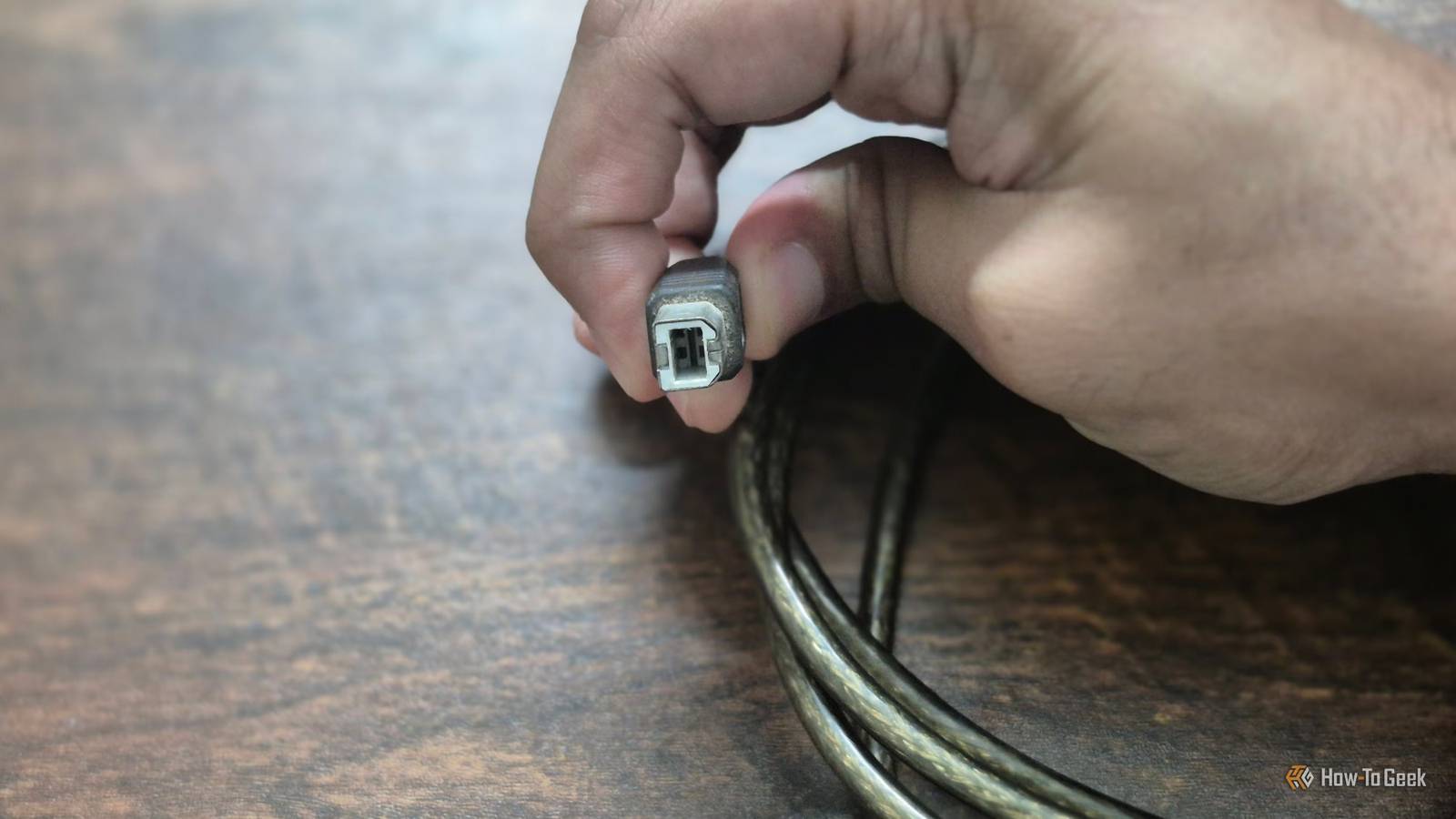
Published Nov 9, 2026, 6:30 PM EST Bertel is a lifelong tech enthusiast with over a decade of experience writing thousands of articles about Android devices, Linux, and more. Before joining the How-To Geek team, Bertel wrote for the likes of MakeUseOf, MakeTechEasier, and Android Police—at the latter he wrote over 3,500 articles. He delights in helping others decide which tech to bring into their lives... and which tech to do without. Bertel graduated from the College of William and Mary in 2012 with degrees in History and Government. He has spent his entire career as a tech journalist covering Android, Linux, wearables, smart home devices, and more. USB ports are a fact of life, as ubiquitous as power outlets and water faucets. Before USB-C, there was the bigger USB port we’re all familiar with that technically goes by the name of USB-A. In between the two, there’s USB-B — and I won’t blame you for never giving it any thought. No one ever says “plug this into your laptop’s USB-B port.” USB-B ports were most commonly found on desktop PC accessories like printers, though you can still find them on newer tech like Arduino boards. While USB-C came much later after many USB revisions, versions A and B actually arrived at the same time — so why do they look so different? The USB standard originally came with certain limitations These limitations determined the shape of the ports USB stands for Universal Serial Bus, and it’s a standard that was introduced in 1996 as a way to connect various electronic devices. It replaced numerous pre-existing ports that you rarely see on computers anymore, such as serial, parallel, and PS/2 ports. With USB, the promise was simple — you no longer had one port dedicated to your mouse, a different one for your keyboard, and another one for your printer. They could all use the same ports interchangeably. A USB cable can also transmit both power and data. Yet, unlike today's USB-C cables, power and data can only travel one way. This made it vital that consumers knew which end was the correct one to insert into each device. Getting that wrong could result in a product that didn’t work or, even worse, would never work again. To communicate this without needing customers to read an instruction manual, the two ends look nothing like each other. The USB-A port is a wide, flat rectangle. The original USB-B plug was square-shaped with beveled corners at the top. Future iterations would introduce different USB colors as well, though what that communicates is much less obvious. You've definitely used USB-B plugs They've just rarely ever gone by this name You're probably reading these words because the name USB-B is a curiosity. For many of us, there are USB ports, and there are USB-C ones. To say USB-A feels technical, and USB-B is unthought of entirely. Yet USB-B ports are, by necessity, nearly as ubiquitous as USB-A ports. USB-A is the end that plugs into your host device, such as your desktop, your laptop, or the back of your TV. Devices with USB-A ports send power out to your accessories. Your PC powers your mouse, which is why wired mice don’t need batteries. This is also why your PC can be used to charge battery-powered devices like phones, albeit very slowly. What you find on the other end (before the arrival of USB-C, at least) is a variation of USB-B, and this side only goes into client devices. Initial USB-B ports could often be found on printers, fax machines, and external hard drives. These were devices that had removable cables, unlike wired mice and keyboards, where the cable is usually attached. Yet this was far from the most popular version of USB-B. USB-B underwent changes as our devices got smaller These are the versions you’re more likely to remember I graduated from high school in the 2000s, which was the era of the iPod and MP3 players. USB-B ports were too thick for these types of devices. While the iPod had its own proprietary cable, MP3 players from other companies, like the Sony and SanDisk ones I used, had a mini-USB port instead. The same is true of external hard drives, which have shrunk in size and are now too thin for the original USB-B ports. Yet these tiny mini-USB ports were actually technically known as USB mini-B ports. Time went on, and eventually these ports became too thick as well. By the time I bought my first smartphone, we were charging them with micro-USB ports. Though you rarely saw the full name ever written out on packaging or instruction manuals, these were actually USB micro-B ports. USB mini-A and micro-A ports were also a thing, but they were much less common. Every mini-B and micro-B cable I've ever seen has been paired with a full-sized USB-A connector on the other end. That's because USB-A ports were ubiquitous on our computers, and this only started to change with the arrival of USB-C. Yet even now, full-size USB-A ports are stubborn and persistent. If anything, they're making a comeback and starting to reappear on premium laptops that spent a few years trying to do without. For this reason, even though the USB-C standard introduces cables that have identical ends, many devices come with charging cords that have USB-C on one end and USB-A on the other. Will USB-B make a comeback? Devices continue to get thinner. The foldable phone I’m writing these words on is thin enough that there is barely enough room for a USB-C port, making a USB-B or USB mini-B completely non-viable. Yet even the super-thin USB micro-B would feel like a step backward now that I no longer have to make sure my plug is facing the right direction. I see little upside to going back. Even so, USB-C isn’t without its frustrations, and it hasn’t quite lived up to its promise of being the perfect cable. But with the rise of both wireless data transfer and wireless charging, we increasingly have to ask ourselves not which ports we want on our accessories, but whether we even need ports at all.
USB-A and USB-B were invented at the same time. Here's why they're different shapes
Full Article
Original Source
Read the full article at Howtogeek →KhanList aggregates and links to publicly available news content. We do not host full articles from third-party sources. Always verify important information with original sources.