
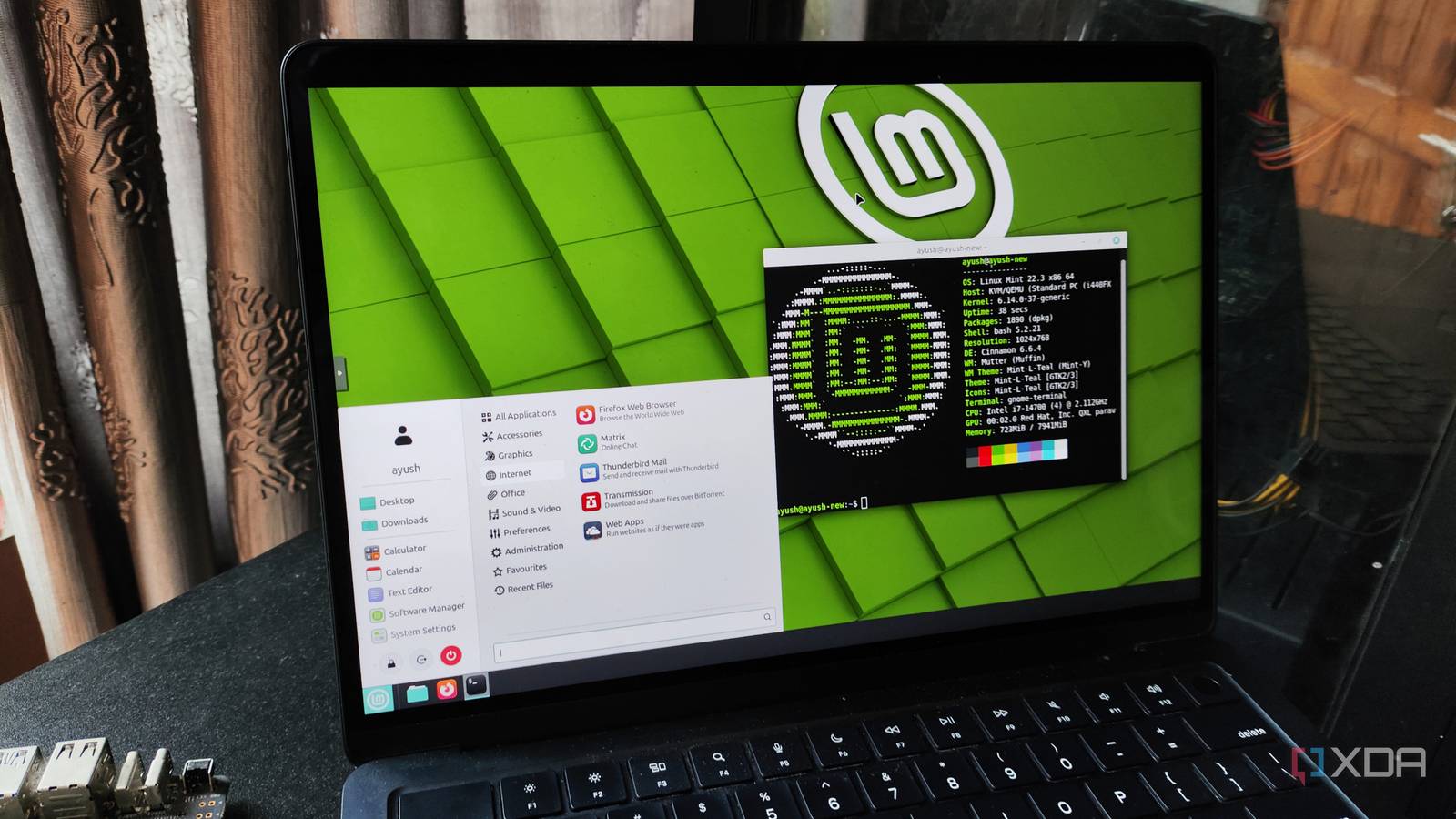
Published Sep 25, 2026, 9:00 AM EDT Abhishek is an author at XDA who covers computing. He has loved computers since he got the Lenovo G570 in 2012. Abhishek holds a master's degree in computer applications and began his writing career in 2018. He loves writing how-to articles, listicles, and informational posts on popular operating systems and web services. He closely follows the Windows Insider program and tests new Insider builds to discover upcoming experimental features and upgrades. His past work includes long-term collaborations with reputed publications like Tom's Hardware, and Windows Latest. When not writing anything, he is busy watching new episodes of One Piece or searching for something binge-worthy. Ubuntu has been the default Linux distribution for anyone trying to move away from Windows. I remember trying it as a virtual machine more than a decade ago, when it required less than one gigabyte of memory to work. My laptop wasn't as capable as you might think, with just 4GB of DDR3 memory running Windows 7 and the virtualization software. Later, I moved to a dual-boot setup, which let Ubuntu use the full system resources. However, after seeing the distro mature from my college days to now, I should have switched to something better sooner. Ubuntu has made big changes along the way and is no longer the lightweight distribution I tried a long time ago. Let's discuss why Linux Mint is a better replacement, especially if you are fed up with Ubuntu's quirks. Ubuntu's resource consumption grew rapidly Not the most lightweight distro anymore Ubuntu used to be the obvious choice for reviving old systems that couldn't run Windows. But Canonical didn't want to stay in the shadows as a secondary choice, so it improved it. Now, Ubuntu is a mainstream Linux distribution that rivals Windows in terms of UI design and other features. It might not run the same popular software, but I cannot disregard its popularity. The current version of Ubuntu recommends 6GB of memory and a dual-core processor. These requirements certainly don't suit old laptops and desktops, which often cap at 4GB of DDR3 or DDR4 memory. Ubuntu doesn't use 4GB right off the bat when you do a fresh install, but its usage crosses the 1.5GB memory mark. The Linux Mint Cinnamon edition isn't very lean either, but it uses about 1.3GB of memory and a little less storage on a fresh installation. Ubuntu doesn't have other lightweight options, but Linux Mint offers XFCE and MATE editions. So, if you want something lighter for an older system that cannot handle modern UI demands, you still have options. On Ubuntu, you have to take matters into your own hands and switch to another desktop environment. It's not feasible for a Linux newbie, and the only other option is officially recognized Ubuntu flavors, which are mostly community-maintained versions. GNOME desktop became boring Cinnamon tries to stay relevant GNOME tries to be a minimalist desktop, and honestly, it's the biggest buzzkill ever. Even simple actions and features that should be a part of any desktop are missing from it. Forget about granular customization or tweaks; you have to rely on a GNOME extension for even simpler tasks like better tiling support. Since it claims to be a mainstream distro, a well-polished and usable desktop experience should be one of the topmost priorities. That's the main reason users start looking for desktop environment alternatives after spending some time with GNOME. The lack of basic features pushes you toward extensions, and they often break. New GNOME updates also aren't easy on extensions, which means even if you find a workaround, stability isn't guaranteed. Cinnamon desktop feels quite familiar because of the Windows-style bottom taskbar panel and the left-corner app launcher. Even customization settings, theming, and other visual tweaks are baked into the desktop environment rather than relying on extensions. It’s not KDE or COSMIC’s level of customization, but it's certainly better than what Ubuntu ships with GNOME. GNOME's lack of granular panel management makes it difficult for the average user. Desktop environment switching seems like a wise option, but it requires extra setup and a smooth transition. Some Linux distros come with a dedicated tool to switch desktops, reducing the need to rely on confusing terminal commands. But Ubuntu doesn’t ship with any such tool. The bloatware is also increasing in Ubuntu, and Snap is quite an eyesore for many users like me. Snap is a hindrance Flatpaks are better Snap is a packaging system that includes every possible file or runtime that the app needs to work. However, there should be a clear distinction between installing Snap packages and apt packages. Ubuntu forces Snap package installation even when you use the apt package manager, and that’s a worrisome action. Snap packages don’t perform as well as standard apt installations and use extra storage because each package includes all its essential files. Linux Mint offers a similar packaging system called Flatpaks, but here, everything is optional. The distro doesn’t sneakily install packages via Flatpak when you use apt for something. I like this approach because the distro presents it as an option and doesn’t enforce the philosophy on you. There’s no confusion about the method of package installation, and you always have a choice. I also like the default apps selection on Linux Mint because it adds necessary ones, like Timeshift. It's great for creating and automating system snapshot creation. So, you don't have to hunt for essential apps with a fresh installation. Flatpaks are also a great option for anyone who wants uncomplicated package installations. Ubuntu sadly lacks such useful apps, and you have to manually install them. So, Linux Mint tries to simplify the transition from another mainstream operating system to Linux. Linux Mint deserves a chance Ubuntu's popularity draws every new Windows escapee towards it, but not everyone can bear the mundane design for long. Linux Mint is one of those distros that started with heavy inspiration from Ubuntu and became a full-fledged alternative with multiple desktop environment options. You can choose the lightweight XFCE option for an older system, or use the Cinnamon edition, which will still use fewer resources than Ubuntu. Mint also doesn't force Snap packages and offers an alternative in the form of Flatpak. The default apps are a nice touch, and fewer but polished updates mean you don’t need to worry about a reinstallation. Linux Mint Linux Mint offers three editions, each suitable for old and new hardware.
Ubuntu stopped being the lightweight Linux distro, and Linux Mint filled the gap it left behind
Full Article
Original Source
Read the full article at Xda-developers →KhanList aggregates and links to publicly available news content. We do not host full articles from third-party sources. Always verify important information with original sources.